# What is Tailer Platform?

Welcome to Tailer, an Open Source data platform dedicated to retailers.

## :airplane\_departure: Introduction

Retail companies need to handle ever-growing amounts of data. To do so, they require a simple, scalable and easy-to-implement solution offering instant performance at an affordable cost.

Tailer aims at helping all members of B2C companies that need to make sense of huge amounts of sales, inventory, operational, or customer data, to promote their data-driven transformation.

"Tailer" is an anagram of "Retail". As a high tech haute couture solution, it allows you to tailor your data, e-commerce, and sales predictions to your needs.

## :sparkles: What makes Tailer special?

Easy to use, and quick to get up and running, Tailer allows you to achieve your business objectives faster.

As an Open Source solution, Tailer aims at gathering and federating a community of retail industry actors. Thanks to this, and the use of Google Cloud’s affordable resources, it has a particularly low TCO.

Easy to integrate, Tailer can be deployed in only 24h to 48h, and runs inside your own cloud environment.

Tailer is really agile, as its data flows adapt to all contexts. Being DevOps-ready, it allows you to adopt an iterative approach, and a Git branching strategy.

## :tools: Main features

Tailer offers the following features:

* Accessing and securing data
* Gathering and organizing data
* Transforming and enriching data
* Using data for analysis and predictions

## :busts\_in\_silhouette: Who is Tailer intended for?

### **Data engineers**

With Tailer, data engineers can take advantage of a data-centric, collaborative development environment to implement complex real-time big data workflows.

### **Data scientists**

Data scientists can use Tailer to work directly within the company data lake without any technical restriction, and implement predictive models in one click.

### **Decision makers**

Decision makers can take advantage of the better, quicker business insights achieved thanks to Tailer Platform to boost the data-driven transformation of their company.


# Prepare your local environment for Tailer

Before installing the Tailer SDK package, you need to prepare your local environment.

Tailer SDK runs on Windows, Linux, and macOS. Tailer SDK requires Python. Supported versions are 3.8 or higher.

Before installing Tailer SDK, a number of tasks need to be performed depending if you're planning to use a Windows or macOS/Linux environment.

## :computer: Windows

### **Install Python**

To install Python:

1. Access this page: <https://www.python.org/downloads/release/python-382/>
2. Select and download the installer for the release (3.8 or higher) that matches your operating system.
3. Launch the installer.
4. Select the **Customize installation** option, and make sure you check the **Add Python to environment variables** checkbox.
5. To check if Python installation was successful, open a terminal, and run the following command:

   ```bash
   python3 --version
   ```

{% hint style="success" %}
The Python release number displays.
{% endhint %}

### **Create a working folder**

To create a working folder for Tailer SDK:

1. Access the working folder of your choice:

   ```bash
   cd your_working_folder
   ```
2. Create a folder for Tailer SDK and access it:

   ```bash
   mkdir tailer
   cd tailer
   ```

{% hint style="success" %}
Your Windows environment is now ready. You can proceed with the [installation](/getting-started/install-tailer-sdk).
{% endhint %}

## :green\_apple: macOS/Linux

### **Set Bash as default shell**

To change the default shell to Bash:

1. Run the following command:

   ```bash
   chsh -s /bin/bash
   ```
2. Close your terminal and reopen it.
3. Run the following command to make sure the default shell is now bash:

   ```bash
   env
   ```

{% hint style="success" %}
If you get the following result, Bash has been installed successfully:

```
SHELL=/bin/bash
```

{% endhint %}

### **Create a working folder**

{% hint style="info" %}
We recommend that you create the Tailer SDK working folder in your home root directory.
{% endhint %}

To create and access the working folder, run the following commands:

```bash
mkdir ~/tailer
cd ~/tailer
```

Examples in this documentation will assume that you're working in the **tailer** folder created at this step.

### **Upgrade Python**

While current versions of macOS and Linux include a version of Python 2, Tailer SDK only supports Python 3.8 or higher, so you need to upgrade to a newer version.

#### **Install Homebrew**

To install Python, you first need to install Homebrew, a package management system that simplifies software installation:

1. Run the following command:

   ```bash
   /bin/bash -c "$(curl -fsSL https://raw.githubusercontent.com/Homebrew/install/HEAD/install.sh)"
   ```
2. Make sure the installation was successful by running the following command:

   ```bash
   brew doctor
   ```

{% hint style="success" %}
Now that Homebrew is installed, you can upgrade to Python 3.
{% endhint %}

#### **Upgrade to Python 3**

To upgrade Python:

1. Check your current version of Python by running the following command:

   ```bash
   python --version
   ```
2. If your version is inferior to 3.8, install the latest version of Python 3 by running the following command:

   ```bash
   brew install python3
   ```
3. To confirm which version of Python 3 was installed, run the following command:

   ```bash
   python3 --version
   ```

### **Always use a Virtual Environment**

Virtual environments let you have a stable, reproducible, and portable environment. You are in control of which packages versions are installed and when they are upgraded. You can have as many venvs as you want.

1. You can install venv to your host Python by running this command in your terminal:

   ```bash
   pip3 install virtualenv
   ```
2. To use venv in your project, in your terminal, create a new project folder, cd to the **Tailer** folder in your terminal, and run the following command:

   ```bash
   python3 -m venv tailerenv
   ```
3. Now that you have created the virtual environment, you will need to activate it before you can use it in your project. On a mac, to activate your virtual environment, run the code below:

   ```bash
   source /Users/username/tailerenv/bin/activate
   ```

Don't forget to change ***username*** by the name of your user. Keep this line on a notepad. You need it each time you open a new terminal to use the Tailer SDK set on the venv.

{% hint style="success" %}
Your macOS/Linux environment is now ready. You can proceed with the [installation](/getting-started/install-tailer-sdk).
{% endhint %}

* To confirm which version of Python 3 was installed, run the following command:

  ```bash
  python3 --version
  ```


# Install Tailer SDK

This page contains instructions for installing and configuring Tailer SDK, and logging in to Tailer Platform.

## :package: Install the Tailer SDK package

To install the Tailer SDK package:

1. Run the following command in Command Prompt (Windows) or in a terminal (macOS/Linux):

   ```
   pip3 install tailer-sdk
   ```
2. When the installation is done, make sure it was successful by checking Tailer SDK version:

   ```
   tailer version
   ```

{% hint style="success" %}
The Tailer SDK version and help should display.
{% endhint %}

{% hint style="info" %}
At any time, you can now display the Tailer SDK help with the following command:

```
tailer help
```

{% endhint %}

## :gear: Configure Tailer SDK

When the installation is complete, you can proceed with the configuration of Tailer SDK:

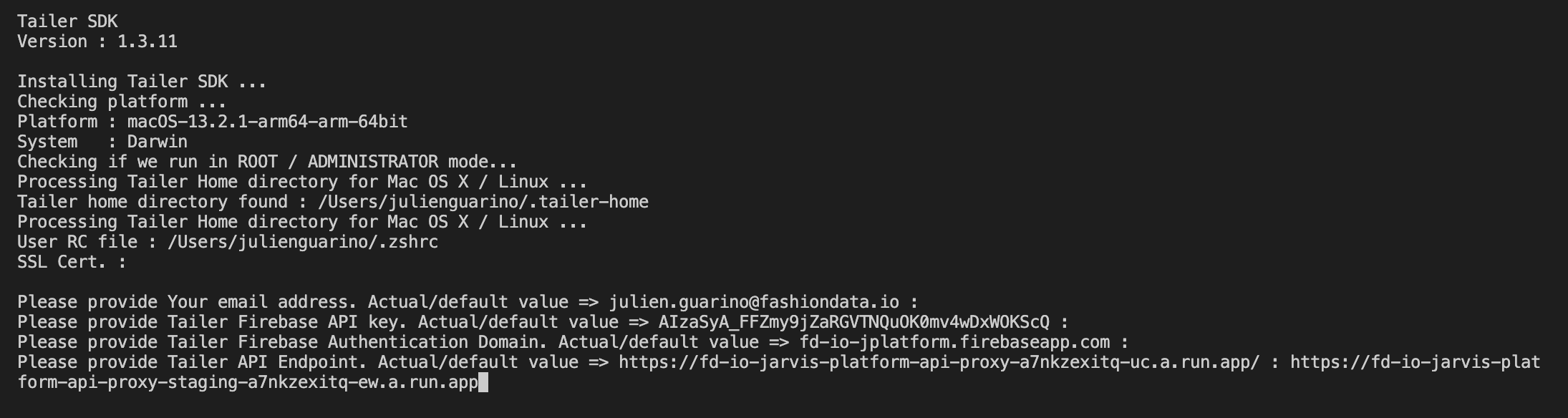
1. To launch the configuration, run the following command:

   ```
   tailer config
   ```
2. You'll be prompted to answer a series of questions. Use the values listed in the table below. Directly press **Enter** if the suggested value is right.

   | Question                                                       | Value                                                                                                                                                                                                                                                                                                                                                                                                                                                                                                                                                                                                                                                                                                     |
   | -------------------------------------------------------------- | --------------------------------------------------------------------------------------------------------------------------------------------------------------------------------------------------------------------------------------------------------------------------------------------------------------------------------------------------------------------------------------------------------------------------------------------------------------------------------------------------------------------------------------------------------------------------------------------------------------------------------------------------------------------------------------------------------- |
   | Email address                                                  | Provide the email address you want to use to connect to Tailer SDK.                                                                                                                                                                                                                                                                                                                                                                                                                                                                                                                                                                                                                                       |
   | Tailer Firebase API key                                        | **AIzaSyA\_FFZmy9jZaRGVTNQuOK0mv4wDxWOKScQ**                                                                                                                                                                                                                                                                                                                                                                                                                                                                                                                                                                                                                                                              |
   | Tailer Firebase authentication domain                          | **fd-io-jarvis-platform.firebaseapp.com**                                                                                                                                                                                                                                                                                                                                                                                                                                                                                                                                                                                                                                                                 |
   | Tailer API Endpoint                                            | <p><strong>For Europe:</strong></p><p><https://fd-io-jarvis-platform-api-proxy-a7nkzexitq-ew.a.run.app/><br><br><strong>For the USA:</strong><br><https://fd-io-jarvis-platform-api-proxy-a7nkzexitq-uc.a.run.app/></p>                                                                                                                                                                                                                                                                                                                                                                                                                                                                                   |
   | SSL verification                                               | Specify if you want to enable SSL verification (**y**) or not (**n**). Default is **y**.                                                                                                                                                                                                                                                                                                                                                                                                                                                                                                                                                                                                                  |
   | Custom client SSL verification                                 | Specify if you want to use custom client SSL verification (**y**) or not (**n**). Default is **n**.                                                                                                                                                                                                                                                                                                                                                                                                                                                                                                                                                                                                       |
   | Full path to the SSL certificate                               | This question only displays if you answered **y** at the previous question. Provide your custom SSL certificate in PEM format (e.g. "C:\My Certificates\cert\_XYZ.pem").                                                                                                                                                                                                                                                                                                                                                                                                                                                                                                                                  |
   | Automatic deployment of STS and STT associated Cloud Functions | <p>If you want to deploy Cloud Functions (CF) by default when you deploy a configuration, answer yes (y). You can choose to skip the CF deployment when you deploy a configuration using the --no-gcp-cd-deploy flag: <code>tailer --no-gcp-cf-deploy deploy configuration my\_conf.json</code>.</p><p><br>CF are a key componant for storage-to-storage (STS) and storage-to-tables (STT) operations. They listen Google Cloud Storage events and trigger runs. An operation can't be operative without it. But if the Cloud Function for a STS or STT is already deployed, then it's not mandatory to deploy it again. As this deployment can take a few minutes, you can skip this step if needed.</p> |
3. Once you've answered all the questions, close and restart your terminal for changes to be implemented.
4. Optionally, you can set the Tailer Public key for data encryption.

{% file src="/files/IPES3qSVQvCzQ97nri0C" %}

## :bust\_in\_silhouette: Log in to Tailer Platform

Once the installation and the configuration are done, you need to log in to Tailer Platform to be able to access the Tailer API.

1. To log in, run the following command:

   ```
   tailer auth login
   ```
2. Provide the same email address as before as suggested, and the password of your Tailer Platform account. If you don't have an account yet, you can enter a new password and press **Enter**. You can reset your password later if needed (see below). If you already have a Tailer Platform account, your login is successful and you can stop here. If not, follow the steps below to sign in.
3. Confirm that you want to create a Tailer Platform account by entering **y**.
4. Provide again the same email address and the password of your choice.
5. Confirm your email address by clicking on the link sent to your email address.

:warning: *If this is your first connection with command line, **please inform your Valiuz contact so that he accepts the connection.** Otherwise, the first time you deploy, you'll get an expired token error. **Then, run the command a second time to validate your account.***\
*For mor informations, send an email to <support@tailer.ai> .*

{% hint style="success" %}
The account is successfully created and you're now logged in to Tailer Platform! :tada:

You can now proceed with the [configuration of Google Cloud Platform](/getting-started/set-up-google-cloud-platform).
{% endhint %}

## :unlock:Reset password

If you forgot your password, you can reset it with the Tailer SDK.

1. To reset your password, run the following command:

   ```
   tailer auth reset-password
   ```
2. An email is sent to the email address you have configured. Don't forget to check your spam folder.
3. Follow the link in the email to rest your password. Please note that this link will expire after a reasonable amount of time. You can get a new link by running again the command above.
4. After you have reseted your password, please run 'tailer auth login' to log in again to Tailer Platform and provide the new password.


# Set up Google Cloud Platform

Some features of Tailer Platform rely on Google Cloud Platform's resources, or allow you to manipulate them. Some steps need to be performed as preparation.

## :file\_cabinet: Create a project

Create a dedicated Google Cloud Platform project to use with Tailer Platform. Billing needs to be enabled.

To create a new project:

1. Go to the [**Manage resources**](https://console.cloud.google.com/cloud-resource-manager) page in the Cloud Console.
2. In the organization drop-down list at the top of the page, select the organization in which you want to create a project.
3. Click **Create Project**.
4. In the **New Project** window that appears, enter a project name and select a billing account as applicable.
5. If you want to add the project to a folder, enter the folder name in the **Location** box.
6. When you're finished entering new project details, click **Create**.

## :key: Enable APIs

The following Google Cloud APIs need to be enabled for the project you have created:

* Cloud Functions
* Identity and Access Management (IAM)
* Cloud Resource Manager

To enable an API:

1. Open the [**APIs & services**](https://console.cloud.google.com/apis/) page for your project in the Cloud Console.
2. Click the **Enable APIs and Services** button.
3. Click the API you want to enable. If you need help finding the API, use the search field.
4. In the page that displays information about the API, click **Enable**.

## :unlock: Grant roles to the App Engine default account

When you enable the Cloud Functions API, a service account is automatically created for your project. It should be named as follows:

**<YOUR-PROJECT-ID@appspot.gserviceaccount.com>**

You need to grant roles to this service account so that it has permission to complete specific actions on some resources in your Cloud Platform project.

To grant roles to the service account:

1. Open the [**IAM & Admin**](https://console.cloud.google.com/iam-admin/) page for your project in the Cloud Console.
2. Click the **Edit** ![Screenshot\_2020-05-12 IAM – IAM et admin – fd-io-jarvis-demo-e… – Google Cloud Platform](https://support.fashiondata.io/hs-fs/hubfs/Screenshot_2020-05-12%20IAM%20%E2%80%93%20IAM%20et%20admin%20%E2%80%93%20fd-io-jarvis-demo-e%E2%80%A6%20%E2%80%93%20Google%20Cloud%20Platform.png?width=17\&name=Screenshot_2020-05-12%20IAM%20%E2%80%93%20IAM%20et%20admin%20%E2%80%93%20fd-io-jarvis-demo-e%E2%80%A6%20%E2%80%93%20Google%20Cloud%20Platform.png) button corresponding to <YOUR-PROJECT-ID@appspot.gserviceaccount.com>.
3. Add the **Project** > **Editor** and **Service Account** > **Service Account Token Creator** roles.
4. Click **Save** to apply the roles to the service account.

## :busts\_in\_silhouette: Add the App Engine default account to the appropriate groups

The App Engine default account will need to access the following elements of Tailer Platform:

* Composer (Airflow): to trigger DAGs
* Firestore: to retrieve data operations
* Source Repositories: to retrieve Cloud Functions source code

The GCP project hosting the Composer and Firestore instances should already have groups with the appropriate permissions. You have to add the App Engine default account to these groups.

## :new: Create a generic service account

This generic service account will be used among other things for:

* Deploying configurations on behalf of an authorized user
* Moving files from one bucket to another

{% hint style="info" %}
You will need a dedicated service account for each GCP project you will use Tailer with (for example if they contain a source or destination bucket used in a transfer operation). We recommend you only create one service account per project to avoid right administration becoming too complex.
{% endhint %}

To create the service account:

1. Open the [**Service Accounts**](https://console.cloud.google.com/projectselector2/iam-admin/serviceaccounts) page in the Cloud Console.
2. Click **Select a project**, choose your project, and click **Open**.
3. Click **Create Service Account**.
4. You can use **YOUR-PROJECT-ID** as a name for the service account.
5. Click **Save**.

{% hint style="success" %}
You should now have a new service account named as follows:

**<YOUR-PROJECT-ID@YOUR-PROJECT-ID.iam.gserviceaccount.com>**
{% endhint %}

## :closed\_lock\_with\_key: Generate JSON credentials

To generate JSON credentials:

1. In the [**Service Accounts**](https://console.cloud.google.com/projectselector2/iam-admin/serviceaccounts) page of the Cloud Console, find the row of the <YOUR-PROJECT-ID@YOUR-PROJECT-ID.iam.gserviceaccount.com> service account that you've just created.
2. In that row, click the **More** ![Screenshot\_2020-05-14 Comptes de service – IAM et admin – fd-jarvis-datalake – Google Cloud Platform](https://support.fashiondata.io/hs-fs/hubfs/Jarvis%20Documentation/Screenshot_2020-05-14%20Comptes%20de%20service%20%E2%80%93%20IAM%20et%20admin%20%E2%80%93%20fd-jarvis-datalake%20%E2%80%93%20Google%20Cloud%20Platform.png?width=14\&name=Screenshot_2020-05-14%20Comptes%20de%20service%20%E2%80%93%20IAM%20et%20admin%20%E2%80%93%20fd-jarvis-datalake%20%E2%80%93%20Google%20Cloud%20Platform.png) button, and then click **Create key**.
3. Select **JSON** as **Key type** and click **Create**.

{% hint style="warning" %}
When you create a key, your new public/private key pair is generated and downloaded to your machine. It serves as the only copy of the private key. You are responsible for storing the private key securely.
{% endhint %}

{% hint style="success" %}
These credentials will need to be encrypted, so you can use them later in a data operation JSON configuration file.
{% endhint %}


# Encrypt your credentials

When transferring files from one storage location to another using Tailer Platform, you need to provide credentials. A number of steps are required to encrypt them and use them safely.

## :map: Overview

The credentials that you have at your disposal (GCP JSON private key file, Amazon S3 private key value, or SFTP password) are unencrypted. To use them safely with Tailer Platform, you first need to encrypt them using Tailer public key. This key consists of a **tailer\_public\_key.pem** file that you need to **request from your Tailer Platform administrator** before proceeding with this procedure.

## :key: Install the Tailer public key on your local computer

Once you have the **tailer\_public\_key.pem** file, you need to copy it to the Tailer Home directory of your local computer:

1. First, determine where the Jarvis Home is:\
   ◾ On macOS/Linux, run the following command in a terminal:

   ```
   echo $TAILER_HOME
   ```

   ◾ On Windows, run the following command in Command Prompt:

   ```
   echo %TAILER_HOME%
   ```
2. Copy the **tailer\_public\_key.pem** file to the Tailer Home directory you got as a result of the previous command.

## :shield: Encrypt the credentials

Once the Tailer public key has been installed, you can encrypt your credentials.

To do so, run one of the following commands:

* For a GCP JSON private key file:

  ```
  tailer encrypt your-credentials.json
  ```
* For an Amazon S3 key value (do not forget the quotes):

  ```
  tailer encrypt "contents of the private key"
  ```
* For an SFTP password (do not forget the quotes):

  ```
  tailer encrypt "password value"
  ```

{% hint style="success" %}
You obtain a JSON output with the following format:

```
{
  "cipher_aes": "xxx",
  "tag": "xxx",
  "ciphertext": "xxx",
  "enc_session_key": "xxx"
}
```

where **xxx** is a base64-encoded string representation of the key value.

You can now use it in your JSON configuration files for data operations that require authentication.
{% endhint %}


# Introduction

To get started with Tailer, you can follow this tutorial to learn how to create a first data pipeline.

## :map: Overview

In this example, we want to process and analyze data from a fictional retailer called "Iowa Liquor". These data are organized in CSV files named according to a specific pattern including a timestamp, and are streamed at regular intervals into a Google Cloud Storage bucket. We'll first transfer them to a bucket located in a different Google Cloud project, load the data into a BigQuery table, and then prepare the data in order to analyze them with an AI model.

## :man\_student: What you'll learn

* How data flows through a Tailer Platform data pipeline
* Creating JSON configuration files for data operations
* Deploying data operations with Tailer SDK
* Checking information in Tailer Studio

## :tools: What you'll need

* Tailer SDK installed on your local machine (see [Prepare your local environment for Tailer](/getting-started/prepare-your-local-environment-for-tailer) and [Install Tailer SDK](/getting-started/install-tailer-sdk))
* GCP configured for use with Tailer SDK (see [Set up Google Cloud Platform](/getting-started/set-up-google-cloud-platform)) and credentials required to transfer files safely (see [Encrypt your credentials](/getting-started/encrypt-your-credentials))
* Access to two projects in GCP on which you have the appropriate permissions
* A terminal to run commands
* CSV files to process (provided at next step)


# Prepare the demonstration environment

Before starting with the actual tutorial, you need to prepare the buckets and folders where the magic will happen, and to import the demo files.

## :dividers: Create buckets and folders

For the detailed procedure on how to create GCS buckets (manually or using gsutil), refer to this [page](https://cloud.google.com/storage/docs/creating-buckets).

1. Create a bucket in a first project. This bucket will contain the source files. As bucket names need to be unique globally, you can pick any name you want. Select the settings that you want.‌
2. In this first bucket, create 2 folders:\
   **◾ tailer-demo-input-folder**\
   ◾ **tailer-demo-archive-folder**
3. Go to a different project, and create a second bucket. This bucket will contain the output files. Again, pick the name and settings that you want.
4. In this second bucket, create 2 folders:\
   **◾ tailer-demo-input-folder**\
   **◾ tailer-demo-archive-folder**

## :arrow\_up: Import demo files

Import the following demo files into the folder named **tailer-demo-input-folder** located in the first bucket:

{% file src="/files/-MIKAv-EAPhbwdSzM5gr" %}
Demo file 1
{% endfile %}

{% file src="/files/-MIKAoshKHdEy5jBYadN" %}
Demo file 2
{% endfile %}

{% file src="/files/-MIKAjxtgMcxiAC95LoT" %}
Demo file 3
{% endfile %}

{% file src="/files/-MIKAfxq7YYj0x7va39W" %}
Demo file 4
{% endfile %}

{% file src="/files/-MIKATDAR7kcmn7DiSgh" %}
Demo file 5
{% endfile %}


# Copy files from one bucket to another

The first data operation of this tutorial will consist in transferring the files from one bucket located in one GCP project to another bucket located in a different GCP project.

## :page\_facing\_up: Create a JSON file

1. Access your **tailer** folder (created during [installation](/getting-started/install-tailer-sdk)).
2. Create a working folder named **tailer-demo** for this tutorial, and inside create a folder named **1-Copy\_files** for this step.
3. In your **1-Copy\_files** folder, create a JSON file named **000099-tailer-demo-sts.json** for your data operation.
4. Copy the following contents into your file:

   ```json
   {
     "$schema": "http://jsonschema.tailer.ai/schema/storage-to-storage-veditor",
     "configuration_type": "storage-to-storage",
     "configuration_id": "000099-tailer-demo-copy-files-YOUR-NAME",
     "environment": "DEV",
     "account": "000099",
     "version": "3",
     "activated": true,
     "archived": false,
     "filename_templates": [
       {
         "filename_template": "stores-{{FD_DATE}}-{{FD_TIME}}.csv",
         "file_description": "Stores repository. The store listing is the file could evolve over time"
       },
       {
         "filename_template": "products-{{FD_DATE}}-{{FD_TIME}}.csv",
         "file_description": "Products repository. The product listing in the file could evolve over time"
       },
       {
         "filename_template": "sales_{{FD_BLOB_8}}-{{FD_DATE}}.csv",
         "file_description": "Daily Sales. There are many days in each files. And some days are repeated in different files"
       },
       {
         "filename_template": "sales_{{FD_DATE}}.csv",
         "file_description": "Daily Sales. There are many days in each files. And some days are repeated in different files"
       }
     ],
     
     "source": {
       "type": "gcs",
       "gcp_project_id": "my_gcp_project",
       "gcs_source_bucket" : "my-source-bucket",
       "gcs_source_prefix" : "input-folder-YOUR-NAME",
       "archive_prefix": "archive-folder-YOUR-NAME",
       "gcp_credentials_secret": {
         "cipher_aes": "b42xxx",
         "tag": "5c8xxx",
         "ciphertext": "fd0xxx",
         "enc_session_key": "8f6xxx"
       }
     },
     
     "destinations": [
       {
         "type": "gcs",
         "gcs_destination_bucket": "my-destination-bucket",
         "gcs_destination_prefix": "tailer-demo-input-folder-YOUR-NAME",
         "gcp_credentials_secret": {
           "cipher_aes": "b42xxx",
           "tag": "5c8xxx",
           "ciphertext": "fd0xxx",
           "enc_session_key": "8f6xxx"
         }
       }
     ]
   }
   ```
5. Take note of the different parameters. For detailed information on storage-to-storage configuration file parameters, refer to [this page](/data-pipeline-operations/move-files-with-storage-to-storage/storage-to-storage-configuration-file).
6. Edit the following values:\
   ◾ In the **source** section, replace **my-gcp-project** with the ID of the GCP project containing your source bucket.\
   ◾ In the **source** section, replace **my-source-bucket** with the name of the GCS bucket containing the source files.\
   ◾ In the **source** section, replace the value of the **gcp\_credentials\_secret parameter** with the service account credentials for the source GCP project. If you haven't generated them yet, refer to [this page](/getting-started/encrypt-your-credentials).\
   ◾ In the **destinations** section, replace **my-destination-bucket** with the name of the GCS bucket that will contain the output files.\
   ◾ In the **destinations** section, replace the value of the **gcp\_credentials\_secret parameter** with the service account credentials for the destination GCP project. If you haven't done it yet, refer to [this page](/getting-started/encrypt-your-credentials).\
   ◾ If you share the demo project with other developers, then in the configuration\_id, replace YOUR-NAME by a personal value, like your name. This way, you won't overwrite a configuration deployed by someone else. You should also add your name in the source's gcs\_source\_prefix and archive\_prefix, and in the destinations' gcs\_destination\_prefix to avoid any interferences with another developer's data operation.

{% hint style="success" %}
Your JSON file is now ready to use.
{% endhint %}

## :arrow\_forward: Deploy a first data operation

Once your JSON file is ready, you can deploy the data operation:

1. Access your working folder by running the following command:

   ```
   cd "[path to your tailer folder]\tailer-demo\1-Copy_files"
   ```
2. To deploy the data operation, run the following command:

   ```
   tailer deploy configuration 000099-tailer-demo-copy-files.json
   ```

You may be asked to select a context (see [this page](/data-pipeline-operations/set-constants-with-context/context-configuration-file) for more information). If you haven't deployed any context, then choose "no context". You can also use the flag --context to specify the context of your choice, or NO\_CONTEXT if that's what you want:

```
tailer deploy configuration 000099-tailer-demo-copy-files.json --context NO_CONTEXT
```

## :white\_check\_mark: Check the data operation in Tailer Studio

1. Access [Tailer Studio](http://studio.tailer.ai).
2. Sign in with your Tailer Platform credentials.
3. In the left navigation menu, select **Storage-to-storage**.
4. In the **Configurations** tab, search for your data operation. You can see its status is **Activated**.
5. Click the data operation ID to display its parameters and full JSON file, or to leave comments about it.

## :ballot\_box: Check the result in GCS

Now that our configuration is deployed, we can test it. Let's mimic production behavior. Access the folders you created when [preparing the demonstration environment](/tutorial-create-a-first-data-pipeline/prepare-the-demonstration-environment):

* In your source bucket, copy a file. The file name must match one of the filename\_template specified in the configuration.
* On Tailer Studio, in the Storage-to-Storage section, Runs tab, you should see a run for your data operation. It should appear as "running" and quickly get the status "success".
* In your source bucket, **input-folder** should be empty.
* In your source bucket, **archive-tailer-demo-folder** should contain a folder for each input file, named as the filename date.
* In your destination bucket, **input-tailer-demo-folder** should contain a copy of the input files.

## 🚀 Further steps

You can see in the [Storage to Storage documentation](/data-pipeline-operations/move-files-with-storage-to-storage/storage-to-storage-configuration-file) that you can handle different use cases with this data operation:

* You can add multiple destinations to share data with different consumers.
* You can send data to external partners. You just need a service account (or a user and a password) that can access the destination. Then you generate credentials associated with it (see documentation [here](/getting-started/encrypt-your-credentials)) and specify it in the "destinations" object.
* You can work with Google Cloud Storage, but also Amazon S3, Azure and SFTP.


# Load files into BigQuery tables

The second data operation of this tutorial will consist in loading the contents of our files into BigQuery tables.

## :page\_facing\_up: Create your configuration files

### **Create the JSON file for the data pipeline operation**

1. Access your **tailer-demo** folder.
2. Inside, create a folder named **2-Load\_files** for this new step.
3. In this folder, create a JSON file named **000099-tailer-demo-load-files.json** for your data operation.
4. Copy the following contents into your file:

   ```json
   {
     "$schema": "http://jsonschema.tailer.ai/schema/storage-to-tables-veditor",
     "configuration_type": "storage-to-tables",
     "configuration_id": "000099-tailer-demo-load-files-YOUR-NAME",
     "version": "2",
     "environment": "DEV",
     "account": "000099",
     "activated": true,
     "archived": false,
     "short_description": "This data operation loads files into BigQuery tables.",
     "doc_md": "tailer-demo-stt.md",
     "source": {
       "type": "gcs",
       "gcp_project_id": "my-gcp-project",
       "gcs_source_bucket": "my-bucket",
       "gcs_source_prefix": "input-folder-YOUR-NAME",
       "gcs_archive_prefix": "archive-folder-YOUR-NAME",
       "gcp_credentials_secret": {
         "cipher_aes": "xxx",
         "ciphertext": "xxx",
         "enc_session_key": "xxx",
         "tag": "xxx"
       }
     },
     "destinations": [
       {
         "type": "bigquery",
         "gcp_project_id": "my-gcp-project",
         "gbq_dataset": "my_gbq_dataset_YOUR_NAME",
         "source_format": "CSV",
         "bq_load_job_ignore_unknown_values": true,
         "create_disposition": "CREATE_IF_NEEDED",
         "write_disposition": "WRITE_TRUNCATE",
         "skip_leading_rows": 1,
         "field_delimiter": "|",
         "gcp_credentials_secret": {
           "cipher_aes": "xxx",
           "ciphertext": "xxx",
           "enc_session_key": "xxx",
           "tag": "xxx"
         },
         "tables": [
           {
             "table_name": "stores",
             "short_description": "Store repository",
             "filename_template": "stores-{{FD_DATE}}-{{FD_TIME}}.csv",
             "ddl_file": "ddl/stores.json",
             "doc_md": "ddl/stores.md"
           },
           {
             "table_name": "products",
             "short_description": "Product repository",
             "filename_template": "products-{{FD_DATE}}-{{FD_TIME}}.csv",
             "ddl_file": "ddl/products.json"
           },
           {
             "table_name": "sales",
             "short_description": "Daily Iowa Liquor sales",
             "filename_template": "sales_{{FD_BLOB_8}}-{{FD_DATE}}.csv",
             "ddl_file": "ddl/sales.json"
           },
           {
             "table_name": "sales_daily",
             "short_description": "Daily Iowa Liquor sales",
             "filename_template": "sales_{{FD_DATE}}.csv",
             "ddl_file": "ddl/sales_daily.json"
           }
         ]
       }
     ]
   }
   ```
5. Edit the following values:

   ◾ In the **source** section, replace **my-gcp-project** with the ID of the GCP project containing the source bucket.

   ◾ In the **source** section, replace **my-bucket** with the name of the GCS bucket containing the input files (output files from the previous step).

   ◾In the **source** section, replace the value of the **gcp\_credentials\_secret parameter** with the service account credentials for the GCP project containing the source bucket.

   ◾ In the **destinations** section, replace **my-gcp-project** with the ID of the GCP project containing the target dataset. It can be the same as in the source section or a different one.

   ◾ In the **destinations** section, replace **my-gbq-dataset-YOUR-NAME** with the name of the dataset that will contain the tables. You need to create this dataset in your destination project beforehand. The storage-to-tables data operation won't create an empty dataset if needed.

   ◾ In the **destinations** section, replace the value of the **gcp\_credentials\_secret parameter** with the service account credentials for the GCP project containing the target dataset.\
   ◾ If you share the demo project with other developers, then in the configuration\_id, replace YOUR-NAME by a personal value, like your name. This way, you won't overwrite a configuration deployed by someone else. You should also add your name in the source's gcs\_source\_prefix and archive\_prefix, and in the destinations' gbq\_dataset to avoid any interferences with another developer's data operation.
6. Create a Markdown file named **tailer-demo-stt.md**. You can use it freely to describe the data operation.

### **Create the table schema files‌**

1. Inside the **2-Load\_files** folder, create a folder named **ddl**. It will contain the table schema files.
2. Inside the **ddl** folder, create four files:\
   **◾ stores.json**\
   ◾ **products.json**\
   **◾ sales.json**\
   **◾ sales\_daily.json**
3. Copy the following contents into the **stores.json** file:

   ```json
   {
     "schema": [
       {
         "name": "store_number",
         "type": "STRING",
         "description": "Unique number of the store that ordered the liquor."
       },
       {
         "name": "store_name",
         "type": "STRING",
         "description": "Name of the store that ordered the liquor."
       },
       {
         "name": "address",
         "type": "STRING",
         "description": "Address of the store that ordered the liquor."
       },
       {
         "name": "city",
         "type": "STRING",
         "description": "City of the store that ordered the liquor."
       },
       {
         "name": "zip_code",
         "type": "STRING",
         "description": "Zip code of the store that ordered the liquor."
       },
       {
         "name": "store_location",
         "type": "STRING",
         "description": "Location of the store that ordered the liquor."
       },
       {
         "name": "county_number",
         "type": "STRING",
         "description": "Iowa county number of the store that ordered the liquor."
       },
       {
         "name": "county",
         "type": "STRING",
         "description": "County of the store that ordered the liquor."
       }
     ]
   }
   ```
4. Copy the following contents into the **products.json** file.

   ```json
   {
     "schema": [
       {
         "name": "category",
         "type": "STRING",
         "description": "Category code of the liquor."
       },
       {
         "name": "category_name",
         "type": "STRING",
         "description": "Category of the liquor."
       },
       {
         "name": "vendor_number",
         "type": "STRING",
         "description": "The vendor number of the company for the liquor brand."
       },
       {
         "name": "item_number",
         "type": "STRING",
         "description": "Item number for each individual liquor product."
       },
       {
         "name": "item_description",
         "type": "STRING",
         "description": "Description of each individual liquor product."
       },
       {
         "name": "pack",
         "type": "STRING",
         "description": "The number of bottles in one box for the liquor."
       },
       {
         "name": "bottle_volume_ml",
         "type": "STRING",
         "description": "Volume of each liquor bottle in milliliters."
       },
       {
         "name": "state_bottle_cost",
         "type": "STRING",
         "description": "The amount the State paid for each bottle of liquor."
       },
       {
         "name": "state_bottle_retail",
         "type": "STRING",
         "description": "The amount the store paid for each bottle of liquor."
       }
     ]
   }
   ```
5. Copy the following contents into the **sales.json** file.

   ```json
   {
     "schema": [
       {
         "name": "invoice_and_item_number",
         "type": "STRING",
         "description": "Concatenated invoice and line number of the liquor order."
       },
       {
         "name": "date",
         "type": "STRING",
         "description": "Date of order."
       },
       {
         "name": "store_number",
         "type": "STRING",
         "description": "Unique number of the store that ordered the liquor."
       },
       {
         "name": "item_number",
         "type": "STRING",
         "description": "Item number for each individual liquor product ordered."
       },
       {
         "name": "bottles_sold",
         "type": "STRING",
         "description": "The number of bottles of liquor ordered by the store."
       },
       {
         "name": "bottle_volume_ml",
         "type": "STRING",
         "description": "Volume of each liquor bottle ordered in milliliters."
       },
       {
         "name": "sale_dollars",
         "type": "STRING",
         "description": "Total cost of liquor order."
       },
       {
         "name": "volume_sold_liters",
         "type": "STRING",
         "description": "Total volume of liquor ordered in liters."
       },
       {
         "name": "volume_sold_gallons",
         "type": "STRING",
         "description": "Total volume of liquor ordered in gallons."
       }
     ]
   }
   ```
6. Copy the following contents into the **sales\_daily.json** file.

   ```json
   {
     "schema": [
       {
         "name": "invoice_and_item_number",
         "type": "STRING",
         "description": "Concatenated invoice and line number of the liquor order."
       },
       {
         "name": "date",
         "type": "STRING",
         "description": "Date of order"
       },
       {
         "name": "store_number",
         "type": "STRING",
         "description": "Unique number of the store that ordered the liquor."
       },
       {
         "name": "item_number",
         "type": "STRING",
         "description": "Item number for each individual liquor product ordered."
       },
       {
         "name": "bottles_sold",
         "type": "STRING",
         "description": "The number of bottles of liquor ordered by the store."
       },
       {
         "name": "bottle_volume_ml",
         "type": "STRING",
         "description": "Volume of each liquor bottle ordered in milliliters."
       },
       {
         "name": "sale_dollars",
         "type": "STRING",
         "description": "Total cost of liquor order."
       },
       {
         "name": "volume_sold_liters",
         "type": "STRING",
         "description": "Total volume of liquor ordered in liters."
       },
       {
         "name": "volume_sold_gallons",
         "type": "STRING",
         "description": "Total volume of liquor ordered in gallons."
       }
     ]
   }
   ```
7. Create Markdown files for each DDL file. You can use them freely to describe the table schemas.

{% hint style="info" %}
By default, in the DDL, all the database fields created have the "string" type. This will be modified during the next data pipeline operation if necessary.
{% endhint %}

## :arrow\_forward: Deploy the data operation

Once your files are ready, you can deploy the data operation:

1. Access your working folder by running the following command:

   ```
   cd "[path to your tailer folder]\jarvis-demo\2-Load_files"
   ```
2. To deploy the data operation, run the following command:

   ```
   tailer deploy configuration 000099-tailer-demo-load-files.json
   ```

You may be asked to select a context (see [this page](/data-pipeline-operations/set-constants-with-context/context-configuration-file) for more information). If you haven't deployed any context, then choose "no context". You can also use the flag --context to specify the context of your choice, or NO\_CONTEXT if that's what you want:

```
tailer deploy configuration 000099-tailer-demo-load-files.json --context NO_CONTEXT
```

{% hint style="success" %}
Your data operation is now deployed, which means the files will shortly be loaded into tables, and your data operation status is now visible in Tailer Studio.
{% endhint %}

## :white\_check\_mark: Check the data operation in Tailer Studio

1. Access [Tailer Studio](http://studio.tailer.ai) again.‌
2. In the left navigation menu, select **Storage-to-tables**.
3. In the **Configurations** tab, search for your data operation, **000099-tailer-demo-load-files**. You can see its status is **Activated**.
4. Click the data operation ID to display its parameters and full JSON file, or to leave comments about it. in the **Tables** section, you can access the table schema, parameters, and documentation provided in the Markdown files.

## 🗳️ Check the result in GCP

Now that our configuration is deployed, we can test it. Let's mimic production behavior. Access the folders you created when [preparing the demonstration environment](/tutorial-create-a-first-data-pipeline/prepare-the-demonstration-environment):

* In your source bucket, copy a file. The file name must match one of the filename\_template specified in the configuration.
* On Tailer Studio, in the Storage-to-Tables section, Runs tab, you should see a run for your data operation. It should appear as "running" and quickly get the status "success".
* In your source bucket, **input-folder** should be empty.
* In your source bucket, **archive-tailer-demo-folder** should contain a folder for each input file, named as the filename date.
* Your destination dataset should contain a table corresponding to the input files.

## 🚀 Further steps

You can check the full [Storage to Tables documentation](/data-pipeline-operations/load-data-with-storage-to-tables) and try other features:

* Load different input format as JSON, PARQUET or AVRO files, or gzip compressed files
* Allow unknown supplementary fields using the "bq\_load\_job\_ignore\_unknown\_values" parameter to allow partners to provide new columns without any risk of service interruption
* Try the other ddl\_mode, like "header" to infer a table format based on the header row, or "file\_template" which allow to provide a ddl\_file directly in the source bucket


# Prepare data

The third data operation of this tutorial will consist in preparing data within BigQuery tables.

## :map: Overview

The objective of this step will be to create new BigQuery tables into which we will load and reorganize the contents of the tables created at the previous step. As in most cases, this will happen within one BigQuery dataset. For this, we will need:

* a JSON file to configure the data operation,
* a JSON file to trigger the workflow,
* a JSON file for each table creation,
* and a SQL file for each transfer of data into our new tables.

## :page\_facing\_up: Create your files

### **Create the JSON file that configures the data operation**

1. Access your **tailer-demo** folder.
2. Inside, create a folder named **3-Prepare-data** for this new step.
3. In this folder, create a JSON file named **000099-tailer-demo-prepare-data.json** for your data operation.
4. The data operation will load a temporary table, and then, if the query runs correctly, then we copy the temporary table into the target table. Copy the following contents into your file:

   ```json
   {
     "$schema": "http://jsonschema.tailer.ai/schema/table-to-table-veditor",
     "configuration_type": "table-to-table",
     "configuration_id": "000099-load_my_gbq_dataset_my_table",
     "short_description": "Prepare data for the Tailer demo",
     "account": "000099",
     "environment": "DEV",
     "activated": true,
     "archived": false,
     "start_date": "2023, 1, 23",
     "catchup": false,
     "schedule_interval": "None",
     "default_gcp_project_id": "my-gcp-project",
     "default_bq_dataset": "my_gbq_dataset",
     "default_write_disposition": "WRITE_TRUNCATE",
     "task_dependencies": [
       "load_temp_sales >> swap_sales_tables"
     ],
     "workflow": [
       {
         "task_type": "sql",
         "id": "load_temp_sales",
         "short_description": "Load temp sales table",
         "bq_dataset": "temp",
         "table_name": "sales",
         "sql_file": "load_sales.sql"
       },
       {
         "id": "swap_sales_tables",
         "task_type": "copy_gbq_table",
         "source_gcp_project_id": "my-gcp-project",
         "source_bq_dataset": "temp",
         "source_bq_table": "sales",
         "bq_dataset": "my-gcp-project",
         "destination_bq_table": "sales"
       }
     ]
   }
   ```
5. Edit the following values:\
   ◾ Replace **my-gcp-project** with the ID of the GCP project containing your BigQuery dataset in the default\_gcp\_project\_id and in the source\_gcp\_project\_id parameters.\
   ◾ Replace **my\_gbq\_dataset** with the name of your working dataset.\
   ◾ Also replace the project and dataset in the configuration\_id

### Create a SQL file

Create a SQL file in the same directory and name it load\_sales.sql. It must contain a query that will load the sales table.

### **Create the JSON file that triggers the workflow**

Inside the **3-Prepare-data** folder, create a file named **workflow\.json**.

Copy the following contents into your file:

```json
{
    "$schema": "http://jsonschema.tailer.ai/schema/workflow-veditor",
    "configuration_type": "workflow",
    "version":"2",
    "configuration_id": "000099-trigger_load_my_gbq_dataset_my_table_DEV",
    "short_description": "Launch the Tailer demo data load",
    "account": "000099",
    "environment": "PROD",
    "activated": true,
    "archived": false,
    "gcp_project_id": "my-project",
    "schedule_interval_reset": "None",
    "authorized_job_ids": [
      "storage-to-tables|000099|000099-tailer-demo-load-files-YOUR-NAME|DEV|sales_{{FD_BLOB_8}}-{{FD_DATE}}.csv"
    ],
    "target_dag": {
        "configuration_type":"table-to-table",
        "configuration_id":"000099-load_my_gbq_dataset_my_table_DEV"
    }
}
```

This worklfow will trigger our Table-to-Table that loads the sales table each time a sales file is ingested with our Storage-to-Table operation.

The authorized\_job\_ids defines the job that triggers the target job. We need to insert here the job\_id of the Storage-to-Table operation. You can find it in on Tailer Studio. Navigate to the Storage-to-Table runs section, find the last run for a sales file and go to the Run Details tab. Search for a job\_id and copy it into the authorized\_job\_ids section.

Replace the configuration\_id in the target\_dag section by your configuration's configuration\_id, concatenated with "\_DEV" (for its environment should be DEV).

## :arrow\_forward: Deploy the data operation

Once your files are ready, you can deploy the data operation:

1. Access your working folder by running the following command:

   ```
   cd "[path to your tailer folder]\tailer-demo\3-Prepare-data"
   ```
2. To deploy the data operation, run the following command:\\

   ```
   tailer deploy configuration 000099-tailer-demo-prepare-data.json
   ```
3. To trigger the workflow, run the following command:

   ```
   tailer deploy configuration workflow.json
   ```

You may be asked to select a context (see [this page](/data-pipeline-operations/set-constants-with-context/context-configuration-file) for more information). If you haven't deployed any context, then choose "no context". You can also use the flag --context to specify the context of your choice, or NO\_CONTEXT if that's what you want:

```
tailer deploy configuration 000099-tailer-demo-prepare-data.json --context NO_CONTEXT
tailer deploy configuration workflow.json --context NO_CONTEXT
```

{% hint style="success" %}
Your data operation is now deployed, which means the new tables will shortly be created and loaded with data, and your data operation status is now visible in Tailer Studio.
{% endhint %}

## :white\_check\_mark: Check the data operation status in Tailer Studio

1. Access [Tailer Studio](http://studio.tailer.ai) again.‌
2. In the left navigation menu, select **Tables-to-tables**.
3. In the **Configurations** tab, search for your data operation. You can see its status is **Activated**. You can see in the top right corner that it as been deployed by you a few seconds ago.
4. Check for your workflow configuration. It should also be activated and deployed by you a few seconds ago.
5. Try to copy a sales file in your Storage-to-Tables source bucket. It should automatically trigger a Storage-to-Tables run. If it's successful, then it should trigger the workflow and create a Table-to-Table run.
6. When it's completed and successful, you can check on BigQuery and see that your target table is loaded.

## 🚀 Further steps

We've seen here a very basic example of a Table-to-Table data operation that loads a temporary table, and then copy it to the target destination when no error occurs.

We could go further and add different steps, and use different Tailer features, for instance:

* create the temporary table using a task of type create\_gbq\_table. This way, you can specify a DDL for this table, add column descriptions, column types, and define partitioning and clustering fields.
* add a task that performs tests using expectations or custom asserts
* add several SQL tasks


# Build predictions

The fourth data operation of this tutorial will consist in analyzing our data with a machine learning model.

## :map: Overview

During this step, we will create a clustering machine learning model using BigQuery ML. Then, we will aggregate all our data into one BigQuery table and use our new model to analyze it.

## :robot: Create your machine learning model

1. Go to the [BigQuery web UI](https://console.cloud.google.com/bigquery) in the Cloud Console.
2. In the navigation panel, in the **Resources** section, select your project and your dataset.
3. Enter the following SQL query in the **Query editor** text area:

   ```
   ###################################################
   # Train Clustering Model in your Big Query Console
   ###################################################

   CREATE OR REPLACE MODEL my-gbq-dataset.model_clustering_store_iowa_liquor
   OPTIONS(model_type='kmeans', num_clusters=5, standardize_features = true) AS

   SELECT * except( store_number, store_name, volume_sold_liters, sale_q1, sale_q2, sale_q3, sale_q4)
   --FROM `my-gcp-project.my-gbq-dataset`
   FROM
   (

     with tmp as (
       SELECT store_number,
         store_name,
         EXTRACT(QUARTER FROM date) as quarter,
         case when(lower(category_name) like '%vodka%') then 'vodkas'
           when(lower(category_name) like '%whiskies%') then 'whiskies'
           when(lower(category_name) like '%rum%') then 'rum'
           when(lower(category_name) like '%liqueur%') then 'liqueur'
           when(lower(category_name) like '%tequila%') then 'tequila'
           when(lower(category_name) like '%schnapps%') then 'schnapps'
           when(lower(category_name) like '%gin%') then 'gin'
           when(lower(category_name) like '%cocktails%') then 'cocktails'
           when(lower(category_name) like '%brandies%') then 'brandies'
           when(lower(category_name) like '%spirit%') then 'spirit'
         else 'autre' end cat_alcool,
         sum(sale_dollars) as sale_dollars,
         sum(volume_sold_liters) as volume_sold_liters
       FROM dlk_demo_iowa_liquor_pda.sales_details
       where date >= '2019-01-01' and date < '2020-01-01'
       group by store_number,store_name,quarter,cat_alcool
     )
     select store_number,
       store_name,
       sum(sale_dollars) as sale_dollars,
       sum(volume_sold_liters) as volume_sold_liters,

       round(sum(case when(quarter = 1) then sale_dollars else 0 end) / sum(sale_dollars) , 2) as sale_q1,
       round(sum(case when(quarter = 2) then sale_dollars else 0 end) / sum(sale_dollars) , 2) as sale_q2,
       round(sum(case when(quarter = 3) then sale_dollars else 0 end) / sum(sale_dollars) , 2) as sale_q3,
       round(sum(case when(quarter = 4) then sale_dollars else 0 end) / sum(sale_dollars) , 2) as sale_q4,

       round(sum(case when(cat_alcool = 'vodkas') then sale_dollars else 0 end) / sum(sale_dollars) , 2) as p_vodkas,
       round(sum(case when(cat_alcool = 'whiskies') then sale_dollars else 0 end) / sum(sale_dollars) , 2) as p_whiskies,
       round(sum(case when(cat_alcool = 'rum') then sale_dollars else 0 end) / sum(sale_dollars) , 2) as p_rum,
       round(sum(case when(cat_alcool = 'liqueur') then sale_dollars else 0 end) / sum(sale_dollars) , 2) as p_liqueur,
       round(sum(case when(cat_alcool = 'tequila') then sale_dollars else 0 end) / sum(sale_dollars) , 2) as p_tequila,
       round(sum(case when(cat_alcool = 'schnapps') then sale_dollars else 0 end) / sum(sale_dollars) , 2) as p_schnapps,
       round(sum(case when(cat_alcool = 'gin') then sale_dollars else 0 end) / sum(sale_dollars) , 2) as p_gin,
       round(sum(case when(cat_alcool = 'cocktails') then sale_dollars else 0 end) / sum(sale_dollars) , 2) as p_cocktails,
       round(sum(case when(cat_alcool = 'brandies') then sale_dollars else 0 end) / sum(sale_dollars) , 2) as p_brandies,
       round(sum(case when(cat_alcool = 'spirit') then sale_dollars else 0 end) / sum(sale_dollars) , 2) as p_spirit
     from tmp
     group by store_number,store_name
   )
   ```
4. Click **Run**.

{% hint style="success" %}
The query takes several minutes to complete. After the first iteration is complete, your model (sample\_model) appears in the navigation panel of the BigQuery web UI.

You can observe the model as it's being trained by viewing the **Training** tab in the BigQuery web UI.
{% endhint %}

## :page\_facing\_up: Create your configuration files

### **Create the JSON file that configures the data pipeline operation**

1. Access your **tailer-demo** folder.
2. Inside, create a folder named **4-Build-predictions** for this new step.
3. In this folder, create a JSON file named **tailer-demo-build-predictions.json** for your data operation.
4. Copy the following contents into your file:

   ```
   {
     "configuration_type": "table-to-table",
     "configuration_id": "000099-tailer-demo-build-predictions",
     "short_description": "Build Tailer demo predictions",
     "account": "000099",
     "environment": "DEV",
     "activated": true,
     "archived": false,
     "start_date": "2019, 1, 23",
     "catchup": false,
     "schedule_interval": "None",
     "max_active_runs": 1,
     "task_concurrency": 3,
     "default_gcp_project_id": "my-gcp-project",
     "default_bq_dataset": "my-gbq-dataset",
     "default_write_disposition": "WRITE_TRUNCATE",
     "task_dependencies": ["iowa_liquor_agg_store >> store_clustering"],
     "workflow": [
       {
         "task_type": "sql",
         "id": "iowa_liquor_agg_store",
         "short_description": "Aggregate data for clustering ",
         "table_name": "iowa_liquor_agg_store",
         "sql_file": "iowa_liquor_agg_store.sql"
       },
       {
         "task_type": "sql",
         "id": "store_clustering",
         "short_description": "Affect every store to the right cluster",
         "table_name": "store_clustering",
         "sql_file": "store_clustering.sql"
       }
     ]
   }
   ```
5. Edit the following values:\
   ◾ Replace **my-gcp-project-id** with the ID of the GCP project containing your BigQuery dataset.\
   ◾ Replace **my-gbq-dataset** with the name of your working dataset.

### **Create the JSON file that triggers the workflow**

1. Inside the **4-Build-predictions** folder, create a file named **workflow\.json**.
2. Copy the following contents into your file:

   ```
   {
     "configuration_type": "workflow",
     "configuration_id": "000099-tailer-demo-build-predictions-workflow",
     "environment": "DEV",
     "short_description": "Launch the Tailer demo model execution with BQ",
     "account": "000099",
     "activated": true,
     "archived": false,
     "authorized_job_ids": ["gbq-to-gbq|tailer-demo-build-predictions_DEV"],
     "target_dag": "tailer-demo-build-predictions_DEV",
     "extra_parameters": {}
   }
   ```

### **Create SQL files**

1. Inside the **4-Build-predictions** folder, create the following files:\\

   **◾ iowa\_liquor\_agg\_store.sql**

   **◾ store\_clustering.sql**
2. Copy the following contents into the **iowa\_liquor\_agg\_store.sql** file:

   ```
   with tmp as (

   SELECT store_number,
     store_name,
     EXTRACT(QUARTER FROM date) as quarter,
     case when(lower(category_name) like '%vodka%') then 'vodkas'
       when(lower(category_name) like '%whiskies%') then 'whiskies'
       when(lower(category_name) like '%rum%') then 'rum'
       when(lower(category_name) like '%liqueur%') then 'liqueur'
       when(lower(category_name) like '%tequila%') then 'tequila'
       when(lower(category_name) like '%schnapps%') then 'schnapps'
       when(lower(category_name) like '%gin%') then 'gin'
       when(lower(category_name) like '%cocktails%') then 'cocktails'
       when(lower(category_name) like '%brandies%') then 'brandies'
       when(lower(category_name) like '%spirit%') then 'spirit'
     else 'autre' end cat_alcool,
     sum(sale_dollars) as sale_dollars,
     sum(volume_sold_liters) as volume_sold_liters
   FROM dlk_demo_iowa_liquor_pda.sales_details
   where date >= '2019-01-01' and date < '2020-01-01'
   group by store_number,store_name,quarter,cat_alcool

   )

   select store_number,
     store_name,
     sum(sale_dollars) as sale_dollars,
     sum(volume_sold_liters) as volume_sold_liters,

     round(sum(case when(quarter = 1) then sale_dollars else 0 end) / sum(sale_dollars) , 2) as sale_q1,
     round(sum(case when(quarter = 2) then sale_dollars else 0 end) / sum(sale_dollars) , 2) as sale_q2,
     round(sum(case when(quarter = 3) then sale_dollars else 0 end) / sum(sale_dollars) , 2) as sale_q3,
     round(sum(case when(quarter = 4) then sale_dollars else 0 end) / sum(sale_dollars) , 2) as sale_q4,

     round(sum(case when(cat_alcool = 'vodkas') then sale_dollars else 0 end) / sum(sale_dollars) , 2) as p_vodkas,
     round(sum(case when(cat_alcool = 'whiskies') then sale_dollars else 0 end) / sum(sale_dollars) , 2) as p_whiskies,
     round(sum(case when(cat_alcool = 'rum') then sale_dollars else 0 end) / sum(sale_dollars) , 2) as p_rum,
     round(sum(case when(cat_alcool = 'liqueur') then sale_dollars else 0 end) / sum(sale_dollars) , 2) as p_liqueur,
     round(sum(case when(cat_alcool = 'tequila') then sale_dollars else 0 end) / sum(sale_dollars) , 2) as p_tequila,
     round(sum(case when(cat_alcool = 'schnapps') then sale_dollars else 0 end) / sum(sale_dollars) , 2) as p_schnapps,
     round(sum(case when(cat_alcool = 'gin') then sale_dollars else 0 end) / sum(sale_dollars) , 2) as p_gin,
     round(sum(case when(cat_alcool = 'cocktails') then sale_dollars else 0 end) / sum(sale_dollars) , 2) as p_cocktails,
     round(sum(case when(cat_alcool = 'brandies') then sale_dollars else 0 end) / sum(sale_dollars) , 2) as p_brandies,
     round(sum(case when(cat_alcool = 'spirit') then sale_dollars else 0 end) / sum(sale_dollars) , 2) as p_spirit

   from tmp
   group by store_number,store_name
   ```
3. Replace **my-gbq-dataset** with the name of your working dataset.
4. Copy the following contents into the **store\_clustering.sql** file:

   ```
   ######################################################
   # Affect every store to the right cluster
   ######################################################

   SELECT * except(nearest_centroids_distance) 
   FROM ML.PREDICT(MODEL my-gbq-dataset.model_clustering_store_iowa_liquor, 
   (
   SELECT * except(sale_q1, sale_q2, sale_q3, sale_q4)
   FROM `my-gbq-dataset.iowa_liquor_agg_store`

   ))
   ```
5. Replace **my-gbq-dataset** with the name of your working dataset.

## :arrow\_forward: Deploy the data operation

Once your files are ready, you can deploy the data operation:

1. Access your working folder by running the following command:

   ```
   cd "[path to your tailer folder]\tailer-demo\4-Build-predictions"
   ```
2. To deploy the data operation, run the following command:

   ```
   tailer deploy configuration 000099-tailer-demo-build-predictions.json
   ```
3. To trigger the workflow, run the following command:

   ```
   tailer deploy configuration workflow.json
   ```

{% hint style="success" %}
Your data operation is now deployed, which means all your data will shortly be aggregated and analyzed by the machine learning model you have created. The **Evaluation** tab of your model allows you to view data clustering and get some first insights out of your data.

Your data operation status is now visible in Tailer Studio.
{% endhint %}

## :white\_check\_mark: Check the data operation status in Tailer Studio

1. Access [Tailer Studio](http://studio.tailer.ai).‌
2. In the left navigation menu, select **Table-to-table**.
3. In the **Configurations** tab, search for your data operation, **000099-tailer-demo-build-predictions**. You can see its status is **Activated**.
4. Click the data operation ID to display its parameters and full JSON file, or to leave comments about it.


# Export data

The fifth and final data operation of this tutorial will consist in exporting our data back to a bucket.

## :map: Overview

During this step, we will take our aggregated store data located one BigQuery table and export them to a Google Cloud Storage bucket CSV file so they can later be used with other tools, such as a warehouse management system.

## :dividers: Create a bucket and a folder

For the detailed procedure on how to create GCS buckets (manually or using gsutil), refer to this [page](https://cloud.google.com/storage/docs/creating-buckets).

1. Create a bucket in the project of your choice. As bucket names need to be unique globally, you can pick any name you want. Select the settings that you want.‌
2. In this bucket, create a folder named **store\_clustering\_export** that will contain our future export file.

## :page\_facing\_up: Create your configuration files

### **Create the JSON file that configures the data pipeline operation**

1. Access your **tailer-demo** folder.
2. Inside, create a folder named **5-Export-data** for this new step.
3. In this folder, create a JSON file named **000099-tailer-demo-export-data.json** for your data operation.
4. Copy the following contents into your file:

   ```json
   {
       "$schema": "http://jsonschema.tailer.ai/schema/table-to-storage-veditor",
       "configuration_type": "table-to-storage",
       "configuration_id": "000099-tailer-demo-export_YOUR_NAME",
       "short_description": "Short description of the job",
       "environment": "DEV",
       "account": "000099",    
       "version": "3",
       "activated": true,
       "archived": false,
       "start_date" : "2023, 2, 10",
       "schedule_interval" : "None",
       
       "dest_gcp_project_id": "my-gcp-project",
       "gcs_dest_bucket": "my-gcs-bucket",
       "gcs_dest_prefix": "output_YOUR_NAME",
     
       "print_header": true,
       "destination_format": "CSV",
       "field_delimiter": ",",
       
       "copy_table": true,
       "dest_gcp_project_id": "my-gcp-project",
       "dest_gbq_dataset": "my_dataset",
       "dest_gbq_table_suffix": "dag_execution_date",
       
       "tasks": [
           {
               "task_id": "demo_export",
               "sql_file" : "my_SQL_file.sql",
               "output_filename" : "demo_export_YOUR_NAME_{{FD_DATE}}.csv",
               "dest_gbq_table": "demo_export_YOUR_NAME"
           }
       ]
   }
   ```
5. Edit the following values:\
   ◾ Replace **my-gcp-project** with the ID of the GCP project containing the source table. This is where the SQL query will be run.\
   ◾ Replace **my-gbq-dataset** with the name of the dataset where you want to create a copy of the table generated with the SQL request.\
   ◾ Replace **my-gcs-bucket** with the name of the bucket that you've just created, where the export file will be generated.\
   ◾ If you share the project with others, then don't forget to personalize your outputs so you won't erase your team mate's work. You can search for "\_YOUR\_NAME" and replace all the occurrences.
6. Save your file.

### **Create a SQL file**

1. Inside the **5-Export-data** folder, create a file named export\_data.sql.
2. Copy the following contents into the **export\_data.sql** file:

   ```sql
   SELECT * FROM `my-gbq-dataset.store_clustering`
   ```
3. Replace **my-gbq-dataset** with the name of your working dataset in the previous step.
4. Save your file.

### **Create the JSON file that will trigger the workflow**

1. Inside the **5-Export-data** folder, create a file named **workflow\.json**.
2. Copy the following contents into your file:

   ```json
   {
       "$schema": "http://jsonschema.tailer.ai/schema/workflow-veditor",
       "configuration_type": "workflow",
       "version":"2",
       "configuration_id": "000099-tailer-demo-export-data_YOUR_NAME",
       "short_description": "Launch the Tailer demo data load",
       "account": "000099",
       "environment": "DEV",
       "activated": true,
       "archived": false,
       "gcp_project_id": "my-project",
       "authorized_job_ids": [
         "gbq-to-gbq|000099-load_my_gbq_dataset_my_table_DEV"
       ],
       "target_dag": {
           "configuration_type":"table-to-storage",
           "configuration_id":"000099-tailer-demo-export_YOUR_NAME_DEV"
       }
   }
   ```
3. Save your file.

## :arrow\_forward: Deploy the data operation

Once your files are ready, you can deploy the data operation:

1. Access your working folder by running the following command:

   ```bash
   cd "[path to your tailer folder]\tailer-demo\5-Export-data"
   ```
2. To deploy the data operation, run the following command:

   ```bash
   tailer deploy configuration 000099-tailer-demo-export-data.json
   ```

## :hand\_splayed: Run your workflow manually

{% hint style="info" %}
Deploying the workflow at this stage would not launch it, as the workflow will only be triggered by the execution of the previous step (building predictions). We will run it manually for now so we can see the result. Once we finish setting up the pipeline, the workflow will run automatically starting from its first step (copying files) when we add files into the source bucket.
{% endhint %}

1. Access [Tailer Studio](http://studio.tailer.ai).‌
2. In the left navigation menu, select **Table-to-storage**.
3. In the **Configurations** tab, search for your data operation, **000099-tailer-demo-export-data**.
4. Click the data operation ID to display its details.
5. In the upper right corner, click on **Launch**.

## :ballot\_box: Check the result in GCS

Access the GCS folder in the bucket you've just created. Your data should now appear in the form of a CSV file that you can export to a different system.

{% hint style="success" %}
You can now add more files into the input folder from the [first step of this tutorial](/tutorial-create-a-first-data-pipeline/prepare-the-demonstration-environment) to see the whole pipeline play out!
{% endhint %}

## 🚀 Further steps

You can check the full [Tables to Storage documentation](/data-pipeline-operations/export-data-with-tables-to-storage) and try other parameters:

* Add some tasks to perform different extractions
* Create a JSON extract or compress the output using GZIP
* Send the data file to a partner using a [Storage to Storage](/data-pipeline-operations/move-files-with-storage-to-storage) operation, or ingest it into Firestore using [a specific VM Launcher](/data-pipeline-operations/transfer-data-with-gbq-to-firestore) operation.
* Insert the run date in your query using the "sql\_query\_template" parameters
* Insert environment variables in your SQL using a [Context configuration](/data-pipeline-operations/set-constants-with-context).


# Congratulations!

You have created a first data pipeline with TailerjPlatform.

## :checkered\_flag: What we've covered

* How data flows through a Tailer Platform data pipeline
* Creating JSON configuration files for data operations
* Deploying data operations with Tailer SDK
* Checking information in Tailer Studio

## :arrow\_right: Next steps

* Learn in detail about the different [data pipeline operations](/data-pipeline-operations/untitled).


# \[Video] Automatic Script

Hi everyone ! This page is the support for the \[video] Automatic Script

### 🔗 **Links**

Youtube video : [link](https://docs.tailer.ai/)

Visual ressources : [link](https://docs.tailer.ai/)

DataSet ressources : [data.iowa.gov](https://data.iowa.gov/Sales-Distribution/2019-Iowa-Liquor-Sales/38x4-vs5h) (2019 Iowa Liquor Sales)

### 🍶 Open Source Dataset

The tutorial video use Liquor sales in Iowa since 2019, by store, by item and by day.\
\
**Overview :**\
This dataset contains every wholesale purchase of liquor in the State of Iowa by retailers for sale to individuals since January 1, 2012. The State of Iowa controls the wholesale distribution of liquor intended for retail sale, which means this dataset offers a complete view of retail liquor sales in the entire state. The dataset contains every wholesale order of liquor by all grocery stores, liquor stores, convenience stores, etc., with details about the store and location, the exact liquor brand and size, and the number of bottles ordered.

In addition to being an excellent dataset for analyzing liquor sales, this is a large and clean public dataset of retail sales data. It can be used to explore problems like stockout prediction, retail demand forecasting, and other retail supply chain problems.

### **📋** Requirements and Resources

The tutorial video needs some requirements in order to be reproduced with Tailer on a Google Cloud Platform (GCP) :

* Own a Tailer account to use the SDK
* Provide access to the Tailer Gservice account in your GCP project
* **Import the Iowa Liquor Sales 2019 + Products + Stores + qualified (deduplicated) datasets into your DataLake ( sign up on the data Iowa gov website )**

### :bookmark\_tabs: Summary of subpages

* SQL script file
* DDL script file
* Tables to Tables script file
* Launch configuration and furthermore...


# SQL script file

Learn how to create the SQL file corresponding to the workflow tasks of a Table to Table data operation.

### :map: Overview

A SQL workflow is a sequence of tasks that feed tables in parallel or sequentially. It gives instructions to load, merge and reorganize data.

### :oil: SQL tasks

SQL tasks are steps from the workflow. Each SQL task is defined by a .sql file that contains the query. You can write the queries directly in the query editor of [BigQuery](https://console.cloud.google.com/bigquery) and then save them into .sql files.

{% hint style="info" %}
There can be only one SQL query for each task. If a table needs several SQL queries to be well loaded, you need to execute a task for each of them.
{% endhint %}

{% hint style="info" %}
The name of the SQL file should be the same as the SQL task.
{% endhint %}

### :video\_camera: SQL script video

From the sales, we will retrieve the weekly sales for each store for each category of alcohol sold and calculate the sales ratio as Pwisky + Prum + ... + Pspecial = Ptotal = 1.

```
#standardSQL
with week_categories as (
    select
        store_number,
        store_name,
        sale__dollars_ as sale_dollars,
        volume_sold__liters_ as volume_sold_liters,
        DATE_TRUNC(date, WEEK(monday)) as isoweek_monday,
        EXTRACT(isoweek from date) as isoweek_number,
        case when(LOWER(category_name) like '%vodka%') then 'vodka'
            when(LOWER(category_name) like '%whiskies%') then 'whisky'
            when(LOWER(category_name) like '%scotch%') then 'whisky'
            when(LOWER(category_name) like '%bourbon%') then 'whisky'
            when(LOWER(category_name) like '%rum%') then 'rum'
            when(LOWER(category_name) like '%liqueur%') then 'liqueur'
            when(LOWER(category_name) like '%triple sec%') then 'liqueur'
            when(LOWER(category_name) like '%tequila%') then 'tequila'
            when(LOWER(category_name) like '%schnapps%') then 'schnapps'
            when(LOWER(category_name) like '%gin%') then 'gin'
            when(LOWER(category_name) like '%cocktails%') then 'cocktail'
            when(LOWER(category_name) like '%brandies%') then 'brandy'
            when(LOWER(category_name) like '%mezcal%') then 'brandy'
            when(LOWER(category_name) like '%spirit%') then 'spirit'
            when(LOWER(category_name) like '%special%') then 'special_packages'
            else 'others' end as cat_alcool
    from `fd-io-jarvis-demo-dlk.dlk_demo_iowa_liquor_psa.sales_details_2019`
    where date >= '2019-01-01' and date < '2020-01-01'
)

select
    isoweek_monday,
    isoweek_number,
    store_name,
    CAST(store_number as string) as store_number,
    ROUND(SUM(sale_dollars), 2) as sale_dollars,
    ROUND(SUM(volume_sold_liters), 2) as volume_sold_liters,
    ROUND(
        SUM(
            case when(cat_alcool = 'vodka') then sale_dollars else 0 end
        ) / SUM(sale_dollars),
        2
    ) as p_vodka,
    ROUND(
        SUM(
            case when(cat_alcool = 'whisky') then sale_dollars else 0 end
        ) / SUM(sale_dollars),
        2
    ) as p_whisky,
    ROUND(
        SUM(
            case when(cat_alcool = 'rum') then sale_dollars else 0 end
        ) / SUM(sale_dollars),
        2
    ) as p_rum,
    ROUND(
        SUM(
            case when(cat_alcool = 'liqueur') then sale_dollars else 0 end
        ) / SUM(sale_dollars),
        2
    ) as p_liqueur,
    ROUND(
        SUM(
            case when(cat_alcool = 'tequila') then sale_dollars else 0 end
        ) / SUM(sale_dollars),
        2
    ) as p_tequila,
    ROUND(
        SUM(
            case when(cat_alcool = 'schnapps') then sale_dollars else 0 end
        ) / SUM(sale_dollars),
        2
    ) as p_schnapps,
    ROUND(
        SUM(
            case when(cat_alcool = 'gin') then sale_dollars else 0 end
        ) / SUM(sale_dollars),
        2
    ) as p_gin,
    ROUND(
        SUM(
            case when(cat_alcool = 'cocktail') then sale_dollars else 0 end
        ) / SUM(sale_dollars),
        2
    ) as p_cocktail,
    ROUND(
        SUM(
            case when(cat_alcool = 'brandy') then sale_dollars else 0 end
        ) / SUM(sale_dollars),
        2
    ) as p_brandy,
    ROUND(
        SUM(
            case when(cat_alcool = 'spirit') then sale_dollars else 0 end
        ) / SUM(sale_dollars),
        2
    ) as p_spirit,
    ROUND(
        SUM(
            case
                when(cat_alcool = 'special_packages') then sale_dollars else 0
            end
        ) / SUM(sale_dollars),
        2
    ) as p_special
from week_categories
group by store_number, store_name, isoweek_number, isoweek_monday

```


# DDL script file

Learn how to create the Data Definition Language (DDL) file corresponding to the workflow tasks of a Table to Table data operation.

### :map: Overview

A SQL workflow is a sequence of tasks that feed tables in parallel or sequentially. The DDL file gives instructions to create a destination table.

### ⎨⎬ Creation task

Once the SQL queries are ready, you need to use one or several DDL files to create the destination BigQuery tables that will contain the output data.

### :video\_camera: DDL script video

```
{
	"bq_table_description": "Iowa Liquor aggregation by store for 2019's sales",
	"bq_table_clustering_fields": ["store_number"],
	"bq_table_timepartitioning_field": "isoweek_monday",
	"bq_table_schema": [{
			"name": "isoweek_monday",
			"type": "DATE",
			"description": "Unique number assigned to the store who ordered the liquor."
		},
		{
			"name": "isoweek_number",
			"type": "INTEGER",
			"description": "Name of store who ordered the liquor."
		},
		{
			"name": "store_number",
			"type": "STRING",
			"description": "Unique number assigned to the store who ordered the liquor."
		},
		{
			"name": "store_name",
			"type": "STRING",
			"description": "Name of store who ordered the liquor."
		},
		{
			"name": "sale_dollars",
			"type": "FLOAT",
			"description": "sum of the 2019's sales for the store"
		},
		{
			"name": "volume_sold_liters",
			"type": "FLOAT",
			"description": "sum of the volume sold in 2019 for the store in liters"
		},
		{
			"name": "p_vodka",
			"type": "FLOAT",
			"description": "ratio of the sale for the vodka category"
		},
		{
			"name": "p_whisky",
			"type": "FLOAT",
			"description": "ratio of the sale for the whisky category"
		},
		{
			"name": "p_rum",
			"type": "FLOAT",
			"description": "ratio of the sale for the rum category"
		},
		{
			"name": "p_liqueur",
			"type": "FLOAT",
			"description": "ratio of the sale for the liqueur category"
		},
		{
			"name": "p_tequila",
			"type": "FLOAT",
			"description": "ratio of the sale for the tequila category"
		},
		{
			"name": "p_schnapps",
			"type": "FLOAT",
			"description": "ratio of the sale for the schnapps category"
		},
		{
			"name": "p_gin",
			"type": "FLOAT",
			"description": "ratio of the sale for the gin category"
		},
		{
			"name": "p_cocktail",
			"type": "FLOAT",
			"description": "ratio of the sale for the cocktail category"
		},
		{
			"name": "p_brandy",
			"type": "FLOAT",
			"description": "ratio of the sale for the brandy category"
		},
		{
			"name": "p_spirit",
			"type": "FLOAT",
			"description": "ratio of the sale for the spirit category"
		},
		{
			"name": "p_special",
			"type": "FLOAT",
			"description": "ratio of the sale for the special category"
		}
	]
}
```

### **Parameters**

| Parameter                                                                                                          | Description                                                                                                                                                                                                                                                                                                                                                                                                                                                                                                                                                                                                                                                                                                                                                                                                                                                                                                                                                                                                                                                            |
| ------------------------------------------------------------------------------------------------------------------ | ---------------------------------------------------------------------------------------------------------------------------------------------------------------------------------------------------------------------------------------------------------------------------------------------------------------------------------------------------------------------------------------------------------------------------------------------------------------------------------------------------------------------------------------------------------------------------------------------------------------------------------------------------------------------------------------------------------------------------------------------------------------------------------------------------------------------------------------------------------------------------------------------------------------------------------------------------------------------------------------------------------------------------------------------------------------------- |
| <p><strong>bq\_table\_description</strong></p><p>type: string</p><p>mandatory</p>                                  | Description of the BigQuery table.                                                                                                                                                                                                                                                                                                                                                                                                                                                                                                                                                                                                                                                                                                                                                                                                                                                                                                                                                                                                                                     |
| <p><strong>bq\_table\_schema</strong></p><p>type: array</p><p>mandatory</p>                                        | <p>BigQuery table schema. It contains a list of fields corresponding to the number of columns it will contain.</p><p>Each field described has three attributes:</p><ul><li><strong>name</strong></li><li><a href="#data-types"><strong>type</strong></a></li><li><strong>description</strong></li></ul>                                                                                                                                                                                                                                                                                                                                                                                                                                                                                                                                                                                                                                                                                                                                                                |
| <p><strong>bq\_table\_clustering\_fields</strong></p><p>type: array</p><p>optional</p>                             | <p>List of fields used when clustering is enabled.</p><p>The table data will be automatically organized based on the contents of the fields you specify. Their order determines the sort order of the data.</p><p>If this parameter is set, time partitioning will be automatically enabled on the table. If you don't set partitioning parameters, default values will be used.</p>                                                                                                                                                                                                                                                                                                                                                                                                                                                                                                                                                                                                                                                                                   |
| <p><strong>bq\_table\_timepartitioning\_field</strong></p><p>type: string</p><p>optional</p>                       | <p>If this parameter is set, the table will be partitioned by this field.</p><p>If not, the table will be partitioned by pseudo column <strong>\_PARTITIONTIME</strong>.</p><p>The field must be a top-level <strong>TIMESTAMP</strong> or <strong>DATE</strong> field. Its mode must be <strong>NULLABLE</strong> or <strong>REQUIRED</strong>.</p><p>(Refer to <a href="https://googleapis.dev/python/bigquery/latest/generated/google.cloud.bigquery.table.TimePartitioning.html#google.cloud.bigquery.table.TimePartitioning">BigQuery documentation</a> for more information.)</p><p>Note: You can set this parameter to a field that equals to <strong>DATE('')</strong>. Then, if you relaunch an execution with a partition, and if <strong>default\_write\_disposition</strong> is set to "WRITE\_APPEND" in the JSON configuration file, Tailer will check if the corresponding partition already exists in the table:</p><ul><li>If it does, it will delete it, and replace it with the current execution data.</li><li>If not, it will add them.</li></ul> |
| <p><strong>bq\_table\_timepartitioning\_expiration\_ms</strong></p><p>type: integer</p><p>optional</p>             | <p>Number of milliseconds for which to keep the storage for a partition.</p><p>(Refer to <a href="https://googleapis.dev/python/bigquery/latest/generated/google.cloud.bigquery.table.TimePartitioning.html#google.cloud.bigquery.table.TimePartitioning">BigQuery documentation</a> for more information.)</p>                                                                                                                                                                                                                                                                                                                                                                                                                                                                                                                                                                                                                                                                                                                                                        |
| <p><strong>bq\_table\_timepartitioning\_require\_partition\_filter</strong></p><p>type: boolean</p><p>optional</p> | <p>If set to true, queries over the partitioned table require a partition filter that can be used for partition elimination to be specified.</p><p>(Refer to <a href="https://googleapis.dev/python/bigquery/latest/generated/google.cloud.bigquery.table.Table.html#google.cloud.bigquery.table.Table.require_partition_filter">BigQuery documentation</a> for more information.)</p>                                                                                                                                                                                                                                                                                                                                                                                                                                                                                                                                                                                                                                                                                 |

### Data types

Tailer Platform supports the following data types.

#### Numeric types

| Name      | Description                                                                                                                                                                                                                                                                                                    |
| --------- | -------------------------------------------------------------------------------------------------------------------------------------------------------------------------------------------------------------------------------------------------------------------------------------------------------------- |
| `int64`   | <p>Integers are numeric values that do not have fractional components.</p><p>They range from -9,223,372,036,854,775,808 to 9,223,372,036,854,775,807.</p>                                                                                                                                                      |
| `float64` | Floating point values are approximate numeric values with fractional components.                                                                                                                                                                                                                               |
| `numeric` | <p>This data type represents decimal values with 38 decimal digits of precision and 9 decimal digits of scale. (Precision is the number of digits that the number contains. Scale is how many of these digits appear after the decimal point.)</p><p>It is particularly useful for financial calculations.</p> |

#### Boolean type

| Name      | Description                                                                                                                                                      |
| --------- | ---------------------------------------------------------------------------------------------------------------------------------------------------------------- |
| `boolean` | This data type supports the `true`, `false`, and `null` values. It can perform some basic conversions, such as `'true'`, `'True'`, `True`, or 1 becoming `true`. |

#### String type

| Name     | Description                                                                                                                                                                                  |
| -------- | -------------------------------------------------------------------------------------------------------------------------------------------------------------------------------------------- |
| `string` | <p>Variable-length character data.</p><p>When converting data from string to a different data type, makes sure to use <code>safe\_cast</code> when you're unsure about the data quality.</p> |

#### Bytes type

| Name    | Description                                                                                                        |
| ------- | ------------------------------------------------------------------------------------------------------------------ |
| `bytes` | Variable-length binary data. This data type is rarely used but can be useful for characters with unusual encoding. |

#### Time types

{% hint style="info" %}
Only the `date`, `datetime` and `timestamp` data types (not `time`) allow table partitioning.
{% endhint %}

{% hint style="info" %}
Time zone management being difficult with BigQuery, prefer the UTC format.
{% endhint %}

| Name        | Description                                                                                                                                                          |
| ----------- | -------------------------------------------------------------------------------------------------------------------------------------------------------------------- |
| `date`      | This data type represents a calendar date. It includes the year, month, and day.                                                                                     |
| `time`      | This data type represents a time, as might be displayed on a watch, independent of a specific date. It includes the hour, minute, second, and subsecond.             |
| `datetime`  | This data type represents a date and time, as they might be displayed on a calendar or clock. It includes the year, month, day, hour, minute, second, and subsecond. |
| `timestamp` | This data type represents an absolute point in time, with microsecond precision.                                                                                     |


# Tables to Tables script file

This is the description of the JSON configuration file of a Tables to Tables data operation.

The configuration file is in JSON format. It contains the following sections:

* Global parameters: General information about the data operation.
* Workflow task parameters: Information about the different tasks of the workflow.

## :video\_camera: Tables to Tables script video

Here is an example of a TTT configuration file:

```
{
	"configuration_type": "table-to-table",
	"configuration_id": "000099_iowa_liquor_agg_store",
	"short_description": "Create_aggregation",
	"doc_md": "000099_iowa_liquor_agg_store.md",
	"account": "000099",
	"environment": "DEV",
	"activated": true,
	"archived": false,
	"direct_execution": true,
	"start_date": "2019, 1, 1",
	"catchup": false,
	"schedule_interval": "0 8 * * *",
	"max_active_runs": 1,
	"task_concurrency": 3,
	"default_gcp_project_id": "fd-io-jarvis-demo-dlk",
	"default_bq_dataset": "dlk_demo_iowa_liquor_bda_cluster",
	"default_write_disposition": "WRITE_TRUNCATE",
	"task_dependencies": [
		"create_table >> run_query"
	],
	"workflow": [
        {
            "id": "create_table",
            "short_description": "Create an empty table with the proper name and descriptions.",
            "doc_md": "iowa_liquor_agg_store.md",
            "write_disposition": "WRITE_TRUNCATE",
            "task_type": "create_gbq_table",
            "force_delete": true,
            "bq_table": "iowa_liquor_agg_store_2019",
            "bq_dataset": "dlk_demo_iowa_liquor_bda_cluster",
            "ddl_file": "iowa_liquor_agg_store_DDL.json"
        },
        {
            "id": "run_query",
            "short_description": "Run the query and store the results in a table.",
			"doc_md": "iowa_liquor_agg_store.md",
            "write_disposition": "WRITE_APPEND",
            "task_type": "sql",
            "sql_file": "iowa_liquor_agg_store.sql",
            "table_name": "iowa_liquor_agg_store_2019",
            "bq_dataset": "dlk_demo_iowa_liquor_bda_cluster"
        }
	]
}

```

## :globe\_with\_meridians: Global parameters

General information about the data operation.

| Parameter                                                                               | Description                                                                                                                                                                                                                                                                                                                                                                                                                                                                                                                                                                                                                                                                                                                                                                                                                                                                                                                                                                                                                                                                                                                                                                                                                                                                                                                                                                                                                                                                                                                                                                                                                                                                                                                                                                                                                                                                                                                                                                                                                                                                                                                                                                                                                                                                                                                                                                                                                                                                                                                                                                                                                                                                                                                                                                                                                                                                                                                                                                                                                                                                                                                                                  |
| --------------------------------------------------------------------------------------- | ------------------------------------------------------------------------------------------------------------------------------------------------------------------------------------------------------------------------------------------------------------------------------------------------------------------------------------------------------------------------------------------------------------------------------------------------------------------------------------------------------------------------------------------------------------------------------------------------------------------------------------------------------------------------------------------------------------------------------------------------------------------------------------------------------------------------------------------------------------------------------------------------------------------------------------------------------------------------------------------------------------------------------------------------------------------------------------------------------------------------------------------------------------------------------------------------------------------------------------------------------------------------------------------------------------------------------------------------------------------------------------------------------------------------------------------------------------------------------------------------------------------------------------------------------------------------------------------------------------------------------------------------------------------------------------------------------------------------------------------------------------------------------------------------------------------------------------------------------------------------------------------------------------------------------------------------------------------------------------------------------------------------------------------------------------------------------------------------------------------------------------------------------------------------------------------------------------------------------------------------------------------------------------------------------------------------------------------------------------------------------------------------------------------------------------------------------------------------------------------------------------------------------------------------------------------------------------------------------------------------------------------------------------------------------------------------------------------------------------------------------------------------------------------------------------------------------------------------------------------------------------------------------------------------------------------------------------------------------------------------------------------------------------------------------------------------------------------------------------------------------------------------------------ |
| <p><strong>configuration\_type</strong></p><p>type: string</p><p>mandatory</p>          | <p>Type of data operation.</p><p>For a TTT data operation, the value is always "table-to-table".</p>                                                                                                                                                                                                                                                                                                                                                                                                                                                                                                                                                                                                                                                                                                                                                                                                                                                                                                                                                                                                                                                                                                                                                                                                                                                                                                                                                                                                                                                                                                                                                                                                                                                                                                                                                                                                                                                                                                                                                                                                                                                                                                                                                                                                                                                                                                                                                                                                                                                                                                                                                                                                                                                                                                                                                                                                                                                                                                                                                                                                                                                         |
| <p><strong>configuration\_id</strong></p><p>type: string</p><p>mandatory</p>            | <p>ID of the data operation.</p><p>You can pick any name you want, but is has to be <strong>unique</strong> for this data operation type.</p><p>Note that in case of conflict, the newly deployed data operation will overwrite the previous one. To guarantee its uniqueness, the best practice is to name your data operation by concatenating:</p><ul><li>your account ID,</li><li>the word "load",</li><li>and the target dataset or table.</li></ul>                                                                                                                                                                                                                                                                                                                                                                                                                                                                                                                                                                                                                                                                                                                                                                                                                                                                                                                                                                                                                                                                                                                                                                                                                                                                                                                                                                                                                                                                                                                                                                                                                                                                                                                                                                                                                                                                                                                                                                                                                                                                                                                                                                                                                                                                                                                                                                                                                                                                                                                                                                                                                                                                                                    |
| <p><strong>short\_description</strong></p><p>type: string</p><p>optional</p>            | Short description of the context of the data operation.                                                                                                                                                                                                                                                                                                                                                                                                                                                                                                                                                                                                                                                                                                                                                                                                                                                                                                                                                                                                                                                                                                                                                                                                                                                                                                                                                                                                                                                                                                                                                                                                                                                                                                                                                                                                                                                                                                                                                                                                                                                                                                                                                                                                                                                                                                                                                                                                                                                                                                                                                                                                                                                                                                                                                                                                                                                                                                                                                                                                                                                                                                      |
| <p><strong>doc\_md</strong></p><p>type: string</p><p>optional</p>                       | Path to a file containing a detailed description of the data operation. The file must be in Markdown format.                                                                                                                                                                                                                                                                                                                                                                                                                                                                                                                                                                                                                                                                                                                                                                                                                                                                                                                                                                                                                                                                                                                                                                                                                                                                                                                                                                                                                                                                                                                                                                                                                                                                                                                                                                                                                                                                                                                                                                                                                                                                                                                                                                                                                                                                                                                                                                                                                                                                                                                                                                                                                                                                                                                                                                                                                                                                                                                                                                                                                                                 |
| <p><strong>environment</strong></p><p>type: string</p><p>mandatory</p>                  | <p>Deployment context.</p><p>Values: PROD, PREPROD, STAGING, DEV.</p>                                                                                                                                                                                                                                                                                                                                                                                                                                                                                                                                                                                                                                                                                                                                                                                                                                                                                                                                                                                                                                                                                                                                                                                                                                                                                                                                                                                                                                                                                                                                                                                                                                                                                                                                                                                                                                                                                                                                                                                                                                                                                                                                                                                                                                                                                                                                                                                                                                                                                                                                                                                                                                                                                                                                                                                                                                                                                                                                                                                                                                                                                        |
| <p><strong>account</strong></p><p>type: string</p><p>mandatory</p>                      | Your account ID is a 6-digit number assigned to you by your Tailer Platform administrator.                                                                                                                                                                                                                                                                                                                                                                                                                                                                                                                                                                                                                                                                                                                                                                                                                                                                                                                                                                                                                                                                                                                                                                                                                                                                                                                                                                                                                                                                                                                                                                                                                                                                                                                                                                                                                                                                                                                                                                                                                                                                                                                                                                                                                                                                                                                                                                                                                                                                                                                                                                                                                                                                                                                                                                                                                                                                                                                                                                                                                                                                   |
| <p><strong>activated</strong></p><p>type: boolean</p><p>optional</p>                    | <p>Flag used to enable/disable the execution of the data operation.</p><p><em>Default value: true</em></p>                                                                                                                                                                                                                                                                                                                                                                                                                                                                                                                                                                                                                                                                                                                                                                                                                                                                                                                                                                                                                                                                                                                                                                                                                                                                                                                                                                                                                                                                                                                                                                                                                                                                                                                                                                                                                                                                                                                                                                                                                                                                                                                                                                                                                                                                                                                                                                                                                                                                                                                                                                                                                                                                                                                                                                                                                                                                                                                                                                                                                                                   |
| <p><strong>archived</strong></p><p>type: boolean</p><p>optional</p>                     | <p>Flag used to enable/disable the visibility of the data operation's configuration and runs in Jarvis Studio.</p><p><em>Default value: false</em></p>                                                                                                                                                                                                                                                                                                                                                                                                                                                                                                                                                                                                                                                                                                                                                                                                                                                                                                                                                                                                                                                                                                                                                                                                                                                                                                                                                                                                                                                                                                                                                                                                                                                                                                                                                                                                                                                                                                                                                                                                                                                                                                                                                                                                                                                                                                                                                                                                                                                                                                                                                                                                                                                                                                                                                                                                                                                                                                                                                                                                       |
| <p><strong>start\_date</strong></p><p>type: string</p><p>mandatory</p>                  | <p>Start date of the data operation.</p><p>The format must be:</p><p>"YYYY, MM, DD"</p><p>Where:</p><ul><li>YYYY >= 1970</li><li>MM = \[1, 12]</li><li>DD = \[1, 31]</li></ul>                                                                                                                                                                                                                                                                                                                                                                                                                                                                                                                                                                                                                                                                                                                                                                                                                                                                                                                                                                                                                                                                                                                                                                                                                                                                                                                                                                                                                                                                                                                                                                                                                                                                                                                                                                                                                                                                                                                                                                                                                                                                                                                                                                                                                                                                                                                                                                                                                                                                                                                                                                                                                                                                                                                                                                                                                                                                                                                                                                               |
| <p><strong>schedule\_interval</strong></p><p>type: string</p><p>mandatory</p>           | <p>A Tables to Tables data operation can be launched in two different ways:</p><ul><li>If <strong>schedule\_interval</strong> is set to "None", the data operation will need to be started with a <a href="/data-pipeline-operations/orchestrate-processings-with-workflow">Workflow</a>, when a given condition is met. (This solution is recommended.)</li><li>If you want the data operation to start at regular intervals, you can define this in the <strong>schedule\_interval</strong> parameter with a Cron expression.</li></ul><p><strong>Example</strong></p><p>For the data operation to start everyday at 7:00, you need to set it as follows:</p><p><code>"schedule\_interval": "0 7 \* \* \*",</code></p><p>You can find online tools to help you edit your Cron expression (for example,<a href="https://crontab.guru"> crontab.guru</a>).</p>                                                                                                                                                                                                                                                                                                                                                                                                                                                                                                                                                                                                                                                                                                                                                                                                                                                                                                                                                                                                                                                                                                                                                                                                                                                                                                                                                                                                                                                                                                                                                                                                                                                                                                                                                                                                                                                                                                                                                                                                                                                                                                                                                                                                                                                                                               |
| <p><strong>max\_active\_runs</strong></p><p>type: integer</p><p>optional</p>            | <p>This parameter limits the number of concurrent runs for this data operation. As most data operations are run once daily, there is usually no need to set a value higher than 1 here.</p><p><em>Default value: 1</em></p>                                                                                                                                                                                                                                                                                                                                                                                                                                                                                                                                                                                                                                                                                                                                                                                                                                                                                                                                                                                                                                                                                                                                                                                                                                                                                                                                                                                                                                                                                                                                                                                                                                                                                                                                                                                                                                                                                                                                                                                                                                                                                                                                                                                                                                                                                                                                                                                                                                                                                                                                                                                                                                                                                                                                                                                                                                                                                                                                  |
| <p><strong>task\_concurrency</strong></p><p>type: integer</p><p>optional</p>            | <p>This parameter limits the number of tasks that might run concurrently.</p><p>As a great volume of data might be handled by each task, it is important to make sure to avoid consuming too many resources for one data operation.</p><p>Make sure also that the value you set here is high enough for concurrent tasks set in the <strong>task\_dependencies</strong> parameter to run properly.</p><p><em>Default value: 5</em></p>                                                                                                                                                                                                                                                                                                                                                                                                                                                                                                                                                                                                                                                                                                                                                                                                                                                                                                                                                                                                                                                                                                                                                                                                                                                                                                                                                                                                                                                                                                                                                                                                                                                                                                                                                                                                                                                                                                                                                                                                                                                                                                                                                                                                                                                                                                                                                                                                                                                                                                                                                                                                                                                                                                                       |
| <p><strong>catchup</strong></p><p>type: boolean</p><p>optional</p>                      | <p>This parameter allows you to specify if you want to execute the data operation runs that were supposed to happen between <strong>start\_date</strong> and the actual deployment date.</p><p><strong>Example</strong></p><p>If you start receiving data from September 1st, but you only finish writing your code on September 7th, you might want to run your data operation from a date in the past: September 1st.</p><p>The <strong>catchup</strong> parameter can have two values:</p><ul><li>If it is set to "true" AND a <strong>scheduling\_interval</strong> is set AND <strong>start\_date</strong> is set in the past, Composer/Airflow will execute every run of the data operation scheduled from the start date until the current date.</li><li>If it is set to "false", the data operation will only be executed starting from the current date.</li></ul><p><span data-gb-custom-inline data-tag="emoji" data-code="26a0">⚠️</span> If the data operation is scheduled to happen frequently and/or the missed execution period is long, <strong>the amount of runs might be important.</strong> Make sure you have enough resources to handle all the executions when deploying a data operation with <strong>catchup</strong> set to "true".</p><p><span data-gb-custom-inline data-tag="emoji" data-code="26a0">⚠️</span> If you plan to store a version of your configuration file for further modifications (in a Git repository for example), it's recommended to store it with a catchup set to "false" to avoid to accidentally create a lot of runs when you will deploy and execute your next version in the future.</p><p><em>Default value: false</em></p>                                                                                                                                                                                                                                                                                                                                                                                                                                                                                                                                                                                                                                                                                                                                                                                                                                                                                                                                                                                                                                                                                                                                                                                                                                                                                                                                                                                                                                                                      |
| <p><strong>task\_dependencies</strong></p><p>type: array of strings</p><p>mandatory</p> | <p>The <strong>task\_dependencies</strong> parameter allows you to create dependencies between the different tasks specified in the <strong>workflow</strong> parameter (see below). It will define in which order the workflow tasks will run, some of them running concurrently, others sequentially.</p><p>Usually workflow tasks will be run in the following order:</p><ol><li><strong>create\_gbq\_table</strong></li><li><strong>sql</strong></li><li><strong>copy\_gbq\_table</strong></li></ol><p><strong>Syntax</strong></p><ul><li>The double chevron <code>>></code> means that the first task needs to be completed before the next one can start.</li><li>The comma <code>,</code> means that the tasks will run concurrently.</li><li>The square brackets <code>\[</code> and <code>]</code> allow you to define a set of tasks that will run together.</li></ul><p>For detailed information about the syntax, refer to the <a href="https://airflow.apache.org/concepts.html#bitshift-composition">Airflow documentation</a>.</p><p><span data-gb-custom-inline data-tag="emoji" data-code="26a0">⚠️</span> <strong>Criticality and tasks chaining:</strong> If a warning or a transparent task has a child linked critical task, the job is rejected to prevent inconsistent dependencies or criticalities. See "criticality" parameter below for more details.</p><p><span data-gb-custom-inline data-tag="emoji" data-code="2139">ℹ️</span> You can create <strong>conditional tasks</strong> that can break a dependency chain depending on predefined conditions without raising an error with the task parameter "criticality" set to "break". See "criticality" parameter below or <a href="https://community.tailer.ai/post/1818873840">this article</a> for more information.</p><p><strong>Example 1</strong></p><p>We have the following tasks that we want to run sequentially: taskA (create\_gbq\_table), taskB (sql) and taskC (copy\_gbq\_table).<br>The <strong>task\_dependencies</strong> parameter will be as follows: <code>"task\_dependencies": \[" taskA >> taskB >> taskC "],</code></p><p><strong>Example 2</strong></p><p>We have the following tasks that we want to run concurrently: taskA, taskB and taskC.</p><p>The <strong>task\_dependencies</strong> parameter will be as follows: <code>"task\_dependencies": \[" taskA, taskB, taskC "],</code><br></p><p><strong>Example 3</strong></p><p>We have the following 9 tasks we want to order: taskA, taskD, taskG (create\_gbq\_table), taskB, taskE, taskH (sql), taskC, taskF, taskI (copy\_gbq\_table).<br>The <strong>task\_dependencies</strong> parameter will be as follows:<code>"task\_dependencies": \[" \[taskA, taskD, taskG] >> \[taskB, taskE, taskH] >> \[taskC, taskF, taskI] "],</code></p><p><strong>Example 4</strong></p><p>In the example above, we want taskH to run before taskE so we can use its result for taskE.</p><p>The <strong>task\_dependencies</strong> parameter will be as follows:</p><p><code>"task\_dependencies": \[" \[taskA, taskD, taskG] >> taskH >> \[taskB, taskE] >> \[taskC, taskF, taskI] "],</code></p> |
| <p><strong>workflow</strong></p><p>type: array of maps</p><p>mandatory</p>              | <p>List of tasks the data operations will execute.</p><p>Check the section below for detailed information on their parameters.</p>                                                                                                                                                                                                                                                                                                                                                                                                                                                                                                                                                                                                                                                                                                                                                                                                                                                                                                                                                                                                                                                                                                                                                                                                                                                                                                                                                                                                                                                                                                                                                                                                                                                                                                                                                                                                                                                                                                                                                                                                                                                                                                                                                                                                                                                                                                                                                                                                                                                                                                                                                                                                                                                                                                                                                                                                                                                                                                                                                                                                                           |
| <p><strong>default\_gcp\_project\_id</strong></p><p>type: string</p><p>mandatory</p>    | <p>Default GCP Project ID.</p><p>This parameter can be set for each workflow task sub-object, and will be overridden by that value if it is different.</p>                                                                                                                                                                                                                                                                                                                                                                                                                                                                                                                                                                                                                                                                                                                                                                                                                                                                                                                                                                                                                                                                                                                                                                                                                                                                                                                                                                                                                                                                                                                                                                                                                                                                                                                                                                                                                                                                                                                                                                                                                                                                                                                                                                                                                                                                                                                                                                                                                                                                                                                                                                                                                                                                                                                                                                                                                                                                                                                                                                                                   |
| <p><strong>default\_bq\_dataset</strong></p><p>type: string</p><p>mandatory</p>         | <p>Default BigQuery dataset ID.</p><p>This parameter can be set for each workflow task sub-object, and will be overridden by that value if it is different.</p>                                                                                                                                                                                                                                                                                                                                                                                                                                                                                                                                                                                                                                                                                                                                                                                                                                                                                                                                                                                                                                                                                                                                                                                                                                                                                                                                                                                                                                                                                                                                                                                                                                                                                                                                                                                                                                                                                                                                                                                                                                                                                                                                                                                                                                                                                                                                                                                                                                                                                                                                                                                                                                                                                                                                                                                                                                                                                                                                                                                              |
| <p><strong>default\_write\_disposition</strong></p><p>type: string</p><p>mandatory</p>  | <p>Action that occurs if the destination table already exists (see <a href="https://googleapis.github.io/google-cloud-python/latest/bigquery/generated/google.cloud.bigquery.job.WriteDisposition.html#google.cloud.bigquery.job.WriteDisposition">Google BigQuery documentation</a>).</p><p>Possible values:</p><ul><li>"WRITE\_TRUNCATE" (default): The run will write table data from the beginning. If the table already contained lines, they will all be deleted and replaced by the new lines. This option is used most of the time for daily runs to avoid duplicates.</li><li>"WRITE\_APPEND": The run will append new lines to the table. When using this option, make sure not to run the data operation several times.</li><li>"WRITE\_EMPTY": This option only allows adding data to an empty table. If the table already contains data, it returns an error. It is hardly ever used as data operations are usually run periodically, so they will always contain data after the first run.</li></ul><p>This parameter can be set for each workflow task sub-object, and will be overridden by that value if it is different.</p>                                                                                                                                                                                                                                                                                                                                                                                                                                                                                                                                                                                                                                                                                                                                                                                                                                                                                                                                                                                                                                                                                                                                                                                                                                                                                                                                                                                                                                                                                                                                                                                                                                                                                                                                                                                                                                                                                                                                                                                                               |
| <p><strong>direct\_execution</strong></p><p>type: boolean</p><p>optional</p>            | <p>Tailer's execution engine has been rewritten to switch from Airflow/Composer to a Kubernetes severless architecture, improving its speed, stability, security and scalability.</p><p>To use the new execution mode, the <strong>direct\_execution</strong> parameter must be set to "true".</p><p><em>Default value: true</em> <em>(from January 5, 2021)</em></p>                                                                                                                                                                                                                                                                                                                                                                                                                                                                                                                                                                                                                                                                                                                                                                                                                                                                                                                                                                                                                                                                                                                                                                                                                                                                                                                                                                                                                                                                                                                                                                                                                                                                                                                                                                                                                                                                                                                                                                                                                                                                                                                                                                                                                                                                                                                                                                                                                                                                                                                                                                                                                                                                                                                                                                                        |

## :loop: Workflow task parameters

A Tables to Tables workflow can include for types of tasks:

* **create\_gbq\_table**: This type of task allows you to create the skeleton of a table based on a DDL file. You could compare it to the baking pan of your table.
* **sql**: This type of task allows you to fill that baking pan using a SQL query or a SQL script from a file.
* **copy\_gbq\_table**: This type of task allows you to duplicate a table named X into another table named Y.
* **expectation:** This type of task allows you to perform data quality tests. See [expectations](/data-pipeline-operations/expectations) for more details.

For each workflow sub-object, parameters will differ depending on the task type.

{% hint style="info" %}
Refer to [this page](/data-pipeline-operations/transform-data-with-tables-to-tables/table-to-table-sql-and-ddl-files) to know how to create the DDL and SQL files corresponding to these tasks.
{% endhint %}

### **SQL task parameters**

| Parameter                                                                                                                          | Description                                                                                                                                                                                                                                                                                                                                                                                                                                                                                                                                                                                                                                                                                                                                                                                                                                                                                                                                                                                                                                                                                                                                                                                                                                                                                                                                                                                                                                                                                                                                                                                                                                                                                                                                                                                                                                                                                                                                                                                                                                                                                                                                                                                                                                                                                                                                                                                                                                                                                                                                                                                                                                                                                                                                                                                                                                                                                                                 |
| ---------------------------------------------------------------------------------------------------------------------------------- | --------------------------------------------------------------------------------------------------------------------------------------------------------------------------------------------------------------------------------------------------------------------------------------------------------------------------------------------------------------------------------------------------------------------------------------------------------------------------------------------------------------------------------------------------------------------------------------------------------------------------------------------------------------------------------------------------------------------------------------------------------------------------------------------------------------------------------------------------------------------------------------------------------------------------------------------------------------------------------------------------------------------------------------------------------------------------------------------------------------------------------------------------------------------------------------------------------------------------------------------------------------------------------------------------------------------------------------------------------------------------------------------------------------------------------------------------------------------------------------------------------------------------------------------------------------------------------------------------------------------------------------------------------------------------------------------------------------------------------------------------------------------------------------------------------------------------------------------------------------------------------------------------------------------------------------------------------------------------------------------------------------------------------------------------------------------------------------------------------------------------------------------------------------------------------------------------------------------------------------------------------------------------------------------------------------------------------------------------------------------------------------------------------------------------------------------------------------------------------------------------------------------------------------------------------------------------------------------------------------------------------------------------------------------------------------------------------------------------------------------------------------------------------------------------------------------------------------------------------------------------------------------------------------------------- |
| <p><strong>task\_type</strong></p><p>type: string</p><p>mandatory</p>                                                              | <p>The value has to be set to "sql" for this task type.</p><p>As "sql" is the default type, this parameter can be omitted for this task type.</p>                                                                                                                                                                                                                                                                                                                                                                                                                                                                                                                                                                                                                                                                                                                                                                                                                                                                                                                                                                                                                                                                                                                                                                                                                                                                                                                                                                                                                                                                                                                                                                                                                                                                                                                                                                                                                                                                                                                                                                                                                                                                                                                                                                                                                                                                                                                                                                                                                                                                                                                                                                                                                                                                                                                                                                           |
| <p><strong>id</strong></p><p>type: string</p><p>mandatory</p>                                                                      | ID of the task. It must be unique within the data operation.                                                                                                                                                                                                                                                                                                                                                                                                                                                                                                                                                                                                                                                                                                                                                                                                                                                                                                                                                                                                                                                                                                                                                                                                                                                                                                                                                                                                                                                                                                                                                                                                                                                                                                                                                                                                                                                                                                                                                                                                                                                                                                                                                                                                                                                                                                                                                                                                                                                                                                                                                                                                                                                                                                                                                                                                                                                                |
| <p><strong>short\_description</strong></p><p>type: string</p><p>optional</p>                                                       | Short description of what the task does.                                                                                                                                                                                                                                                                                                                                                                                                                                                                                                                                                                                                                                                                                                                                                                                                                                                                                                                                                                                                                                                                                                                                                                                                                                                                                                                                                                                                                                                                                                                                                                                                                                                                                                                                                                                                                                                                                                                                                                                                                                                                                                                                                                                                                                                                                                                                                                                                                                                                                                                                                                                                                                                                                                                                                                                                                                                                                    |
| <p><strong>doc\_md</strong></p><p>type: string</p><p>optional</p>                                                                  | Path to a file containing a detailed description of the task. The file must be in Markdown format.                                                                                                                                                                                                                                                                                                                                                                                                                                                                                                                                                                                                                                                                                                                                                                                                                                                                                                                                                                                                                                                                                                                                                                                                                                                                                                                                                                                                                                                                                                                                                                                                                                                                                                                                                                                                                                                                                                                                                                                                                                                                                                                                                                                                                                                                                                                                                                                                                                                                                                                                                                                                                                                                                                                                                                                                                          |
| <p><strong>sql\_file</strong></p><p>type: string</p><p>mandatory</p>                                                               | Path to the file containing the actual SQL query or the SQL script (can be assertions or [expectations](/data-pipeline-operations/expectations)). This file is going to be read and its content uploaded to Firestore upon deployment of the data operation.                                                                                                                                                                                                                                                                                                                                                                                                                                                                                                                                                                                                                                                                                                                                                                                                                                                                                                                                                                                                                                                                                                                                                                                                                                                                                                                                                                                                                                                                                                                                                                                                                                                                                                                                                                                                                                                                                                                                                                                                                                                                                                                                                                                                                                                                                                                                                                                                                                                                                                                                                                                                                                                                |
| <p><strong>gcp\_project\_id</strong></p><p>type: string</p><p>optional</p>                                                         | <p>GCP Project ID.</p><p>Overrides <strong>default\_gcp\_project\_id</strong>.</p>                                                                                                                                                                                                                                                                                                                                                                                                                                                                                                                                                                                                                                                                                                                                                                                                                                                                                                                                                                                                                                                                                                                                                                                                                                                                                                                                                                                                                                                                                                                                                                                                                                                                                                                                                                                                                                                                                                                                                                                                                                                                                                                                                                                                                                                                                                                                                                                                                                                                                                                                                                                                                                                                                                                                                                                                                                          |
| <p><strong>bq\_dataset</strong></p><p>type: string</p><p>optional</p>                                                              | <p>Name of the BigQuery destination dataset.</p><p>Overrides <strong>default\_bq\_dataset</strong>.</p>                                                                                                                                                                                                                                                                                                                                                                                                                                                                                                                                                                                                                                                                                                                                                                                                                                                                                                                                                                                                                                                                                                                                                                                                                                                                                                                                                                                                                                                                                                                                                                                                                                                                                                                                                                                                                                                                                                                                                                                                                                                                                                                                                                                                                                                                                                                                                                                                                                                                                                                                                                                                                                                                                                                                                                                                                     |
| <p><strong>write\_disposition</strong></p><p>type: string</p><p>optional</p>                                                       | <p>Action that occurs if the destination table already exists (see <a href="https://googleapis.github.io/google-cloud-python/latest/bigquery/generated/google.cloud.bigquery.job.WriteDisposition.html#google.cloud.bigquery.job.WriteDisposition">Google BigQuery documentation</a>).<br>Possible values:</p><ul><li>"<strong>WRITE\_TRUNCATE</strong>" (default): The run will write table data from the beginning. If the table already contained lines, they will all be deleted and replaced by the new lines. This option is used most of the time for daily runs to avoid duplicates.</li><li>"<strong>WRITE\_APPEND</strong>": The run will append new lines to the table. When using this option, make sure not to run the data operation several times.</li><li>"<strong>WRITE\_EMPTY</strong>": This option only allows adding data to an empty table. If the table already contains data, it returns an error. It is hardly ever used as data operations are usually run periodically, so they will always contain data after the first run.</li></ul><p>Overrides <strong>default\_write\_disposition</strong>.</p>                                                                                                                                                                                                                                                                                                                                                                                                                                                                                                                                                                                                                                                                                                                                                                                                                                                                                                                                                                                                                                                                                                                                                                                                                                                                                                                                                                                                                                                                                                                                                                                                                                                                                                                                                                                            |
| <p><strong>table\_name</strong></p><p>type: string</p><p>mandatory if the SQL file contains a query, optional for a SQL script</p> | <p>Target table used upon SQL query execution.<br>This parameter is optional if the SQL file contains a script, i.e. one or more statements separated by a <code>;</code> (for ex. assertions or <a href="/data-pipeline-operations/expectations">expectations</a>). Otherwise, this parameter is <strong>mandatory</strong>.</p>                                                                                                                                                                                                                                                                                                                                                                                                                                                                                                                                                                                                                                                                                                                                                                                                                                                                                                                                                                                                                                                                                                                                                                                                                                                                                                                                                                                                                                                                                                                                                                                                                                                                                                                                                                                                                                                                                                                                                                                                                                                                                                                                                                                                                                                                                                                                                                                                                                                                                                                                                                                           |
| <p><strong>criticality</strong></p><p>type: string</p><p>optional</p>                                                              | <p>Task criticality which defines the impact of an error on this task on the data operation global status and behavior. It allows to create tasks dedicated to warning tests (see <a href="/data-pipeline-operations/expectations">expectations</a>) that won't break the execution if it fails or conditional tasks that can lead to different tasks depending on predefined conditions (see <a href="https://community.tailer.ai/post/1818873840">this article</a>).</p><p><br>Criticality can be:</p><ul><li><strong>critical</strong>: if a critical task fails, the <strong>run stops</strong> and have the global <strong>status "failed".</strong></li><li><strong>warning</strong>: if a warning task fails, the <strong>run proceeds</strong> to the next task, <strong>executing the following dependent task</strong> if any, and the global status of the run will be "<strong>warning</strong>" (if no critical task fails afterward). The workflow manager regards warning as success, so any <strong>job chained</strong> by a workflow configuration <strong>will be triggered</strong>.</li><li><strong>transparent</strong>: if a transparent task fails, the <strong>run proceeds</strong> to the next task, <strong>executing the following dependent task</strong> if any, and the global status of the run will be "<strong>success</strong>" (if no critical or warning task fails). Any <strong>job chained</strong> by a workflow configuration <strong>will be triggered</strong>.</li><li><strong>break</strong>: if a break task fails, the <strong>run skips</strong> all the <strong>dependent tasks</strong> and <strong>proceeds to the independent tasks</strong> if any<strong>.</strong> The global status of the run will be "<strong>success</strong>" (if no critical or warning task fails). Any <strong>job chained</strong> by a workflow configuration <strong>will be triggered</strong>. You can use this criticality to create conditional tasks that lead to different tasks depending on predefined conditions. See <a href="https://community.tailer.ai/post/1818873840">this article</a> for more information.</li></ul><p><span data-gb-custom-inline data-tag="emoji" data-code="26a0">⚠️</span> <strong>Tasks chaining:</strong> We enforce rules at the validation of the configuration (at deployment time) to prevent inconsistent dependencies or criticalities in a chain of tasks. If a warning or a transparent task has a child linked critical task, the job is rejected. Indeed, if you have 3 tasks <code>A: critical >> B: warning >> C: critical</code>, then you have either an inconsistent dependency (B is not necessary for the task C and therefore should be parallelized with C) or an inconsistent criticality (B is necessary for the critical task C and therefore should be critical itself).<br></p><p><em>Default value: "critical"</em></p> |
| <p><strong>temporary\_table</strong></p><p>type: boolean</p><p>optional</p>                                                        | <p>If set to "true", this parameter will force the deletion of the table at the end of the data operation. If the TTT data operation failed before deleting the temporary table, the table will be deleted automatically after 24 hours.<br></p><p><span data-gb-custom-inline data-tag="emoji" data-code="26a0">⚠️</span>Please note that if this flag is set to "true", then the target table is preliminarily deleted if it exists. Description, partitionning and clustering are lost.</p><p><em>Default value: false</em></p>                                                                                                                                                                                                                                                                                                                                                                                                                                                                                                                                                                                                                                                                                                                                                                                                                                                                                                                                                                                                                                                                                                                                                                                                                                                                                                                                                                                                                                                                                                                                                                                                                                                                                                                                                                                                                                                                                                                                                                                                                                                                                                                                                                                                                                                                                                                                                                                          |
| <p><strong>sql\_query\_template</strong></p><p>type: string</p><p>optional</p>                                                     | <p>If you want to use variables in your SQL query or script, you need to set this parameter to "TEMPLATE\_CURRENT\_DATE" (only supported value). This variable will be set to the execution date of the data operation (and not today's date).</p><p>For example, if you want to retrieve data corresponding to the execution date, you can use the following instruction:</p><p><code>WHERE sale\_date = DATE('</code>{{TEMPLATE\_CURRENT\_DATE}}<code>')</code></p>                                                                                                                                                                                                                                                                                                                                                                                                                                                                                                                                                                                                                                                                                                                                                                                                                                                                                                                                                                                                                                                                                                                                                                                                                                                                                                                                                                                                                                                                                                                                                                                                                                                                                                                                                                                                                                                                                                                                                                                                                                                                                                                                                                                                                                                                                                                                                                                                                                                       |

### **Table Creation task parameters**

| **Parameter**                                                                | Description                                                                                                                                                                                                                                                                                                        |
| ---------------------------------------------------------------------------- | ------------------------------------------------------------------------------------------------------------------------------------------------------------------------------------------------------------------------------------------------------------------------------------------------------------------ |
| <p><strong>task\_type</strong></p><p>type: string</p><p>mandatory</p>        | In this case, the value has to be set to "create\_gbq\_table".                                                                                                                                                                                                                                                     |
| <p><strong>id</strong></p><p>type: string</p><p>mandatory</p>                | ID of the task. It must be unique within the data operation.                                                                                                                                                                                                                                                       |
| <p><strong>short\_description</strong></p><p>type: string</p><p>optional</p> | Short description of what the task does.                                                                                                                                                                                                                                                                           |
| <p><strong>doc\_md</strong></p><p>type: string</p><p>optional</p>            | Path to a file containing a detailed description of the task. The file must be in Markdown format.                                                                                                                                                                                                                 |
| <p><strong>gcp\_project\_id</strong></p><p>type: string</p><p>optional</p>   | <p>GCP Project ID.</p><p>Overrides <strong>default\_gcp\_project\_id</strong>.</p>                                                                                                                                                                                                                                 |
| <p><strong>bq\_dataset</strong></p><p>type: string</p><p>optional</p>        | <p>Name of the BigQuery destination dataset.</p><p>Overrides <strong>default\_bq\_dataset</strong>.</p>                                                                                                                                                                                                            |
| <p><strong>bq\_table</strong></p><p>type: string</p><p>mandatory</p>         | Name of the BigQuery table name.                                                                                                                                                                                                                                                                                   |
| <p><strong>ddl\_file</strong></p><p>type: string</p><p>mandatory</p>         | Path to the JSON file containing DDL information to create the table.                                                                                                                                                                                                                                              |
| <p><strong>force\_delete</strong></p><p>type: boolean</p><p>optional</p>     | If set to "true", this parameter will force the deletion of the table prior to its creation.                                                                                                                                                                                                                       |
| <p><strong>criticality</strong></p><p>type: string</p><p>optional</p>        | <p>Task criticality which defines the impact of an error on this task on the data operation global status and behavior.</p><p>Criticality can be: critical, warning, transparent or break.</p><p>See "criticality" description in the SQL task above for more details</p><p><em>Default value: "critical"</em></p> |

### **Table copy task parameters**

| **Parameter**                                                                                                                                                                   | Description                                                                                                                                                                                                                                                                                                        |
| ------------------------------------------------------------------------------------------------------------------------------------------------------------------------------- | ------------------------------------------------------------------------------------------------------------------------------------------------------------------------------------------------------------------------------------------------------------------------------------------------------------------ |
| <p><strong>task\_type</strong></p><p>type: string</p><p>mandatory</p>                                                                                                           | In this case, the value has to be set to "copy\_gbq\_table".                                                                                                                                                                                                                                                       |
| <p><strong>id</strong></p><p>type: string</p><p>mandatory</p>                                                                                                                   | ID of the task. It must be unique within the data operation.                                                                                                                                                                                                                                                       |
| <p><strong>short\_description</strong></p><p>type: string</p><p>optional</p>                                                                                                    | Short description of what the task does.                                                                                                                                                                                                                                                                           |
| <p><strong>doc\_md</strong></p><p>type: string</p><p>optional</p>                                                                                                               | Path to a file containing a detailed description. The file must be in Markdown format.                                                                                                                                                                                                                             |
| <p><strong>source\_gcp\_project\_id</strong></p><p>type: string</p><p>mandatory</p>                                                                                             | GCP project ID for the source BigQuery table.                                                                                                                                                                                                                                                                      |
| <p><strong>source\_bq\_dataset</strong></p><p>type: string</p><p>mandatory</p>                                                                                                  | BigQuery dataset for the source table.                                                                                                                                                                                                                                                                             |
| <p><strong>source\_bq\_table</strong></p><p>type: string</p><p>mandatory</p>                                                                                                    | Name of the source table.                                                                                                                                                                                                                                                                                          |
| <p><strong>gcp\_project\_id</strong></p><p>type: string</p><p>optional</p>                                                                                                      | <p>GCP project ID for the destination BigQuery table.</p><p>Overrides <strong>default\_gcp\_project\_id</strong>.</p>                                                                                                                                                                                              |
| <p><strong>bq\_dataset</strong></p><p>type: string</p><p>optional</p>                                                                                                           | <p>Name of the BigQuery destination dataset.</p><p>Overrides <strong>default\_bq\_dataset</strong>.</p>                                                                                                                                                                                                            |
| <p><strong>destination\_bq\_table</strong></p><p>type: string</p><p>mandatory</p>                                                                                               | Name of the BigQuery destination table.                                                                                                                                                                                                                                                                            |
| <p><strong>destination\_bq\_table\_date\_suffix</strong></p><p>type: boolean</p><p>mandatory</p>                                                                                | Enables/Disables the date suffix to allow date partitioning in BigQuery.                                                                                                                                                                                                                                           |
| <p><strong>destination\_bq\_table\_date\_suffix\_format</strong></p><p>type: string</p><p>mandatory if <strong>destination\_bq\_table\_date\_suffix</strong> is set to true</p> | <p>Date format for the table suffix.</p><p><br>As of now, the only possible value is "%Y%m%d".</p>                                                                                                                                                                                                                 |
| <p><strong>criticality</strong></p><p>type: string</p><p>optional</p>                                                                                                           | <p>Task criticality which defines the impact of an error on this task on the data operation global status and behavior.</p><p>Criticality can be: critical, warning, transparent or break.</p><p>See "criticality" description in the SQL task above for more details</p><p><em>Default value: "critical"</em></p> |


# Launch configuration and furthermore

Learn how to extract, transform and load Google BigQuery data using the Tables to Tables operation.

## ⚙️ How it works

When a Tables to Tables Tailer data operation is triggered by an event (for example a Storage to Tables data operation successful run) or scheduled to start:

* A number of workflow tasks (SQL queries and JSON table creation/copy tasks) are run in the order set in the **task\_dependencies** parameter of the data operation configuration file.
* You obtain one or several BigQuery tables containing the reorganized data.

**📋 How to deploy a Tables to Tables data operation**

1. Access your **tailer** folder (created during [installation](/getting-started/install-tailer-sdk)).
2. Create a working folder as you want.
3. Create SQL and JSON files corresponding to your [workflow tasks](/data-pipeline-operations/transform-data-with-tables-to-tables/table-to-table-sql-and-ddl-files).
4. Prepare your JSON configuration file to gather all this information. Refer to this page to learn about all its [parameters](/data-pipeline-operations/transform-data-with-tables-to-tables/tables-to-tables-configuration-file).
5. Determine how to launch your Tables to Tables data operation: either use the **schedule\_interval** parameter in the JSON configuration file, and/or create a [Workflow configuration file](/data-pipeline-operations/orchestrate-processings-with-workflow/workflow-configuration-file) that will define how to trigger it.
6. Access your working folder by running the following command:

   ```
   cd "[path to your working folder]"
   ```
7. To deploy the data operation, run the following command:

   ```
   tailer deploy your-file.json
   ```
8. Log in to [Tailer Studio](http://studio.tailer.ai) to check the status and details of your data operation.
9. For your workflow to be executed, you either need to run the data operation corresponding to the previous step of your data pipeline (per your Workflow configuration file), or to launch it manually from [Tailer Studio](http://studio.tailer.ai).
10. Access your output table(s) in BigQuery to check the result of the data operation.

## 💡Modify scripts for other use cases

The subject taken with the Iowa dataset aggregates all sales from a year at each iteration to account for new sales by the week. Here are some examples to better address a need or use case:

* Proceed to a daily aggregation with a daily CRON trigger after receiving the sales file (applicable by the week, month or quarter)
* Modify the script to calculate only the current week and avoid calculating old dates
* Link the output data table to a datastudio visualization


# Overview

Learn what data pipeline operations are and the different types available.

## 🔄 What is a data pipeline?

A data pipeline is a series of operations executed sequentially or simultaneously, where the output of one operation is the input of the next one:

![](https://4122513927-files.gitbook.io/~/files/v0/b/gitbook-x-prod.appspot.com/o/spaces%2F-MIIsP_DvP2J-c1szWrQ%2Fuploads%2Fgit-blob-e77f7b3f71a5fac385c18156eecc17797b3b0b02%2FTailer%20Data%20Operations.png?alt=media)

Tailer Platform data pipeline operations allow you to connect data sources, consolidate and normalize your data, store them, and feed different tools to obtain analytics, reports and dashboards.

## 🔢 Types of data pipeline operations

Tailer Platform offers the following types of data pipeline operations:

* [Storage to Storage](/data-pipeline-operations/move-files-with-storage-to-storage): Move files from one storage to another
* [API to Storage](/data-pipeline-operations/stream-incoming-data-with-api-to-storage): Stream incoming data into a storage
* [XML to CSV](/data-pipeline-operations/xml-conversion): Convert complex XML file into a set of CSV files
* [Storage to Tables](/data-pipeline-operations/load-data-with-storage-to-tables): Load data into BigQuery tables
* [Tables to Tables](/data-pipeline-operations/transform-data-with-tables-to-tables): Transform data within BigQuery tables
* [Table to Storage](/data-pipeline-operations/export-data-with-tables-to-storage): Export data from a table to a storage
* [Workflow](/data-pipeline-operations/orchestrate-processings-with-workflow): Trigger the execution of your other data operations


# Set constants with Context

Learn how to set constants with the Context data operation.

## :bulb:What is a Context?

Before getting started with the creation of your data pipeline operations, you can first set constants using a Context configuration.

Constants are objects which act as placeholders. Their value is stored through a Context configuration, and can be called in all your subsequent data operation configurations. When you deploy a data operation, you are asked the Context you want to use. The constants are then replaced by their value according to the Context.

Constants can be used for example to replace GCP credential parameters so they can remain confidential, to manage different GCS bucket names for development and production environnement, etc.

## ✅ Supported data operations

All data operations can contain the constants set with Context.

{% hint style="warning" %}
When you want to apply context to your configurations, you should always make sure than the latest version is specified. For example, add in you configuration`"version": "3"`for a table-to-storage configuration.
{% endhint %}

## ⚙️ How it works

You set a constant as follows through a Context data operation:

```
"test_integer": {
			"value": 123456,
			"type": "integer",
			"resource": "value",
			"description": "Some random value"
		}
```

Once you have deployed your Context configuration, you can start using the constants it contains in your other data operations using the name of the constant wrapped in double curly brackets. For example, to set the max\_active\_run to your "test\_integer":

```
"max_active_runs": {{test_integer}}
```

{% hint style="danger" %}
**make sure there is no space between your constant and the brackets**

```
{{test_integer}} -> OK
{{ test_integer }} -> KO
```

{% endhint %}

When you deploy a configuration file, you will be asked the Context you want to use. The constants are then replaced by the values defined in the Context configuration.

You can use the constants in the SQL files of your table-to-table and table-to-storage, for example:

```sql
SELECT * FROM {{bq_dataset}}.my_table
```

There are two generic constants you can use in a your data operation configurations without setting them explicitly in your Context configuration:

* {{FD\_ACCOUNT}} will take the value of the "account" parameter of your Context configuration
* {{FD\_ENV}} will take the value of the "environment" parameter of your Context configuration
* {{FD\_CONTEXT}} will take the value of the "context" parameter of your Context configuration

When you deploy a configuration using a Context, the ID of the configuration deployed in Tailer is the concatenation of the Context's `account_id`, the Context's `configuration_id`, your data operation's `configuration_id` and your data operation's `environment`. With this concatenation, you don't risk to erase configurations for different contexts.

{% hint style="warning" %}
Please note that you cannot define the following custom constant:

* any constant prefixed with **FD\_**
* the protected name : **TEMPLATE\_CURRENT\_DATE**
  {% endhint %}

## **📋 How to set and use a constant**

1. Access your **tailer** folder (created during [installation](/getting-started/install-tailer-sdk)).
2. Create a working folder as you want, and create a JSON file for your Context data operation inside.
3. Set all the required constants in your JSON configuration file. Refer to this page to learn about all the [parameters](/data-pipeline-operations/set-constants-with-context/context-configuration-file).
4. Access your working folder by running the following command:

   ```
   cd "[path to your working folder]"
   ```
5. To deploy the Context data operation, run the following command:

   ```
   tailer deploy configuration your-file.json
   ```
6. Log in to [Tailer Studio](http://studio.tailer.ai) to check the status and details of your data operation.
7. You can now use your constants in other data operation configurations files. Dont forget to add `"version" : "2"` for STS, STT, TTT and TTS data operations. If your constant is a string, do not forget to include them wrapped in double quotes, for example: `"gcp_project_id": "{{gcp_dlk_project_id}}"`
8. You can now deploy your configuration file. You will be asked the Context you want to use. If you want to skip this question, you can use the --context flag when you deploy, for example: `tailer deploy configuration your-data-operation.json --context your-context-name`


# Context configuration file

This is the description of the JSON configuration file for a Context data operation.

The configuration file is in JSON format. It contains the following sections:

* [Global parameters](#global-parameters): General information about the data operation.
* [Constant parameters](#constant-parameters): Information related to the constants to set.

## :eye\_in\_speech\_bubble: Example

Here is an example of Context configuration file:

```json
{
	"$schema": "http://jsonschema.tailer.ai/schema/context-veditor",
	"configuration_type": "context",
	"configuration_id": "context_dev",
	"environment": "DEV",
	"account": "000099",
	"doc_md": "readme.md",
	"gcp_project_id": "fd-io-jarvis-demo-dlk",
	"activated": true,
	"archived": false,
	"parameters": {
		"test_integer": {
			"value": 123456,
			"type": "integer",
			"resource": "value",
			"description": "Some random value"
		},
		"test_float": {
			"value": 123456.78910,
			"type": "float",
			"resource": "value",
			"description": "Some random value"
		},
		"test_boolean": {
			"value": true,
			"type": "boolean",
			"resource": "value",
			"description": "Some random value"
		},
		"gcp_project_id_exc": {
			"value": "fd-io-jarvis-demo-exc",
			"type": "string",
			"resource": "gcp_project_id",
			"description": "The Default Exchange GCP Project ID"
		},

		"gcs_source_bucket_n_in": {
			"value": "fd-io-exc-demo-n-in",
			"type": "string",
			"resource": "gcs_bucket",
			"description": "The Default Exchange Source IN Bucket ID"
		},

		"gcp_credentials_secret_source_n_in": {
			"value": {
				"cipher_aes": "xxx",
				"ciphertext": "xxx",
				"enc_session_key": "xxx",
				"tag": "xxx"
			},
			"type": "object",
			"resource": "gcp_credentials_secret",
			"description": "The GCP Credentials used to load data from the gcp_credentials_secret_source_n_in bucket"
		},

		"gcp_project_id_dlk": {
			"value": "fd-io-jarvis-demo-dlk",
			"type": "string",
			"resource": "gcp_project_id",
			"description": "The Default Exchange GCP Project ID"
		},

		"gcs_mirror_bucket_n_in": {
			"value": "mirror-fd-io-demo-n-in",
			"type": "string",
			"resource": "gcs_bucket",
			"description": "The Default Exchange Mirror IN Bucket ID"
		},

		"gcp_credentials_secret_mirror_n_in": {
			"value": {
				"cipher_aes": "xxx",
				"ciphertext": "xxx",
				"enc_session_key": "xxx",
				"tag": "xxx"
			},
			"type": "object",
			"resource": "gcp_credentials_secret",
			"description": "The GCP Credentials used to store data in the gcp_credentials_secret_mirror_n_in bucket"
		},

		"gcp_credentials_secret_bigquery_dlk": {
			"value": {
				"cipher_aes": "xxx",
				"ciphertext": "xxx",
				"enc_session_key": "xxx",
				"tag": "xxx"
			},
			"type": "object",
			"resource": "gcp_credentials_secret",
			"description": "The GCP Credentials used to load data in the gcp_project_id_dlk Bigquery"
		}
	}
}
```

## :globe\_with\_meridians: Global parameters

General information about the configuration.

| Parameter                                                                      | Description                                                                                                                                                                                                                                                                                                                                                                                                                                |
| ------------------------------------------------------------------------------ | ------------------------------------------------------------------------------------------------------------------------------------------------------------------------------------------------------------------------------------------------------------------------------------------------------------------------------------------------------------------------------------------------------------------------------------------ |
| <p><strong>$schema</strong><br>type: string<br>optional</p>                    | The url of the json-schema that contains the properties that your configuration must verify. Most Code Editor can use that to validate your configuration, display help boxes and enlighten issues.                                                                                                                                                                                                                                        |
| <p><strong>configuration\_type</strong></p><p>type: string</p><p>mandatory</p> | <p>Type of configuration.</p><p>For an Context configuration, the value is always "context".</p>                                                                                                                                                                                                                                                                                                                                           |
| <p><strong>configuration\_id</strong></p><p>type: string</p><p>mandatory</p>   | <p>ID of the configuration.</p><p>You can pick any name you want, but is has to be <strong>unique</strong> for this configuration type in your account. For this configuration, the account is added as a prefix to your configuration\_id to generate the definitive configuration id that will be displayed in Tailer Studio.</p><p>Note that in case of conflict, the newly deployed configuration will overwrite the previous one.</p> |
| <p><strong>environment</strong></p><p>type: string</p><p>mandatory</p>         | <p>Deployment environment.</p><p>Values: PROD, PREPROD, STAGING, DEV.</p>                                                                                                                                                                                                                                                                                                                                                                  |
| <p><strong>account</strong></p><p>type: string</p><p>mandatory</p>             | Your account ID is a 6-digit number assigned to you by your Tailer Platform administrator.                                                                                                                                                                                                                                                                                                                                                 |
| <p><strong>doc\_md</strong></p><p>type: string</p><p>mandatory</p>             | Path to a file containing a detailed description of the data operation. The file must be in Markdown format.                                                                                                                                                                                                                                                                                                                               |
| <p><strong>gcp\_project\_id</strong></p><p>type: string</p><p>mandatory</p>    | <p>Main Google Cloud Platform project ID for this configuration.</p><p>A same Context can be used for several GCP projects so this gcp project ID is not limitative. If not specified, then you'll be asked to provide it at the deployment.</p>                                                                                                                                                                                           |
| <p><strong>activated</strong></p><p>type: boolean</p><p>optional</p>           | <p>Flag used to enable/disable the execution of the data operation.</p><p>If not specified, the default value will be "true".</p>                                                                                                                                                                                                                                                                                                          |
| <p><strong>archived</strong></p><p>type: boolean</p><p>optional</p>            | <p>Flag used to enable/disable the visibility of the data operation's configuration and runs in Tailer Studio.</p><p>If not specified, the default value will be "false".</p>                                                                                                                                                                                                                                                              |

## :symbols: Constant parameters

Information related to the constants to set.

| Parameter                                                              | **Description**                                                                                                                                      |
| ---------------------------------------------------------------------- | ---------------------------------------------------------------------------------------------------------------------------------------------------- |
| <p><strong>parameters</strong></p><p>type: array</p><p>mandatory</p>   | Array containing a list of constants, all of them including a name, and the parameters listed below.                                                 |
| <p><strong>value</strong></p><p>type: string</p><p>mandatory</p>       | Value that will be used to replace the placeholder in data operation configuration files.                                                            |
| <p><strong>type</strong></p><p>type: string</p><p>mandatory</p>        | <p>Type of constant.<br>Possible values:</p><ul><li>integer</li><li>string</li><li>float</li><li>object</li></ul>                                    |
| <p><strong>resource</strong></p><p>type: string</p><p>mandatory</p>    | <p>Type of resource.</p><p>Possible values:</p><ul><li>value</li><li>gcp\_project\_id</li><li>gcs\_bucket</li><li>gcp\_credentials\_secret</li></ul> |
| <p><strong>description</strong></p><p>type: string</p><p>mandatory</p> | Description of the constant.                                                                                                                         |


# Move files with Storage to Storage

Learn how to transfer files across storages using the Storage to Storage operation.

## :bulb: What is Storage to Storage?

A Storage to Storage (STS) data pipeline operation allows you to retrieve files from one source storage, and to run a multiple copy job to one or several destination storages.

## ✅ Supported source and destination storage types

* Google Cloud Storage bucket
* Amazon S3 bucket
* SFTP directory

## ⚙️ How it works

Every time a new file matching the specified rule appears in the source directory, it will be:

* removed from the source directory,
* if options have been set accordingly, copied to an archive directory located in the same storage, inside a folder named as the filename date,
* and transferred to one or more output directories (destinations) located in different storages.

## **📋 How to deploy a Storage to Storage data operation**

1. Access your **tailer** folder (created during [installation](/getting-started/install-tailer-sdk)).
2. Create a working folder as you want, and create a JSON file for your data operation inside.
3. Prepare your JSON configuration file. Refer to this page to learn about all the [parameters](/data-pipeline-operations/move-files-with-storage-to-storage/storage-to-storage-configuration-file).
4. Access your working folder by running the following command:

   ```
   cd "[path to your working folder]"
   ```
5. To deploy the data operation, run the following command:

   ```
   tailer deploy configuration your-file.json
   ```
6. Log in to [Tailer Studio](http://studio.tailer.ai) to check the status and details of your data operation.
7. Add a file with the right template in the source folder
8. Access your output folder(s), and archive folder, if any, to check the result of the data operation.


# Storage to Storage configuration file

This is the description of the JSON configuration file of a Storage to Storage data operation.

The configuration file is in JSON format. It contains the following sections:

* Global parameters: General information about the data operation.
* Source parameters: One source block, containing information about the data source.
* Destination parameters: One or several destination blocks, containing information about the data destinations.

## :eye\_in\_speech\_bubble: Example

Here is an example of STS configuration file for a GCS to SFTP transfer:

```json
{
  "$schema": "http://jsonschema.tailer.ai/schema/storage-to-storage-veditor",
  "configuration_type": "storage-to-storage",
  "configuration_id": "copy-my-files-gcs-to-sftp",
  "doc_md": "readme.md",
  "environment": "PROD",
  "account": "000099",
  "version": "3",
  "activated": true,
  "archived": false,
  "filename_templates": [
    {
      "filename_template": "{{FD_DATE}}_sales_file.txt",
      "file_description": "This is a description for sales_file.txt."
    },
    {
      "filename_template": "{{FD_DATE}}_products.txt",
      "file_description": "This is a description for proucts.txt."
    }
  ],
  
  "source": {
    "type": "gcs",
    "gcp_project_id": "my_gcp_project",
    "gcs_source_bucket" : "my-input-bucket",
    "gcs_source_prefix" : "input-folder",
    "archive_prefix": "archive-folder",
    "gcp_credentials_secret": {
      "cipher_aes": "b42724dcbbf0aba89a0f106d1c4",
      "tag": "5c8816ea0a7aded7c6f2df61f5b9",
      "ciphertext": "fd096e",
      "enc_session_key": "8f6f7c"
    }
  },
  
  "destinations": [
    {
      "type": "sftp",
      "generate_top_file": "REPLACE_EXTENSION",
      "sftp_host": "sftp.domain.com",
      "sftp_port": 22,
      "sftp_userid": "john_doe",
      "sftp_password_secret": {
        "cipher_aes": "3926f71cd00d10b07d0fee4e",
        "tag": "1f5c066351d91041343a2ab37aebe",
        "ciphertext": "921776fd04228fe8aaa42af04",
        "enc_session_key": "2fb0ad2b0df9771"
      },
      "sftp_destination_dir": "/",
      "sftp_destination_dir_create": false
    }
  ]
}
```

## :globe\_with\_meridians: Global parameters

| Parameter                                                                      | Description                                                                                                                                                                                                                                                                                                                                                                                                                                                                                                                                                                                                                                                                                     |
| ------------------------------------------------------------------------------ | ----------------------------------------------------------------------------------------------------------------------------------------------------------------------------------------------------------------------------------------------------------------------------------------------------------------------------------------------------------------------------------------------------------------------------------------------------------------------------------------------------------------------------------------------------------------------------------------------------------------------------------------------------------------------------------------------- |
| <p><strong>$schema</strong><br>type: string<br>optional</p>                    | The url of the json-schema that contains the properties that your configuration must verify. Most Code Editor can use that to validate your configuration, display help boxes and enlighten issues.                                                                                                                                                                                                                                                                                                                                                                                                                                                                                             |
| <p><strong>configuration\_type</strong></p><p>type: string</p><p>mandatory</p> | <p>Type of data operation.</p><p>For an STS data operation, the value is always "storage-to-storage".</p>                                                                                                                                                                                                                                                                                                                                                                                                                                                                                                                                                                                       |
| <p><strong>configuration\_id</strong></p><p>type: string</p><p>mandatory</p>   | <p>ID of the data operation.</p><p>You can pick any name you want, but is has to be <strong>unique</strong> for this data operation type.</p><p>Note that in case of conflict, the newly deployed data operation will overwrite the previous one. To guarantee its uniqueness, the best practice is to name your data operation by concatenating:</p><ul><li>your account ID,</li><li>the source bucket name,</li><li>and the source directory name.</li></ul>                                                                                                                                                                                                                                  |
| <p><strong>environment</strong></p><p>type: string</p><p>mandatory</p>         | <p>Deployment context.</p><p>Values: PROD, PREPROD, STAGING, DEV.</p>                                                                                                                                                                                                                                                                                                                                                                                                                                                                                                                                                                                                                           |
| <p><strong>account</strong></p><p>type: string</p><p>mandatory</p>             | Your account ID is a 6-digit number assigned to you by your Tailer Platform administrator.                                                                                                                                                                                                                                                                                                                                                                                                                                                                                                                                                                                                      |
| <p><strong>version</strong></p><p>type: string</p><p>optional</p>              | Version of the configuration in order to use new features.                                                                                                                                                                                                                                                                                                                                                                                                                                                                                                                                                                                                                                      |
| <p><strong>filename\_templates</strong></p><p>type: string</p><p>mandatory</p> | <p>List of filename templates that will be processed.</p><p>You can set the value to "\*" for all files to be copied. However, this is <strong>not recommended</strong>, as unnecessary or sensitive files might be included by mistake. Besides, the date value specified in <strong>filename\_template</strong> will be used to sort files in the archive folder. If no date value is specified, all files will be stored together under one folder named <strong>/ALL</strong>.</p><p>The best practice is to specify one or more filename templates with the <strong>filename\_template</strong> and <strong>file\_description</strong> parameters as described in the next paragraphe.</p> |
| <p><strong>activated</strong></p><p>type: boolean</p><p>optional</p>           | <p>Flag used to enable/disable the execution of the data operation.</p><p>If not specified, the default value will be "true".</p>                                                                                                                                                                                                                                                                                                                                                                                                                                                                                                                                                               |
| <p><strong>archived</strong></p><p>type: boolean</p><p>optional</p>            | <p>Flag used to enable/disable the visibility of the data operation's configuration and runs in Tailer Studio.</p><p>If not specified, the default value will be "false".</p>                                                                                                                                                                                                                                                                                                                                                                                                                                                                                                                   |
| <p><strong>max\_active\_runs</strong></p><p>type: integer</p><p>optional</p>   | <p>This parameter limits the number of concurrent runs for this data operation.</p><p>If not set, the default value is 5.</p>                                                                                                                                                                                                                                                                                                                                                                                                                                                                                                                                                                   |
| <p><strong>empty\_file\_policy</strong></p><p>type: string</p><p>optional</p>  | <p>This parameter will tell Tailer how to behave when an empty file (0 bytes) is read.</p><ul><li>"NONE" the file is ignored and left in place.</li><li>"PROCESS" the file will be processed normally.</li><li>"TRIGGER\_FAILED\_STATUS" a Tailer run will be traced and set to FAILED.</li><li>"TRIGGER\_SUCCESS\_STATUS" a Tailer run will be traced and set to SUCCESS.</li></ul><p>The default value is: "NONE"</p>                                                                                                                                                                                                                                                                         |
| <p><strong>short\_description</strong></p><p>type: string</p><p>optional</p>   | Short description of the Data Operation                                                                                                                                                                                                                                                                                                                                                                                                                                                                                                                                                                                                                                                         |
| <p><strong>doc\_md</strong></p><p>type: string</p><p>optional</p>              | Path to a file containing a detailed description. The file must be in Markdown format.                                                                                                                                                                                                                                                                                                                                                                                                                                                                                                                                                                                                          |

### **"Filename Templates" sub-object parameters**

The "**filename\_templates**" object contains the definition of expected source files to copy to the destinations.

| Parameter                                                                     | Description                                                                                                                                                                                                                                                                                                                                                                                                                                                                                                                                                                                                                                                                                                                                                                                                                                                                                                                                                                                                                                                                                                                                                                                                                                                                                                                                                                                                                                                                                                                                                                                                                                                     |
| ----------------------------------------------------------------------------- | --------------------------------------------------------------------------------------------------------------------------------------------------------------------------------------------------------------------------------------------------------------------------------------------------------------------------------------------------------------------------------------------------------------------------------------------------------------------------------------------------------------------------------------------------------------------------------------------------------------------------------------------------------------------------------------------------------------------------------------------------------------------------------------------------------------------------------------------------------------------------------------------------------------------------------------------------------------------------------------------------------------------------------------------------------------------------------------------------------------------------------------------------------------------------------------------------------------------------------------------------------------------------------------------------------------------------------------------------------------------------------------------------------------------------------------------------------------------------------------------------------------------------------------------------------------------------------------------------------------------------------------------------------------- |
| <p><strong>filename\_template</strong></p><p>type: string</p><p>mandatory</p> | <p>Template for the files to be processed.<br>The following placeholders are currently supported:</p><ul><li>"FD\_DATE" looks for an 8-digit date (e.g. "20191015").</li><li>"FD\_DATE\_YEAR\_4" looks for 4-digit year (e.g "2021").</li><li>"FD\_DATE\_YEAR\_2" looks for 2-digit year (e.g "21").</li><li>"FD\_DATE\_MONTH" looks for 2-digit month (e.g "05").</li><li>"FD\_DATE\_DAY" looks for 2-digit day (e.g "12").</li><li>"FD\_TIME" looks for a 6-digit time (e.g. "124213").</li><li>"FD\_BLOB\_XYZ", where XYZ is a non-zero positive integer, looks for a string of characters of XYZ length.</li></ul><p><strong>Information:</strong></p><ul><li>if "FD\_DATE" is specified, it will have priority upon "FD\_DATE\_YEAR\_X".</li><li>if "FD\_DATE\_YEAR\_4" or "FD\_DATE\_YEAR\_2" is specified, the final date will be concatenated with "FD\_DATE\_MONTH" and "FD\_DATE\_DAY".</li><li>if "FD\_DATE\_YEAR\_2" is specified, it will be prefixed by "20".</li><li>if "FD\_DATE\_YEAR\_4" or "FD\_DATE\_YEAR\_2" is specified only "FD\_DATE\_MONTH" and "FD\_DATE\_DAY" will be set to "01".</li></ul><p><strong>Example 1</strong></p><p>This template:</p><p><code>"stores\_{{FD\_DATE}}</code><em><code>{{FD\_TIME}}.txt"</code></em></p><p><em>will allow you to process this type of files:</em></p><p><em>"stores\_20201116\_124213.txt"</em></p><p><em><strong>Example 2</strong></em></p><p><em>This template:</em></p><p><em><code>"{{FD\_DATE}}{{FD\_BLOB\_5}}fixedvalue\_</code></em><code>{{FD\_BLOB\_11}}.gz"</code></p><p>will allow you to process this type of files:</p><p>"20201116\_12397\_fixedvalue\_12312378934.gz"</p> |
| <p><strong>file\_description</strong></p><p>type: string</p><p>optional</p>   | Short description of the files that will match the filename template.                                                                                                                                                                                                                                                                                                                                                                                                                                                                                                                                                                                                                                                                                                                                                                                                                                                                                                                                                                                                                                                                                                                                                                                                                                                                                                                                                                                                                                                                                                                                                                                           |

## :arrow\_down: Source parameters

There can only be one source block, as STS data operations can only process one source at a time.

### **Google Cloud Storage source**

Example:

```json
{
  "source": {
    "type": "gcs",
    "gcp_project_id": "my_gcp_project",
    "gcs_source_bucket" : "my_bucket",
    "gcs_source_prefix" : "INPUT_SOMEDIR",
    "archive_prefix": "archive",
    "gcp_credentials_secret": {
      "cipher_aes": "b42724dcbbf6c3310aba89a0f106d1c4",
      "tag": "5c8816ea0a7aded9cb47c6f2df61f5b9",
      "ciphertext": "fdf09c6e",
      "enc_session_key": "8f63f7c"
    }
  }
}
```

| Parameter                                                                         | **Description**                                                                                                                                                                                                                                                                                                      |
| --------------------------------------------------------------------------------- | -------------------------------------------------------------------------------------------------------------------------------------------------------------------------------------------------------------------------------------------------------------------------------------------------------------------- |
| <p><strong>type</strong></p><p>type: string</p><p>mandatory</p>                   | <p>Type of source.</p><p>In this case : "gcs".</p>                                                                                                                                                                                                                                                                   |
| <p><strong>gcp\_project\_id</strong></p><p>type: string</p><p>mandatory</p>       | <p>Set the project where deploy the source configuration and associated cloud functions</p><p>If not set, the user will be prompted to choose a profile where deploy the configuration</p>                                                                                                                           |
| <p><strong>gcs\_source\_bucket</strong></p><p>type: string</p><p>mandatory</p>    | Name of the source bucket.                                                                                                                                                                                                                                                                                           |
| <p><strong>gcs\_source\_prefix</strong></p><p>type: string</p><p>mandatory</p>    | Path where the files will be found, e.g. "some/sub/dir".                                                                                                                                                                                                                                                             |
| <p><strong>archive\_prefix</strong></p><p>type: string</p><p>optional</p>         | <p>Path where the source files will be archived.</p><p>If present and populated, the STS data operation will archive the source files in the location specified, in the GCS source bucket.</p><p>If not present or empty, there will be no archiving.</p>                                                            |
| <p><strong>gcp\_credentials\_secret</strong></p><p>type: dict</p><p>mandatory</p> | <p>Encrypted credentials needed to read/move data from the source bucket.</p><p>You should have generated credentials when <a href="/getting-started/set-up-google-cloud-platform">setting up GCP</a>. To learn how to encrypt them, refer to <a href="/getting-started/encrypt-your-credentials">this page</a>.</p> |

### **Amazon S3 source**

Example:

```json
{
  "source": {
    "type": "s3",
    "s3_source_bucket": "my_s3_bucket",
    "s3_source_prefix": "input/my_source/",
    "archive_prefix": "archive"
    "aws_access_key": "3VJ3F6JJQBA2",
    "aws_access_key_secret": {
      "cipher_aes": "e6f5a68d4de8af89e83ea93e42facbed",
      "tag": "20e174e34c5d0c537be77d85ed8dda33",
      "ciphertext": "60a98b884110aab84",
      "enc_session_key": "9c4648e"
    }
  }
}
```

| Parameter                                                                         | **Description**                                                                                                                                                                                                                                           |
| --------------------------------------------------------------------------------- | --------------------------------------------------------------------------------------------------------------------------------------------------------------------------------------------------------------------------------------------------------- |
| <p><strong>type</strong></p><p>type: string</p><p>mandatory</p>                   | <p>Type of source.</p><p>In this case : "s3".</p>                                                                                                                                                                                                         |
| <p><strong>s3\_source\_bucket</strong></p><p>type: string</p><p>mandatory</p>     | Name of the source S3 bucket.                                                                                                                                                                                                                             |
| <p><strong>s3\_source\_prefix</strong></p><p>type: string</p><p>mandatory</p>     | Path where the files will be found, e.g. "some/sub/dir".                                                                                                                                                                                                  |
| <p><strong>archive\_prefix</strong></p><p>type: string</p><p>optional</p>         | <p>Path where the source files will be archived.</p><p>If present and populated, the STS data operation will archive the source files in the location specified, in the GCS source bucket.</p><p>If not present or empty, there will be no archiving.</p> |
| <p><strong>aws\_access\_key</strong></p><p>type: string</p><p>mandatory</p>       | Amazon S3 access key ID.                                                                                                                                                                                                                                  |
| <p><strong>aws\_access\_key\_secret</strong></p><p>type: dict</p><p>mandatory</p> | <p>Encrypted Amazon S3 access private key.</p><p>This is needed to read/move data from the source bucket. To learn how to encrypt the private key value, refer to <a href="/getting-started/encrypt-your-credentials">this page</a>.</p>                  |

### **Azure source**

Example:

```json
{
    "source": {
        "type": "azure",
        "azure_source_storage": "my_azure_storage",
        "azure_source_prefix": "input/my_source/",
        "archive_prefix": "archive",
        "azure_connection_string_secret": {
            "cipher_aes": "f1c4xxxx",
            "tag": "0052fxxxx",
            "ciphertext": "7e1a3xxxx",
            "enc_session_key": "2dc2xxxx"
        }
    }
}
```

| Parameter                                                                                  | **Description**                                                                                                                                                                                                                                           |
| ------------------------------------------------------------------------------------------ | --------------------------------------------------------------------------------------------------------------------------------------------------------------------------------------------------------------------------------------------------------- |
| <p><strong>type</strong></p><p>type: string</p><p>mandatory</p>                            | <p>Type of source.</p><p>In this case : "azure"</p>                                                                                                                                                                                                       |
| <p><strong>azure\_source\_storage</strong></p><p>type: string</p><p>mandatory</p>          | Name of the source Azure storage.                                                                                                                                                                                                                         |
| <p><strong>azure\_source\_prefix</strong></p><p>type: string</p><p>mandatory</p>           | Path where the files will be found, e.g. "some/sub/dir".                                                                                                                                                                                                  |
| <p><strong>archive\_prefix</strong></p><p>type: string</p><p>optional</p>                  | <p>Path where the source files will be archived.</p><p>If present and populated, the STS data operation will archive the source files in the location specified, in the GCS source bucket.</p><p>If not present or empty, there will be no archiving.</p> |
| <p><strong>azure\_connection\_string\_secret</strong></p><p>type: dict</p><p>mandatory</p> | <p>Encrypted Azure access private key.</p><p>This is needed to read/move data from the source bucket. To learn how to encrypt the private key value, refer to <a href="/getting-started/encrypt-your-credentials">this page</a>.</p>                      |

### **SFTP source**

Example:

```json
{
  "source": {
    "type": "sftp",
    "sftp_source_directory": "/",
    "sftp_source_filename": "20190621_test_file.txt",
    "archive_prefix": "archive",
    "sftp_host": "sftp.domain.com",
    "sftp_port": 22,
    "sftp_userid": "john_doe",
    "sftp_authentication_method": "USERNAME_PASSWORD",
    "sftp_password_secret": {
      "cipher_aes": "3926f71cd00f8d2b812d10b07d0fee4e",
      "tag": "1f5c066351db5f91041343a2ab37aebe",
      "ciphertext": "921776fd0caa71a04228fe8aaa42af04",
      "enc_session_key": "2fb2f8d271"
    }
  }
}
```

| **Parameter**                                                                               | Description                                                                                                                                                                                                                                                                                                                                                          |
| ------------------------------------------------------------------------------------------- | -------------------------------------------------------------------------------------------------------------------------------------------------------------------------------------------------------------------------------------------------------------------------------------------------------------------------------------------------------------------- |
| <p><strong>type</strong></p><p>type: string</p><p>mandatory</p>                             | <p>Type of source.</p><p>In this case : "sftp".</p>                                                                                                                                                                                                                                                                                                                  |
| <p><strong>sftp\_source\_directory</strong></p><p>type: string</p><p>mandatory</p>          | Sub-path to switch to before downloading the file.                                                                                                                                                                                                                                                                                                                   |
| <p><strong>sftp\_source\_filename</strong></p><p>type: string</p><p>mandatory</p>           | File to retrieve.                                                                                                                                                                                                                                                                                                                                                    |
| <p><strong>archive\_prefix</strong></p><p>type: string</p><p>optional</p>                   | <p>Path where the source files will be archived.</p><p>If present and populated, the STS data operation will archive the source files in the location specified, in the GCS source bucket.</p><p>If not present or empty, there will be no archiving.</p>                                                                                                            |
| <p><strong>sftp\_host</strong></p><p>type: string</p><p>mandatory</p>                       | SFTP host, e.g. "sftp.something.com".                                                                                                                                                                                                                                                                                                                                |
| <p><strong>sftp\_port</strong></p><p>type: integer</p><p>mandatory</p>                      | SFTP port, e.g. "22".                                                                                                                                                                                                                                                                                                                                                |
| <p><strong>sftp\_userid</strong></p><p>type: string</p><p>mandatory</p>                     | SFTP user ID, e.g. "john\_doe".                                                                                                                                                                                                                                                                                                                                      |
| <p><strong>sftp\_authentication\_method</strong></p><p>type: string</p><p>optional</p>      | <p>Authentication method used to connect to the SFTP server.</p><p>The following methods are supported:</p><ul><li>USERNAME\_PASSWORD</li><li>PRIVATE\_KEY</li></ul><p>Default : USERNAME\_PASSWORD</p>                                                                                                                                                              |
| <p><strong>sftp\_password\_secret</strong></p><p>type: dict</p><p>optional</p>              | <p>Encrypted SFTP password for the user ID.</p><p>This is needed to read/move data from the source SFTP.</p><p>This attribute MUST be set if <strong>sftp\_authentication\_method</strong> is set to <strong>USERNAME\_PASSWORD</strong></p><p>To learn how to encrypt the password, refer to <a href="/getting-started/encrypt-your-credentials">this page</a>.</p> |
| <p><strong>sftp\_private\_key\_secret</strong><br>type: dict</p><p>optional</p>             | <p>Encrypted SFTP private key.</p><p>This attribute MUST be set if <strong>sftp\_authentication\_method</strong> is set to <strong>PRIVATE\_KEY</strong>.</p><p>To learn how to encrypt the password, refer to <a href="/getting-started/encrypt-your-credentials">this page</a>.</p>                                                                                |
| <p><strong>sftp\_private\_key\_passphrase\_secret</strong><br>type: dict</p><p>optional</p> | <p>Encrypted SFTP private key passphrase if provided</p><p>This attribute MUST be set if <strong>sftp\_authentication\_method</strong> is set to <strong>PRIVATE\_KEY</strong>.</p><p>To learn how to encrypt the password, refer to <a href="/getting-started/encrypt-your-credentials">this page</a>.</p>                                                          |

## :arrow\_up: Destination parameters

These parameters allow you specify a list of destinations. You can add as many "destination" sub-objects as you want, they will all be processed.

### **Google Cloud Storage destination**

Example:

```json
{
  "destinations": [
    {
      "type": "gcs",
      "gcs_destination_bucket": "my_dest_bucket",
      "gcs_destination_prefix": "DEV/output",
      "gcp_credentials_secret": {
        "cipher_aes": "b42724dcbbf6c3310aba89a0f106d1c4",
        "tag": "5c8816ea0a7aded9cb47c6f2df61f5b9",
        "ciphertext": "fdf09c6e",
        "enc_session_key": "8f634f7f7c"
      }
    }
  ]
}
```

| Parameter                                                                           | Description                                                                                                                                                                                                                                                                                                                     |
| ----------------------------------------------------------------------------------- | ------------------------------------------------------------------------------------------------------------------------------------------------------------------------------------------------------------------------------------------------------------------------------------------------------------------------------- |
| <p><strong>type</strong></p><p>type: string</p><p>mandatory</p>                     | <p>Type of destination.</p><p>In this case : "gcs".</p>                                                                                                                                                                                                                                                                         |
| <p><strong>gcs\_destination\_bucket</strong></p><p>type: string</p><p>mandatory</p> | Google Cloud Storage destination bucket.                                                                                                                                                                                                                                                                                        |
| <p><strong>gcs\_destination\_prefix</strong></p><p>type: string</p><p>mandatory</p> | Google Cloud Storage destination path, e.g. "/subdir/subdir\_2" to send the files to "gs\://BUCKET/subdir/subdir\_2/source\_file.ext"                                                                                                                                                                                           |
| <p><strong>gcp\_credentials\_secret</strong></p><p>type: dict</p><p>mandatory</p>   | <p>Encrypted credentials needed to read/write/move data from the destination bucket.</p><p>You should have generated credentials when <a href="/getting-started/set-up-google-cloud-platform">setting up GCP</a>. To learn how to encrypt them, refer to <a href="/getting-started/encrypt-your-credentials">this page</a>.</p> |

### **Amazon S3 destination**

Example:

```json
{
  "destinations": [
    {
      "type": "s3",
      "s3_bucket" : "my_dest_bucket",
      "s3_destination_prefix": "PROD/output",
      "aws_access_key": "J3F6JLUVJQ",
      "aws_access_key_secret": {
        "cipher_aes": "e6f5a68dxxxx",
        "tag": "20e1xxxx",
        "ciphertext": "60a84xxxx",
        "enc_session_key": "9c4619048exxxx"
      }
    }
  ]
}
```

| Parameter                                                                          | Description                                                                                                                                                                                                                                               |
| ---------------------------------------------------------------------------------- | --------------------------------------------------------------------------------------------------------------------------------------------------------------------------------------------------------------------------------------------------------- |
| <p><strong>type</strong></p><p>type: string</p><p>mandatory</p>                    | <p>Type of destination.</p><p>In this case : "s3".</p>                                                                                                                                                                                                    |
| <p><strong>s3\_bucket</strong></p><p>type: string</p><p>mandatory</p>              | Amazon S3 bucket name.                                                                                                                                                                                                                                    |
| <p><strong>s3\_destination\_prefix</strong></p><p>type: string</p><p>mandatory</p> | Amazon S3 destination path, e.g. "subdir\_A/subdir\_B" to send the files to "s3://bucket/subdir\_A/subdir\_B/source\_file.ext".                                                                                                                           |
| <p><strong>aws\_access\_key</strong></p><p>type: string</p><p>mandatory</p>        | Amazon S3 access key ID.                                                                                                                                                                                                                                  |
| <p><strong>aws\_access\_key\_secret</strong></p><p>type: dict</p><p>mandatory</p>  | <p>Encrypted Amazon S3 access private key.</p><p>This is needed to read/write/move data from the destination bucket.</p><p>To learn how to encrypt the private key value, refer to <a href="/getting-started/encrypt-your-credentials">this page</a>.</p> |

### Azure destination

Example:

```json
{
  "destinations": [
    {
      "type": "azure",
      "azure_destination_prefix": "my_azure_bucket/output",
      "azure_connection_string_secret": {
        "cipher_aes": "3926fxxxx",
        "tag": "1f5cxxxx",
        "ciphertext": "9217xxxx",
        "enc_session_key": "2fb0xxxx"
      }
    }
  ]
}
```

| Parameter                                                                                  | Description                                                                                                                                                                                                                          |
| ------------------------------------------------------------------------------------------ | ------------------------------------------------------------------------------------------------------------------------------------------------------------------------------------------------------------------------------------ |
| <p><strong>type</strong></p><p>type: string</p><p>mandatory</p>                            | <p>Type of destination.</p><p>In this case : "azure".</p>                                                                                                                                                                            |
| <p><strong>azure\_destination\_prefix</strong></p><p>type: string</p><p>mandatory</p>      | Complete Azure destination path, i.e. storage name and subdirectory if needed.                                                                                                                                                       |
| <p><strong>azure\_connection\_string\_secret</strong></p><p>type: dict</p><p>mandatory</p> | <p>Encrypted Azure access private key.</p><p>This is needed to read/move data from the source bucket. To learn how to encrypt the private key value, refer to <a href="/getting-started/encrypt-your-credentials">this page</a>.</p> |

### **SFTP destination**

Example:

```json
{
  "destinations": [
    {
      "type": "sftp",
      "generate_top_file": "REPLACE_EXTENSION",
      "sftp_destination_dir": "/",
      "sftp_destination_dir_create": false,
      "sftp_host": "sftp.domain.com",
      "sftp_port": 22,
      "sftp_userid": "john_doe",
      "sftp_password_secret": {
        "cipher_aes": "3926f71cd00f8d2b812d10b07d0fee4e",
        "tag": "1f5c066351db5f91041343a2ab37aebe",
        "ciphertext": "921776fd0caa71a04228fe8aaa42af04",
        "enc_session_key": "2fb0adf8d271"
      }
    }
  ]
}
```

| Parameter                                                                                   | Description                                                                                                                                                                                                                                                                                                                                                           |
| ------------------------------------------------------------------------------------------- | --------------------------------------------------------------------------------------------------------------------------------------------------------------------------------------------------------------------------------------------------------------------------------------------------------------------------------------------------------------------- |
| <p><strong>type</strong></p><p>type: string</p><p>mandatory</p>                             | <p>Type of destination.</p><p>In this case : "sftp".</p>                                                                                                                                                                                                                                                                                                              |
| <p><strong>generate\_top\_file</strong></p><p>type: string</p><p>optional</p>               | <p>This flag, if set, will generate a TOP file along with the file copied.</p><p>Possible values are:</p><ul><li>"REPLACE\_EXTENSION": if the source file is "20190708\_data.txt", the TOP file will be "20190708\_data.top".</li><li>"ADD\_EXTENSION": if the source file is "20190708\_data.txt", the TOP file will be "20190708\_data.txt.top".</li></ul>          |
| <p><strong>sftp\_destination\_dir</strong></p><p>type: string</p><p>mandatory</p>           | Path to switch to before uploading the file.                                                                                                                                                                                                                                                                                                                          |
| <p><strong>sftp\_destination\_dir\_create</strong></p><p>type: string</p><p>mandatory</p>   | Will try to create the subdir specified in **sftp\_destination\_dir** on the SFTP filesystem before switching to it and copying files.                                                                                                                                                                                                                                |
| <p><strong>sftp\_host</strong></p><p>type: string</p><p>mandatory</p>                       | SFTP host, e.g. "sftp.something.com".                                                                                                                                                                                                                                                                                                                                 |
| <p><strong>sftp\_port</strong></p><p>type: string</p><p>mandatory</p>                       | SFTP port, e.g. "22".                                                                                                                                                                                                                                                                                                                                                 |
| <p><strong>sftp\_userid</strong></p><p>type: string</p><p>mandatory</p>                     | SFTP user ID, e.g. "john\_doe".                                                                                                                                                                                                                                                                                                                                       |
| <p><strong>sftp\_authentication\_method</strong></p><p>type: string</p><p>optional</p>      | <p>Authentication method used to connect to the SFTP server.</p><p>The following methods are supported:</p><ul><li>USERNAME\_PASSWORD</li><li>PRIVATE\_KEY</li></ul><p>Default : USERNAME\_PASSWORD</p>                                                                                                                                                               |
| <p><strong>sftp\_password\_secret</strong></p><p>type: dict</p><p>optional</p>              | <p>Encrypted SFTP password for the user ID.</p><p>This is needed to read/move data from the source SFTP.</p><p>This attribute MUST be set if <strong>sftp\_authentication\_method</strong> is set to <strong>USERNAME\_PASSWORD.</strong></p><p>To learn how to encrypt the password, refer to <a href="/getting-started/encrypt-your-credentials">this page</a>.</p> |
| <p><strong>sftp\_private\_key\_secret</strong><br>type: dict</p><p>optional</p>             | <p>Encrypted SFTP private key.</p><p>This attribute MUST be set if <strong>sftp\_authentication\_method</strong> is set to <strong>PRIVATE\_KEY</strong>.</p><p>To learn how to encrypt the password, refer to <a href="/getting-started/encrypt-your-credentials">this page</a>.</p>                                                                                 |
| <p><strong>sftp\_private\_key\_passphrase\_secret</strong><br>type: dict</p><p>optional</p> | <p>Encrypted SFTP private key passphrase if provided.</p><p>This attribute MUST be set if <strong>sftp\_authentication\_method</strong> is set to <strong>PRIVATE\_KEY</strong>.</p><p>To learn how to encrypt the password, refer to <a href="/getting-started/encrypt-your-credentials">this page</a>.</p>                                                          |


# Load data with Storage to Tables

Learn how to transfer data from files to database tables using the Storage to Tables operation.

## :bulb: What is Storage to Tables?

A Storage to Tables (STT) data pipeline operation allows you to load data files from a Google Cloud Storage (GCS) bucket into one or several BigQuery databases.

{% hint style="warning" %}
Note that the uniqueness of the configuration is checked against the GCS bucket name AND directory combination. This means that you can have only **one configuration per bucket/directory combination**, as any new configuration will overwrite the previous one.
{% endhint %}

## ✅ Supported file types

### **Source data files**

* CSV and any delimited flat files
* New line delimited JSON files
* These two file types can be compressed using gzip

### **Databases**

* Google BigQuery

## ⚙️ How it works

Every time a new file matching the specified rule appears in a given directory of a Google Cloud Storage bucket:

* it will be removed from the source directory,
* if options have been set accordingly, the file will be copied to an archive directory located in the same storage, inside a folder named with the date contained in the filename,
* the file data will be loaded into a BigQuery table matching its filename template for each database specified.

## 🤖 Automated metadata

Automatic metadata feature will add specific columns during the ingestion process related to the inpput source.

The added columns are:

```
tlr_ingestion_timestamp_utc (TIMESTAMP)
tlr_input_file_source_type (STRING)
tlr_input_file_name (STRING)
tlr_input_file_full_resource_name (STRING)
```
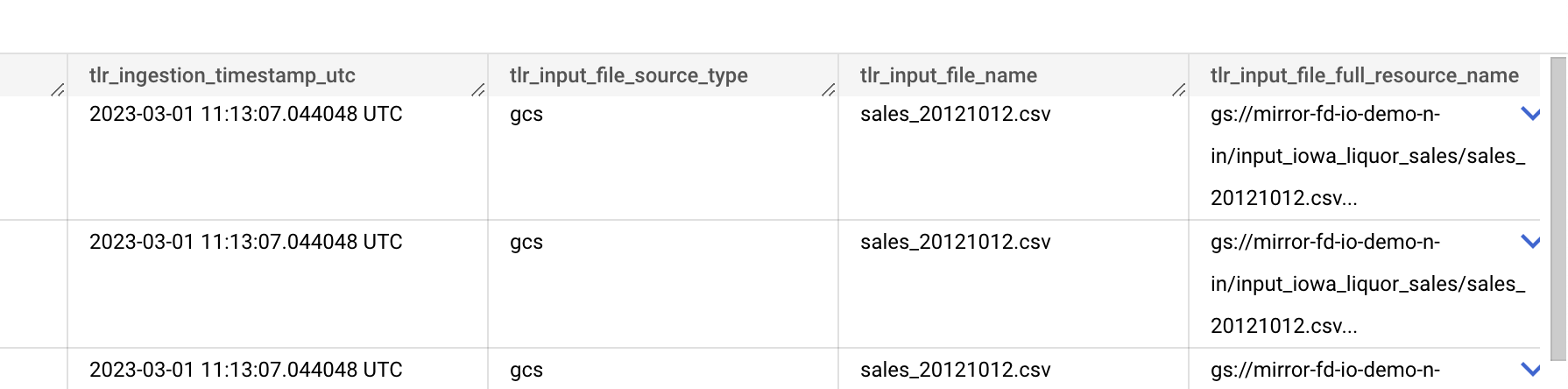
<figure><img src="https://4122513927-files.gitbook.io/~/files/v0/b/gitbook-x-prod.appspot.com/o/spaces%2F-MIIsP_DvP2J-c1szWrQ%2Fuploads%2Fgit-blob-d9ce73feac9aa506ee3ae70cd2a9a098e34229ea%2Fimage.png?alt=media" alt=""><figcaption></figcaption></figure>

## **📋 How to deploy a Storage to Tables data operation**

1. Access your **tailer** folder (created during [installation](/getting-started/install-tailer-sdk)).
2. Create a working folder as you want, and create a JSON file for your data operation inside.
3. Prepare your JSON configuration file. Refer to this page to learn about all the [parameters](/data-pipeline-operations/load-data-with-storage-to-tables/storage-to-tables-configuration-file).
4. Prepare a DDL file for each database table. Refer to this page to learn about all the [parameters](/data-pipeline-operations/load-data-with-storage-to-tables/storage-to-tables-ddl-files).
5. Access your working folder by running the following command:

   ```
   cd "[path to your working folder]"
   ```
6. To deploy the data operation, run the following command:

   ```
   tailer deploy your-file.json
   ```
7. Log in to [Tailer Studio](https://studio.tailer.ai) to check the status and details of your data operation.
8. Access your output table(s), and archive folder, if any, to check the result of the data operation.


# Storage to Tables configuration file

This is the description of the configuration file of a Storage to Tables data operation.

The configuration file is in JSON format. It contains the following sections:

* Global parameters: General information about the data operation.
* Source parameters: Information related to the data source provider.
* Destination parameters: Information about input file templates and destination tables. The "destinations" section will refer to [DDL files](/data-pipeline-operations/load-data-with-storage-to-tables/storage-to-tables-ddl-files), which contain the schema of the destination tables.

## :eye\_in\_speech\_bubble: Example

Here is an example of STT configuration file for a GCS to BigQuery transfer:

```sql
{
  "$schema": "http://jsonschema.tailer.ai/schema/storage-to-tables-veditor",
  "configuration_type": "storage-to-tables",
  "configuration_id": "Load_sales_files_from_it",
  "version": "2",
  "environment": "DEV",
  "account": "000099",
  "activated": true,
  "archived": false,
  "max_active_runs" : 5,
  "short_description": "This Job load sales files into the Persistent Staging Area",
  "doc_md": "Load_sales_files_from_it.md",
  "source": {
    "type": "gcs",
    "gcp_project_id": "dlk_demo",
    "gcs_source_bucket": "mirror-fd-io-exc-demo-wbd--n-in",
    "gcs_source_prefix": "testjul",
    "gcs_archive_prefix": "archive",
    "gcp_credentials_secret": {
      "cipher_aes": "223xxx",
      "tag": "8ddxxx",
      "ciphertext": "4c7xxx",
      "enc_session_key": "830xxx"
    }
  },
  "destinations": [
    {
      "type": "bigquery",
      "gcp_project_id": "my-project",
      "gbq_dataset": "dlk_demo_wbd_psa",
      "source_format": "CSV",
      "create_disposition": "CREATE_IF_NEEDED",
      "write_disposition": "WRITE_TRUNCATE",
      "bq_load_job_ignore_unknown_values": true,
      "skip_leading_rows": 1,
      "field_delimiter": "|",
      "add_tailer_metadata": true,
      "gcp_credentials_secret": {
        "cipher_aes": "223xxx",
        "tag": "8ddxxx",
        "ciphertext": "4c7xxx",
        "enc_session_key": "830xxx"
      },
      "tables": [
        {
          "table_name": "sales_details_test",
          "short_description": "Daily sales with tickets and tickets lines",
          "filename_template": "input_{{FD_DATE}}-{{FD_TIME}}-sales_details.csv",
          "ddl_mode": "file",
          "ddl_file": "ddl/sales_details.json",
          "doc_md": "ddl/sales_details.md",
          "add_tailer_metadata": true,
          "skip_leading_rows": 0,
          "write_disposition": "WRITE_APPEND"
        },
        {
          "table_name": "stores",
          "short_description": "Full Stores referential",
          "filename_template": "input_{{FD_DATE}}-{{FD_TIME}}-stores.csv",
          "ddl_mode": "file",
          "ddl_file": "ddl/stores.json",
          "doc_md": "ddl/stores.md",
          "add_tailer_metadata": false
        }
      ]
    }
  ]
}
```

## :globe\_with\_meridians: Global parameters

General information about the data operation

| Parameter                                                                      | Description                                                                                                                                                                                                                                                                                                                                                                                                                                                    |
| ------------------------------------------------------------------------------ | -------------------------------------------------------------------------------------------------------------------------------------------------------------------------------------------------------------------------------------------------------------------------------------------------------------------------------------------------------------------------------------------------------------------------------------------------------------- |
| <p><strong>$schema</strong></p><p>type: string</p><p>optional</p>              | The url of the json-schema that contains the properties that your configuration must verify. Most Code Editor can use that to validate your configuration, display help boxes and enlighten issues.                                                                                                                                                                                                                                                            |
| <p><strong>configuration\_type</strong></p><p>type: string</p><p>mandatory</p> | <p>Type of data operation.<br><br>For an STT data operation, the value is always "storage-to-tables".</p>                                                                                                                                                                                                                                                                                                                                                      |
| <p><strong>configuration\_id</strong></p><p>type: string</p><p>mandatory</p>   | <p>ID of the data operation.</p><p>You can pick any name you want, but is has to be <strong>unique</strong> for this data operation type.</p><p>Note that in case of conflict, the newly deployed data operation will overwrite the previous one. To guarantee its uniqueness, the best practice is to name your data operation by concatenating:</p><ul><li>your account ID,</li><li>the source bucket name,</li><li>and the source directory name.</li></ul> |
| <p><strong>version</strong><br>type: string<br>mandatory</p>                   | Use only version 2, version 1 is depreciated.                                                                                                                                                                                                                                                                                                                                                                                                                  |
| <p><strong>environment</strong></p><p>type: string</p><p>mandatory</p>         | <p>Deployment context.<br><br>Values: PROD, PREPROD, STAGING, DEV.</p>                                                                                                                                                                                                                                                                                                                                                                                         |
| <p><strong>account</strong></p><p>type: string</p><p>mandatory</p>             | Your account ID is a 6-digit number assigned to you by your Tailer Platform administrator.                                                                                                                                                                                                                                                                                                                                                                     |
| <p><strong>activated</strong></p><p>type: boolean</p><p>optional</p>           | <p>Flag used to enable/disable the execution of the data operation.<br><br>If not specified, the default value will be "true".</p>                                                                                                                                                                                                                                                                                                                             |
| <p><strong>archived</strong></p><p>type: boolean</p><p>optional</p>            | <p>Flag used to enable/disable the visibility of the data operation's configuration and runs in Tailer Studio.<br><br>If not specified, the default value will be "false".</p>                                                                                                                                                                                                                                                                                 |
| <p><strong>max\_active\_runs</strong></p><p>type: integer</p><p>optional</p>   | <p>This parameter limits the number of concurrent runs for this data operation.</p><p>If not set, the default value is 50.</p>                                                                                                                                                                                                                                                                                                                                 |
| <p><strong>short\_description</strong></p><p>type: string</p><p>optional</p>   | Short description of the context of the configuration.                                                                                                                                                                                                                                                                                                                                                                                                         |
| <p><strong>doc\_md</strong></p><p>type: string</p><p>optional</p>              | Path to a file containing a detailed description. The file must be in Markdown format.                                                                                                                                                                                                                                                                                                                                                                         |

## :arrow\_down: Source parameters (GCS)

The destination section contains all information related to the data source provider.

```json
"source": {
  "type": "gcs",
  "gcp_project_id": "my-project",
  "gcs_source_bucket": "mirror-fd-io-exc-demo-wbd--n-in",
  "gcs_source_prefix": "testjul",
  "gcs_archive_prefix": "archive",
  "gcp_credentials_secret": {
    "cipher_aes": "223xxx",
    "tag": "8ddxxx",
    "ciphertext": "4c7xxx",
    "enc_session_key": "830xxx"
  }
}
```

| Parameter                                                                         | Description                                                                                                                                                                                                                                                                                                          |
| --------------------------------------------------------------------------------- | -------------------------------------------------------------------------------------------------------------------------------------------------------------------------------------------------------------------------------------------------------------------------------------------------------------------- |
| <p><strong>type</strong></p><p>type: string</p><p>mandatory</p>                   | <p>Source type.</p><p>The only supported source type for now is "gcs".</p>                                                                                                                                                                                                                                           |
| <p><strong>gcp\_project\_id</strong></p><p>type: string</p><p>mandatory</p>       | <p>Specify the Google Cloud Platform project where to deploy the data operation and its associated cloud functions.</p><p>If not set, the user will be prompted to choose a project.</p>                                                                                                                             |
| <p><strong>gcs\_source\_bucket</strong></p><p>type: string</p><p>mandatory</p>    | <p>Name of the source bucket.<br><span data-gb-custom-inline data-tag="emoji" data-code="26a0">⚠️</span> <em>See restrictions below</em></p>                                                                                                                                                                         |
| <p><strong>gcs\_source\_prefix</strong></p><p>type: string</p><p>mandatory</p>    | <p>Path where the files will be found, e.g. "some/sub/dir".<br><span data-gb-custom-inline data-tag="emoji" data-code="26a0">⚠️</span> <em>See restrictions below</em></p>                                                                                                                                           |
| <p><strong>gcs\_archive\_prefix</strong></p><p>type: string optional</p>          | <p>Path where the source files will be archived.</p><p>If present and populated, the STT data operation will archive the source files in the location specified, in the GCS source bucket.</p><p>If not present or empty, there will be no archiving.</p>                                                            |
| <p><strong>gcp\_credentials\_secret</strong></p><p>type: dict</p><p>mandatory</p> | <p>Encrypted credentials needed to read/move data from the source bucket.</p><p>You should have generated credentials when <a href="/getting-started/set-up-google-cloud-platform">setting up GCP</a>. To learn how to encrypt them, refer to <a href="/getting-started/encrypt-your-credentials">this page</a>.</p> |

## :arrow\_up: Destination parameters (BigQuery)

The destination section contains all the information related to the data destinations.

The **destinations** parameter is an array containing maps. Each map can contain a type of destination and many actual "tables" as ultimate destination.

Example:

```json
"destinations": [
{
  "type": "bigquery",
  "gcp_project_id": "my-project",
  "gbq_dataset": "dlk_demo_wbd_psa",
  "source_format": "CSV",
  "create_disposition": "CREATE_IF_NEEDED",
  "write_disposition": "WRITE_TRUNCATE",
  "skip_leading_rows": 1,
  "field_delimiter": "|",
  "add_tailer_metadata": true,
  "gcp_credentials_secret": {
    "cipher_aes": "223008256918c292ff3ec1axxx",
    "tag": "8dd3db4c71bfb963d475d1bbd1xxx",
    "ciphertext": "4c74df268d5a7541f8264c2e7a282fxxx",
    "enc_session_key": "830606cbc4f9401a29c7977d364398xxx"
    },
      "tables": [
      {
        "table_name": "sales_details_test",
        "short_description": "Daily detailed Sales with tickets and tickets lines",
        "filename_template": "input_{{FD_DATE}}-{{FD_TIME}}-ORS-ventes.csv",
        "ddl_mode": "file",
        "ddl_file": "ddl/sales_details.json",
        "doc_md": "ddl/sales_details.md",
        "add_tailer_metadata": true,
        "skip_leading_rows": 0,
        "write_disposition": "WRITE_APPEND"
      },
      {
        "table_name": "stores",
        "short_description": "Full Stores referential",
        "filename_template": "input_{{FD_DATE}}-{{FD_TIME}}-ORS-magasins.csv",
        "ddl_mode": "file",
        "ddl_file": "ddl/stores.json",
        "doc_md": "ddl/stores.md",
        "add_tailer_metadata": false
      }
    ]
  }
]
```

### Global destination parameters

| Parameter                                                                                         | Description                                                                                                                                                                                                                                                                                                                                                                                                                                                                                                                                                                                                                                                                                                                                                                                                                                                                                                                                                                                                                                                                                                                                              |
| ------------------------------------------------------------------------------------------------- | -------------------------------------------------------------------------------------------------------------------------------------------------------------------------------------------------------------------------------------------------------------------------------------------------------------------------------------------------------------------------------------------------------------------------------------------------------------------------------------------------------------------------------------------------------------------------------------------------------------------------------------------------------------------------------------------------------------------------------------------------------------------------------------------------------------------------------------------------------------------------------------------------------------------------------------------------------------------------------------------------------------------------------------------------------------------------------------------------------------------------------------------------------- |
| <p><strong>type</strong></p><p>type: string</p><p>mandatory</p>                                   | <p>Type of destination.</p><p>The only supported destination type for now is "bigquery".</p>                                                                                                                                                                                                                                                                                                                                                                                                                                                                                                                                                                                                                                                                                                                                                                                                                                                                                                                                                                                                                                                             |
| <p><strong>gcp\_project\_id</strong></p><p>type: string</p><p>optional</p>                        | <p>Default GCP Project ID.</p><p>This parameter can be set for each <strong>table</strong> sub-object, and will be overridden by that value if it is different.</p>                                                                                                                                                                                                                                                                                                                                                                                                                                                                                                                                                                                                                                                                                                                                                                                                                                                                                                                                                                                      |
| <p><strong>gbq\_dataset</strong></p><p>type: string</p><p>optional</p>                            | <p>Default BigQuery Dataset.</p><p>This parameter can be set for each <strong>table</strong> sub-object, and will be overridden by that value if it is different.</p>                                                                                                                                                                                                                                                                                                                                                                                                                                                                                                                                                                                                                                                                                                                                                                                                                                                                                                                                                                                    |
| <p><strong>gcp\_credentials\_secret</strong></p><p>type: object</p><p>optional</p>                | <p>Encrypted credentials needed to interact with Storage and BigQuery.</p><p>You should have generated credentials when <a href="/getting-started/set-up-google-cloud-platform">setting up GCP</a>. To learn how to encrypt them, refer to <a href="/getting-started/encrypt-your-credentials">this page</a>.</p>                                                                                                                                                                                                                                                                                                                                                                                                                                                                                                                                                                                                                                                                                                                                                                                                                                        |
| <p><strong>source\_format</strong></p><p>type: string</p><p>optional</p>                          | <p>Default source format for input files.</p><p>Possible values (case sensitive):</p><ul><li>"CSV" (default)</li><li>"JSON"</li><li>"PARQUET" (see <a href="https://cloud.google.com/bigquery/docs/loading-data-cloud-storage-parquet">BigQuery doc</a> for more info)</li><li>"AVRO" (see <a href="https://cloud.google.com/bigquery/docs/loading-data-cloud-storage-avro">BigQuery doc</a> for more info)</li></ul><p>This parameter can be set for each <strong>table</strong> sub-object, and will be overridden by that value if it is different.</p>                                                                                                                                                                                                                                                                                                                                                                                                                                                                                                                                                                                               |
| <p><strong>create\_disposition</strong></p><p>type: string</p><p>optional</p>                     | <p>Specifies behavior for creating tables (see <a href="https://googleapis.github.io/google-cloud-python/latest/bigquery/generated/google.cloud.bigquery.job.CreateDisposition.html#google.cloud.bigquery.job.CreateDisposition">Google BigQuery documentation</a>).</p><p>Possible values:</p><ul><li>"CREATE\_IF\_NEEDED" (default): If the table does not exist, BigQuery creates the table.</li><li>"CREATE\_NEVER": The table must already exist.</li></ul><p>This parameter can be set for each <strong>table</strong> sub-object, and will be overridden by that value if it is different.</p>                                                                                                                                                                                                                                                                                                                                                                                                                                                                                                                                                    |
| <p><strong>write\_disposition</strong></p><p>type: string</p><p>optional</p>                      | <p>Action that occurs if the destination table already exists (see <a href="https://googleapis.github.io/google-cloud-python/latest/bigquery/generated/google.cloud.bigquery.job.WriteDisposition.html#google.cloud.bigquery.job.WriteDisposition">Google BigQuery documentation</a>).</p><p>Possible values:</p><ul><li>"WRITE\_TRUNCATE" (default): The run will write table data from the beginning. If the table already contained lines, they will all be deleted and replaced by the new lines. This option is used most of the time for daily runs to avoid duplicates.</li><li>"WRITE\_APPEND": The run will append new lines to the table. When using this option, make sure not to run the data operation several times.</li><li>"WRITE\_EMPTY": This option only allows adding data to an empty table. If the table already contains data, it returns an error. It is hardly ever used as data operations are usually run periodically, so they will always contain data after the first run.<br><br>This parameter can be set for each <strong>table</strong> sub-object, and will be overridden by that value if it is different.</li></ul> |
| <p><strong>skip\_leading\_rows</strong></p><p>type: integer</p><p>optional</p>                    | <p>Number of rows to skip when reading data, CSV only.<br></p><p>This parameter can be set for each <strong>table</strong> sub-object, and will be overridden by that value if it is different.<br><br><em>Default value: 1</em></p>                                                                                                                                                                                                                                                                                                                                                                                                                                                                                                                                                                                                                                                                                                                                                                                                                                                                                                                     |
| <p><strong>field\_delimiter</strong></p><p>type: string</p><p>optional</p>                        | <p>Separator for fields in a CSV file, e.g. ";".</p><p><strong>Note</strong>: For Tab separator, set to "\t".<br><br>This parameter can be set for each <strong>table</strong> sub-object, and will be overridden by that value if it is different.<br><br><em>Default value:</em></p>                                                                                                                                                                                                                                                                                                                                                                                                                                                                                                                                                                                                                                                                                                                                                                                                                                                                   |
| <p><strong>quote\_character</strong></p><p>type: string</p><p>optional</p>                        | <p>Character used to quote data sections, CSV only (see <a href="https://googleapis.dev/python/bigquery/latest/generated/google.cloud.bigquery.job.LoadJobConfig.html#google.cloud.bigquery.job.LoadJobConfig.quote_character">Google BigQuery documentation</a>).</p><p><strong>Note:</strong> For quote and double quotes, set to "'" and """ respectively.<br></p><p>This parameter can be set for each <strong>table</strong> sub-object, and will be overridden by that value if it is different.<br><br><em>Default value: ""</em></p>                                                                                                                                                                                                                                                                                                                                                                                                                                                                                                                                                                                                             |
| <p><strong>null\_marker</strong></p><p>type: string</p><p>optional</p>                            | <p>Represents a null value, CSV only (see <a href="https://googleapis.dev/python/bigquery/latest/generated/google.cloud.bigquery.job.LoadJobConfig.html#google.cloud.bigquery.job.LoadJobConfig.null_marker">Google BigQuery documentation</a>).<br></p><p>This parameter can be set for each <strong>table</strong> sub-object, and will be overridden by that value if it is different.<br><br><em>Default value: ""</em></p>                                                                                                                                                                                                                                                                                                                                                                                                                                                                                                                                                                                                                                                                                                                          |
| <p><strong>bq\_load\_job\_ignore\_unknown\_values</strong></p><p>type: boolean</p><p>optional</p> | <p>Ignore extra values not represented in the table schema (see <a href="https://googleapis.dev/python/bigquery/latest/generated/google.cloud.bigquery.job.LoadJobConfig.html#google.cloud.bigquery.job.LoadJobConfig.ignore_unknown_values">Google BigQuery documentation</a>).<br></p><p>This parameter can be set for each <strong>table</strong> sub-object, and will be overridden by that value if it is different.<br><br><em>Default value: false</em></p>                                                                                                                                                                                                                                                                                                                                                                                                                                                                                                                                                                                                                                                                                       |
| <p><strong>bq\_load\_job\_max\_bad\_records</strong></p><p>type: integer</p><p>optional</p>       | <p>Number of invalid rows to ignore (see <a href="https://googleapis.dev/python/bigquery/latest/generated/google.cloud.bigquery.job.LoadJobConfig.html#google.cloud.bigquery.job.LoadJobConfig.max_bad_records">Google BigQuery documentation</a>).<br></p><p>This parameter can be set for each <strong>table</strong> sub-object, and will be overridden by that value if it is different.<br><br><em>Default value: 0</em></p>                                                                                                                                                                                                                                                                                                                                                                                                                                                                                                                                                                                                                                                                                                                        |
| <p><strong>bq\_load\_job\_schema\_update\_options</strong></p><p>type: array</p><p>optional</p>   | <p>Specifies updates to the destination table schema to allow as a side effect of the load job (see <a href="https://googleapis.dev/python/bigquery/latest/generated/google.cloud.bigquery.job.LoadJobConfig.html#google.cloud.bigquery.job.LoadJobConfig.max_bad_records">Google BigQuery documentation</a>).<br></p><p>This parameter can be set for each <strong>table</strong> sub-object, and will be overridden by that value if it is different.<br><br><em>Default value: \[]</em></p>                                                                                                                                                                                                                                                                                                                                                                                                                                                                                                                                                                                                                                                           |
| <p><strong>bq\_load\_job\_allow\_quoted\_newlines</strong></p><p>type: boolean</p><p>optional</p> | <p>Allows quoted data containing newline characters, CSV only (see <a href="https://googleapis.dev/python/bigquery/latest/generated/google.cloud.bigquery.job.LoadJobConfig.html#google.cloud.bigquery.job.LoadJobConfig.max_bad_records">Google BigQuery documentation</a>).<br></p><p>This parameter can be set for each <strong>table</strong> sub-object, and will be overridden by that value if it is different.<br><br><em>Default value: false</em></p>                                                                                                                                                                                                                                                                                                                                                                                                                                                                                                                                                                                                                                                                                          |
| <p><strong>bq\_load\_job\_allow\_jagged\_rows</strong></p><p>type : boolean</p><p>optional</p>    | <p>Allows missing trailing optional columns, CSV only (see <a href="https://googleapis.dev/python/bigquery/latest/generated/google.cloud.bigquery.job.LoadJobConfig.html#google.cloud.bigquery.job.LoadJobConfig.max_bad_records">Google BigQuery documentation</a>).<br></p><p>This parameter can be set for each <strong>table</strong> sub-object, and will be overridden by that value if it is different.<br><br><em>Default value: false</em></p>                                                                                                                                                                                                                                                                                                                                                                                                                                                                                                                                                                                                                                                                                                  |
| <p><strong>add\_tailer\_metadata</strong></p><p>type : boolean</p><p>optional</p>                 | <p><strong>\[NEW]</strong><br><br>Allows automatic metadata feature that add specific columns during the ingestion process related to the input source.</p><p>The added columns are:<br><br><code>tlr\_ingestion\_timestamp\_utc</code><br><code>(TIMESTAMP) tlr\_input\_file\_source\_type</code><br><code>(STRING)</code><br><code>tlr\_input\_file\_name</code><br><code>(STRING) tlr\_input\_file\_full\_resource\_name</code><br><code>(STRING)</code><br></p><p>This parameter can be set for each <strong>table</strong> sub-object, and will be overridden by that value if it is different.</p><p><br><em>Default value : false</em></p>                                                                                                                                                                                                                                                                                                                                                                                                                                                                                                        |

### **Table sub-object parameters**

The "table" object contains the definition of expected input files and their BigQuery target.

| **Parameter**                                                                                                       | Description                                                                                                                                                                                                                                                                                                                                                                                                                                                                                                                                                                                                                                                                                                                                                                                                                                                                                                                                                                                                                                                                                                                                                                                                                                                                                                                                                                                                                                                                                                                                                                                                                                                                                                                                                                                                                                                                                                                                                                                                                                                                                                                                                                                                                                                                                                                                                                                                                                                                                            |
| ------------------------------------------------------------------------------------------------------------------- | ------------------------------------------------------------------------------------------------------------------------------------------------------------------------------------------------------------------------------------------------------------------------------------------------------------------------------------------------------------------------------------------------------------------------------------------------------------------------------------------------------------------------------------------------------------------------------------------------------------------------------------------------------------------------------------------------------------------------------------------------------------------------------------------------------------------------------------------------------------------------------------------------------------------------------------------------------------------------------------------------------------------------------------------------------------------------------------------------------------------------------------------------------------------------------------------------------------------------------------------------------------------------------------------------------------------------------------------------------------------------------------------------------------------------------------------------------------------------------------------------------------------------------------------------------------------------------------------------------------------------------------------------------------------------------------------------------------------------------------------------------------------------------------------------------------------------------------------------------------------------------------------------------------------------------------------------------------------------------------------------------------------------------------------------------------------------------------------------------------------------------------------------------------------------------------------------------------------------------------------------------------------------------------------------------------------------------------------------------------------------------------------------------------------------------------------------------------------------------------------------------ |
| <p><strong>table\_name</strong></p><p>type: string</p><p>mandatory</p>                                              | Name of the destination BigQuery table.                                                                                                                                                                                                                                                                                                                                                                                                                                                                                                                                                                                                                                                                                                                                                                                                                                                                                                                                                                                                                                                                                                                                                                                                                                                                                                                                                                                                                                                                                                                                                                                                                                                                                                                                                                                                                                                                                                                                                                                                                                                                                                                                                                                                                                                                                                                                                                                                                                                                |
| <p><strong>short\_description</strong></p><p>type: string</p><p>optional</p>                                        | Short description of the destination BigQuery table.                                                                                                                                                                                                                                                                                                                                                                                                                                                                                                                                                                                                                                                                                                                                                                                                                                                                                                                                                                                                                                                                                                                                                                                                                                                                                                                                                                                                                                                                                                                                                                                                                                                                                                                                                                                                                                                                                                                                                                                                                                                                                                                                                                                                                                                                                                                                                                                                                                                   |
| <p><strong>filename\_template</strong></p><p>type: string</p><p>mandatory</p>                                       | <p>Template for the files to be processed.<br>The following placeholders are currently supported:</p><ul><li>"FD\_DATE" looks for an 8-digit date (e.g. "20191015").</li><li>"FD\_DATE\_YEAR\_4" looks for 4-digit year (e.g "2021").</li><li>"FD\_DATE\_YEAR\_2" looks for 2-digit year (e.g "21").</li><li>"FD\_DATE\_MONTH" looks for 2-digit month (e.g "05").</li><li>"FD\_DATE\_DAY" looks for 2-digit day (e.g "12").</li><li>"FD\_TIME" looks for a 6-digit time (e.g. "124213").</li><li>"FD\_BLOB\_n", where "n" is a non-zero positive integer, looks for a string of characters of "n" length.</li><li>FD\_TABLE\_NAME: This is a special template used when you have to process a large number of different files sharing the same destination schema. This template has to be used in conjunction with the <strong>table\_name</strong> parameter.</li></ul><p><strong>Information:</strong></p><ul><li>if "FD\_DATE" is specified, it will have priority upon "FD\_DATE\_YEAR\_X".</li><li>if "FD\_DATE\_YEAR\_4" or "FD\_DATE\_YEAR\_2" is specified, the final date will be concatenated with "FD\_DATE\_MONTH" and "FD\_DATE\_DAY".</li><li>if "FD\_DATE\_YEAR\_2" is specified, it will be prefixed by "20".</li><li>if "FD\_DATE\_YEAR\_4" or "FD\_DATE\_YEAR\_2" is specified only "FD\_DATE\_MONTH" and "FD\_DATE\_DAY" will be set to "01".</li></ul><p><strong>Example 1</strong></p><p>This template:</p><p><code>"stores\_{{FD\_DATE}}</code><em><code>{{FD\_TIME}}.txt"</code></em></p><p><em>will allow you to process this type of files:</em></p><p><em>"stores\_20201116\_124213.txt"</em></p><p><em><strong>Example 2</strong></em></p><p><em>This template:</em></p><p><em><code>"{{FD\_DATE}}</code></em><code>{{FD\_BLOB\_5}}</code><em><code>fixedvalue</code></em><code>{{FD\_BLOB\_11}}.gz"</code></p><p>will allow you to process this type of files:</p><p>"20201116\_12397\_fixedvalue\_12312378934.gz"</p><p><strong>Example 3</strong></p><p>If <strong>table\_name</strong> is set to: <code>"table\_{{FD\_TABLE\_NAME}}"</code></p><p>and <strong>filename\_template</strong> to: <code>"{{FD\_DATE}}\_{{FD\_TIME}}</code><em><code>fixedvalue</code></em><code>{{FD\_TABLE\_NAME}}.csv"</code></p><p>A file named "20201116\_124523\_fixedvalue\_stores.csv" will be loaded into a table named: "table\_stores\_20191205"</p><p>A file named "20190212\_063412\_fixedvalue\_visits.csv" will be loaded into a table named: "table\_visits\_20190212"</p> |
| <p><strong>ddl\_mode</strong></p><p>type: string</p><p>optional</p>                                                 | <p>This parameter allows you to specify how the schema of the table will be obtained.</p><p>Possible values:</p><ul><li>"file": Legacy mode. The table schema is described in the DDL file specified in the <strong>ddl\_file</strong> parameter.</li><li>" file\_template": The table schema is described in a DDL file provided in the source directory together with the source file. It must have the same filename as the source file, with the ".ddl.json" suffix.</li><li>"header" (CSV file only): The columns of the CSV file first line are automatically used as columns for the database table. All the columns are given the STRING type. No DDL file needs to be provided.</li><li>"autodetect" (not recommended): Google’s default mode. The schema is automatically detected from the source file. This mode doesn’t work well with CSV files, but gives good results with structured formats such as JSON. (see <a href="https://cloud.google.com/bigquery/docs/schema-detect">Google BigQuery documentation</a>).</li></ul><p><em>Default value: file</em></p>                                                                                                                                                                                                                                                                                                                                                                                                                                                                                                                                                                                                                                                                                                                                                                                                                                                                                                                                                                                                                                                                                                                                                                                                                                                                                                                                                                                                                       |
| <p><strong>ddl\_file</strong></p><p>type: string</p><p>mandatory if <strong>ddl\_mode</strong> is set to "file"</p> | Path to the [DDL file](/data-pipeline-operations/load-data-with-storage-to-tables/storage-to-tables-ddl-files) where the destination schema is described.                                                                                                                                                                                                                                                                                                                                                                                                                                                                                                                                                                                                                                                                                                                                                                                                                                                                                                                                                                                                                                                                                                                                                                                                                                                                                                                                                                                                                                                                                                                                                                                                                                                                                                                                                                                                                                                                                                                                                                                                                                                                                                                                                                                                                                                                                                                                              |
| <p><strong>doc\_md</strong><br>type: string<br>optional</p>                                                         | Path to the Markdown file containing detailed information about the destination table.                                                                                                                                                                                                                                                                                                                                                                                                                                                                                                                                                                                                                                                                                                                                                                                                                                                                                                                                                                                                                                                                                                                                                                                                                                                                                                                                                                                                                                                                                                                                                                                                                                                                                                                                                                                                                                                                                                                                                                                                                                                                                                                                                                                                                                                                                                                                                                                                                 |
| <p><strong>add\_tailer\_metadata</strong></p><p>type : boolean</p><p>optional</p>                                   | <p><strong>\[NEW]</strong><br><br>Allows automatic metadata feature that add specific columns during the ingestion process related to the input source.</p><p>The added columns are:<br><br><code>tlr\_ingestion\_timestamp\_utc</code><br><code>(TIMESTAMP) tlr\_input\_file\_source\_type</code><br><code>(STRING)</code><br><code>tlr\_input\_file\_name</code><br><code>(STRING) tlr\_input\_file\_full\_resource\_name</code><br><code>(STRING)</code><br><br><em>Default value : false</em></p>                                                                                                                                                                                                                                                                                                                                                                                                                                                                                                                                                                                                                                                                                                                                                                                                                                                                                                                                                                                                                                                                                                                                                                                                                                                                                                                                                                                                                                                                                                                                                                                                                                                                                                                                                                                                                                                                                                                                                                                                  |


# Storage to Tables DDL files

This is the description of the DDL files used for a Storage to Tables data operation.

You need to provide one DDL file for each database table that will be created. Each DDL file should be associated with a Markdown file for documentation purposes.

## 👁️‍🗨️ Example

```json
{
  "schema": [
    {
      "name": "COMPANYCODE",
      "type": "STRING",
      "description": "Company code."
    },
    {
      "name": "STOREID",
      "type": "STRING",
      "description": "ID of the store. Foreign key to stores table."
    },
    {
      "name": "STOREDESC",
      "type": "STRING",
      "description": "Store name."
    },
    {
      "name": "STORETYPE",
      "type": "STRING",
      "description": "Store type."
    }
  ]
}
```

## :gear: Parameters

| Parameter                                                        | Description                                                                                                                                                                                                                                                                                                                                                                                                                                                                                                   |
| ---------------------------------------------------------------- | ------------------------------------------------------------------------------------------------------------------------------------------------------------------------------------------------------------------------------------------------------------------------------------------------------------------------------------------------------------------------------------------------------------------------------------------------------------------------------------------------------------- |
| <p><strong>schema</strong></p><p>type: array</p><p>mandatory</p> | <p>GBQ table schema. It contains a list of fields corresponding to the number of columns found in the CSV.</p><p>Each field described has three attributes:</p><ul><li><strong>name</strong>: Name of the field. Keep column names as in the input file.</li><li><strong>type</strong>: Use only the STRING type at this stage to avoid cast errors. The type can modified with a transformation operation later on.</li><li><strong>description</strong>: Text describing the meaning of the data.</li></ul> |


# Stream incoming data with API To Storage

Learn how to easily setup an incoming data streaming endpoint with API To Storage data operation.

## **📋 How to deploy an API To Storage data operation**

1. Access your **tailer** folder (created during [installation](/getting-started/install-tailer-sdk)).
2. Create a working folder as you want, and create a JSON file for your data operation inside.
3. Prepare your JSON configuration file. Refer to this page to learn about all the [parameters](/data-pipeline-operations/load-data-with-storage-to-tables/storage-to-tables-configuration-file).
4. Access your working folder by running the following command:

   ```
   cd "[path to your working folder]"
   ```
5. To deploy the data operation, run the following command:

   ```
   tailer deploy your-file.json
   ```
6. Log in to [Tailer Studio](https://studio.tailer.ai) to check the status and details of your data operation.
7. Access your output table(s), and archive folder, if any, to check the result of the data operation.

{% hint style="danger" %}
The incoming data, a base64 encoded JSON payload, MUST follow the following rules:

* attributes names must be written in Camel or Snake case, i.e : shortDescription or short\_description
* the source attribute must be names "input\_data" and should be of type "array"
  {% endhint %}


# API To Storage configuration file

The configuration file is in JSON format. It contains the following sections:

* Global parameters: General information about the data operation.
* Source parameters: Information related to the data source provider.
* Destination parameters: One or several destination blocks, containing information about the data destinations.

## :eye\_in\_speech\_bubble: Example

Here is an example of ATS configuration file exposing a Pub/Sub endpoint and an output to GCS :

```json
{
  "$schema": "http://jsonschema.tailer.ai/schema/api-to-storage-veditor",
  "configuration_type": "api-to-storage",
  "configuration_id": "000099-ats-example-products",
  "environment": "DEV",
  "account": "000099",
  "activated": true,
  "archived": false,
  "short_description": "This API will receive PRODUCTS and store them to GCS blobs.",
  "doc_md": "000099-ats-example-products.md",
  "source": {
    "type": "pubsub",
    "gcp_project_id": "fd-io-jarvis-demo-dlk",
    "pubsub_topic_suffix": "example-products",
    "protocol_buffers_file": "000099-ats-example-products.proto"
  },
  "destinations": [
    {
      "type": "gcs",
      "gcs_destination_bucket": "fd-io-demo-n-in",
      "gcs_destination_prefix": "ats-repository/products/input",
      "gcs_filename_template": "products.json",
      "gcp_credentials_secret": {
        "cipher_aes": "473a2d0cb3",
        "tag": "6f72f",
        "ciphertext": "ba9c04ebe99e7c83cdd1fde63e63a8485472906",
        "enc_session_key": "1bd17b6fd0ac286161d6"
      },
      "description": "This is a short description of the GCS output."
    }
  ]
}
```

## :globe\_with\_meridians: Global parameters

General information about the data operation

| Parameter                                                                      | Description                                                                                                                                                                                                                                                                                                                                                                                                                                                    |
| ------------------------------------------------------------------------------ | -------------------------------------------------------------------------------------------------------------------------------------------------------------------------------------------------------------------------------------------------------------------------------------------------------------------------------------------------------------------------------------------------------------------------------------------------------------- |
| <p><strong>$schema</strong></p><p>type: string</p><p>optional</p>              | The url of the json-schema that contains the properties that your configuration must verify. Most Code Editor can use that to validate your configuration, display help boxes and enlighten issues.                                                                                                                                                                                                                                                            |
| <p><strong>configuration\_type</strong></p><p>type: string</p><p>mandatory</p> | <p>Type of data operation.<br><br>For an ATS data operation, the value is always "api-to-storage".</p>                                                                                                                                                                                                                                                                                                                                                         |
| <p><strong>configuration\_id</strong></p><p>type: string</p><p>mandatory</p>   | <p>ID of the data operation.</p><p>You can pick any name you want, but is has to be <strong>unique</strong> for this data operation type.</p><p>Note that in case of conflict, the newly deployed data operation will overwrite the previous one. To guarantee its uniqueness, the best practice is to name your data operation by concatenating:</p><ul><li>your account ID,</li><li>the source bucket name,</li><li>and the source directory name.</li></ul> |
| <p><strong>environment</strong></p><p>type: string</p><p>Mandatory</p>         | <p>Deployment context.<br><br>Values: PROD, PREPROD, STAGING, DEV.</p>                                                                                                                                                                                                                                                                                                                                                                                         |
| <p><strong>account</strong></p><p>type: string</p><p>mandatory</p>             | Your account ID is a 6-digit number assigned to you by your Tailer Platform administrator.                                                                                                                                                                                                                                                                                                                                                                     |
| <p><strong>activated</strong></p><p>type: boolean</p><p>optional</p>           | <p>Flag used to enable/disable the execution of the data operation.<br><br>If not specified, the default value will be "true".</p>                                                                                                                                                                                                                                                                                                                             |
| <p><strong>archived</strong></p><p>type: boolean</p><p>optional</p>            | <p>Flag used to enable/disable the visibility of the data operation's configuration and runs in Tailer Studio.<br><br>If not specified, the default value will be "false".</p>                                                                                                                                                                                                                                                                                 |
| <p><strong>max\_active\_runs</strong></p><p>type: integer</p><p>optional</p>   | <p>This parameter limits the number of concurrent runs for this data operation.</p><p>If not set, the default value is 1.</p>                                                                                                                                                                                                                                                                                                                                  |
| <p><strong>short\_description</strong></p><p>type: string</p><p>optional</p>   | Short description of the context of the configuration.                                                                                                                                                                                                                                                                                                                                                                                                         |
| <p><strong>doc\_md</strong></p><p>type: string</p><p>optional</p>              | Path to a file containing a detailed description. The file must be in Markdown format.                                                                                                                                                                                                                                                                                                                                                                         |

## Source parameters (Pub/Sub)

The destination section contains all information related to the data source provider.

```
"source": {
    "type": "pubsub",
    "gcp_project_id": "fd-io-jarvis-demo-dlk",
    "pubsub_topic_suffix": "example-products",
    "protocol_buffers_file": "000099-ats-example-products.proto"
  }
```

| Parameter                                                                         | Description                                                                                                                                                                                           |
| --------------------------------------------------------------------------------- | ----------------------------------------------------------------------------------------------------------------------------------------------------------------------------------------------------- |
| <p><strong>type</strong></p><p>type: string</p><p>mandatory</p>                   | <p>Source type.</p><p>The only supported source type for now is "pubsub".</p>                                                                                                                         |
| <p><strong>gcp\_project\_id</strong></p><p>type: string</p><p>mandatory</p>       | <p>Specify the Google Cloud Platform project where to deploy the data operation and its associated cloud functions.</p><p>If not set, the user will be prompted to choose a project.</p>              |
| <p><strong>pubsub\_topic\_suffix</strong></p><p>type: string</p><p>mandatory</p>  | Name of the Pub/Sub topic that will be created.                                                                                                                                                       |
| <p><strong>protocol\_buffers\_file</strong></p><p>type: string</p><p>optional</p> | <p>Filename pointing to a Protocol Buffers 2 file.</p><p>If specified, all incoming data streamed through the topic will be checked against the definition included in the Protocol Buffers file.</p> |

### Protocol Buffers File syntax

Pub/Sub allow to verify an incoming payload using a Protocol Buffers definition.

Protocol Buffers (proto2) langage guide : <https://developers.google.com/protocol-buffers/docs/proto?hl=fr>

The definition should be defined as follow. Note that the message "Item" is where you must customize your payload schema.

Let's use the following example where the attribute "new\_item" is optional:

```json
{
    "input_data": [
        {
            "product_id": "123456789",
            "label": "Some label ABC",
            "description": "A specific description for product 123456789"
        },
        {
            "product_id": "987654321",
            "label": "Some label YUI",
            "description": "A specific description for product 987654321"
        },
        {
            "label": "Some label XYZ",
            "product_id": "66668888",
            "description": "A specific description for product 66668888"
        },
        {
            "product_id": "66668888",
            "label": "Some label XYZ",
            "description": "A specific description for product 66668888",
            "new_item": "some new data"
        }
    ]
}
```

The corresponding Protocol Buffers definition should be like this:

```
syntax = "proto2";

message GlobalMessage {

  message Item {
    required string product_id = 1;
    required string label = 2;
    required string description = 3;
    optional string new_item = 4;
  }

  repeated Item input_data = 1;
}
```

## Destination parameters

These parameters allow you specify a list of destinations. You can add as many "destination" sub-objects as you want, they will all be processed.

### **Google Cloud Storage destination**

Example:

```json
"destinations": [
    {
      "type": "gcs",
      "gcs_destination_bucket": "fd-io-demo-n-in",
      "gcs_destination_prefix": "ats-repository/products/input",
      "gcs_filename_template": "products.json",
      "gcp_credentials_secret": {
        "cipher_aes": "473a2d0cb3",
        "tag": "6f72f",
        "ciphertext": "c9e7c83cdd1fde63e63a8485472906",
        "enc_session_key": "1bd17b6fd0ac286161d621bf07c20593f14ea"
      },
      "description": "This is a short description of the GCS output."
    }
  ]
```

| Parameter                                                                           | Description                                                                                                                                                                                                                                                                                                                     |
| ----------------------------------------------------------------------------------- | ------------------------------------------------------------------------------------------------------------------------------------------------------------------------------------------------------------------------------------------------------------------------------------------------------------------------------- |
| <p><strong>type</strong></p><p>type: string</p><p>mandatory</p>                     | <p>Type of destination.</p><p>In this case : "gcs".</p>                                                                                                                                                                                                                                                                         |
| <p><strong>gcs\_destination\_bucket</strong></p><p>type: string</p><p>mandatory</p> | Google Cloud Storage destination bucket.                                                                                                                                                                                                                                                                                        |
| <p><strong>gcs\_destination\_prefix</strong></p><p>type: string</p><p>mandatory</p> | Google Cloud Storage destination path, e.g. "/subdir/subdir\_2" to send the files to "gs\://BUCKET/subdir/subdir\_2/source\_file.ext"                                                                                                                                                                                           |
| <p><strong>gcp\_credentials\_secret</strong></p><p>type: dict</p><p>mandatory</p>   | <p>Encrypted credentials needed to read/write/move data from the destination bucket.</p><p>You should have generated credentials when <a href="/getting-started/set-up-google-cloud-platform">setting up GCP</a>. To learn how to encrypt them, refer to <a href="/getting-started/encrypt-your-credentials">this page</a>.</p> |
| <p><strong>gcs\_filename\_template</strong></p><p>type: dict</p><p>mandatory</p>    | Filename template that will be used to write incoming data to a GCS storage.                                                                                                                                                                                                                                                    |
| <p><strong>description</strong></p><p>type: dict</p><p>optional</p>                 | Short description of the destination.                                                                                                                                                                                                                                                                                           |


# API To Storage usage examples

## Pub/Sub to GCS examples

### Pub/Sub endpoint

Once the ATS configuration file has been deployed, a Pub/Sub endpoint will be available and ready to receive data.

The Pub/Sub URL will be constructed as follow:

`https://pubsub.googleapis.com/v1/projects/[GCP_PROJECT_ID]/topics/ats-topic-[CONFIGURATION_ID]:publish`

Considering the following value coming from your ATS configuration :

* gcp\_project\_id (from "source" attribute: fd-io-jarvis-demo-dlk
* configuration\_id : 000099-ats-example-products

The resulting Pub/Sub endpoint will be:

`https://pubsub.googleapis.com/v1/projectsfd-io-jarvis-demo-dlk/topics/ats-topic-000099-ats-example-products:publish`

### How to build a data payload

Pub/Sub expects a Base64 encoded JSON string.

API To Storage processor expects an array of objects build with the following schema:

```
{
    "input_data": [
        { JSON Object 1 },
        { JSON Object 2 },
        { JSON Object 3 },
        { JSON Object 4 },
        ...
    ]
}
```

Example:

```json
{
    "input_data": [
        {
            "product_id": "123456789",
            "label": "Some label ABC",
            "description": "A specific description for product 123456789",
            "new_attribute": "test"
        },
        {
            "product_id": "987654321",
            "label": "Some label YUI",
            "description": "A specific description for product 987654321"
        },
        {
            "product_id": "66668888",
            "label": "Some label XYZ",
            "description": "A specific description for product 66668888"
        }
    ]
}
```

Then, the JSON string must be Base64 encoded. Using the previous example, the result will be:

`eyAgICAiaW5wdXQtZGF0YSI6IFsgICAgICAgIHsgICAgICAgICAgICAicHJvZHVjdF9pZCI6ICIxMjM0NTY3ODkiLCAgICAgICAgICAgICJsYWJlbCI6ICJTb21lIGxhYmVsIEFCQyIsICAgICAgICAgICAgImRlc2NyaXB0aW9uIjogIkEgc3BlY2lmaWMgZGVzY3JpcHRpb24gZm9yIHByb2R1Y3QgMTIzNDU2Nzg5IiwgICAgICAgICAgICAibmV3X2F0dHJpYnV0ZSI6ICJ0ZXN0IiAgICAgICAgfSwgICAgICAgIHsgICAgICAgICAgICAicHJvZHVjdF9pZCI6ICI5ODc2NTQzMjEiLCAgICAgICAgICAgICJsYWJlbCI6ICJTb21lIGxhYmVsIFlVSSIsICAgICAgICAgICAgImRlc2NyaXB0aW9uIjogIkEgc3BlY2lmaWMgZGVzY3JpcHRpb24gZm9yIHByb2R1Y3QgOTg3NjU0MzIxIiAgICAgICAgfSwgICAgICAgIHsgICAgICAgICAgICAicHJvZHVjdF9pZCI6ICI2NjY2ODg4OCIsICAgICAgICAgICAgImxhYmVsIjogIlNvbWUgbGFiZWwgWFlaIiwgICAgICAgICAgICAiZGVzY3JpcHRpb24iOiAiQSBzcGVjaWZpYyBkZXNjcmlwdGlvbiBmb3IgcHJvZHVjdCA2NjY2ODg4OCIgICAgICAgIH0gICAgXX0=`

### Send data payload to Pub/Sub

Using CURL, we can now simply send the data payload to Pub/Sub:

```bash
curl --request POST \
--http2 \
--header "content-type:application/json" \
--header "Authorization: Bearer ${TOKEN}" \
--data '{"messages": [
    {"attributes": {}, "data": "eyAgICAiaW5wdXQtZGF0YSI6IFsgICAgICAgIHsgICAgICAgICAgICAicHJvZHVjdF9pZCI6ICIxMjM0NTY3ODkiLCAgICAgICAgICAgICJsYWJlbCI6ICJTb21lIGxhYmVsIEFCQyIsICAgICAgICAgICAgImRlc2NyaXB0aW9uIjogIkEgc3BlY2lmaWMgZGVzY3JpcHRpb24gZm9yIHByb2R1Y3QgMTIzNDU2Nzg5IiwgICAgICAgICAgICAibmV3X2F0dHJpYnV0ZSI6ICJ0ZXN0IiAgICAgICAgfSwgICAgICAgIHsgICAgICAgICAgICAicHJvZHVjdF9pZCI6ICI5ODc2NTQzMjEiLCAgICAgICAgICAgICJsYWJlbCI6ICJTb21lIGxhYmVsIFlVSSIsICAgICAgICAgICAgImRlc2NyaXB0aW9uIjogIkEgc3BlY2lmaWMgZGVzY3JpcHRpb24gZm9yIHByb2R1Y3QgOTg3NjU0MzIxIiAgICAgICAgfSwgICAgICAgIHsgICAgICAgICAgICAicHJvZHVjdF9pZCI6ICI2NjY2ODg4OCIsICAgICAgICAgICAgImxhYmVsIjogIlNvbWUgbGFiZWwgWFlaIiwgICAgICAgICAgICAiZGVzY3JpcHRpb24iOiAiQSBzcGVjaWZpYyBkZXNjcmlwdGlvbiBmb3IgcHJvZHVjdCA2NjY2ODg4OCIgICAgICAgIH0gICAgXX0="}]}' \
"https://pubsub.googleapis.com/v1/projectsfd-io-jarvis-demo-dlk/topics/ats-topic-000099-ats-example-products:publish"
```

Note that the Pub/Sub endpoint is not publicly callable. You need to specify a JWT in the HTTP Authorization header to go though.

The user MUST have the Pub/Sub Publisher role to the according GCP Project to have access.

This is a link to GCP documentation on how to generate a JWT from a service account credential file : <https://cloud.google.com/endpoints/docs/openapi/service-account-authentication>


# Transform data with Tables to Tables

Learn how to extract, transform and load Google BigQuery data using the Tables to Tables operation.

## :bulb: What is Tables to Tables?

A Tables to Tables (TTT) data pipeline operation allows you to automate the execution of one or several BigQuery tasks in order to extract, transform and load data from tables to other tables.

{% hint style="info" %}
A table can be the source and the destination of the same task.
{% endhint %}

## ✅ Supported databases

* Google BigQuery (source and target)

## ⚙️ How it works

When a Tables to Tables Tailer data operation is triggered by an event (for example a Storage to Tables data operation success) or scheduled to start:

* A number of workflow tasks (SQL queries and JSON table creation/copy tasks) are run in the order set in the **task\_dependencies** parameter of the data operation configuration file.
* You obtain one or several BigQuery tables containing the reorganized data.

**📋 How to deploy a Tables to Tables data operation**

1. Access your **tailer** folder (created during [installation](/getting-started/install-tailer-sdk)).
2. Create a working folder as you want.
3. Create SQL and JSON files corresponding to your [workflow tasks](/data-pipeline-operations/transform-data-with-tables-to-tables/table-to-table-sql-and-ddl-files).
4. Prepare your JSON configuration file to gather all this information. Refer to this page to learn about all its [parameters](/data-pipeline-operations/transform-data-with-tables-to-tables/tables-to-tables-configuration-file).
5. Determine how to launch your Tables to Tables data operation: either use the **schedule\_interval** parameter in the JSON configuration file, and/or create a [Workflow configuration file](/data-pipeline-operations/orchestrate-processings-with-workflow/workflow-configuration-file) that will define how to trigger it.
6. Access your working folder by running the following command:

   ```
   cd "[path to your working folder]"
   ```
7. To deploy the data operation, run the following command:

   ```
   tailer deploy your-file.json
   ```
8. Log in to [Tailer Studio](http://studio.tailer.ai) to check the status and details of your data operation.
9. For your workflow to be executed, you either need to run the data operation corresponding to the previous step of your data pipeline (per your Workflow configuration file), or to launch it manually from [Tailer Studio](http://studio.tailer.ai).
10. Access your output table(s) in BigQuery to check the result of the data operation.


# Tables to Tables configuration file

This is the description of the JSON configuration file of a Tables to Tables data operation.

The configuration file is in JSON format. It contains the following sections:

* Global parameters: General information about the data operation.
* Workflow task parameters: Information about the different tasks of the workflow.

## :eye\_in\_speech\_bubble: Example

Here is an example of TTT configuration file:

```json
{
  "$schema": "http://jsonschema.tailer.ai/schema/table-to-table-veditor",
  "configuration_type" : "table-to-table",
  "configuration_id" : "000099_test_sql_dag_v1",
  "short_description" : "Short description of the job",
  "doc_md": "readme.md",
  "account" : "000099",
  "environment" : "PROD",
  "activated": true,
  "archived": false,
  "start_date" : "2023, 1, 23",
  "schedule_interval" : "None",
  "default_gcp_project_id" : "my-tailer-project",
  "default_bq_dataset" : "my_dataset",
  "default_write_disposition" : "WRITE_TRUNCATE",
  "task_dependencies" : [
    "create_collection_plan_table >> customer_value_step1 >> pda_dmp_event",
    "pda_dmp_event >> pda_customers"
  ],
  "workflow" : [
    {
      "id" : "customer_value_step1",
      "gcp_project_id" : "Project_A",
      "bq_dataset" : "Dataset_Z", 
      "table_name" : "customer_value",
      "write_disposition" : "WRITE_TRUNCATE",
      "sql_file" : "customer_value_step1.sql"
    },
    {
      "id" : "pda_dmp_event",
      "gcp_project_id" : "Project_A",
      "bq_dataset" : "Dataset_Y",
      "table_name" : "dmp_event",
      "write_disposition" : "WRITE_TRUNCATE",
      "sql_file" : "pda_dmp_event.sql"
    },
    {
      "id" : "pda_customers",
      "gcp_project_id" : "Project_A",
      "bq_dataset" : "Dataset_X", 
      "table_name" : "customers",
      "write_disposition" : "WRITE_TRUNCATE",
      "sql_file" : "pda_customers.sql"
    },
    {
      "id": "create_collection_plan_table",
      "short_description": "Create fd-io-dlk-pimkie.dlk_pim_pda.collection_plan",
      "task_type": "create_gbq_table",
      "bq_table": "collection_plan",
      "force_delete": true,
      "ddl_file" : "000020_Load_PSA_to_PDA_collection_plan_DDL.json"
    }
  ]
}
```

## :globe\_with\_meridians: Global parameters

General information about the data operation.

| Parameter                                                                               | Description                                                                                                                                                                                                                                                                                                                                                                                                                                                                                                                                                                                                                                                                                                                                                                                                                                                                                                                                                                                                                                                                                                                                                                                                                                                                                                                                                                                                                                                                                                                                                                                                                                                                                                                                                                                                                                                                                                                                                                                                                                                                                                                                                                                                                                                                                                                                                                                                                                                                                                                                                                                                                                                                                                                                                                                                                                                                                                                                                                                                                                                                                                                                                  |
| --------------------------------------------------------------------------------------- | ------------------------------------------------------------------------------------------------------------------------------------------------------------------------------------------------------------------------------------------------------------------------------------------------------------------------------------------------------------------------------------------------------------------------------------------------------------------------------------------------------------------------------------------------------------------------------------------------------------------------------------------------------------------------------------------------------------------------------------------------------------------------------------------------------------------------------------------------------------------------------------------------------------------------------------------------------------------------------------------------------------------------------------------------------------------------------------------------------------------------------------------------------------------------------------------------------------------------------------------------------------------------------------------------------------------------------------------------------------------------------------------------------------------------------------------------------------------------------------------------------------------------------------------------------------------------------------------------------------------------------------------------------------------------------------------------------------------------------------------------------------------------------------------------------------------------------------------------------------------------------------------------------------------------------------------------------------------------------------------------------------------------------------------------------------------------------------------------------------------------------------------------------------------------------------------------------------------------------------------------------------------------------------------------------------------------------------------------------------------------------------------------------------------------------------------------------------------------------------------------------------------------------------------------------------------------------------------------------------------------------------------------------------------------------------------------------------------------------------------------------------------------------------------------------------------------------------------------------------------------------------------------------------------------------------------------------------------------------------------------------------------------------------------------------------------------------------------------------------------------------------------------------------ |
| <p><strong>$schema</strong></p><p>type: string</p><p>optional</p>                       | The url of the json-schema that contains the properties that your configuration must verify. Most Code Editor can use that to validate your configuration, display help boxes and enlighten issues.                                                                                                                                                                                                                                                                                                                                                                                                                                                                                                                                                                                                                                                                                                                                                                                                                                                                                                                                                                                                                                                                                                                                                                                                                                                                                                                                                                                                                                                                                                                                                                                                                                                                                                                                                                                                                                                                                                                                                                                                                                                                                                                                                                                                                                                                                                                                                                                                                                                                                                                                                                                                                                                                                                                                                                                                                                                                                                                                                          |
| <p><strong>configuration\_type</strong></p><p>type: string</p><p>mandatory</p>          | <p>Type of data operation.</p><p>For a TTT data operation, the value is always "table-to-table".</p>                                                                                                                                                                                                                                                                                                                                                                                                                                                                                                                                                                                                                                                                                                                                                                                                                                                                                                                                                                                                                                                                                                                                                                                                                                                                                                                                                                                                                                                                                                                                                                                                                                                                                                                                                                                                                                                                                                                                                                                                                                                                                                                                                                                                                                                                                                                                                                                                                                                                                                                                                                                                                                                                                                                                                                                                                                                                                                                                                                                                                                                         |
| <p><strong>configuration\_id</strong></p><p>type: string</p><p>mandatory</p>            | <p>ID of the data operation.</p><p>You can pick any name you want, but is has to be <strong>unique</strong> for this data operation type.</p><p>Note that in case of conflict, the newly deployed data operation will overwrite the previous one. To guarantee its uniqueness, the best practice is to name your data operation by concatenating:</p><ul><li>your account ID,</li><li>the word "load",</li><li>and the target dataset or table.</li></ul>                                                                                                                                                                                                                                                                                                                                                                                                                                                                                                                                                                                                                                                                                                                                                                                                                                                                                                                                                                                                                                                                                                                                                                                                                                                                                                                                                                                                                                                                                                                                                                                                                                                                                                                                                                                                                                                                                                                                                                                                                                                                                                                                                                                                                                                                                                                                                                                                                                                                                                                                                                                                                                                                                                    |
| <p><strong>short\_description</strong></p><p>type: string</p><p>optional</p>            | Short description of the context of the data operation.                                                                                                                                                                                                                                                                                                                                                                                                                                                                                                                                                                                                                                                                                                                                                                                                                                                                                                                                                                                                                                                                                                                                                                                                                                                                                                                                                                                                                                                                                                                                                                                                                                                                                                                                                                                                                                                                                                                                                                                                                                                                                                                                                                                                                                                                                                                                                                                                                                                                                                                                                                                                                                                                                                                                                                                                                                                                                                                                                                                                                                                                                                      |
| <p><strong>doc\_md</strong></p><p>type: string</p><p>optional</p>                       | Path to a file containing a detailed description of the data operation. The file must be in Markdown format.                                                                                                                                                                                                                                                                                                                                                                                                                                                                                                                                                                                                                                                                                                                                                                                                                                                                                                                                                                                                                                                                                                                                                                                                                                                                                                                                                                                                                                                                                                                                                                                                                                                                                                                                                                                                                                                                                                                                                                                                                                                                                                                                                                                                                                                                                                                                                                                                                                                                                                                                                                                                                                                                                                                                                                                                                                                                                                                                                                                                                                                 |
| <p><strong>environment</strong></p><p>type: string</p><p>mandatory</p>                  | <p>Deployment context.</p><p>Values: PROD, PREPROD, STAGING, DEV.</p>                                                                                                                                                                                                                                                                                                                                                                                                                                                                                                                                                                                                                                                                                                                                                                                                                                                                                                                                                                                                                                                                                                                                                                                                                                                                                                                                                                                                                                                                                                                                                                                                                                                                                                                                                                                                                                                                                                                                                                                                                                                                                                                                                                                                                                                                                                                                                                                                                                                                                                                                                                                                                                                                                                                                                                                                                                                                                                                                                                                                                                                                                        |
| <p><strong>account</strong></p><p>type: string</p><p>mandatory</p>                      | Your account ID is a 6-digit number assigned to you by your Tailer Platform administrator.                                                                                                                                                                                                                                                                                                                                                                                                                                                                                                                                                                                                                                                                                                                                                                                                                                                                                                                                                                                                                                                                                                                                                                                                                                                                                                                                                                                                                                                                                                                                                                                                                                                                                                                                                                                                                                                                                                                                                                                                                                                                                                                                                                                                                                                                                                                                                                                                                                                                                                                                                                                                                                                                                                                                                                                                                                                                                                                                                                                                                                                                   |
| <p><strong>activated</strong></p><p>type: boolean</p><p>optional</p>                    | <p>Flag used to enable/disable the execution of the data operation.</p><p><em>Default value: true</em></p>                                                                                                                                                                                                                                                                                                                                                                                                                                                                                                                                                                                                                                                                                                                                                                                                                                                                                                                                                                                                                                                                                                                                                                                                                                                                                                                                                                                                                                                                                                                                                                                                                                                                                                                                                                                                                                                                                                                                                                                                                                                                                                                                                                                                                                                                                                                                                                                                                                                                                                                                                                                                                                                                                                                                                                                                                                                                                                                                                                                                                                                   |
| <p><strong>archived</strong></p><p>type: boolean</p><p>optional</p>                     | <p>Flag used to enable/disable the visibility of the data operation's configuration and runs in Jarvis Studio.</p><p><em>Default value: false</em></p>                                                                                                                                                                                                                                                                                                                                                                                                                                                                                                                                                                                                                                                                                                                                                                                                                                                                                                                                                                                                                                                                                                                                                                                                                                                                                                                                                                                                                                                                                                                                                                                                                                                                                                                                                                                                                                                                                                                                                                                                                                                                                                                                                                                                                                                                                                                                                                                                                                                                                                                                                                                                                                                                                                                                                                                                                                                                                                                                                                                                       |
| <p><strong>start\_date</strong></p><p>type: string</p><p>mandatory</p>                  | <p>Start date of the data operation.</p><p>The format must be:</p><p>"YYYY, MM, DD"</p><p>Where:</p><ul><li>YYYY >= 1970</li><li>MM = \[1, 12]</li><li>DD = \[1, 31]</li></ul>                                                                                                                                                                                                                                                                                                                                                                                                                                                                                                                                                                                                                                                                                                                                                                                                                                                                                                                                                                                                                                                                                                                                                                                                                                                                                                                                                                                                                                                                                                                                                                                                                                                                                                                                                                                                                                                                                                                                                                                                                                                                                                                                                                                                                                                                                                                                                                                                                                                                                                                                                                                                                                                                                                                                                                                                                                                                                                                                                                               |
| <p><strong>schedule\_interval</strong></p><p>type: string</p><p>mandatory</p>           | <p>A Tables to Tables data operation can be launched in two different ways:</p><ul><li>If <strong>schedule\_interval</strong> is set to "None", the data operation will need to be started with a <a href="/data-pipeline-operations/orchestrate-processings-with-workflow">Workflow</a>, when a given condition is met. (This solution is recommended.)</li><li>If you want the data operation to start at regular intervals, you can define this in the <strong>schedule\_interval</strong> parameter with a Cron expression.</li></ul><p><strong>Example</strong></p><p>For the data operation to start everyday at 7:00, you need to set it as follows:</p><p><code>"schedule\_interval": "0 7 \* \* \*",</code></p><p>You can find online tools to help you edit your Cron expression (for example,<a href="https://crontab.guru"> crontab.guru</a>).</p>                                                                                                                                                                                                                                                                                                                                                                                                                                                                                                                                                                                                                                                                                                                                                                                                                                                                                                                                                                                                                                                                                                                                                                                                                                                                                                                                                                                                                                                                                                                                                                                                                                                                                                                                                                                                                                                                                                                                                                                                                                                                                                                                                                                                                                                                                               |
| <p><strong>max\_active\_runs</strong></p><p>type: integer</p><p>optional</p>            | <p>This parameter limits the number of concurrent runs for this data operation. As most data operations are run once daily, there is usually no need to set a value higher than 1 here.</p><p><em>Default value: 1</em></p>                                                                                                                                                                                                                                                                                                                                                                                                                                                                                                                                                                                                                                                                                                                                                                                                                                                                                                                                                                                                                                                                                                                                                                                                                                                                                                                                                                                                                                                                                                                                                                                                                                                                                                                                                                                                                                                                                                                                                                                                                                                                                                                                                                                                                                                                                                                                                                                                                                                                                                                                                                                                                                                                                                                                                                                                                                                                                                                                  |
| <p><strong>task\_concurrency</strong></p><p>type: integer</p><p>optional</p>            | <p>This parameter limits the number of tasks that might run concurrently.</p><p>As a great volume of data might be handled by each task, it is important to make sure to avoid consuming too many resources for one data operation.</p><p>Make sure also that the value you set here is high enough for concurrent tasks set in the <strong>task\_dependencies</strong> parameter to run properly.</p><p><em>Default value: 5</em></p>                                                                                                                                                                                                                                                                                                                                                                                                                                                                                                                                                                                                                                                                                                                                                                                                                                                                                                                                                                                                                                                                                                                                                                                                                                                                                                                                                                                                                                                                                                                                                                                                                                                                                                                                                                                                                                                                                                                                                                                                                                                                                                                                                                                                                                                                                                                                                                                                                                                                                                                                                                                                                                                                                                                       |
| <p><strong>catchup</strong></p><p>type: boolean</p><p>optional</p>                      | <p>This parameter allows you to specify if you want to execute the data operation runs that were supposed to happen between <strong>start\_date</strong> and the actual deployment date.</p><p><strong>Example</strong></p><p>If you start receiving data from September 1st, but you only finish writing your code on September 7th, you might want to run your data operation from a date in the past: September 1st.</p><p>The <strong>catchup</strong> parameter can have two values:</p><ul><li>If it is set to "true" AND a <strong>scheduling\_interval</strong> is set AND <strong>start\_date</strong> is set in the past, Composer/Airflow will execute every run of the data operation scheduled from the start date until the current date.</li><li>If it is set to "false", the data operation will only be executed starting from the current date.</li></ul><p><span data-gb-custom-inline data-tag="emoji" data-code="26a0">⚠️</span> If the data operation is scheduled to happen frequently and/or the missed execution period is long, <strong>the amount of runs might be important.</strong> Make sure you have enough resources to handle all the executions when deploying a data operation with <strong>catchup</strong> set to "true".</p><p><span data-gb-custom-inline data-tag="emoji" data-code="26a0">⚠️</span> If you plan to store a version of your configuration file for further modifications (in a Git repository for example), it's recommended to store it with a catchup set to "false" to avoid to accidentally create a lot of runs when you will deploy and execute your next version in the future.</p><p><em>Default value: false</em></p>                                                                                                                                                                                                                                                                                                                                                                                                                                                                                                                                                                                                                                                                                                                                                                                                                                                                                                                                                                                                                                                                                                                                                                                                                                                                                                                                                                                                                                                                      |
| <p><strong>task\_dependencies</strong></p><p>type: array of strings</p><p>mandatory</p> | <p>The <strong>task\_dependencies</strong> parameter allows you to create dependencies between the different tasks specified in the <strong>workflow</strong> parameter (see below). It will define in which order the workflow tasks will run, some of them running concurrently, others sequentially.</p><p>Usually workflow tasks will be run in the following order:</p><ol><li><strong>create\_gbq\_table</strong></li><li><strong>sql</strong></li><li><strong>copy\_gbq\_table</strong></li></ol><p><strong>Syntax</strong></p><ul><li>The double chevron <code>>></code> means that the first task needs to be completed before the next one can start.</li><li>The comma <code>,</code> means that the tasks will run concurrently.</li><li>The square brackets <code>\[</code> and <code>]</code> allow you to define a set of tasks that will run together.</li></ul><p>For detailed information about the syntax, refer to the <a href="https://airflow.apache.org/concepts.html#bitshift-composition">Airflow documentation</a>.</p><p><span data-gb-custom-inline data-tag="emoji" data-code="26a0">⚠️</span> <strong>Criticality and tasks chaining:</strong> If a warning or a transparent task has a child linked critical task, the job is rejected to prevent inconsistent dependencies or criticalities. See "criticality" parameter below for more details.</p><p><span data-gb-custom-inline data-tag="emoji" data-code="2139">ℹ️</span> You can create <strong>conditional tasks</strong> that can break a dependency chain depending on predefined conditions without raising an error with the task parameter "criticality" set to "break". See "criticality" parameter below or <a href="https://community.tailer.ai/post/1818873840">this article</a> for more information.</p><p><strong>Example 1</strong></p><p>We have the following tasks that we want to run sequentially: taskA (create\_gbq\_table), taskB (sql) and taskC (copy\_gbq\_table).<br>The <strong>task\_dependencies</strong> parameter will be as follows: <code>"task\_dependencies": \[" taskA >> taskB >> taskC "],</code></p><p><strong>Example 2</strong></p><p>We have the following tasks that we want to run concurrently: taskA, taskB and taskC.</p><p>The <strong>task\_dependencies</strong> parameter will be as follows: <code>"task\_dependencies": \[" taskA, taskB, taskC "],</code><br></p><p><strong>Example 3</strong></p><p>We have the following 9 tasks we want to order: taskA, taskD, taskG (create\_gbq\_table), taskB, taskE, taskH (sql), taskC, taskF, taskI (copy\_gbq\_table).<br>The <strong>task\_dependencies</strong> parameter will be as follows:<code>"task\_dependencies": \[" \[taskA, taskD, taskG] >> \[taskB, taskE, taskH] >> \[taskC, taskF, taskI] "],</code></p><p><strong>Example 4</strong></p><p>In the example above, we want taskH to run before taskE so we can use its result for taskE.</p><p>The <strong>task\_dependencies</strong> parameter will be as follows:</p><p><code>"task\_dependencies": \[" \[taskA, taskD, taskG] >> taskH >> \[taskB, taskE] >> \[taskC, taskF, taskI] "],</code></p> |
| <p><strong>workflow</strong></p><p>type: array of maps</p><p>mandatory</p>              | <p>List of tasks the data operations will execute.</p><p>Check the section below for detailed information on their parameters.</p>                                                                                                                                                                                                                                                                                                                                                                                                                                                                                                                                                                                                                                                                                                                                                                                                                                                                                                                                                                                                                                                                                                                                                                                                                                                                                                                                                                                                                                                                                                                                                                                                                                                                                                                                                                                                                                                                                                                                                                                                                                                                                                                                                                                                                                                                                                                                                                                                                                                                                                                                                                                                                                                                                                                                                                                                                                                                                                                                                                                                                           |
| <p><strong>default\_gcp\_project\_id</strong></p><p>type: string</p><p>mandatory</p>    | <p>Default GCP Project ID.</p><p>This parameter can be set for each workflow task sub-object, and will be overridden by that value if it is different.</p>                                                                                                                                                                                                                                                                                                                                                                                                                                                                                                                                                                                                                                                                                                                                                                                                                                                                                                                                                                                                                                                                                                                                                                                                                                                                                                                                                                                                                                                                                                                                                                                                                                                                                                                                                                                                                                                                                                                                                                                                                                                                                                                                                                                                                                                                                                                                                                                                                                                                                                                                                                                                                                                                                                                                                                                                                                                                                                                                                                                                   |
| <p><strong>default\_bq\_dataset</strong></p><p>type: string</p><p>mandatory</p>         | <p>Default BigQuery dataset ID.</p><p>This parameter can be set for each workflow task sub-object, and will be overridden by that value if it is different.</p>                                                                                                                                                                                                                                                                                                                                                                                                                                                                                                                                                                                                                                                                                                                                                                                                                                                                                                                                                                                                                                                                                                                                                                                                                                                                                                                                                                                                                                                                                                                                                                                                                                                                                                                                                                                                                                                                                                                                                                                                                                                                                                                                                                                                                                                                                                                                                                                                                                                                                                                                                                                                                                                                                                                                                                                                                                                                                                                                                                                              |
| <p><strong>default\_bq\_data\_location</strong><br>type: string<br>optional</p>         | <p>The default BigQuery data location.<br><em>Default value: EU</em></p>                                                                                                                                                                                                                                                                                                                                                                                                                                                                                                                                                                                                                                                                                                                                                                                                                                                                                                                                                                                                                                                                                                                                                                                                                                                                                                                                                                                                                                                                                                                                                                                                                                                                                                                                                                                                                                                                                                                                                                                                                                                                                                                                                                                                                                                                                                                                                                                                                                                                                                                                                                                                                                                                                                                                                                                                                                                                                                                                                                                                                                                                                     |
| <p><strong>default\_write\_disposition</strong></p><p>type: string</p><p>mandatory</p>  | <p>Action that occurs if the destination table already exists (see <a href="https://googleapis.github.io/google-cloud-python/latest/bigquery/generated/google.cloud.bigquery.job.WriteDisposition.html#google.cloud.bigquery.job.WriteDisposition">Google BigQuery documentation</a>).</p><p>Possible values:</p><ul><li>"WRITE\_TRUNCATE" (default): The run will write table data from the beginning. If the table already contained lines, they will all be deleted and replaced by the new lines. This option is used most of the time for daily runs to avoid duplicates.</li><li>"WRITE\_APPEND": The run will append new lines to the table. When using this option, make sure not to run the data operation several times.</li><li>"WRITE\_EMPTY": This option only allows adding data to an empty table. If the table already contains data, it returns an error. It is hardly ever used as data operations are usually run periodically, so they will always contain data after the first run.</li></ul><p>This parameter can be set for each workflow task sub-object, and will be overridden by that value if it is different.</p>                                                                                                                                                                                                                                                                                                                                                                                                                                                                                                                                                                                                                                                                                                                                                                                                                                                                                                                                                                                                                                                                                                                                                                                                                                                                                                                                                                                                                                                                                                                                                                                                                                                                                                                                                                                                                                                                                                                                                                                                               |

## :loop: Workflow task parameters

A Tables to Tables workflow can include four types of tasks:

* **create\_gbq\_table**: This type of task allows you to create the skeleton of a table based on a DDL file. You could compare it to the baking pan of your table.
* **sql**: This type of task allows you to fill that baking pan using a SQL query or a SQL script from a file.
* **copy\_gbq\_table**: This type of task allows you to duplicate a table named X into another table named Y.
* **expectation:** This type of task allows you to perform data quality tests. See [expectations](/data-pipeline-operations/expectations) for more details.
* **delete\_gbq\_table:** This type of task allows you to delete a table or a partition of a table.

For each workflow sub-object, parameters will differ depending on the task type.

{% hint style="info" %}
Refer to [this page](/data-pipeline-operations/transform-data-with-tables-to-tables/table-to-table-sql-and-ddl-files) to know how to create the DDL and SQL files corresponding to these tasks.
{% endhint %}

### **SQL task parameters**

<table><thead><tr><th>Parameter</th><th>Description</th></tr></thead><tbody><tr><td><p><strong>task_type</strong></p><p>type: string</p><p>optional</p></td><td><p>The value has to be set to "sql" for this task type.</p><p>As "sql" is the default type, this parameter can be omitted for this task type.</p></td></tr><tr><td><p><strong>id</strong></p><p>type: string</p><p>mandatory</p></td><td>ID of the task. It must be unique within the data operation.</td></tr><tr><td><p><strong>short_description</strong></p><p>type: string</p><p>optional</p></td><td>Short description of what the task does.</td></tr><tr><td><p><strong>doc_md</strong></p><p>type: string</p><p>optional</p></td><td>Path to a file containing a detailed description of the task. The file must be in Markdown format.</td></tr><tr><td><p><strong>sql_file</strong></p><p>type: string</p><p>mandatory</p></td><td>Path to the file containing the actual SQL query or the SQL script (can be assertions or <a href="/data-pipeline-operations/expectations">expectations</a>). This file is going to be read and its content uploaded to Firestore upon deployment of the data operation.</td></tr><tr><td><p><strong>gcp_project_id</strong></p><p>type: string</p><p>optional</p></td><td><p>GCP Project ID.</p><p>Overrides <strong>default_gcp_project_id</strong>.</p></td></tr><tr><td><p><strong>bq_dataset</strong></p><p>type: string</p><p>optional</p></td><td><p>Name of the BigQuery destination dataset.</p><p>Overrides <strong>default_bq_dataset</strong>.</p></td></tr><tr><td><p><strong>write_disposition</strong></p><p>type: string</p><p>optional</p></td><td><p>Action that occurs if the destination table already exists (see <a href="https://googleapis.github.io/google-cloud-python/latest/bigquery/generated/google.cloud.bigquery.job.WriteDisposition.html#google.cloud.bigquery.job.WriteDisposition">Google BigQuery documentation</a>).<br>Possible values:</p><ul><li>"<strong>WRITE_TRUNCATE</strong>" (default): The run will write table data from the beginning. If the table already contained lines, they will all be deleted and replaced by the new lines. This option is used most of the time for daily runs to avoid duplicates.</li><li>"<strong>WRITE_APPEND</strong>": The run will append new lines to the table. When using this option, make sure not to run the data operation several times.</li><li>"<strong>WRITE_EMPTY</strong>": This option only allows adding data to an empty table. If the table already contains data, it returns an error. It is hardly ever used as data operations are usually run periodically, so they will always contain data after the first run.</li></ul><p>Overrides <strong>default_write_disposition</strong>.</p></td></tr><tr><td><p><strong>table_name</strong></p><p>type: string</p><p>mandatory if the SQL file contains a query, optional for a SQL script</p></td><td><p>Target table used upon SQL query execution.<br>This parameter is optional if the SQL file contains a script, i.e. one or more statements separated by a <code>;</code> (for ex. assertions or <a href="/data-pipeline-operations/expectations">expectations</a>). Otherwise, this parameter is <strong>mandatory</strong>.</p><p><br>Note that you can use the FD_DATE templates.<br><br>Example: my_table${{FD_DATE}} will be rendered with the TTT logical date => my_table$20240223<br><br>The available templates are:</p><pre class="language-python"><code class="lang-python">{{FD_DATE}}        : YYYYMMDD => 20210405
</code></pre></td></tr><tr><td>{{FD_DATE_YEAR_4}} : YYYY => 2021</td><td></td></tr><tr><td>{{FD_DATE_YEAR_2}} : YY => 21</td><td></td></tr><tr><td>{{FD_DATE_MONTH}} : MM => 05</td><td></td></tr><tr><td>{{FD_DATE_DAY}} : DD => 13</td><td></td></tr><tr><td></td><td></td></tr><tr><td><p><strong>criticality</strong></p><p>type: string</p><p>optional</p></td><td><p>Task criticality which defines the impact of an error on this task on the data operation global status and behavior. It allows to create tasks dedicated to warning tests (see <a href="/data-pipeline-operations/expectations">expectations</a>) that won't break the execution if it fails or conditional tasks that can lead to different tasks depending on predefined conditions (see <a href="https://community.tailer.ai/post/1818873840">this article</a>).</p><p><br>Criticality can be:</p><ul><li><strong>critical</strong>: if a critical task fails, the <strong>run stops</strong> and have the global <strong>status "failed".</strong></li><li><strong>warning</strong>: if a warning task fails, the <strong>run proceeds</strong> to the next task, <strong>executing the following dependent task</strong> if any, and the global status of the run will be "<strong>warning</strong>" (if no critical task fails afterward). The workflow manager regards warning as success, so any <strong>job chained</strong> by a workflow configuration <strong>will be triggered</strong>.</li><li><strong>transparent</strong>: if a transparent task fails, the <strong>run proceeds</strong> to the next task, <strong>executing the following dependent task</strong> if any, and the global status of the run will be "<strong>success</strong>" (if no critical or warning task fails). Any <strong>job chained</strong> by a workflow configuration <strong>will be triggered</strong>.</li><li><strong>break</strong>: if a break task fails, the <strong>run skips</strong> all the <strong>dependent tasks</strong> and <strong>proceeds to the independent tasks</strong> if any<strong>.</strong> The global status of the run will be "<strong>success</strong>" (if no critical or warning task fails). Any <strong>job chained</strong> by a workflow configuration <strong>will be triggered</strong>. You can use this criticality to create conditional tasks that lead to different tasks depending on predefined conditions. See <a href="https://community.tailer.ai/post/1818873840">this article</a> for more information.</li><li><strong>stop</strong>: if a stop task fails, the <strong>run skips</strong> all the <strong>dependent tasks</strong> and <strong>proceeds to the independent tasks</strong> if any<strong>.</strong> The global status of the run will be "<strong>success</strong>" (if no critical or warning task fails). Any <strong>job chained</strong> by a workflow configuration <strong>will not be triggered</strong>. You can use this criticality to create a conditional job that checks things regularly. As long as the check is false, then the chained jobs won't be triggered, and you won't have any error alert. When the check is true, then the chained jobs are triggered.</li></ul><p><span data-gb-custom-inline data-tag="emoji" data-code="26a0">⚠️</span> <strong>Tasks chaining:</strong> We enforce rules at the validation of the configuration (at deployment time) to prevent inconsistent dependencies or criticalities in a chain of tasks. If a warning or a transparent task has a child linked critical task, the job is rejected. Indeed, if you have 3 tasks <code>A: critical >> B: warning >> C: critical</code>, then you have either an inconsistent dependency (B is not necessary for the task C and therefore should be parallelized with C) or an inconsistent criticality (B is necessary for the critical task C and therefore should be critical itself).<br></p><p><em>Default value: "critical"</em></p></td></tr><tr><td><p><strong>temporary_table</strong></p><p>type: boolean</p><p>optional</p></td><td><p>If set to "true", this parameter will force the deletion of the table at the end of the data operation. If the TTT data operation failed before deleting the temporary table, the table will be deleted automatically after 24 hours.<br></p><p><span data-gb-custom-inline data-tag="emoji" data-code="26a0">⚠️</span>Please note that if this flag is set to "true", then the target table is preliminarily deleted if it exists. Description, partitionning and clustering are lost.</p><p><em>Default value: false</em></p></td></tr><tr><td><p><strong>sql_query_template</strong></p><p>type: string</p><p>optional</p></td><td><p>If you want to use variables in your SQL query or script, you need to set this parameter to "TEMPLATE_CURRENT_DATE" (only supported value). This variable will be set to the execution date of the data operation (and not today's date).</p><p>For example, if you want to retrieve data corresponding to the execution date, you can use the following instruction:</p><p><code>WHERE sale_date = DATE('</code>{{TEMPLATE_CURRENT_DATE}}<code>')</code></p></td></tr></tbody></table>

### **Table Creation task parameters**

| **Parameter**                                                                | Description                                                                                                                                                                                                                                                                                                        |
| ---------------------------------------------------------------------------- | ------------------------------------------------------------------------------------------------------------------------------------------------------------------------------------------------------------------------------------------------------------------------------------------------------------------ |
| <p><strong>task\_type</strong></p><p>type: string</p><p>mandatory</p>        | In this case, the value has to be set to "create\_gbq\_table".                                                                                                                                                                                                                                                     |
| <p><strong>id</strong></p><p>type: string</p><p>mandatory</p>                | ID of the task. It must be unique within the data operation.                                                                                                                                                                                                                                                       |
| <p><strong>short\_description</strong></p><p>type: string</p><p>optional</p> | Short description of what the task does.                                                                                                                                                                                                                                                                           |
| <p><strong>doc\_md</strong></p><p>type: string</p><p>optional</p>            | Path to a file containing a detailed description of the task. The file must be in Markdown format.                                                                                                                                                                                                                 |
| <p><strong>gcp\_project\_id</strong></p><p>type: string</p><p>optional</p>   | <p>GCP Project ID.</p><p>Overrides <strong>default\_gcp\_project\_id</strong>.</p>                                                                                                                                                                                                                                 |
| <p><strong>bq\_dataset</strong></p><p>type: string</p><p>optional</p>        | <p>Name of the BigQuery destination dataset.</p><p>Overrides <strong>default\_bq\_dataset</strong>.</p>                                                                                                                                                                                                            |
| <p><strong>bq\_table</strong></p><p>type: string</p><p>mandatory</p>         | Name of the BigQuery table name.                                                                                                                                                                                                                                                                                   |
| <p><strong>ddl\_file</strong></p><p>type: string</p><p>mandatory</p>         | Path to the JSON file containing DDL information to create the table.                                                                                                                                                                                                                                              |
| <p><strong>force\_delete</strong></p><p>type: boolean</p><p>optional</p>     | If set to "true", this parameter will force the deletion of the table prior to its creation.                                                                                                                                                                                                                       |
| <p><strong>criticality</strong></p><p>type: string</p><p>optional</p>        | <p>Task criticality which defines the impact of an error on this task on the data operation global status and behavior.</p><p>Criticality can be: critical, warning, transparent or break.</p><p>See "criticality" description in the SQL task above for more details</p><p><em>Default value: "critical"</em></p> |

### **Table copy task parameters**

| **Parameter**                                                                                                                                                                   | Description                                                                                                                                                                                                                                                                                                        |
| ------------------------------------------------------------------------------------------------------------------------------------------------------------------------------- | ------------------------------------------------------------------------------------------------------------------------------------------------------------------------------------------------------------------------------------------------------------------------------------------------------------------ |
| <p><strong>task\_type</strong></p><p>type: string</p><p>mandatory</p>                                                                                                           | In this case, the value has to be set to "copy\_gbq\_table".                                                                                                                                                                                                                                                       |
| <p><strong>id</strong></p><p>type: string</p><p>mandatory</p>                                                                                                                   | ID of the task. It must be unique within the data operation.                                                                                                                                                                                                                                                       |
| <p><strong>short\_description</strong></p><p>type: string</p><p>optional</p>                                                                                                    | Short description of what the task does.                                                                                                                                                                                                                                                                           |
| <p><strong>doc\_md</strong></p><p>type: string</p><p>optional</p>                                                                                                               | Path to a file containing a detailed description. The file must be in Markdown format.                                                                                                                                                                                                                             |
| <p><strong>source\_gcp\_project\_id</strong></p><p>type: string</p><p>mandatory</p>                                                                                             | GCP project ID for the source BigQuery table.                                                                                                                                                                                                                                                                      |
| <p><strong>source\_bq\_dataset</strong></p><p>type: string</p><p>mandatory</p>                                                                                                  | BigQuery dataset for the source table.                                                                                                                                                                                                                                                                             |
| <p><strong>source\_bq\_table</strong></p><p>type: string</p><p>mandatory</p>                                                                                                    | Name of the source table.                                                                                                                                                                                                                                                                                          |
| <p><strong>gcp\_project\_id</strong></p><p>type: string</p><p>optional</p>                                                                                                      | <p>GCP project ID for the destination BigQuery table.</p><p>Overrides <strong>default\_gcp\_project\_id</strong>.</p>                                                                                                                                                                                              |
| <p><strong>bq\_dataset</strong></p><p>type: string</p><p>optional</p>                                                                                                           | <p>Name of the BigQuery destination dataset.</p><p>Overrides <strong>default\_bq\_dataset</strong>.</p>                                                                                                                                                                                                            |
| <p><strong>destination\_bq\_table</strong></p><p>type: string</p><p>mandatory</p>                                                                                               | Name of the BigQuery destination table.                                                                                                                                                                                                                                                                            |
| <p><strong>destination\_bq\_table\_date\_suffix</strong></p><p>type: boolean</p><p>optional</p>                                                                                 | <p>Enables/Disables the date suffix to allow date partitioning in BigQuery.<br><em>default: false</em></p>                                                                                                                                                                                                         |
| <p><strong>destination\_bq\_table\_date\_suffix\_format</strong></p><p>type: string</p><p>mandatory if <strong>destination\_bq\_table\_date\_suffix</strong> is set to true</p> | <p>Date format for the table suffix.</p><p><br>As of now, the only possible value is "%Y%m%d".</p>                                                                                                                                                                                                                 |
| <p><strong>criticality</strong></p><p>type: string</p><p>optional</p>                                                                                                           | <p>Task criticality which defines the impact of an error on this task on the data operation global status and behavior.</p><p>Criticality can be: critical, warning, transparent or break.</p><p>See "criticality" description in the SQL task above for more details</p><p><em>Default value: "critical"</em></p> |

### Table Deletion task parameters

<table data-header-hidden><thead><tr><th></th><th></th></tr></thead><tbody><tr><td><strong>Parameter</strong></td><td>Description</td></tr><tr><td><p><strong>task_type</strong></p><p>type: string</p><p>mandatory</p></td><td>In this case, the value has to be set to "delete_gbq_table".</td></tr><tr><td><p><strong>id</strong></p><p>type: string</p><p>mandatory</p></td><td>ID of the task. It must be unique within the data operation.</td></tr><tr><td><p><strong>short_description</strong></p><p>type: string</p><p>optional</p></td><td>Short description of what the task does.</td></tr><tr><td><p><strong>doc_md</strong></p><p>type: string</p><p>optional</p></td><td>Path to a file containing a detailed description. The file must be in Markdown format.</td></tr><tr><td><p><strong>bq_dataset</strong></p><p>type: string</p><p>mandatory</p></td><td>BigQuery dataset for the table.</td></tr><tr><td><p><strong>bq_table</strong></p><p>type: string</p><p>mandatory</p></td><td><p>Name of the table.<br><br>Note that you can use the FD_DATE templates.<br><br>Example: my_table${{FD_DATE}} will be rendered with the TTT logical date => my_table$20240223<br><br>The available templates are:</p><pre class="language-python"><code class="lang-python">{{FD_DATE}}        : YYYYMMDD => 20210405
</code></pre></td></tr><tr><td>{{FD_DATE_YEAR_4}} : YYYY => 2021</td><td></td></tr><tr><td>{{FD_DATE_YEAR_2}} : YY => 21</td><td></td></tr><tr><td>{{FD_DATE_MONTH}} : MM => 05</td><td></td></tr><tr><td>{{FD_DATE_DAY}} : DD => 13</td><td></td></tr><tr><td></td><td></td></tr><tr><td></td><td></td></tr><tr><td><strong>default_bq_data_location</strong><br>type: string<br>optional</td><td>The default BigQuery data location.<br><em>Default value: EU</em></td></tr><tr><td><p><strong>criticality</strong></p><p>type: string</p><p>optional</p></td><td><p>Task criticality which defines the impact of an error on this task on the data operation global status and behavior.</p><p>Criticality can be: critical, warning, transparent or break.</p><p>See "criticality" description in the SQL task above for more details</p><p><em>Default value: "critical"</em></p></td></tr></tbody></table>


# Table to Table SQL and DDL files

Learn how to create the SQL and DDL files corresponding to the workflow tasks of a Table to Table data operation.

## :map: Overview

A SQL workflow is a sequence of tasks that feed tables in parallel or sequentially.

A workflow can be composed of the following task types:

* SQL task ("sql"): instructions to load, merge and reorganize data.
* Table creation task ("create\_gbq\_table"): instructions to create a destination table.
* Table copy task ("copy\_gbq\_table"): instructions to duplicate a table (provided in the [data operation configuration file](/data-pipeline-operations/transform-data-with-tables-to-tables/tables-to-tables-configuration-file)).

## :oil: SQL tasks

SQL tasks are steps of the workflow. Each SQL task is defined with a .sql file that contains the query. You can write the queries directly in the query editor of [BigQuery](https://console.cloud.google.com/bigquery) and then save them to .sql files.

{% hint style="info" %}
The file can contain a SQL query or a SQL script (like assertions or expectations).
{% endhint %}

{% hint style="info" %}
The name of the SQL file should be the same as the SQL task.
{% endhint %}

Example:

```sql
SELECT
    customer_id,
    optin,
    cast(creation_date as date) as creation_date
FROM `referential.customers`
QUALIFY ROW_NUMBER() OVER(dedup_pk) = 1
WINDOW dedup_pk as (
  PARTITION BY customer_id
  ORDER BY update_date desc, import_date desc, tlr_ingestion_timestamp_utc desc
)
```

## :new: Table creation tasks

Once the SQL queries are ready, you need to use one or several DDL files to create the destination BigQuery tables that will contain the output data.

### DDL Example

```json
{
    "bq_table_description": "Describe the content of the table. The description will be attached to the table bigquery Metadata",
    "bq_table_schema": [
        {
            "name": "field_date",
            "type": "DATE",
            "description": "Describe the field_date"
        },
        {
            "name": "field_2",
            "type": "STRING",
            "description": "Describe the field_2"
        },
        {
            "name": "field_3",
            "type": "INTEGER",
            "description": "Describe the field_3",
            "mode": "REQUIRED"
        }
    ],
    "bq_table_clustering_fields": ["field_2", "field_3"]
    "bq_table_timepartitioning_field": "field_date",
    "bq_table_timepartitioning_type": "MONTH",
    "bq_table_timepartitioning_expiration_ms": "86400000",
    "bq_table_timepartitioning_require_partition_filter": false
}
```

### **DDL Parameters**

| Parameter                                                                                                          | Description                                                                                                                                                                                                                                                                                                                                                                                                                                                                                                                                                                                                                                                                                                                                                                                                                                                                                                                                                                                                                                                            |
| ------------------------------------------------------------------------------------------------------------------ | ---------------------------------------------------------------------------------------------------------------------------------------------------------------------------------------------------------------------------------------------------------------------------------------------------------------------------------------------------------------------------------------------------------------------------------------------------------------------------------------------------------------------------------------------------------------------------------------------------------------------------------------------------------------------------------------------------------------------------------------------------------------------------------------------------------------------------------------------------------------------------------------------------------------------------------------------------------------------------------------------------------------------------------------------------------------------- |
| <p><strong>bq\_table\_description</strong></p><p>type: string</p><p>mandatory</p>                                  | Description of the BigQuery table.                                                                                                                                                                                                                                                                                                                                                                                                                                                                                                                                                                                                                                                                                                                                                                                                                                                                                                                                                                                                                                     |
| <p><strong>bq\_table\_schema</strong></p><p>type: array</p><p>mandatory</p>                                        | <p>BigQuery table schema. It contains a list of fields corresponding to the number of columns it will contain.</p><p>Each field described has three attributes:</p><ul><li><strong>name</strong></li><li><a href="#data-types"><strong>type</strong></a></li><li><strong>description</strong></li></ul>                                                                                                                                                                                                                                                                                                                                                                                                                                                                                                                                                                                                                                                                                                                                                                |
| <p><strong>bq\_table\_clustering\_fields</strong></p><p>type: array</p><p>optional</p>                             | <p>List of fields used when clustering is enabled.</p><p>The table data will be automatically organized based on the contents of the fields you specify. Their order determines the sort order of the data.</p><p>If this parameter is set, time partitioning will be automatically enabled on the table. If you don't set partitioning parameters, default values will be used.</p>                                                                                                                                                                                                                                                                                                                                                                                                                                                                                                                                                                                                                                                                                   |
| <p><strong>bq\_table\_timepartitioning\_field</strong></p><p>type: string</p><p>optional</p>                       | <p>If this parameter is set, the table will be partitioned by this field.</p><p>If not, the table will be partitioned by pseudo column <strong>\_PARTITIONTIME</strong>.</p><p>The field must be a top-level <strong>TIMESTAMP</strong> or <strong>DATE</strong> field. Its mode must be <strong>NULLABLE</strong> or <strong>REQUIRED</strong>.</p><p>(Refer to <a href="https://googleapis.dev/python/bigquery/latest/generated/google.cloud.bigquery.table.TimePartitioning.html#google.cloud.bigquery.table.TimePartitioning">BigQuery documentation</a> for more information.)</p><p>Note: You can set this parameter to a field that equals to <strong>DATE('')</strong>. Then, if you relaunch an execution with a partition, and if <strong>default\_write\_disposition</strong> is set to "WRITE\_APPEND" in the JSON configuration file, Tailer will check if the corresponding partition already exists in the table:</p><ul><li>If it does, it will delete it, and replace it with the current execution data.</li><li>If not, it will add them.</li></ul> |
| <p><strong>bq\_table\_timepartitioning\_type</strong><br>type: string</p><p>optional</p>                           | <p>Sets the partition type. Use one of the following values: "HOUR", "DAY", "MONTH" or "YEAR".</p><p>If not present, default is "DAY".</p>                                                                                                                                                                                                                                                                                                                                                                                                                                                                                                                                                                                                                                                                                                                                                                                                                                                                                                                             |
| <p><strong>bq\_table\_timepartitioning\_expiration\_ms</strong></p><p>type: integer</p><p>optional</p>             | <p>Number of milliseconds for which to keep the storage for a partition.</p><p>(Refer to <a href="https://googleapis.dev/python/bigquery/latest/generated/google.cloud.bigquery.table.TimePartitioning.html#google.cloud.bigquery.table.TimePartitioning">BigQuery documentation</a> for more information.)</p>                                                                                                                                                                                                                                                                                                                                                                                                                                                                                                                                                                                                                                                                                                                                                        |
| <p><strong>bq\_table\_timepartitioning\_require\_partition\_filter</strong></p><p>type: boolean</p><p>optional</p> | <p>If set to true, queries over the partitioned table require a partition filter that can be used for partition elimination to be specified.</p><p>(Refer to <a href="https://googleapis.dev/python/bigquery/latest/generated/google.cloud.bigquery.table.Table.html#google.cloud.bigquery.table.Table.require_partition_filter">BigQuery documentation</a> for more information.)</p>                                                                                                                                                                                                                                                                                                                                                                                                                                                                                                                                                                                                                                                                                 |

### DDL Data Types

Tailer Platform supports the following data types.

#### Numeric types

| Name      | Description                                                                                                                                                                                                                                                                                                    |
| --------- | -------------------------------------------------------------------------------------------------------------------------------------------------------------------------------------------------------------------------------------------------------------------------------------------------------------- |
| `int64`   | <p>Integers are numeric values that do not have fractional components.</p><p>They range from -9,223,372,036,854,775,808 to 9,223,372,036,854,775,807.</p>                                                                                                                                                      |
| `float64` | Floating point values are approximate numeric values with fractional components.                                                                                                                                                                                                                               |
| `numeric` | <p>This data type represents decimal values with 38 decimal digits of precision and 9 decimal digits of scale. (Precision is the number of digits that the number contains. Scale is how many of these digits appear after the decimal point.)</p><p>It is particularly useful for financial calculations.</p> |

#### Boolean type

| Name      | Description                                                                                                                                                      |
| --------- | ---------------------------------------------------------------------------------------------------------------------------------------------------------------- |
| `boolean` | This data type supports the `true`, `false`, and `null` values. It can perform some basic conversions, such as `'true'`, `'True'`, `True`, or 1 becoming `true`. |

#### String type

| Name     | Description                                                                                                                                                                                  |
| -------- | -------------------------------------------------------------------------------------------------------------------------------------------------------------------------------------------- |
| `string` | <p>Variable-length character data.</p><p>When converting data from string to a different data type, makes sure to use <code>safe\_cast</code> when you're unsure about the data quality.</p> |

#### Bytes type

| Name    | Description                                                                                                        |
| ------- | ------------------------------------------------------------------------------------------------------------------ |
| `bytes` | Variable-length binary data. This data type is rarely used but can be useful for characters with unusual encoding. |

#### Time types

{% hint style="info" %}
Only the `date`, `datetime` and `timestamp` data types (not `time`) allow table partitioning.
{% endhint %}

{% hint style="info" %}
Time zone management being difficult with BigQuery, prefer the UTC format.
{% endhint %}

| Name        | Description                                                                                                                                                          |
| ----------- | -------------------------------------------------------------------------------------------------------------------------------------------------------------------- |
| `date`      | This data type represents a calendar date. It includes the year, month, and day.                                                                                     |
| `time`      | This data type represents a time, as might be displayed on a watch, independent of a specific date. It includes the hour, minute, second, and subsecond.             |
| `datetime`  | This data type represents a date and time, as they might be displayed on a calendar or clock. It includes the year, month, day, hour, minute, second, and subsecond. |
| `timestamp` | This data type represents an absolute point in time, with microsecond precision.                                                                                     |

## :aquarius: Table copy tasks

If necessary, you can duplicate an existing table using a table copy task, for example to share the contents of a table with a partner inside their own dataset. Although it would be possible to use an SQL script with **SELECT \***, a copy task is more efficient. The parameters set in the JSON configuration file are sufficient, no specific file is required for this type of task.


# Export data with Tables to Storage

Learn how to export data located in a BigQuery table into CSV/JSON files using a Table to Storage operation.

## :bulb: What is Table to Storage?

A Table to Storage (TTS) data pipeline operation allows you to export your data from a BigQuery table to a CSV/JSON file in a Google Cloud Storage bucket so you can leverage them with other tools, such as a warehouse management system.

## ✅ Supported file types

### **Databases**

* Google BigQuery

### **Export files**

* CSV file in Google Cloud Storage
* JSON file in Google Cloud Storage

{% hint style="info" %}
Please note that all BigQuery export limits apply to table-to-storage data operations. See BigQuery [documentation](https://cloud.google.com/bigquery/docs/exporting-data#export_limitations) for more information.

In particular:

* You can export up to 1 GB of table data to a single file. If you are exporting more than 1 GB of data, the data is loaded into multiple files. When you export data to multiple files, the size of the files will vary.
* When you export data in [JSON](https://cloud.google.com/bigquery/docs/reference/standard-sql/data-types#json_type) format, [INT64](https://cloud.google.com/bigquery/docs/reference/standard-sql/data-types#integer-type) (integer) data types are encoded as JSON strings to preserve 64-bit precision when the data is read by other systems.
* Lorsque vous exportez une table au format JSON, les symboles `<`, `>` et `&` sont convertis à l'aide de la notation Unicode `\uNNNN`, où `N` est un chiffre hexadécimal. Par exemple, `profit&loss` devient `profit\u0026loss`. Cette conversion Unicode est effectuée pour éviter les failles de sécurité.
  {% endhint %}

## ⚙️ How it works

When the Table to Storage Tailer workflow is triggered by an event (usually a BigQuery table update):

* The SQL query you specify will be executed to extract the relevant data from the source BigQuery table.
* The data will be exported to a CSV file or a JSON file located in the GCS bucket you specified.

## **📋 How to deploy a Table to Storage data operation**

1. Access your **tailer** folder (created during [installation](/getting-started/install-tailer-sdk)).
2. Create a working folder as you want, and create a JSON file for your data operation inside.
3. Create a [SQL file](/data-pipeline-operations/export-data-with-tables-to-storage/table-to-storage-sql-file) to determine what data to extract.
4. Prepare your JSON configuration file. Refer to this page to learn about all the [parameters](/data-pipeline-operations/export-data-with-tables-to-storage/table-to-storage-configuration-file-1).
5. Create a [Workflow configuration file](/data-pipeline-operations/orchestrate-processings-with-workflow/workflow-configuration-file) that will define how to trigger it.
6. Access your working folder by running the following command:

   ```
   cd "[path to your working folder]"
   ```
7. To deploy the data operation, run the following command:

   ```
   tailer deploy configuration your-configuration.json
   ```
8. Log in to [Tailer Studio](http://studio.tailer.ai) to check the status and details of your data operation.
9. For your workflow to be executed, you either need to run the data operation that is set to trigger it in your Workflow data operation (previous step in your data pipeline), or to launch it manually from [Tailer Studio](http://studio.tailer.ai).
10. Access the GCS bucket to check your output file (CSV or JSON).


# \[V3] Table to Storage configuration file

This is the description of the JSON configuration file of a Table to Storage data operation.

The configuration file is in JSON format. It contains the following sections:

* Global parameters: General information about the data operation. You can specify here default values for parameters that will apply to all the tasks, if the parameter is not overriden in the task description.
* Table copy parameters: Optionally, you can add a creation step for a table that will contain the result of the extraction.

## :eye\_in\_speech\_bubble: Example

Here is an example of TTS configuration file:

```json
{
    "$schema": "http://jsonschema.tailer.ai/schema/table-to-storage-v3editor",
    "configuration_type": "table-to-storage",
    "configuration_id": "tts-some-id-example",
    "short_description": "Short description of the job",
    "environment": "DEV",
    "account": "000099",    
    "version": "3",
    "activated": true,
    "archived": false,
    "doc_md": "readme.md",
    "start_date" : "2023, 2, 10",
    "schedule_interval" : "5 1 * * *",
    "print_header": true,
    "destination_format": "CSV",
    "gcs_dest_bucket": "fd-io-test-bucket-out",
    "gcs_dest_prefix": "tts_exemple/",
    "gcp_project_id": "fd-tailer-demo",
    "field_delimiter": ",",
    "compression": "None",
    "sql_query_template": "TEMPLATE_CURRENT_DATE",
    "bq_data_location": "EU",
    "generate_top_file": false,
    "delete_dest_bucket_content": false,
    "tasks": [
        {
            "task_id": "Export_with_default_values",
            "sql_file" : "the_tts_SQL_file.sql",
            "output_filename" : "THE_FILE_NAME_{{FD_DATE}}.csv",
            "copy_table": true,
            "dest_gcp_project_id": "fd-tailer-demo",
            "dest_gbq_dataset": "dlk_exemple_tts",
            "dest_gbq_table": "to_exemple_tts",
            "dest_gbq_table_suffix": "dag_execution_date",
            "bq_data_location": "US"
        },
        {
            "task_id": "Export_with_specific_values",
            "gcs_dest_bucket": "different-bucket-out",
            "gcs_dest_prefix": "tts_number_2/",
            "gcp_project_id": "fd-tailer-destination",
            "field_delimiter": "|",
            "compression": "GZIP",
            "sql_file": "my_other_SQL_file.sql",
            "output_filename": "A_DIFFERENT_FILE_NAME_{{FD_DATE}}.csv",
            "destination_format": "NEWLINE_DELIMITED_JSON",
            "sql_query_template": "TEMPLATE_CURRENT_DATE",
            "generate_top_file": true,
            "delete_dest_bucket_content": false,
            "copy_table": true,
            "dest_gcp_project_id": "fd-tailer-demo-destination",
            "dest_gbq_dataset": "my_destination_dataset",
            "dest_gbq_table": "my_other_extraction",
            "dest_gbq_table_suffix": "dag_execution_date"
        }
    ]
}
```

## :globe\_with\_meridians: Global parameters

General information about the data operation.

You can specify here default values for parameters that will apply to all the tasks, if the parameter is not overriden in the task description.

| Parameter                                                                                                                                                                                                                                           | Description                                                                                                                                                                                                                                                                                                                                                                                                                                                                                                                                                                                                                                                                                                                                                                                                                                                                                                                                                                                                                                                                        |
| --------------------------------------------------------------------------------------------------------------------------------------------------------------------------------------------------------------------------------------------------- | ---------------------------------------------------------------------------------------------------------------------------------------------------------------------------------------------------------------------------------------------------------------------------------------------------------------------------------------------------------------------------------------------------------------------------------------------------------------------------------------------------------------------------------------------------------------------------------------------------------------------------------------------------------------------------------------------------------------------------------------------------------------------------------------------------------------------------------------------------------------------------------------------------------------------------------------------------------------------------------------------------------------------------------------------------------------------------------- |
| <p><strong>$schema</strong></p><p>type: string</p><p>optional</p>                                                                                                                                                                                   | The url of the json-schema that contains the properties that your configuration must verify. Most Code Editor can use that to validate your configuration, display help boxes and enlighten issues.                                                                                                                                                                                                                                                                                                                                                                                                                                                                                                                                                                                                                                                                                                                                                                                                                                                                                |
| <p><strong>configuration\_type</strong></p><p>type: string</p><p>mandatory</p>                                                                                                                                                                      | <p>Type of data operation.</p><p>For a TTS data operation, the value is always "table-to-storage".</p>                                                                                                                                                                                                                                                                                                                                                                                                                                                                                                                                                                                                                                                                                                                                                                                                                                                                                                                                                                             |
| <p><strong>configuration\_id</strong></p><p>type: string</p><p>mandatory</p>                                                                                                                                                                        | <p>ID of the data operation.</p><p>You can pick any name you want, but is has to be <strong>unique</strong> for this data operation type.</p><p>Note that in case of conflict, the newly deployed data operation will overwrite the previous one. To guarantee its uniqueness, the best practice is to name your data operation by concatenating:</p><ul><li>your account ID,</li><li>the word "extract",</li><li>and a description of the data to extract.</li></ul>                                                                                                                                                                                                                                                                                                                                                                                                                                                                                                                                                                                                              |
| <p><strong>short\_description</strong></p><p>type: string</p><p>optional</p>                                                                                                                                                                        | Short description of the table to storage data operation.                                                                                                                                                                                                                                                                                                                                                                                                                                                                                                                                                                                                                                                                                                                                                                                                                                                                                                                                                                                                                          |
| <p><strong>environment</strong></p><p>type: string</p><p>mandatory</p>                                                                                                                                                                              | <p>Deployment context.</p><p>Values: PROD, PREPROD, STAGING, DEV.</p>                                                                                                                                                                                                                                                                                                                                                                                                                                                                                                                                                                                                                                                                                                                                                                                                                                                                                                                                                                                                              |
| <p><strong>account</strong></p><p>type: string</p><p>mandatory</p>                                                                                                                                                                                  | Your account ID is a 6-digit number assigned to you by your Tailer Platform administrator.                                                                                                                                                                                                                                                                                                                                                                                                                                                                                                                                                                                                                                                                                                                                                                                                                                                                                                                                                                                         |
| <p><strong>version</strong><br>type: string<br>mandatory, otherwise default is 1 and in that case refers to the deprecated <a href="/data-pipeline-operations/export-data-with-tables-to-storage/table-to-storage-configuration-file-1">V1</a>.</p> | <p>Version of the configuration. Must be "3" in order to use the latest features.</p><p><em>Default : "1" for backward compatibility purposes but only version "3" supports the latest features. Version 1 is deprecated.</em></p>                                                                                                                                                                                                                                                                                                                                                                                                                                                                                                                                                                                                                                                                                                                                                                                                                                                 |
| <p><strong>activated</strong></p><p>type: boolean</p><p>optional</p>                                                                                                                                                                                | <p>Flag used to enable/disable the execution of the data operation.</p><p><em>Default value: true</em></p>                                                                                                                                                                                                                                                                                                                                                                                                                                                                                                                                                                                                                                                                                                                                                                                                                                                                                                                                                                         |
| <p><strong>archived</strong></p><p>type: boolean</p><p>optional</p>                                                                                                                                                                                 | <p>Flag used to enable/disable the visibility of the data operation's configuration and runs in Tailer¯Studio.</p><p><em>Default value: false</em></p>                                                                                                                                                                                                                                                                                                                                                                                                                                                                                                                                                                                                                                                                                                                                                                                                                                                                                                                             |
| <p><strong>doc\_md</strong></p><p>type: string</p><p>optional</p>                                                                                                                                                                                   | Path to a file containing a detailed description of the data operation. The file must be in Markdown format.                                                                                                                                                                                                                                                                                                                                                                                                                                                                                                                                                                                                                                                                                                                                                                                                                                                                                                                                                                       |
| <p><strong>start\_date</strong></p><p>type: string</p><p>optional</p>                                                                                                                                                                               | <p>Start date of the data operation.</p><p>The format must be:</p><p>"YYYY, MM, DD"</p><p>Where:</p><ul><li>YYYY >= 1970</li><li>MM = \[1, 12]</li><li>DD = \[1, 31]</li></ul>                                                                                                                                                                                                                                                                                                                                                                                                                                                                                                                                                                                                                                                                                                                                                                                                                                                                                                     |
| <p><strong>schedule\_interval</strong></p><p>type: string</p><p>optional</p>                                                                                                                                                                        | <p>A Tables to Tables data operation can be launched in two different ways:</p><ul><li>If <strong>schedule\_interval</strong> is set to "None", the data operation will need to be started with a <a href="/data-pipeline-operations/orchestrate-processings-with-workflow">Workflow</a>, when a given condition is met. (This solution is recommended.)</li><li>If you want the data operation to start at regular intervals, you can define this in the <strong>schedule\_interval</strong> parameter with a Cron expression.</li></ul><p><strong>Note:</strong><br><span data-gb-custom-inline data-tag="emoji" data-code="26a0">⚠️</span> You need to define a start\_date to schedule a data operation, otherwise the schedule\_interval is ignored.</p><p><strong>Example</strong></p><p>For the data operation to start everyday at 7:00, you need to set it as follows:</p><p><code>"schedule\_interval": "0 7 \* \* \*",</code></p><p>You can find online tools to help you edit your Cron expression (for example,<a href="https://crontab.guru"> crontab.guru</a>).</p> |
| <p><strong>print\_header</strong><br>type: boolean<br>optional</p>                                                                                                                                                                                  | <p>Print a header row in the exported data.</p><p><em>Default value: true</em></p>                                                                                                                                                                                                                                                                                                                                                                                                                                                                                                                                                                                                                                                                                                                                                                                                                                                                                                                                                                                                 |
| <p><strong>destination\_format</strong></p><p>type: string</p><p>optional</p>                                                                                                                                                                       | <p>Define the format of the output file :</p><p>Possible values: "NEWLINE\_DELIMITED\_JSON" (JSON file), "AVRO", "PARQUET"</p><p>Note that if you specify "NEWLINE\_DELIMITED\_JSON", the field-delimiter parameter is not taken into account.<br><em>Default value: "CSV"</em></p>                                                                                                                                                                                                                                                                                                                                                                                                                                                                                                                                                                                                                                                                                                                                                                                                |
| <p><strong>gcs\_dest\_bucket</strong></p><p>type: string</p><p>mandatory</p>                                                                                                                                                                        | <p>Google Cloud Storage destination bucket.</p><p>This is the bucket where the data is going to be extracted.</p>                                                                                                                                                                                                                                                                                                                                                                                                                                                                                                                                                                                                                                                                                                                                                                                                                                                                                                                                                                  |
| <p><strong>gcs\_dest\_prefix</strong></p><p>type: string</p><p>mandatory</p>                                                                                                                                                                        | <p>Path in the GCS bucket where the files will be extracted, e.g. "some/sub/dir".<br><br>Note that you can use {{FD\_DATE}} inside the path to include the current ISO date.<br>e.g. "some/sub/dir/{{FD\_DATE}}"</p>                                                                                                                                                                                                                                                                                                                                                                                                                                                                                                                                                                                                                                                                                                                                                                                                                                                               |
| <p><strong>gcp\_project\_id</strong></p><p>type: string</p><p>mandatory</p>                                                                                                                                                                         | ID of the Google Cloud project containing the BigQuery instance.                                                                                                                                                                                                                                                                                                                                                                                                                                                                                                                                                                                                                                                                                                                                                                                                                                                                                                                                                                                                                   |
| <p><strong>field\_delimiter</strong></p><p>type: string</p><p>optional</p>                                                                                                                                                                          | <p>Separator for fields in the CSV output file, e.g. ";".</p><p><strong>Note</strong>: For Tab separator, set to "\t".</p><p><em>Default value: "</em></p>                                                                                                                                                                                                                                                                                                                                                                                                                                                                                                                                                                                                                                                                                                                                                                                                                                                                                                                         |
| <p><strong>compression</strong></p><p>type: string</p><p>optional</p>                                                                                                                                                                               | <p>Compression mode for the output file.</p><p>Possible values: "None", "GZIP", "SNAPPY".<br></p><p>Note that if you specify "GZIP", a ".gz" extension will be added at the end of the filename.<br><em>Default value: "None"</em></p>                                                                                                                                                                                                                                                                                                                                                                                                                                                                                                                                                                                                                                                                                                                                                                                                                                             |
| <p><strong>sql\_query\_template</strong><br>type: string<br>optional</p>                                                                                                                                                                            | <p>If you want to use variables in your SQL query or script, you need to set this parameter to "TEMPLATE\_CURRENT\_DATE" (only supported value). This variable will be set to the execution date of the data operation (and not today's date).</p><p>For example, if you want to retrieve data corresponding to the execution date, you can use the following instruction:</p><p><code>WHERE sale\_date = DATE('</code>{{TEMPLATE\_CURRENT\_DATE}}<code>')</code></p>                                                                                                                                                                                                                                                                                                                                                                                                                                                                                                                                                                                                              |
| <p><strong>bq\_data\_location</strong><br>type: string<br>optional</p>                                                                                                                                                                              | <p>Bigquery location used by default in all tasks.<br>If not specified the value 'EU' will be set.<br><br>The list of available values can be found here : <a href="https://cloud.google.com/bigquery/docs/locations"><https://cloud.google.com/bigquery/docs/locations></a></p>                                                                                                                                                                                                                                                                                                                                                                                                                                                                                                                                                                                                                                                                                                                                                                                                   |
| <p><strong>generate\_top\_file</strong></p><p>type: boolean</p><p>optional</p>                                                                                                                                                                      | <p>If true, generates an empty file when the data export is complete.</p><p>This file name is defined by the file name template. For exemple if the file name template is "{{FD\_DATE}}-my\_data\_extraction.csv" then the top file generated on 2022-01-01 will be named as: 20220101-my\_data\_extraction.csv.top</p><p><em>Default value: false</em></p>                                                                                                                                                                                                                                                                                                                                                                                                                                                                                                                                                                                                                                                                                                                        |
| <p><strong>delete\_dest\_bucket\_content</strong></p><p>type: boolean</p><p>optional</p>                                                                                                                                                            | <p>If set to true, this parameter will trigger the preliminary deletion of any items present in the destination directory.</p><p>This can prevent an issue when a new run of the same operation is needed after a fix. If the first run had generated file-0.csv and file-1.csv, and then the 2nd run only returns and erases file-0.csv, then you need to delete the destination bucket at the begining of the 2nd run, or you will end up with a file-0.csv from the 2nd run and a file-1.csv from the first run.</p><p><span data-gb-custom-inline data-tag="emoji" data-code="26a0">⚠️</span> If several table-to-storage operations write in the same directory at the same time, and if this parameter is true, then some extracted files can be deleted by mistake. The best practice is to have a dedicated subdirectory for each operation.</p><p><em>Default value: false</em></p>                                                                                                                                                                                       |
| <p><strong>tasks</strong><br>type: array of maps<br>mandatory</p>                                                                                                                                                                                   | <p>List of tasks the data operations will execute.</p><p>Check the section below for detailed information on their parameters.</p>                                                                                                                                                                                                                                                                                                                                                                                                                                                                                                                                                                                                                                                                                                                                                                                                                                                                                                                                                 |

## :envelope\_with\_arrow:Tasks Parametrers

With le latest version, it is now possible to export the data to different locations in one configuration. And this is possible thanks to the parameter "tasks".

Every task specifies an export. The tasks will use the parameters defined in the global configuration by default. If a parameter is specified in a task and in the global parameters, then the parameter in the task will overwrite the default parameter.

| Parameter                                                                                                                     | Description                                                                                                                                                                                                                                                                                                                                                                                                                                                                                                                                                                                                                                                                                                                                                                                                                                                      |
| ----------------------------------------------------------------------------------------------------------------------------- | ---------------------------------------------------------------------------------------------------------------------------------------------------------------------------------------------------------------------------------------------------------------------------------------------------------------------------------------------------------------------------------------------------------------------------------------------------------------------------------------------------------------------------------------------------------------------------------------------------------------------------------------------------------------------------------------------------------------------------------------------------------------------------------------------------------------------------------------------------------------- |
| <p><strong>task\_id</strong><br>type: string<br>mandatory</p>                                                                 | The unique ID of your task.                                                                                                                                                                                                                                                                                                                                                                                                                                                                                                                                                                                                                                                                                                                                                                                                                                      |
| <p><strong>sql\_file</strong></p><p>type: string</p><p>mandatory</p>                                                          | Path to the file containing the extraction query.                                                                                                                                                                                                                                                                                                                                                                                                                                                                                                                                                                                                                                                                                                                                                                                                                |
| <p><strong>output\_filename</strong></p><p>type: string</p><p>mandatory</p>                                                   | <p>Template for the output filename.</p><p>You can use the following placeholders inside the name:</p><ul><li>{{FD\_DATE}}: The date format will be YYYYMMDD</li><li>{{FD\_TIME}}: The time format will be hhmmss<br></li></ul><p><span data-gb-custom-inline data-tag="emoji" data-code="26a0">⚠️</span> BigQuery splits the content in several numbered files if you export more than 1 GB of data. A number starting at 0 and left-padded to 12 digits is added before the extension and after a "-". To ensure a consistent behavior, this number is always added, even if you export less than 1 GB.<br><br>For example, an operation with the output\_filename <strong>"</strong>{{FD\_DATE}}-{{FD\_TIME}}\_my\_data\_extraction.csv" executed the 2022-01-01 on 06:32:16 will generate a file: 20220101-063216\_my\_data\_extraction-000000000000.csv</p> |
| <p><strong>copy\_table</strong></p><p>type: boolean</p><p>optional</p>                                                        | <p>Parameter used to enable a copy of the output data in a BigQuery table.</p><p><em>Default value: false</em></p>                                                                                                                                                                                                                                                                                                                                                                                                                                                                                                                                                                                                                                                                                                                                               |
| <p><strong>dest\_gcp\_project\_id</strong></p><p>mandatory if <strong>copy\_table</strong> is set to "true"</p>               | ID of the GCP project that will contain the table copy.                                                                                                                                                                                                                                                                                                                                                                                                                                                                                                                                                                                                                                                                                                                                                                                                          |
| <p><strong>dest\_gbq\_dataset</strong></p><p>mandatory if <strong>copy\_table</strong> is set to "true"</p>                   | Name of the BigQuery dataset that will contain the table copy.                                                                                                                                                                                                                                                                                                                                                                                                                                                                                                                                                                                                                                                                                                                                                                                                   |
| <p><strong>dest\_gbq\_table\_suffix</strong></p><p>optional, to use only if <strong>copy\_table</strong> is set to "true"</p> | <p>The only supported value for this parameter is "dag\_execution\_date".</p><p>This will add "\_yyyymmdd" at the end of the table name to enable ingestion time partitioning.<br><em>Default value: None</em></p>                                                                                                                                                                                                                                                                                                                                                                                                                                                                                                                                                                                                                                               |
| <p><strong>bq\_data\_location</strong><br>type: string<br>optional</p>                                                        | <p>Bigquery location used in this specific task.<br>If not specified the value used will be the global "bq\_data\_location" set at the configuration root.<br><br>The list of available values can be found here : <a href="https://cloud.google.com/bigquery/docs/locations"><https://cloud.google.com/bigquery/docs/locations></a></p>                                                                                                                                                                                                                                                                                                                                                                                                                                                                                                                         |
| and all the global parameters can be overwritten here                                                                         | If a parameter is specified in a task and in the global parameters, then the parameter in the task will overwrite the default parameter.                                                                                                                                                                                                                                                                                                                                                                                                                                                                                                                                                                                                                                                                                                                         |


# Table to Storage SQL file

This is the description of the SQL file used for a Table to Storage data operation.

To run a Table to Storage data operation, you first need to prepare a SQL query that will extract the data to export.

The SQL file must contains a BigQuery Standard SQL query. You can write it directly in the query editor of [BigQuery](https://console.cloud.google.com/bigquery) and then save it to a .sql file.

Example:

```sql
SELECT * FROM 'myproject.datalake.sales'
```

This query will be executed when the data operation is deployed, and the result will display in the CSV export file and the table copy if specified.

{% hint style="info" %}
You can now use constants with context but **only if** you stated version :"3" in the global parameters of the configuration **and if** your tailer SDK version is 1.3.9 or later. See [here](https://docs.tailer.ai/data-pipeline-operations/set-constants-with-context) for the constants with context. For example:

```
SELECT * FROM {{SOURCE_DATASET}}.sales
```

{% endhint %}


# \[V1-V2: deprecated] Table to Storage configuration file

This is the description of the JSON configuration file of a Table to Storage data operation.

The configuration file is in JSON format. It contains the following sections:

* Global parameters: General information about the data operation.
* Table copy parameters: Optionally, you can add a creation step for a table that will contain the result of the extraction.

## :eye\_in\_speech\_bubble: Example

Here is an example of TTS configuration file:

```
{
  "configuration_type": "table-to-storage",
  "configuration_id": "tts-some-id-example",
  "short_description" : "Short description of the job",
  "environment": "DEV",
  "account": "000111",
  "activated": true,
  "archived": false,
  "gcs_dest_bucket": "152-composer-test",
  "gcs_dest_prefix": "jultest_table_to_storage/",
  "gcp_project": "fd-tailer-datalake",
  "field_delimiter": "|",
  "print_header": true,
  "sql_file": "jul_test.sql",
  "compression": "None",
  "output_filename": "{{FD_DATE}}_some_file_name.csv",
  "copy_table": false,
  "dest_gcp_project_id": "GCP Project ID used if copy_table is true",
  "dest_gbq_dataset": "GBQ Dataset used if copy_table is true",
  "dest_gbq_table": "GBQ Table name used if copy_table is true",
  "dest_gbq_table_suffix": "dag_execution_date",
  "delete_dest_bucket_content": true
}
```

## :globe\_with\_meridians: Global parameters

General information about the data operation.

| Parameter                                                                                | Description                                                                                                                                                                                                                                                                                                                                                                                                                                                                                                                                                                                                                                                                                                                                                                                                                                                                                  |
| ---------------------------------------------------------------------------------------- | -------------------------------------------------------------------------------------------------------------------------------------------------------------------------------------------------------------------------------------------------------------------------------------------------------------------------------------------------------------------------------------------------------------------------------------------------------------------------------------------------------------------------------------------------------------------------------------------------------------------------------------------------------------------------------------------------------------------------------------------------------------------------------------------------------------------------------------------------------------------------------------------- |
| <p><strong>configuration\_type</strong></p><p>type: string</p><p>mandatory</p>           | <p>Type of data operation.</p><p>For a TTS data operation, the value is always "table-to-storage".</p>                                                                                                                                                                                                                                                                                                                                                                                                                                                                                                                                                                                                                                                                                                                                                                                       |
| <p><strong>configuration\_id</strong></p><p>type: string</p><p>mandatory</p>             | <p>ID of the data operation.</p><p>You can pick any name you want, but is has to be <strong>unique</strong> for this data operation type.</p><p>Note that in case of conflict, the newly deployed data operation will overwrite the previous one. To guarantee its uniqueness, the best practice is to name your data operation by concatenating:</p><ul><li>your account ID,</li><li>the word "extract",</li><li>and a description of the data to extract.</li></ul>                                                                                                                                                                                                                                                                                                                                                                                                                        |
| <p><strong>short\_description</strong></p><p>type: string</p><p>optional</p>             | Short description of the table to storage data operation.                                                                                                                                                                                                                                                                                                                                                                                                                                                                                                                                                                                                                                                                                                                                                                                                                                    |
| <p><strong>environment</strong></p><p>type: string</p><p>mandatory</p>                   | <p>Deployment context.</p><p>Values: PROD, PREPROD, STAGING, DEV.</p>                                                                                                                                                                                                                                                                                                                                                                                                                                                                                                                                                                                                                                                                                                                                                                                                                        |
| <p><strong>account</strong></p><p>type: string</p><p>mandatory</p>                       | Your account ID is a 6-digit number assigned to you by your Tailer Platform administrator.                                                                                                                                                                                                                                                                                                                                                                                                                                                                                                                                                                                                                                                                                                                                                                                                   |
| <p><strong>activated</strong></p><p>type: boolean</p><p>optional</p>                     | <p>Flag used to enable/disable the execution of the data operation.</p><p><em>Default value: true</em></p>                                                                                                                                                                                                                                                                                                                                                                                                                                                                                                                                                                                                                                                                                                                                                                                   |
| <p><strong>archived</strong></p><p>type: boolean</p><p>optional</p>                      | <p>Flag used to enable/disable the visibility of the data operation's configuration and runs in Tailer¯Studio.</p><p><em>Default value: false</em></p>                                                                                                                                                                                                                                                                                                                                                                                                                                                                                                                                                                                                                                                                                                                                       |
| <p><strong>gcs\_dest\_bucket</strong></p><p>type: string</p><p>mandatory</p>             | <p>Google Cloud Storage destination bucket.</p><p>This is the bucket where the data is going to be extracted.</p>                                                                                                                                                                                                                                                                                                                                                                                                                                                                                                                                                                                                                                                                                                                                                                            |
| <p><strong>gcs\_dest\_prefix</strong></p><p>type: string</p><p>mandatory</p>             | Path in the GCS bucket where the files will be extracted, e.g. "some/sub/dir".                                                                                                                                                                                                                                                                                                                                                                                                                                                                                                                                                                                                                                                                                                                                                                                                               |
| <p><strong>delete\_dest\_bucket\_content</strong></p><p>type: boolean</p><p>optional</p> | <p>If set to true, this parameter will trigger the preliminary deletion of any items present in the destination directory.</p><p>This can prevent an issue when a new run of the same operation is needed after a fix. If the first run had generated file-0.csv and file-1.csv, and then the 2nd run only returns and erases file-0.csv, then you need to delete the destination bucket at the begining of the 2nd run, or you will end up with a file-0.csv from the 2nd run and a file-1.csv from the first run.</p><p><span data-gb-custom-inline data-tag="emoji" data-code="26a0">⚠️</span> If several table-to-storage operations write in the same directory at the same time, and if this parameter is true, then some extracted files can be deleted by mistake. The best practice is to have a dedicated subdirectory for each operation.</p><p><em>Default value: false</em></p> |
| <p><strong>gcp\_project</strong></p><p>type: string</p><p>mandatory</p>                  | ID of the Google Cloud project containing the BigQuery instance.                                                                                                                                                                                                                                                                                                                                                                                                                                                                                                                                                                                                                                                                                                                                                                                                                             |
| <p><strong>gcp\_project\_id</strong></p><p>type: string</p><p>optional</p>               | Enter the same value as gcp\_project to avoid the question of project selection during a deployment with tailer deploy configuration command.                                                                                                                                                                                                                                                                                                                                                                                                                                                                                                                                                                                                                                                                                                                                                |
| <p><strong>field\_delimiter</strong></p><p>type: string</p><p>optional</p>               | <p>Separator for fields in the CSV output file, e.g. ";".</p><p><strong>Note</strong>: For Tab separator, set to "\t".</p><p><em>Default value: "</em></p>                                                                                                                                                                                                                                                                                                                                                                                                                                                                                                                                                                                                                                                                                                                                   |
| <p><strong>print\_header</strong></p><p>type: boolean</p><p>optional</p>                 | <p>Print a header row in the exported data.</p><p><em>Default value: true</em></p>                                                                                                                                                                                                                                                                                                                                                                                                                                                                                                                                                                                                                                                                                                                                                                                                           |
| <p><strong>sql\_file</strong></p><p>type: string</p><p>mandatory</p>                     | Path to the file containing the extraction query.                                                                                                                                                                                                                                                                                                                                                                                                                                                                                                                                                                                                                                                                                                                                                                                                                                            |
| <p><strong>compression</strong></p><p>type: string</p><p>optional</p>                    | <p>Compression mode for the output file.</p><p>Possible values: "None", "GZIP"</p><p>Note that if you specify "GZIP", a ".gz" extension will be added at the end of the filename.<br><em>Default value: "None"</em></p>                                                                                                                                                                                                                                                                                                                                                                                                                                                                                                                                                                                                                                                                      |
| <p><strong>output\_filename</strong></p><p>type: string</p><p>mandatory</p>              | <p>Template for the output filename.</p><p>You can use the following placeholders inside the name:</p><ul><li>{{FD\_DATE}}: The date format will be YYYYMMDD</li><li>{{FD\_TIME}}: The time format will be hhmmss<br></li></ul><p><span data-gb-custom-inline data-tag="emoji" data-code="26a0">⚠️</span> BigQuery splits the content in several numbered files if you export more than 1 GB of data. A number starting at 0 and left-padded to 12 digits is added before the extension and after a "-". To ensure a consistent behavior, this number is always added, even if you export less than 1 GB.<br><br>For example, an operation with the output\_filename <strong>"</strong>{{FD\_DATE}}-{{FD\_TIME}}\_my\_data\_extraction.csv" executed the 2022-01-01 on 06:32:16 will generate a file: 20220101-063216\_my\_data\_extraction-000000000000.csv</p>                             |
| <p><strong>destination\_format</strong></p><p>type: string</p><p>optional</p>            | <p>Define the format of the output file :</p><p>Possible values: "NEWLINE\_DELIMITED\_JSON" (JSON file), "AVRO"</p><p>Note that if you specify "NEWLINE\_DELIMITED\_JSON", the field-delimiter parameter is not taken into account.<br><em>Default value: "CSV"</em></p>                                                                                                                                                                                                                                                                                                                                                                                                                                                                                                                                                                                                                     |

## :two\_men\_holding\_hands: Table copy parameters

If you want to create a copy of your output data in a BigQuery table, you need to set the following parameters.

| Parameter                                                                                                                     | Description                                                                                                                                                                        |
| ----------------------------------------------------------------------------------------------------------------------------- | ---------------------------------------------------------------------------------------------------------------------------------------------------------------------------------- |
| <p><strong>copy\_table</strong></p><p>type: boolean</p><p>optional</p>                                                        | <p>Parameter used to enable a copy of the output data in a BigQuery table.</p><p><em>Default value: false</em></p>                                                                 |
| <p><strong>dest\_gcp\_project\_id</strong></p><p>mandatory if <strong>copy\_table</strong> is set to "true"</p>               | ID of the GCP project that will contain the table copy.                                                                                                                            |
| <p><strong>dest\_gbq\_dataset</strong></p><p>mandatory if <strong>copy\_table</strong> is set to "true"</p>                   | Name of the BigQuery dataset that will contain the table copy.                                                                                                                     |
| <p><strong>dest\_gbq\_table</strong></p><p>mandatory if <strong>copy\_table</strong> is set to "true"</p>                     | Name of the BigQuery table copy.                                                                                                                                                   |
| <p><strong>dest\_gbq\_table\_suffix</strong></p><p>optional, to use only if <strong>copy\_table</strong> is set to "true"</p> | <p>The only supported value for this parameter is "dag\_execution\_date".</p><p>This will add "\_yyyymmdd" at the end of the table name to enable ingestion time partitioning.</p> |


# Orchestrate processings with Workflow

Learn how to trigger data operations using the Workflow data operation.

## ✅ Compatible data operations

All data operations can be triggered with a Workflow data operation.

## ⚙️ How it works

After you've deployed the data operation of your choice, you can deploy a Workflow data operation to determine how to trigger it.

Some data operations can also be launched through events or scheduling, so the Workflow data operation is optional.

## **📋 How to deploy a Workflow data operation**

A Workflow data operation is never deployed alone, as it is only used to trigger another data operation. To know how to deploy one, refer to the documentation associated to the data operation you want to trigger. To learn about the Workflow configuration file parameters, refer to [this page](/data-pipeline-operations/orchestrate-processings-with-workflow/workflow-configuration-file).


# \[V2] Workflow configuration file

This is the description of the JSON configuration file for a V2 Workflow data operation.

A Workflow data operation is used to specify one or several data operation IDs that need to be successfully executed for one target data operation to be triggered.

## :eye\_in\_speech\_bubble: Example

```json
{
    "$schema": "http://jsonschema.tailer.ai/schema/workflow-veditor",
    "configuration_type": "workflow",
    "configuration_id": "workflow-Load_Configuration",
    "version":"2",
    "environment": "DEV",
    "short_description": "This is a short description",
    "doc_md": "readme.md",
    "account": "000099",
    "activated": true,
    "archived": false,
    "gcp_project_id": "fd-io-tailer-demo-dlk",
    "schedule_interval_reset": "59 23 * * *",
    "authorized_job_ids": [
        "gbq-to-gbq|000099_assert_of_configuration_DEV"
    ],
    "target_dag": {
        "configuration_type":"table-to-table",
        "configuration_id":"Load_Configuration_DEV"
    }
}
```

## :gear: Parameters

| Parameter                                                                             | Description                                                                                                                                                                                                                                                                                                                                                                                                                                                                                                                                                                                                                                                                                                                                                                                                                                                                               |
| ------------------------------------------------------------------------------------- | ----------------------------------------------------------------------------------------------------------------------------------------------------------------------------------------------------------------------------------------------------------------------------------------------------------------------------------------------------------------------------------------------------------------------------------------------------------------------------------------------------------------------------------------------------------------------------------------------------------------------------------------------------------------------------------------------------------------------------------------------------------------------------------------------------------------------------------------------------------------------------------------- |
| <p><strong>$schema</strong></p><p>type: string</p><p>optional</p>                     | The url of the json-schema that contains the properties that your configuration must verify. Most Code Editor can use that to validate your configuration, display help boxes and enlighten issues.                                                                                                                                                                                                                                                                                                                                                                                                                                                                                                                                                                                                                                                                                       |
| <p><strong>configuration\_type</strong></p><p>type: string</p><p>mandatory</p>        | <p>Type of configuration file.<br><br>In this case, the value has to be "workflow".</p>                                                                                                                                                                                                                                                                                                                                                                                                                                                                                                                                                                                                                                                                                                                                                                                                   |
| <p><strong>configuration\_id</strong></p><p>type: string</p><p>mandatory</p>          | <p>ID of the workflow.</p><p>You can pick any name you want, but is has to be <strong>unique</strong> for this type of configuration file.</p><p>Note that in case of conflict, the newly deployed data operation will overwrite the previous one.</p>                                                                                                                                                                                                                                                                                                                                                                                                                                                                                                                                                                                                                                    |
| <p><strong>version</strong></p><p>type: string</p><p>mandatory</p>                    | <p>Version of the configuration. Must be "2" in order to use the latest features.</p><p><em>Default : "1" for backward compatibility purposes but only version "2" supports the latest features. Version 1 is deprecated.</em></p>                                                                                                                                                                                                                                                                                                                                                                                                                                                                                                                                                                                                                                                        |
| <p><strong>environment</strong></p><p>type: string</p><p>mandatory</p>                | <p>Deployment context.</p><p>Values: PROD, PREPROD, STAGING, DEV.</p>                                                                                                                                                                                                                                                                                                                                                                                                                                                                                                                                                                                                                                                                                                                                                                                                                     |
| <p><strong>short\_description</strong></p><p>type: string</p><p>optional</p>          | Short description of the context of the configuration file.                                                                                                                                                                                                                                                                                                                                                                                                                                                                                                                                                                                                                                                                                                                                                                                                                               |
| <p><strong>doc\_md</strong></p><p>type: string</p><p>optional</p>                     | Path to a file containing a detailed description of the data operation. The file must be in Markdown format.                                                                                                                                                                                                                                                                                                                                                                                                                                                                                                                                                                                                                                                                                                                                                                              |
| <p><strong>account</strong></p><p>type: string</p><p>mandatory</p>                    | Your account ID is a 6-digit number assigned to you by your Tailer Platform administrator.                                                                                                                                                                                                                                                                                                                                                                                                                                                                                                                                                                                                                                                                                                                                                                                                |
| <p><strong>activated</strong></p><p>type: boolean</p><p>optional</p>                  | <p>Flag used to enable/disable the execution of the workflow.</p><p>If not specified, the default value will be "true".</p>                                                                                                                                                                                                                                                                                                                                                                                                                                                                                                                                                                                                                                                                                                                                                               |
| <p><strong>archived</strong></p><p>type: boolean</p><p>optional</p>                   | <p>Flag used to enable/disable the visibility of the workflow's configuration and runs in Tailer Studio.</p><p>If not specified, the default value will be "false".</p>                                                                                                                                                                                                                                                                                                                                                                                                                                                                                                                                                                                                                                                                                                                   |
| <p><strong>gcp\_project\_id</strong></p><p>type: string</p><p>mandatory</p>           | ID of the Google Cloud project containing the BigQuery instance to be triggered.                                                                                                                                                                                                                                                                                                                                                                                                                                                                                                                                                                                                                                                                                                                                                                                                          |
| <p><strong>schedule\_interval\_reset</strong><br>type: string</p><p>optional</p>      | <p>You can choose to reset your workflow regularly by specifying here a Cron expression (see for ex.<a href="https://crontab.guru"> crontab.guru</a>). When you reset a workflow, all the triggering conditions are set to false, so all the previous runs are forgotten.</p><p><strong>Example:</strong></p><p>For a daily job, you may want to reset the workflow everyday at 23:59, so the runs on previous days won't be taken into account for the current day. You need to set it as follows:</p><p><code>"schedule\_interval\_reset": "59 23 \* \* \*"</code></p><p><br><em>Default: None</em></p>                                                                                                                                                                                                                                                                                 |
| <p><strong>authorized\_job\_ids</strong></p><p>type: string array</p><p>mandatory</p> | <p>Data operations that need to be executed and successful for the current workflow to be triggered. It can be retrieved from the Runs on <strong>Tailer Studio</strong>, in the Run Details > Job Id.<br>It is possible to wait for several configurations which will be separated by a comma.<br><strong>Example :</strong><br>"gbq-to-gbq</p>                                                                                                                                                                                                                                                                                                                                                                                                                                                                                                                                          |
| <p><strong>target\_dag</strong></p><p>type: dict</p><p>mandatory</p>                  | <p>Data operation to trigger. Target\_dag is split in two key-value.<br></p><p><strong>configuration\_type (string) :</strong> you specify the type of data operation with one of the following values :<br>- "storage-to-storage"<br>- "storage-to-table"<br>- "table-to-table"<br>- "table-to-storage"<br>- "vm-launcher"<br><br><strong>configuration\_id (string) :</strong> you need to specify the data operation configuration\_id, as it is specified in the last part of your <code>job\_id</code>. If you deployed your target job without any context, then it's the configuration\_id concatenated with the environment (for ex: <code>yourConfId\_PROD</code>). If you deployed your target job with a context, then it's the context id, starting with the account id, concatenated with the configuration id (for ex: <code>000099\_yourContextId\_yourConfId</code>).</p> |


# \[V1: deprecated] Workflow configuration file

This is the description of the JSON configuration file for a Workflow data operation.

A Workflow data operation is used to specify one or several data operation IDs that need to be successfully executed for one target data operation to be triggered.

## :eye\_in\_speech\_bubble: Example

```
{
  "configuration_type": "workflow",
  "configuration_id": "000099_iowa_liquor_workflow_export_cluster_stores",
  "environment": "DEV",
  "short_description": "Launch Iowa Liquor Tailer Demo Export Cluster Stores Tables",
  "account": "000099",
  "activated": true,
  "archived": false,
  "gcp_project_id": "fd-io-jarvis-demo-dlk",
  "authorized_job_ids": ["gbq-to-gbq|000099-build-iowa-liquor-model_DEV"],
  "target_dag": "table-to-storage",
  "extra_parameters": {
    "firestore_conf_doc_id": "000099_iowa_liquor_export_cluster_stores"
  }
}
```

## :gear: Parameters

| Parameter                                                                             | Description                                                                                                                                                                                                                                                                                                                                                                                                                                                                                                                      |
| ------------------------------------------------------------------------------------- | -------------------------------------------------------------------------------------------------------------------------------------------------------------------------------------------------------------------------------------------------------------------------------------------------------------------------------------------------------------------------------------------------------------------------------------------------------------------------------------------------------------------------------- |
| <p><strong>configuration\_type</strong></p><p>type: string</p><p>mandatory</p>        | <p>Type of configuration file.<br><br>In this case, the value has to be "workflow".</p>                                                                                                                                                                                                                                                                                                                                                                                                                                          |
| <p><strong>configuration\_id</strong></p><p>type: string</p><p>mandatory</p>          | <p>ID of the workflow.</p><p>You can pick any name you want, but is has to be <strong>unique</strong> for this type of configuration file.</p><p>Note that in case of conflict, the newly deployed data operation will overwrite the previous one.</p>                                                                                                                                                                                                                                                                           |
| <p><strong>environment</strong></p><p>type: string</p><p>mandatory</p>                | <p>Deployment context.</p><p>Values: PROD, PREPROD, STAGING, DEV.</p>                                                                                                                                                                                                                                                                                                                                                                                                                                                            |
| <p><strong>short\_description</strong></p><p>type: string</p><p>optional</p>          | Short description of the context of the configuration file.                                                                                                                                                                                                                                                                                                                                                                                                                                                                      |
| <p><strong>account</strong></p><p>type: string</p><p>mandatory</p>                    | Your account ID is a 6-digit number assigned to you by your Tailer Platform administrator.                                                                                                                                                                                                                                                                                                                                                                                                                                       |
| <p><strong>gcp\_project</strong></p><p>type: string</p><p>optional</p>                | ID of the Google Cloud project containing the BigQuery instance to be triggered.                                                                                                                                                                                                                                                                                                                                                                                                                                                 |
| <p><strong>gcp\_project\_id</strong></p><p>type: string</p><p>optional</p>            | Enter the same value as gcp\_project to avoid the question of project selection during a deployment with tailer deploy configuration command.                                                                                                                                                                                                                                                                                                                                                                                    |
| <p><strong>activated</strong></p><p>type: boolean</p><p>optional</p>                  | <p>Flag used to enable/disable the execution of the workflow.</p><p>If not specified, the default value will be "true".</p>                                                                                                                                                                                                                                                                                                                                                                                                      |
| <p><strong>archived</strong></p><p>type: boolean</p><p>optional</p>                   | <p>Flag used to enable/disable the visibility of the workflow's configuration and runs in Tailer Studio.</p><p>If not specified, the default value will be "false".</p>                                                                                                                                                                                                                                                                                                                                                          |
| <p><strong>authorized\_job\_ids</strong></p><p>type: string array</p><p>mandatory</p> | Data operations that need to be executed and successful for the current workflow to be triggered.                                                                                                                                                                                                                                                                                                                                                                                                                                |
| <p><strong>target\_dag</strong></p><p>type: string</p><p>mandatory</p>                | <p>Data operation to trigger.</p><p>For Tables to Tables data operations, you need to specify the data operation <strong>configuration\_id</strong>, concatenated with the environment ("\_PROD" or "\_DEV").</p><p>Example: "000099\_load\_stores\_details\_PROD"</p><p>For Storage to Storage, Storage to Tables et Table to Storage data operations, you only specify the type of data operation with one of the following values:</p><ul><li>storage-to-storage</li><li>storage-to-tables</li><li>table-to-storage</li></ul> |
| <p><strong>extra\_parameters</strong></p><p>type: dict</p><p>mandatory</p>            | <p>This array contains the list of data operations to trigger.</p><p>Leave it empty for Tables to Tables data operations, as the <strong>target\_dag</strong> parameter already contains this information.</p><p>For other data operations, list one or several <strong>firestore\_conf\_doc\_id</strong> parameters.</p>                                                                                                                                                                                                        |
| <p><strong>firestore\_conf\_doc\_id</strong></p><p>type: string</p><p>optional</p>    | <p>List of data operations to trigger.</p><p>Specify the <strong>configuration\_id</strong> of the data operations to trigger.</p>                                                                                                                                                                                                                                                                                                                                                                                               |


# Convert XML to CSV

Learn how to convert XML files into CSV files using a Convert XML to CSV data operation.

## 💡 What is the Convert XML to CSV operation?

The Convert XML to CSV data operation allows you to retrieve all the information contained in a possibly complex XML file into a set of CSV files, all located in a Google Cloud Storage bucket. You can later convert your CSV files into database tables using a [Storage to Tables](/data-pipeline-operations/load-data-with-storage-to-tables) data operation.

{% hint style="warning" %}
Note that the XML file provided must be well-formed and valid against a matching XSD file (defining its elements and attributes, and the rules that apply to them).

The XML and XSD file must have the same name (suffix excluded). Refer to [this page](/data-pipeline-operations/xml-conversion/untitled-1) for more details.

If the XML file contains entities not set in the XSD, then the corresponding data will not be exported to CSV files.
{% endhint %}

## ✅ Supported file types

### **Source files**

* XML + XSD file pair(s)

### **Export files**

* Multiple TSV (*Tab* Separated Values) + DDL file pairs

## ⚙️ How it works

Every time a new file matching the specified XML file name pattern appears in a given directory of a Google Cloud Storage bucket:

* The XML file is checked against the matching XSD file.
* If the XML file is valid, the conversion process is launched.
* A set of CSV files with their matching DDL files (describing their schema) is generated in the working directory.
* The source XML files are deleted from the working directory.
* If set, a filtering occurs at the end of the process to remove unwanted CSV files.

## **📋 How to deploy a Convert XML to CSV data operation**

1. Access your **tailer** folder (created during [installation](https://app.gitbook.com/s/getting-started/install-tailer-sdk.md)).
2. Create a working folder as you want, and create a JSON file for your data operation inside.
3. Place the XSD file in the same location as your JSON file.
4. Prepare your JSON configuration file. Refer to this page to learn about all the [parameters](/data-pipeline-operations/xml-conversion/untitled-1).
5. Access your working folder by running the following command:

   ```
   cd "[path to your working folder]"
   ```
6. To deploy the data operation, run the following command:

   ```
   tailer deploy configuration your-configuration.json
   ```
7. Log in to [Tailer Studio](http://studio.tailer.ai) to check the status and details of your data operation.
8. For your Convert XML to CSV data operation to be executed, you need to place a file into the source folder.
9. Access the GCS bucket to check your output files (CSV and DDL files).


# Convert XML to CSV configuration file

This is the description of the JSON configuration file for a Convert XML to CSV data operation.

The configuration file is in JSON format. It contains the following sections:

* [Global parameters](#global-parameters): General information about the data operation.
* [Working folder parameters](#working-folder-parameters): Information related to the working folder for the files.
* [Conversion parameters](#conversion-parameters): Information about the input file to process and the output files generated.

## :eye\_in\_speech\_bubble: Example

Here is an example of Convert XML to CSV configuration file:

```json
{
    "$schema": "http://jsonschema.tailer.ai/schema/xml-conversion-veditor",
    "configuration_type": "xml-conversion",
    "configuration_id": "000099-test-xml-conversion",
    "environment": "DEV",
    "account": "000099",
    "activated": true,
    "archived": false,
    "doc_md": "readme.md",
    "gcp_project_id": "fd-io-jarvis-demo-dlk",
    "gcs_bucket": "fd-io-demo-ds",
    "gcs_working_directory": "test_xml_conversion",
    "credentials": {
        "gcp-credentials.json": {
            "content": {
                "cipher_aes": "dd34e56f4...",
                "tag": "3d968340...",
                "ciphertext": "046ffe41f9c00448ea0f816119...",
                "enc_session_key": "36a0f8ffe1b1f0..."
            }
        }
    },
    "filename_templates": [
        {
            "filename_template": "coupon_{{FD_DATE}}.xml",
            "file_description": "This is a description.",
            "xsd_schema_file": "coupon.xsd",
            "output_suffix_filters":[
                "advantage.tsv",
                "barcodeType.tsv"
            ]
        }
    ]
}
```

## :globe\_with\_meridians: Global parameters

General information about the data operation.

| Parameter                                                                      | Description                                                                                                                                                                                                                                                                                                                                                                                                                                                         |
| ------------------------------------------------------------------------------ | ------------------------------------------------------------------------------------------------------------------------------------------------------------------------------------------------------------------------------------------------------------------------------------------------------------------------------------------------------------------------------------------------------------------------------------------------------------------- |
| <p><strong>$schema</strong></p><p>type: string</p><p>optional</p>              | The url of the json-schema that contains the properties that your configuration must verify. Most Code Editor can use that to validate your configuration, display help boxes and enlighten issues.                                                                                                                                                                                                                                                                 |
| <p><strong>configuration\_type</strong></p><p>type: string</p><p>mandatory</p> | <p>Type of data operation.</p><p>For a Convert XML to CSV data operation, the value is always "xml-conversion".</p>                                                                                                                                                                                                                                                                                                                                                 |
| <p><strong>configuration\_id</strong></p><p>type: string</p><p>mandatory</p>   | <p>ID of the data operation.</p><p>You can pick any name you want, but is has to be <strong>unique</strong> for this data operation type.</p><p>Note that in case of conflict, the newly deployed data operation will overwrite the previous one. To guarantee its uniqueness, the best practice is to name your data operation by concatenating:</p><ul><li>your account ID,</li><li>"xml-conversion".</li><li>and a description of the data to convert.</li></ul> |
| <p><strong>environment</strong></p><p>type: string</p><p>mandatory</p>         | <p>Deployment context.</p><p>Values: PROD, PREPROD, STAGING, DEV.</p>                                                                                                                                                                                                                                                                                                                                                                                               |
| <p><strong>account</strong></p><p>type: string</p><p>mandatory</p>             | Your account ID is a 6-digit number assigned to you by your Tailer Platform administrator.                                                                                                                                                                                                                                                                                                                                                                          |
| <p><strong>activated</strong></p><p>type: boolean</p><p>optional</p>           | <p>Flag used to enable/disable the execution of the data operation.</p><p>If not specified, the default value will be "true".</p>                                                                                                                                                                                                                                                                                                                                   |
| <p><strong>archived</strong></p><p>type: boolean</p><p>optional</p>            | <p>Flag used to enable/disable the visibility of the data operation's configuration and runs in Tailer Studio.</p><p>If not specified, the default value will be "false".</p>                                                                                                                                                                                                                                                                                       |
| <p><strong>doc\_md</strong></p><p>type: string</p><p>optional</p>              | Path to a file containing a detailed description of the data operation. The file must be in Markdown format.                                                                                                                                                                                                                                                                                                                                                        |

## :briefcase: Working folder parameters

Information related to the input/output working directory in Google Cloud Storage.

| Parameter                                                                          | Description                                                                                                                                                                                                                                                                                                                                                                                                            |
| ---------------------------------------------------------------------------------- | ---------------------------------------------------------------------------------------------------------------------------------------------------------------------------------------------------------------------------------------------------------------------------------------------------------------------------------------------------------------------------------------------------------------------- |
| <p><strong>gcp\_project\_id</strong></p><p>type: string</p><p>mandatory</p>        | Google Cloud Platform project ID for the bucket where the data is going to be converted.                                                                                                                                                                                                                                                                                                                               |
| <p><strong>gcs\_bucket</strong></p><p>type: string</p><p>mandatory</p>             | Name of the GCS bucket where the data is going to be converted.                                                                                                                                                                                                                                                                                                                                                        |
| <p><strong>gcs\_working\_directory</strong></p><p>type: string</p><p>mandatory</p> | Path in the GCS bucket where the input files will be placed, and the output files generated, e.g. "some/sub/dir".                                                                                                                                                                                                                                                                                                      |
| <p><strong>gcp\_credentials\_secret</strong></p><p>type: dict</p><p>mandatory</p>  | <p>Encrypted credentials needed to read and write data in the GCS bucket.</p><p>You should have generated credentials when <a href="https://app.gitbook.com/s/-MIIsP_DvP2J-c1szWrQ/getting-started/set-up-google-cloud-platform.md">setting up GCP</a>. To learn how to encrypt them, refer to <a href="https://app.gitbook.com/s/-MIIsP_DvP2J-c1szWrQ/getting-started/encrypt-your-credentials.md">this page</a>.</p> |

## :currency\_exchange: Conversion parameters

Information about the input file to process and the output files generated.

| Parameter                                                                                  | Description                                                                                                                                                                                                                                                                                                                                                                                                                                                                                                                                                                                                                                                                                                                                                                                                                                                                                                                                                                                                                                       |
| ------------------------------------------------------------------------------------------ | ------------------------------------------------------------------------------------------------------------------------------------------------------------------------------------------------------------------------------------------------------------------------------------------------------------------------------------------------------------------------------------------------------------------------------------------------------------------------------------------------------------------------------------------------------------------------------------------------------------------------------------------------------------------------------------------------------------------------------------------------------------------------------------------------------------------------------------------------------------------------------------------------------------------------------------------------------------------------------------------------------------------------------------------------- |
| <p><strong>filename\_templates</strong></p><p>type: array</p><p>mandatory</p>              | Array containing one or several **filename\_template** parameters (see below).                                                                                                                                                                                                                                                                                                                                                                                                                                                                                                                                                                                                                                                                                                                                                                                                                                                                                                                                                                    |
| <p><strong>filename\_template</strong></p><p>type: string</p><p>mandatory</p>              | <p>When a file with a name matching the template set here is added to the specified GCS folder, the conversion will be launched automatically.</p><p><br>The following placeholders are currently supported:</p><ul><li>"FD\_DATE" looks for an 8-digit date (e.g. "20191015").</li><li>"FD\_TIME" looks for a 6-digit time (e.g. "124213").</li><li>"FD\_BLOB\_XYZ", where XYZ is a non-zero positive integer, looks for a string of characters of XYZ length.</li></ul><p><strong>Example 1</strong></p><p>This template:</p><p><code>"stores\_{{FD\_DATE}}</code><em><code>{{FD\_TIME}}.txt"</code></em></p><p><em>will allow you to process this type of files:</em></p><p><em>"stores\_20201116\_124213.txt"</em></p><p><em><strong>Example 2</strong></em></p><p><em>This template:</em></p><p><em><code>"{{FD\_DATE}}</code></em><code>{{FD\_BLOB\_5}}</code><em><code>fixedvalue</code></em><code>{{FD\_BLOB\_11}}.gz"</code></p><p>will allow you to process this type of files:</p><p>"20201116\_12397\_fixedvalue\_12312378934.gz"</p> |
| <p><strong>file\_description</strong></p><p>type: string</p><p>mandatory</p>               | A short description of the file template entry.                                                                                                                                                                                                                                                                                                                                                                                                                                                                                                                                                                                                                                                                                                                                                                                                                                                                                                                                                                                                   |
| <p><strong>xsd\_schema\_file</strong></p><p>type: string</p><p>mandatory</p>               | <p>Name of the XSD file that will be used to validate the XML file before the conversion.</p><p>In the current version, only one XSD can be used per XML entry.<br>The XSD file name <strong>must be identical</strong> to the corresponding XML file name, excluding suffixes. For example "coupon.xsd" can be used to validate "coupon\_20210404.xml".</p>                                                                                                                                                                                                                                                                                                                                                                                                                                                                                                                                                                                                                                                                                      |
| <p><strong>output\_suffix\_filters</strong></p><p>type: array of string</p><p>optional</p> | <p>Names of the output files to be kept after the conversion.</p><p>If the XML file contains many child entities, the conversion will create a lot of CSV files (one for each entity). This filter allows you to prevent unnecessary file upload to the output bucket.</p><p>It works by finding an occurrence of the string in the filename. For example, if a file named "coupon\_20210404\_advantage.tsv" is generated and the filter "advantage.tsv" was added, then this file will be kept.</p>                                                                                                                                                                                                                                                                                                                                                                                                                                                                                                                                              |


# Use advanced features with VM Launcher

Learn how to use advanced features inside VMs using the VM Launcher data operation.

A VM Launcher (VML) data operation allows you to launch a Google Compute Engine virtual machine (VM), use the VM to perform one of the following actions, and then stop the VM automatically.

* [Execute a program](/data-pipeline-operations/execute-code-processings-with-vm-launcher/process-code-with-vm-launcher) in the language of your choice (Python, R, JavaScript, etc.)
* [Encrypt and decrypt data](/data-pipeline-operations/execute-code-processings-with-vm-launcher/encrypt-decrypt-data-with-vm-launcher) using PGP (Pretty Good Privacy)


# Process code with VM Launcher

Learn how to use a VM Launcher data operation to process some code on a VM.

## 💡 What is the VM Launcher data operation for code processing?

The VM Launcher data operation allows you to start a Google Compute Engine VM where you can execute a script in the language of your choice, and then to stop the VM automatically to save resources.

## ✅ Supported languages

All languages (Python, R, JavaScript, etc.)

## ⚙️ How it works

Every time a script file appears in a given directory of a Google Cloud Storage bucket:

* A VM with the specified characteristics is started on GCE.
* The instructions set in the JSON configuration file `script_to_execute` parameter are executed, and the script is launched.
* Once the execution is complete, the VM is stopped automatically.

## **📋 How to deploy a VM Launcher data operation for code processing**

1. Access your **tailer** folder (created during [installation](https://app.gitbook.com/s/-MIIsP_DvP2J-c1szWrQ/getting-started/install-tailer-sdk.md)).
2. Create a working folder as you want.
3. Create a JSON file for your data operation in your working folder. Refer to this page to learn about all the [parameters](/data-pipeline-operations/xml-conversion/untitled-1).
4. Access your working folder by running the following command:

   ```
   cd "[path to your working folder]"
   ```
5. To deploy the data operation, run the following command:

   ```
   tailer deploy configuration your-configuration.json
   ```
6. Log in to [Tailer Studio](http://studio.tailer.ai) to check the status and details of your data operation.
7. For execute your VM Launcher data operation, place a script in the working folder.


# VM Launcher configuration file for code processing

This is the description of the JSON configuration file for a VM Launcher code processing data operation.

The configuration file is in JSON format. It contains the following sections:

* Global parameters: General information about the data operation.
* Script parameters: Information about the script location and instructions to execute on the VM.
* VM parameters: Information related to the VM where to execute the script.

## :eye\_in\_speech\_bubble: Example

Here is an example of VM Launcher configuration file for code processing:

```json
{
    "$schema": "http://jsonschema.tailer.ai/schema/vm-launcher-veditor",
    "configuration_type": "vm-launcher",
    "configuration_id": "000010_my-vm-job",
    "version": "2",
    "environment": "DEV",
    "account": "000099",
    "doc_md": "readme.md",
    "start_date": "2022, 11, 16",
    "schedule_interval": "0 7 * * *",
    "activated": false,
    "archived": false,
    "gcp_project_id": "my-project",
    "gcs_bucket": "my-bucket",
    "gcs_working_directory": "/",
    "credentials": {
        "gcp-credentials.json": {
            "content": {
                "cipher_aes": "xxx", 
                "tag": "xxx", 
                "ciphertext": ""xxx, 
                "enc_session_key": "xxx"
            }
        }
    },
    "script_to_execute": [
        "mkdir -p input_DEV",
        "cd ./input_DEV && python3 my-python-script.py"
    ],
    "vm_delete": true,
    "vm_core_number": "2",
    "vm_memory_amount": "4",
    "vm_disk_size": "20",
    "vm_compute_zone": "europe-west1-b",
    "vm_custom_os_image_family": "ubuntu-2004-lts",
    "vm_custom_os_image_project": "ubuntu-os-cloud"
}
```

## :globe\_with\_meridians: Global parameters

| Parameter                                                                                                                                                                          | Description                                                                                                                                                                                                                                                                                                                                                                                                                                                                                                                                                                                                                                                                                                                                                                                                                                                                                                                                                                                                                  |
| ---------------------------------------------------------------------------------------------------------------------------------------------------------------------------------- | ---------------------------------------------------------------------------------------------------------------------------------------------------------------------------------------------------------------------------------------------------------------------------------------------------------------------------------------------------------------------------------------------------------------------------------------------------------------------------------------------------------------------------------------------------------------------------------------------------------------------------------------------------------------------------------------------------------------------------------------------------------------------------------------------------------------------------------------------------------------------------------------------------------------------------------------------------------------------------------------------------------------------------- |
| <p><strong>$schema</strong></p><p>type: string</p><p>optional</p>                                                                                                                  | The url of the json-schema that contains the properties that your configuration must verify. Most Code Editor can use that to validate your configuration, display help boxes and enlighten issues.                                                                                                                                                                                                                                                                                                                                                                                                                                                                                                                                                                                                                                                                                                                                                                                                                          |
| <p><strong>configuration\_type</strong></p><p>type: string</p><p>mandatory</p>                                                                                                     | <p>Type of data operation.</p><p>For an STS data operation, the value is always "storage-to-storage".</p>                                                                                                                                                                                                                                                                                                                                                                                                                                                                                                                                                                                                                                                                                                                                                                                                                                                                                                                    |
| <p><strong>configuration\_id</strong></p><p>type: string</p><p>mandatory</p>                                                                                                       | <p>ID of the data operation.</p><p>You can pick any name you want, but is has to be <strong>unique</strong> for this data operation type.</p><p>Note that in case of conflict, the newly deployed data operation will overwrite the previous one. To guarantee its uniqueness, the best practice is to name your data operation by concatenating:</p><ul><li>your account ID,</li><li>the source bucket name,</li><li>and the source directory name.</li></ul>                                                                                                                                                                                                                                                                                                                                                                                                                                                                                                                                                               |
| <p><strong>version</strong><br>type: string<br>optional</p>                                                                                                                        | <p>Version of the configuration. Must be "2" in order to use the latest features.</p><p><em>Default : "1"</em> but only version "2" supports start\_date and schedule\_interval. Version 1 is deprecated.</p>                                                                                                                                                                                                                                                                                                                                                                                                                                                                                                                                                                                                                                                                                                                                                                                                                |
| <p><strong>environment</strong></p><p>type: string</p><p>mandatory</p>                                                                                                             | <p>Deployment context.</p><p>Values: PROD, PREPROD, STAGING, DEV.</p>                                                                                                                                                                                                                                                                                                                                                                                                                                                                                                                                                                                                                                                                                                                                                                                                                                                                                                                                                        |
| <p><strong>account</strong></p><p>type: string</p><p>mandatory</p>                                                                                                                 | Your account ID is a 6-digit number assigned to you by your Tailer Platform administrator.                                                                                                                                                                                                                                                                                                                                                                                                                                                                                                                                                                                                                                                                                                                                                                                                                                                                                                                                   |
| <p><strong>doc\_md</strong></p><p>type: string</p><p>optional</p>                                                                                                                  | Path to a file containing a detailed description of the data operation. The file must be in Markdown format.                                                                                                                                                                                                                                                                                                                                                                                                                                                                                                                                                                                                                                                                                                                                                                                                                                                                                                                 |
| <p><strong>start\_date</strong></p><p>type: string</p><p>optional</p><p>only available for version: "2" and latest</p><p>mandatory if you want to specify a schedule\_interval</p> | <p>Start date of the data operation.</p><p>The format must be: "YYYY, MM, DD"</p><p>Where:</p><ul><li>YYYY >= 1970</li><li>MM = \[1, 12]</li><li>DD = \[1, 31]</li></ul>                                                                                                                                                                                                                                                                                                                                                                                                                                                                                                                                                                                                                                                                                                                                                                                                                                                     |
| <p><strong>schedule\_interval</strong></p><p>type: string</p><p>optional</p><p>only available for version: "2" and latest</p>                                                      | <p>A VM Launcher can be launched in two different ways:</p><ul><li>If <strong>schedule\_interval</strong> is set to "None", the data operation will need to be started with a <a href="/data-pipeline-operations/orchestrate-processings-with-workflow">Workflow</a>, when a given condition is met.</li><li>If you want the data operation to start at regular intervals, you can define this in the <strong>schedule\_interval</strong> parameter with a Cron expression.</li></ul><p><strong>Note:</strong><br><span data-gb-custom-inline data-tag="emoji" data-code="26a0">⚠️</span> You need to define a start\_date to schedule a data operation, otherwise the schedule\_interval is ignored.</p><p><strong>Example:</strong></p><p>For the VM Launcher to start everyday at 7:00, you need to set it as follows:</p><p><code>"schedule\_interval": "0 7 \* \* \*",</code></p><p>You can find online tools to help you edit your Cron expression (for example,<a href="https://crontab.guru"> crontab.guru</a>).</p> |
| <p><strong>activated</strong></p><p>type: boolean</p><p>optional</p>                                                                                                               | <p>Flag used to enable/disable the execution of the data operation.</p><p>If not specified, the default value will be "true".</p>                                                                                                                                                                                                                                                                                                                                                                                                                                                                                                                                                                                                                                                                                                                                                                                                                                                                                            |
| <p><strong>archived</strong></p><p>type: boolean</p><p>optional</p>                                                                                                                | <p>Flag used to enable/disable the visibility of the data operation's configuration and runs in Tailer Studio.</p><p>If not specified, the default value will be "false".</p>                                                                                                                                                                                                                                                                                                                                                                                                                                                                                                                                                                                                                                                                                                                                                                                                                                                |

## :writing\_hand: Script parameters

Information about the script location and instructions to execute it.

| Parameter                                                                          | Description                                                                                                                                                                                                                                                                                                                                                                                                                                                              |
| ---------------------------------------------------------------------------------- | ------------------------------------------------------------------------------------------------------------------------------------------------------------------------------------------------------------------------------------------------------------------------------------------------------------------------------------------------------------------------------------------------------------------------------------------------------------------------ |
| <p><strong>gcp\_project\_id</strong></p><p>type: string</p><p>mandatory</p>        | Google Cloud Platform project ID for the bucket containing the script.                                                                                                                                                                                                                                                                                                                                                                                                   |
| <p><strong>gcs\_bucket</strong></p><p>type: string</p><p>mandatory</p>             | Name of the GCS bucket containing the script.                                                                                                                                                                                                                                                                                                                                                                                                                            |
| <p><strong>gcs\_working\_directory</strong></p><p>type: string</p><p>mandatory</p> | Path in the GCS bucket containing the script, e.g. "some/sub/dir".                                                                                                                                                                                                                                                                                                                                                                                                       |
| <p><strong>gcp\_credentials\_secret</strong></p><p>type: dict</p><p>mandatory</p>  | <p>Encrypted credentials needed to read/move data from the source bucket.</p><p>You should have generated credentials when <a href="https://app.gitbook.com/s/-MIIsP_DvP2J-c1szWrQ/data-pipeline-operations/getting-started/set-up-google-cloud-platform.md">setting up GCP</a>. To learn how to encrypt them, refer to <a href="https://app.gitbook.com/s/-MIIsP_DvP2J-c1szWrQ/data-pipeline-operations/getting-started/encrypt-your-credentials.md">this page</a>.</p> |
| <p><strong>script\_to\_execute</strong></p><p>type: array</p><p>mandatory</p>      | List of Unix commands to be executed (similar to a Bash script) on the VM.                                                                                                                                                                                                                                                                                                                                                                                               |

## :computer: VM parameters

Information related to the Google Cloud Compute Engine VM where the script will be executed.

| Parameter                                                                                | Description                                                                                                                                                                                                                                               |
| ---------------------------------------------------------------------------------------- | --------------------------------------------------------------------------------------------------------------------------------------------------------------------------------------------------------------------------------------------------------- |
| <p><strong>vm\_delete</strong></p><p>type: boolean</p><p>optional</p>                    | <p>If set to "true", this parameter will force the deletion of the VM at the end of the data operation. Running Compute Engine VMs will incur extra costs, so it is recommended to leave this parameter on "true".</p><p><em>Default value: true</em></p> |
| <p><strong>vm\_core\_number</strong></p><p>type: string</p><p>optional</p>               | <p>Virtual CPU (vCPU) count.<br>It is recommended to leave the default parameter, as this should allow sufficient performance to run a standard script.</p><p><em>Default value: 2</em></p>                                                               |
| <p><strong>vm\_memory\_amount</strong></p><p>type: string</p><p>optional</p>             | <p>System memory size (in GB).</p><p>It is recommended to leave the default parameter, as this should allow sufficient performance to run a standard script.</p><p><em>Default value: 4</em></p>                                                          |
| <p><strong>vm\_disk\_size</strong></p><p>type: string</p><p>optional</p>                 | <p>Persistent disk size (in GB).</p><p>It is recommended to leave the default parameter, as this should provide enough space to store the data to process.</p><p><em>Default value: 20</em></p>                                                           |
| <p><strong>vm\_compute\_zone</strong><br>type: string<br>optional</p>                    | <p>Select the zone where the vm can execute its jobs<br><em>Default value: europe-west1-b</em></p>                                                                                                                                                        |
| <p><strong>vm\_custom\_os\_image\_family</strong></p><p>type: string</p><p>optional</p>  | <p>Image family of the custom image.</p><p>Note that for the time being, custom OS images MUST be based on a Ubuntu 20.04 LTS.</p><p><em>Default value: ubuntu-2004-lts</em></p>                                                                          |
| <p><strong>vm\_custom\_os\_image\_project</strong></p><p>type: string</p><p>optional</p> | <p>GCP Project hosting the custom image.</p><p>Note that this parameter is mandatory if <strong>vm\_custom\_os\_image\_family</strong> is set.</p><p><em>Default value: ubuntu-os-cloud</em></p>                                                          |


# Encrypt/Decrypt data with VM Launcher

Learn how to use a VM Launcher data operation to encrypt and decrypt data.

## :bulb: What is the VM Launcher data operation for data encryption/decryption?

The VM Launcher data operation allows you to start a Google Compute Engine VM where you can encrypt and decrypt data using Pretty Good Privacy (PGP), and then to stop the VM automatically to save resources. PGP is a popular solution providing cryptographic privacy and authentication for data communication.

## :gear: How **it** works

Every time the VM Launcher data operation is launched:

* A VM with the specified characteristics is started on GCE.
* The files placed in the bucket are either encrypted or decrypted using PGP.
* Once the execution is complete, the VM is stopped automatically.

## Pretty Good Privacy (PGP)

PGP is a protocol used for encrypting, decrypting and signing messages or files using a key pair. Every PGP user has both a public and private key. A public key is the key that other people use to encrypt a message that only you can open. A private key is the key that allows you to decrypt the messages sent to you based on your public key. A public key can be shared, but a private key should never be shared.

![](https://4122513927-files.gitbook.io/~/files/v0/b/gitbook-x-prod.appspot.com/o/spaces%2F-MIIsP_DvP2J-c1szWrQ%2Fuploads%2Fgit-blob-6ce8f627177e663b86a818cbc624e67a8256cb06%2Fprivate_public_key_perso2.PNG?alt=media)

## \*\*\*\*:clipboard: **How to deploy a** VM Launcher **data operation for data encryption/decryption**

1. Access your **tailer** folder (created during [installation](https://app.gitbook.com/s/-MIIsP_DvP2J-c1szWrQ/getting-started/install-tailer-sdk.md)).
2. Create a working folder as you want.
3. Create a JSON file for your data operation in your working folder. Refer to this page to learn about all the [parameters](https://app.gitbook.com/s/-MIIsP_DvP2J-c1szWrQ/xml-conversion/untitled-1.md).
4. Access your working folder by running the following command:

   ```
   cd "[path to your working folder]"
   ```
5. To deploy the data operation, run the following command:

   ```
   tailer deploy configuration your-configuration.json
   ```
6. Log in to [Tailer Studio](http://studio.tailer.ai) to check the status and details of your data operation.
7. Execute your VM Launcher data operation.


# VM Launcher configuration file for data encryption

This is the description of the JSON configuration file for a VM Launcher data encryption data operation.

The configuration file is in JSON format. It contains the following sections:

* Global parameters: General information about the data operation.
* Working directory parameters: Information about the input/output directories.
* Credential parameters: Information about the credentials for the input/output buckets and the PGP public key.

## :eye\_in\_speech\_bubble: Example

Here is an example of VM Launcher configuration file for data encryption:

```json
{
    "configuration_type": "vm-launcher",
    "configuration_id": "pgp-encrypt",
    "environment": "DEV",
    "account": "000099",
    "activated": true,
    "archive": false,
    "pgp_mode": "ENCRYPT",
    "gcp_project_id": "my-project",
    "gcs_source_bucket": "my-buckeet",
    "gcs_source_prefix": "output",
    "destination_gcs_bucket": "my-bucket",
    "destination_gcs_path": "output_encrypted",
    "vm_delete": true,
    "credentials": {
        "input-credentials.json": {
            "content": {
                "cipher_aes": "xxx",
                "tag": "xxx",
                "ciphertext": "xxx",
                "enc_session_key": "xxx"
            }
        },
        "output-credentials.json": {
            "content": {
                "cipher_aes": "xxx",
                "tag": "xxx",
                "ciphertext": "xxx",
                "enc_session_key": "xxx"
            }
        },
        "public_key.pgp": {
            "recipient": "my-recipient@my-domain.com",
            "content": {
                "cipher_aes": "xxx",
                "tag": "xxx",
                "ciphertext": "xxx",
                "enc_session_key": "xxx"
            }
        }
    }
}
```

## :globe\_with\_meridians: Global parameters

| Parameter                                                                      | Description                                                                                                                                                                                                                                                                                                                                                                                                                                                    |
| ------------------------------------------------------------------------------ | -------------------------------------------------------------------------------------------------------------------------------------------------------------------------------------------------------------------------------------------------------------------------------------------------------------------------------------------------------------------------------------------------------------------------------------------------------------- |
| <p><strong>configuration\_type</strong></p><p>type: string</p><p>mandatory</p> | <p>Type of data operation.</p><p>For an STS data operation, the value is always "storage-to-storage".</p>                                                                                                                                                                                                                                                                                                                                                      |
| <p><strong>configuration\_id</strong></p><p>type: string</p><p>mandatory</p>   | <p>ID of the data operation.</p><p>You can pick any name you want, but is has to be <strong>unique</strong> for this data operation type.</p><p>Note that in case of conflict, the newly deployed data operation will overwrite the previous one. To guarantee its uniqueness, the best practice is to name your data operation by concatenating:</p><ul><li>your account ID,</li><li>the source bucket name,</li><li>and the source directory name.</li></ul> |
| <p><strong>environment</strong></p><p>type: string</p><p>mandatory</p>         | <p>Deployment context.</p><p>Values: PROD, PREPROD, STAGING, DEV.</p>                                                                                                                                                                                                                                                                                                                                                                                          |
| <p><strong>account</strong></p><p>type: string</p><p>mandatory</p>             | Your account ID is a 6-digit number assigned to you by your Tailer Platform administrator.                                                                                                                                                                                                                                                                                                                                                                     |
| <p><strong>activated</strong></p><p>type: boolean</p><p>optional</p>           | <p>Flag used to enable/disable the execution of the data operation.</p><p>If not specified, the default value will be "true".</p>                                                                                                                                                                                                                                                                                                                              |
| <p><strong>archived</strong></p><p>type: boolean</p><p>optional</p>            | <p>Flag used to enable/disable the visibility of the data operation's configuration and runs in Tailer Studio.</p><p>If not specified, the default value will be "false".</p>                                                                                                                                                                                                                                                                                  |
| <p><strong>pgp\_mode</strong></p><p>type: string</p><p>optional</p>            | <p>PGP mode.</p><p>For data encryption, the value is always "ENCRYPT".</p>                                                                                                                                                                                                                                                                                                                                                                                     |

## :briefcase: Working directory parameters

Information about the script location and instructions to execute it.

| Parameter                                                                         | Description                                                                  |
| --------------------------------------------------------------------------------- | ---------------------------------------------------------------------------- |
| <p><strong>gcp\_project\_id</strong></p><p>type: string</p><p>mandatory</p>       | Google Cloud Platform project ID for the bucket containing the script.       |
| <p><strong>gcs\_source\_bucket</strong></p><p>type: string</p><p>mandatory</p>    | Name of the GCS bucket containing the files to encrypt.                      |
| <p><strong>gcs\_source\_prefix</strong></p><p>type: string</p><p>mandatory</p>    | Path in the GCS bucket containing the files to encrypt, e.g. "some/sub/dir". |
| <p><strong>destination\_gcs\_bucket</strong></p><p>type: dict</p><p>mandatory</p> | Name of the GCS bucket containing the encrypted files.                       |
| <p><strong>destination\_gcs\_path</strong></p><p>type: array</p><p>mandatory</p>  | Path in the GCS bucket containing the encrypted files, e.g. "some/sub/dir".  |

## :desktop: VM parameters

Information related to the Google Cloud Compute Engine VM where the script will be executed.

| Parameter                                                                     | Description                                                                                                                                                                                                                                          |
| ----------------------------------------------------------------------------- | ---------------------------------------------------------------------------------------------------------------------------------------------------------------------------------------------------------------------------------------------------- |
| <p><strong>vm\_delete</strong></p><p>type: string</p><p>mandatory</p>         | <p>If set to "true", this parameter will force the deletion of the VM at the end of the data operation. Running Compute Engine VMs will incur extra costs, so it is recommended to leave this parameter on "true".<br></p><p>Default value: true</p> |
| <p><strong>vm\_core\_number</strong></p><p>type: string</p><p>mandatory</p>   | <p>Virtual CPU (vCPU) count.<br>It is recommended to leave the default parameter, as this should allow sufficient performance to run a standard script.</p><p>Default value: 2</p>                                                                   |
| <p><strong>vm\_memory\_amount</strong></p><p>type: string</p><p>mandatory</p> | <p>System memory size (in GB).</p><p>It is recommended to leave the default parameter, as this should allow sufficient performance to run a standard script.</p><p>Default value: 4</p>                                                              |
| <p><strong>vm\_disk\_size</strong></p><p>type: string</p><p>mandatory</p>     | <p>Persistent disk size (in GB).</p><p>It is recommended to leave the default parameter, as this should provide enough space to store the data to process.</p><p>Default value: 20</p>                                                               |

## :closed\_lock\_with\_key: Credential parameters

| Parameter                                                            | Description                                                                                                                                                |
| -------------------------------------------------------------------- | ---------------------------------------------------------------------------------------------------------------------------------------------------------- |
| <p><strong>credentials</strong></p><p>type:array</p><p>mandatory</p> | <p>Array containing three entities:<br>input credentials for the input bucket,<br>output credentials for the output bucket,<br>and the public PGP key.</p> |


# VM Launcher configuration file for data decryption

This is the description of the JSON configuration file for a VM Launcher data decryption data operation.

The configuration file is in JSON format. It contains the following sections:

* Global parameters: General information about the data operation.
* Working directory parameters: Information about the input/output directories.
* Credential parameters: Information about the credentials for the input/output buckets and the PGP private key.

## :eye\_in\_speech\_bubble: Example

Here is an example of VM Launcher configuration file for data decryption:

```json
{
    "configuration_type": "vm-launcher",
    "configuration_id": "pgp-decrypt",
    "environment": "DEV",
    "account": "000099",
    "activated": true,
    "archive": false,
    "pgp_mode": "DECRYPT",
    "gcp_project_id": "my-project",
    "gcs_source_bucket": "my-bucket",
    "gcs_source_prefix": "input",
    "destination_gcs_bucket": "my-bucket",
    "destination_gcs_path": "input_decrypted",
    "vm_delete": true,
    "credentials": {
        "input-credentials.json": {
            "content": {
                "cipher_aes": "",
                "tag": "",
                "ciphertext": "",
                "enc_session_key": ""
            }
        },
        "output-credentials.json": {
            "content": {
                "cipher_aes": "",
                "tag": "",
                "ciphertext": "",
                "enc_session_key": ""
            }
            
        },
        "private_key.pgp": {
            "passphrase": {
                "cipher_aes": "",
                "tag": "",
                "ciphertext": "",
                "enc_session_key": ""
            },
            "recipient": "my.recipient@domain.com",
            "content": {
                "cipher_aes": "",
                "tag": "",
                "ciphertext": "",
                "enc_session_key": ""
            }
        }
    }
}
```

## 🌐 Global parameters

| Parameter                                                                      | Description                                                                                                                                                                                                                                                                                                                                                                                                                                                      |
| ------------------------------------------------------------------------------ | ---------------------------------------------------------------------------------------------------------------------------------------------------------------------------------------------------------------------------------------------------------------------------------------------------------------------------------------------------------------------------------------------------------------------------------------------------------------- |
| <p><strong>configuration\_type</strong></p><p>type: string</p><p>mandatory</p> | <p>Type of data operation.</p><p>For an STS data operation, the value is always "storage-to-storage".</p>                                                                                                                                                                                                                                                                                                                                                        |
| <p><strong>configuration\_id</strong></p><p>type: string</p><p>mandatory</p>   | <p>ID of the data operation.</p><p>You can pick any name you want, but is has to be <strong>unique</strong> for this data operation type.</p><p>Note that in case of conflict, the newly deployed data operation will overwrite the previous one. To guarantee its uniqueness, the best practice is to name your data operation by concatenating:</p><ul><li>your account ID,</li><li>"pgp-decrypt",</li><li>and a description of the data to decrypt.</li></ul> |
| <p><strong>environment</strong></p><p>type: string</p><p>mandatory</p>         | <p>Deployment context.</p><p>Values: PROD, PREPROD, STAGING, DEV.</p>                                                                                                                                                                                                                                                                                                                                                                                            |
| <p><strong>account</strong></p><p>type: string</p><p>mandatory</p>             | Your account ID is a 6-digit number assigned to you by your Tailer Platform administrator.                                                                                                                                                                                                                                                                                                                                                                       |
| <p><strong>activated</strong></p><p>type: boolean</p><p>optional</p>           | <p>Flag used to enable/disable the execution of the data operation.</p><p>If not specified, the default value will be "true".</p>                                                                                                                                                                                                                                                                                                                                |
| <p><strong>archived</strong></p><p>type: boolean</p><p>optional</p>            | <p>Flag used to enable/disable the visibility of the data operation's configuration and runs in Tailer Studio.</p><p>If not specified, the default value will be "false".</p>                                                                                                                                                                                                                                                                                    |
| <p><strong>pgp\_mode</strong></p><p>type: string</p><p>optional</p>            | <p>PGP mode.</p><p>For data decryption, the value is always "DECRYPT".</p>                                                                                                                                                                                                                                                                                                                                                                                       |

## 💼 Working directory parameters

Information about the script location and instructions to execute it.

| Parameter                                                                         | Description                                                                      |
| --------------------------------------------------------------------------------- | -------------------------------------------------------------------------------- |
| <p><strong>gcp\_project\_id</strong></p><p>type: string</p><p>mandatory</p>       | Google Cloud Platform project ID for the bucket containing the files to decrypt. |
| <p><strong>gcs\_source\_bucket</strong></p><p>type: string</p><p>mandatory</p>    | Name of the GCS bucket containing the files to decrypt.                          |
| <p><strong>gcs\_source\_prefix</strong></p><p>type: string</p><p>mandatory</p>    | Path in the GCS bucket containing the files to decrypt, e.g. "some/sub/dir".     |
| <p><strong>destination\_gcs\_bucket</strong></p><p>type: dict</p><p>mandatory</p> | Name of the GCS bucket containing the decrypted files.                           |
| <p><strong>destination\_gcs\_path</strong></p><p>type: array</p><p>mandatory</p>  | Path in the GCS bucket containing the decrypted files, e.g. "some/sub/dir".      |

## 🖥 VM parameters

Information related to the Google Cloud Compute Engine VM where the script will be executed.

| Parameter                                                                     | Description                                                                                                                                                                                                                                          |
| ----------------------------------------------------------------------------- | ---------------------------------------------------------------------------------------------------------------------------------------------------------------------------------------------------------------------------------------------------- |
| <p><strong>vm\_delete</strong></p><p>type: string</p><p>mandatory</p>         | <p>If set to "true", this parameter will force the deletion of the VM at the end of the data operation. Running Compute Engine VMs will incur extra costs, so it is recommended to leave this parameter on "true".<br></p><p>Default value: true</p> |
| <p><strong>vm\_core\_number</strong></p><p>type: string</p><p>mandatory</p>   | <p>Virtual CPU (vCPU) count.<br>It is recommended to leave the default parameter, as this should allow sufficient performance to run a standard script.</p><p>Default value: 2</p>                                                                   |
| <p><strong>vm\_memory\_amount</strong></p><p>type: string</p><p>mandatory</p> | <p>System memory size (in GB).</p><p>It is recommended to leave the default parameter, as this should allow sufficient performance to run a standard script.</p><p>Default value: 4</p>                                                              |
| <p><strong>vm\_disk\_size</strong></p><p>type: string</p><p>mandatory</p>     | <p>Persistent disk size (in GB).</p><p>It is recommended to leave the default parameter, as this should provide enough space to store the data to process.</p><p>Default value: 20</p>                                                               |

## 🔐 Credential parameters

| Parameter                                                            | Description                                                                                                                                                 |
| -------------------------------------------------------------------- | ----------------------------------------------------------------------------------------------------------------------------------------------------------- |
| <p><strong>credentials</strong></p><p>type:array</p><p>mandatory</p> | <p>Array containing three entities:<br>input credentials for the input bucket,<br>output credentials for the output bucket,<br>and the private PGP key.</p> |


# Monitoring and Alerting

Learn how to monitoring and alerting data operation runs

## ✅ Compatible data operations

All data operation runs can be monitoring and send an alert when it failed

## ⚙️ How it works

You can enriched the configuration of any data operation with monitoring and alerting information in order to define criteria about the data operation criticality when it failed. Those information also determine if Tailer should send an alert, when to who and with which specific content.

## **📋 How to monitor data operation runs and send an alert**

The monitoring and alerting parameters of a data operation are defined inside the data operation configuration, at the root level under the `monitoring {}` json object. that's mean you have to redeploy a data operation configuration to activate monitoring and alerting triggers.

You can use specific variables in your alerting messages in order to generate, for instance, an email following your monitoring requirements. But, you can also use the default tailer alerting templates so you don't have to build your own message.

To learn about the Monitoring and Alerting parameters, refer to [this page](/data-pipeline-operations/orchestrate-processings-with-workflow/workflow-configuration-file).


# Monitoring and alerting parameters

Learn how to add monitoring and alerting information to your data operation configurations.

The monitoring and alerting parameters are defined in a JSON object added at the root level of the JSON data operation configuration. It contains the following sections:

* Monitoring parameters: General information about the criticality of the data operation.
* Alerting parameters: One or several alert messages and channels, containing information about how to alert the right people throw which system or application.

{% hint style="warning" %}
Currently, you can only send on alert message, and only by email. But we are thinking about adding more alert systems like Pagerduty, Datadog, or throw a generic web-hook. Feel free to suggest to us your preferred alerting platform.
{% endhint %}

## Example

Here is an example in a TTT configuration file:

```json
{
	"configuration_type": "table-to-table",
	"configuration_id": "000001_append_some_data",
	"short_description": "Append some data to a partitioned table",
	"account": "000099",
	"environment": "DEV",
	"activated": true,
	"archived": false,
	"start_date": "2023, 1, 23",
	"schedule_interval": "*/5 * * * *",
	"max_active_runs": 1,
	"task_concurrency": 3,
	"default_gcp_project_id": "my-project",
	"default_bq_dataset": "my_dataset",
	"default_write_disposition": "WRITE_TRUNCATE",
	"direct_execution": true,
	"task_dependencies": [
		"create_my_data_table >> merge_table_with_last_data"
	],
	"workflow": [
		{
			"task_type": "create_gbq_table",
			"id": "create_my_data_table",
			"short_description": "Create the destination table with partitioning on date and clustering",
			"bq_table": "my_data",
			"ddl_file": "my_data.json",
			"force_delete": false
		},
		{
			"task_type": "run_gbq_script",
			"id": "merge_table_with_last_data",
			"sql_file": "merge_table_with_last_data.sql"
		}
	],
  "monitoring": { 
    "impact": 2, 
    "urgency": 2, 
    "alert_enabled": true,
    "alert_status": ["FAILED","NO_MATCH"], 
    "alert_environment": ["PROD","DEV"],
    "alert_info": "Put here information about the alert", 
    "alert": { 
      "email" :  { 
          "email_from": "alert@brand.com", 
          "email_to": "toto@tailer.ia;titi@tailer.ia", 
          "email_reply_to": "support@brand.com", 
          "email_subject": "Data Operation Alert : @configuration_id has just failed", 
          "email_body_type": "txt",
          "email_body": "Type : @configuration_type\nID : @configuration_id\nImpact : @impact\nEnvironnement : @environnement"
        }
      }
  }
}
```

## :globe\_with\_meridians: Global monitoring parameters

General parameters about the monitoring.

| Parameter                                                                                                                                             | Description                                                                                                                                                                                                                                                                                           |
| ----------------------------------------------------------------------------------------------------------------------------------------------------- | ----------------------------------------------------------------------------------------------------------------------------------------------------------------------------------------------------------------------------------------------------------------------------------------------------- |
| <p><strong>impact</strong></p><p>type: integer</p><p>optional</p>                                                                                     | <p>'Impact' is an ITIL measure of the extent of the Incident and of the potential damage caused by the Incident before it can be resolved. <a href="https://wiki.en.it-processmaps.com/index.php/Checklist_Incident_Priority">Learn more</a></p><p>If not specified, the default value will be 2.</p> |
| <p><strong>urgency</strong></p><p>type: integer</p><p>optional</p>                                                                                    | <p>'Urgency' is a measure of how quickly a resolution of the Incident is required. <a href="https://wiki.en.it-processmaps.com/index.php/Checklist_Incident_Priority">Learn more</a></p><p>If not specified, the default value will be 2.</p>                                                         |
| <p><strong>alert\_enabled</strong></p><p>type: boolean</p><p>mandatory</p>                                                                            | Flag used to enable/disable the execution of the alerting (i.e. send an alert to a recipient when the run failed)                                                                                                                                                                                     |
| <p><strong>alert\_status </strong><mark style="color:green;background-color:orange;"><strong>(beta)</strong></mark><br>type: array</p><p>optional</p> | <p>Specifies the Run Status that will trigger the alert.</p><p>Possible values: FAILED, SUCCESS, NO\_MATCH, CHECKED.<br>Default value: "FAILED"</p>                                                                                                                                                   |
| <p><strong>alert\_environment</strong></p><p>type: array</p><p>mandatory</p>                                                                          | <p>Specifies the environments that will trigger the alert.</p><p>Possible values: PROD, PREPROD, STAGING, DEV.</p>                                                                                                                                                                                    |
| <p><strong>alert\_info</strong></p><p>type: string</p><p>optional</p>                                                                                 | <p>Short information describing the alert.<br>You can refer it as a variable in your triggering message (as email) with the @alert\_info parameter.</p>                                                                                                                                               |
| <p><strong>alert</strong></p><p>type: array of maps</p><p>optional</p>                                                                                | <p>List of alert messages the data operation will trigger if it fails.</p><p>Check the section below for detailed information on their parameters.</p>                                                                                                                                                |

## :warning: Alert parameters

An alert will be able to trigger different types of messages. Currently, only an email alert can be sent.

For each alert message, parameters will differ depending on the message type.

### :incoming\_envelope: Email alert

An email alert will send an email with specific parameters each time the data operation fails in the specified environments.

By default, Tailer provides an email template with detailed information. Thus, you don't have to fill in all the parameters such as subject, body, etc. But you can also personalize all the parameters to set precisely how the alert email should look like. For that, you can use the alert variables described below.

| Parameter                                                                   | Description                                                                                                                                                                                                                                                             |
| --------------------------------------------------------------------------- | ----------------------------------------------------------------------------------------------------------------------------------------------------------------------------------------------------------------------------------------------------------------------- |
| <p><strong>email\_from</strong></p><p>type: string</p><p>optional</p>       | <p>Surcharge the "email from" attribute.</p><p>Default value: "<no_reply@tailer.ai>"</p>                                                                                                                                                                                |
| <p><strong>email\_to</strong></p><p>type: string</p><p>mandatory</p>        | <p>List of email recipients</p><p>You can specify more than one recipient by separating the email addresses with a <strong>;</strong></p><p><em>example: "<steve@apple.com>;<support@amazon.com>"</em></p>                                                              |
| <p><strong>email\_reply\_to</strong></p><p>type: string</p><p>optional</p>  | <p>Surcharge the "email reply to" attribute.</p><p>Default value: "<no_reply@tailer.ai>"</p>                                                                                                                                                                            |
| <p><strong>email\_subject</strong></p><p>type: string</p><p>optional</p>    | <p>Subject of the triggered alert email.</p><p>Default value: "TAILER RUN ALERT: @job<em>id FAILED at</em> @execution<em>\_</em>date"</p><p>You can personalize the subject with the alert variables described below.</p>                                               |
| <p><strong>email\_body\_type</strong></p><p>type: string</p><p>optional</p> | <p>Format type of the email body.</p><p>Default value: "html"</p><p>Other possible value: "txt"</p>                                                                                                                                                                     |
| <p><strong>email\_body</strong></p><p>type: string</p><p>optional</p>       | <p>Body of the alert email.</p><p>Default value: "See attached html file below"</p><p>You can personalize the body with the alert variables described below. Be careful to use the right body format according to the <strong>email\_body\_type</strong> parameter.</p> |

### :jigsaw: Alert message variables

Alert messages can be personalized with alert message variables. Those variables are contextualized during the data operation run.

| Variable                               | Description                                                  |
| -------------------------------------- | ------------------------------------------------------------ |
| **@url\_to\_tailer\_studio\_run\_id**  | Tailer Studio URL for the run                                |
| **@url\_to\_tailer\_studio\_conf\_id** | Tailer Studio URL for the run current configuration ID       |
| **@account**                           | Account of the data operation's run                          |
| **@environment**                       | Environment of the data operation's run                      |
| **@status**                            | Status of the data operation's run                           |
| @**configuration\_id**                 | Configuration ID of the data operation                       |
| **@configuration\_type**               | Configuration type of the data operation's run               |
| **@execution\_date**                   | Execution date of the data operation's run                   |
| **@short\_description**                | Short description of the data operation                      |
| **@job\_id**                           | Job ID of the data operation                                 |
| **@run\_id**                           | Run ID of the data operation's run                           |
| **@updated\_by**                       | Email address of the user who last updated the configuration |
| **@update\_date**                      | Date tile of the last configuration update                   |
| **@impact**                            | Monitoring impact level parameter                            |
| **@urgency**                           | Monitoring urgency level parameter                           |
| **@alert\_info**                       | Alert info set in the monitoring parameter                   |


# Asserting Data quality with Expectations

This is the guide page to Fashion Data Expectation stored procedures.

## :map: A short introduction to “Expectations”

What are expectations? A set of SQL Stored Procedures that ease the writing of tests. Too often, writing tests in SQL requires assertions that are complex to write, that are not factorized. In a complex project, those assertions are spread amongst many projects and scripts and this can be a tedious tasks to maintain them. Fashion Data Expectations are a way to solve these problems:

* a set of stored procedures that manage a large number of common assertions (check for primary key, check for integrity constraints, regular expression, etc.)
* one liners that are still part of the SQL ecosystem, so they live with your SQL code and your Tailer configurations and can benefit from classic SQL syntax.
* fast execution with parallel processing.
* full assertion metrics including number of rejected lines, assertion processing time, timestamping, metrics history, etc.

Let’s say that you imported data into a BigQuery project and you want to check for a primary key constraint with a certain threshold. In SQL you would write something like that:

```sql
ASSERT ((
    (select count(distinct PK_products) from `dlk-demo.dlk_demo_pda.products`) 
    - (select count(*) from `dlk-demo.dlk_demo_pda.products`) 
    ) = 0
) as "pk issue with table dlk-demo.dlk_demo_pda.products";
```

With Fashion Data Expectations, you just write:

```sql
CALL `tailer-ai.expect.primarykey_named`('dlk-demo.dlk_demo_pda', 'products', 'PK_products', 0);                     
```

## :airplane\_departure: Getting started

### Launching Expectation in the BigQuery console

You can launch an expectation directly from your BigQuery console and check your test. If the call is properly formed, BigQuery will launch the jobs described in the procedure and you will see the test status and the related metrics in the result of the last job. This eases the developpement of a set of expectations and can also be useful for ensuring adhoc quality of an element.

```sql
-- Expectations have usually the following format
-- CALL `tailer-ai.expect.EXPECTATION`('PROJECT_ID.DATASET_ID', 'TABLE_ID', SOME_PARAMETERS); 
CALL `tailer-ai.expect.table_count_greater`('dlk-demo.dlk_demo_pda', 'products', 10000, 0); 
```

{% hint style="warning" %}
In your expectation call, always specify the name of the project, otherwise the expectation will search for your table in “tailer-ai” (and will fail) instead of wherever your data is.
{% endhint %}

{% hint style="danger" %}
**You need to request access** to the tailer-ai project **from your Tailer Platform administrator** before beeing able to call these expectations.
{% endhint %}

### :gear: Creating an Expectation in a Tailer Table to Table configuration

To create an expectation, you need two elements:

* a dedicated task in a table-to-table configuration
* a dedicated SQL file

The dedicated task must be of type “expectation”. For example:

```json
{
    "id": "expects_tables",
    "task_type": "expectation",
    "short_description": "Check for data integrity (pk, count, dates,...).",
    "doc_md": "000001_load_PDA_products.md",
    "sql_file": "000001_load_PDA_products_expects_r7.sql",
    "criticality": "warning"
}
```

In your SQL file, you can add as much expectations as you want:

```sql
-- assert count greater than 0 
CALL `tailer-ai.expect.table_count_greater`('dlk-demo.dlk_demo_pda', 'products', 100000, 0); 
-- assert primary key is ok 
CALL `tailer-ai.expect.primarykey`('dlk-demo.dlk_demo_pda', 'products', 0); 
-- assert freshness on the final table (we want to have at least 10k products for today iteration) 
CALL `tailer-ai.expect.values_to_contain`('dlk-demo.dlk_demo_pda', 'products', 'max_importdate', cast(current_date() as string), 10000, 0); 
-- assert freshness on the psa table (we want to have at least 10k product for today psa)
 CALL `tailer-ai.expect.table_count_greater`('dlk-demo.dlk_demo_psa', concat('products_', replace(cast(current_date() as string), '-', '')), 100000, 0); 
 -- assert freshness on the psa table for yesterday(we want to have at least 10k product for yesterday psa) 
 CALL `tailer-ai.expect.table_count_greater`('dlk-demo.dlk_demo_psa', concat('products_', replace(cast(date_sub(current_date(), interval 1 day) as string), '-', '')), 100000, 0);
```

Your call to a stored procedure will be treated as a SQL instruction. This allows writing great expectations with powerful features. For example, doing “CONCAT” or using “DATE\_SUB” or “CURRENT\_DATE” enable counting with a sliding window on a specific table:

```sql
-- Check line count for the table products_YYYYMMDD where YYYYMMDD is yesterday's date
CALL `tailer-ai.expect.table_count_greater`(
     'dlk-demo.dlk_demo_psa', 
     concat('products_', replace(cast(date_sub(current_date(), interval 1 day) as string), '-', '')),
     100000, 
     0
 );
```

{% hint style="info" %}
In your SQL expectation file, only expectations will be executed. Classic SQL commands or comments will be ignored.
{% endhint %}

## 💡 Analyzing raw metrics

Everytime an expectation embedded in a table-to-table data operation is executed, it generates some metrics that are added to the tailer\_common.expectation\_results table in your project. For example:

```sql
SELECT * FROM `dlk-demo.tailer_common.expectation_results` LIMIT 1000 
```

Here are the fields of this:

| Field Name          | Type   | Description                             |
| ------------------- | ------ | --------------------------------------- |
| job\_id             | STRING | Identifier of the Job                   |
| dag\_id             | STRING | Identifier of the Direct Acyclic Graph  |
| account             | STRING | Account Name                            |
| environment         | STRING | Execution Environnement (DEV, PROD,...) |
| run\_id             | STRING | Identifier of the Execution             |
| configuration\_type | STRING | Configuration Type                      |
| configuration\_id   | STRING | Identifier of the Configuration         |
| task\_id            | STRING | Identifier of the Task                  |
| execution\_date     | STRING | Execution Date                          |
| criticality         | STRING | Task Criticality                        |
| expectation\_result | STRING | Expectation Result                      |

The field called “expectation\_result” contains additionnal informations about the expectation in JSON format. The generic output is defined here, and some specific results could be added for some expectations (see details in the [list of expectations](/data-pipeline-operations/expectations/list-of-expectations)):

```json
{
    "dataset": "dlk-demo.dlk_demo_pda",
    "tablename": "products",
    "column_name": "",
    "procedure_name": "table_count_greater",
    "date_count": "2021-12-03T14:02:51.284016",
    "all_count": 158357,
    "target_dataset": "",
    "target_table_name": "",
    "target_value": [
        "100000"
    ],
    "reject_count": 58357,
    "reject_threshold": 0.01,
    "passed": false,
    "start_date": "1642411639", 
    "end_date": "1642411644"
}
```

{% hint style="info" %}
The metrics of a test launched from the BigQuery console won't be inserted into the metrics table. Only the results of the tests embedded into a table-to-table configuration will be stored.
{% endhint %}

## :desktop: Tailer Studio integration

You can find an Expectations Overview in Tailer Studio.

Click in the left pannel on "Expectations Overview" in the "Data Quality" section and see all the expectations that has been recently tested.

![](https://4122513927-files.gitbook.io/~/files/v0/b/gitbook-x-prod.appspot.com/o/spaces%2F-MIIsP_DvP2J-c1szWrQ%2Fuploads%2Fgit-blob-981c3dbec78c934bd27819365eab877f8a2c0f0f%2Fimage.png?alt=media)

## **📋** A list of available Expectations

A complete documentation of all avaibable expectations and their specific parameters is available on the next page: [List of Expectations](/data-pipeline-operations/expectations/list-of-expectations).

## 🌍 Multiple regions

{% hint style="info" %}
If you need expectations in a specific BigQuery location where they are not already available, please feel free to contact us!
{% endhint %}

The first set of expectations is located in region EU. So this call will work if you apply it to a BigQuery table located in EU:

```sql
CALL `tailer-ai.expect.primarykey`('my_project.my_dataset_EU', 'products', 'PK_products', 0);                     
```

We've also released expectations on a few other region, each in a specific dataset. For example, you can use primarykey on a table in europe-west1 region using excpect\_euw1:

```sql
CALL `tailer-ai.expect_euw1.primarykey`('my_project.my_dataset_europe_west1', 'products', 'PK_products', 0);                     
```


# List of Expectations

### Fashion Data Expectations

* Key constraints
  * [primarykey\_named](#primarykey_named-dataset-tablename-column-threshold)
  * [primarykey](#primarykey-dataset-tablename-threshold)
  * [primarykey\_where](#primarykey_where-dataset-tablename-threshold-where_clause)
  * [foreignkey](#foreignkey-dataset-tablename-column-target_dataset-target_tablename-target_column-threshold)
  * [foreignkey\_where](#foreignkey_where-dataset-tablename-column-filter_condition-target_dataset-target_tablename-target_co)
* Temporal continuity
  * [everyday\_since](#everyday_since-dataset-tablename-column-start_date-exception-minimum)
  * [everyday\_increasing\_since](#everyday_increasing_since-dataset-tablename-value)
  * [everyweek\_since](#everyweek_since-dataset-tablename-column-start_date-exception-minimum)
  * [everymonth\_since](#everymonth_since-dataset-tablename-column-start_date-exception-minimum)
* Row count
  * [table\_count\_greater](#table_count_greater-dataset-tablename-value)
  * [table\_count\_between](#table_count_between-dataset-tablename-value)
  * [table\_count\_equal](#table_count_equal-dataset-tablename-value)
  * [table\_count\_equal\_other\_table](#table_count_equal_other_table-dataset-tablename-target_dataset-target_tablename-threshold)
* Column properties
  * [unique](#unique-dataset-tablename-column)
  * [not\_null](#not_null-dataset-tablename-column-threshold)
  * [null](#null-dataset-tablename-column-threshold)
  * [type](#type-dataset-tablename-column-type)
  * [values\_to\_contain](#values_to_contain-dataset-tablename-column-value-minimum-threshold)
  * [values\_to\_be\_between](#values_to_be_between-dataset-tablename-column-value-threshold)
  * [values\_to\_be\_in\_set](#values_to_be_in_set-dataset-tablename-column-value-threshold)
  * [values\_to\_not\_be\_in\_set](#values_to_not_be_in_set-dataset-tablename-column-value-threshold)

### Key constraints

#### <mark style="color:purple;">primarykey\_named(dataset, tablename, column, threshold)</mark>

```sql
CALL `tailer-ai.expect.primarykey_named`('my-project.my_dataset', 'sales_details', 'PK_sales_details', 0);
CALL `tailer-ai.expect.primarykey_named`('my-project.my_dataset', 'sales_details', 'CONCAT(ticket_id, "-", line_number)', 0.0001);          
```

Expect a column in a table to respect a pseudo Primary Key constraint.

This procedure checks that every value of the specified column is not null and unique within the current table. This is enforced by counting the total number of rows within the table and comparing it to the number of distinct element in the column. A threshold percentage can be provided, so the test is passed if the number of rejected rows divided by the table total row count represents less than the threshold. Use 0 if no rejected row is allowed.

* **Parameters**
  * **dataset** (*STRING*) – The dataset of the table (and its GCP project)
  * **tablename** (*STRING*) – The table name
  * **column** (*STRING*) – The column name, or an sql operation that creates a pseudo column that can be inserted into a count distinct
  * **threshold** (*FLOAT64*) – The threshold to use to trigger an assertion failure
* **Returns**

  The last SQL job of the procedure returns a line as described [here](/data-pipeline-operations/expectations#analyzing-raw-metrics). When this expectation is embedded in a table-to-table data operation, then this line is inserted into the tailer\_common.expectation\_results table in your GCP project.

#### <mark style="color:purple;">primarykey(dataset, tablename, threshold)</mark>

```sql
CALL `tailer-ai.expect.primarykey`('my-project.my_dataset', 'sales_details', 0);
```

Expect a table to have a column that respects a pseudo Primary Key constraint.

This procedure looks for a column with a name that starts wiht 'PK' or with a desdcription that contains '#PK'. Then it checks that every value of this column is not null and unique within the current table. This is enforced by counting the total number of rows within the table and comparing it to the number of distinct element in the column. A threshold percentage can be provided, so the test is passed if the number of rejected rows divided by the table total row count represents less than the threshold. Use 0 if no rejected row is allowed.

* **Parameters**
  * **dataset** (*STRING*) – The dataset of the table (and its GCP project)
  * **tablename** (*STRING*) – The table name
  * **threshold** (*FLOAT64*) – The threshold to use to trigger an assertion failure
* **Returns**

  The last SQL job of the procedure returns a line as described [here](/data-pipeline-operations/expectations#analyzing-raw-metrics). When this expectation is embedded in a table-to-table data operation, then this line is inserted into the tailer\_common.expectation\_results table in your GCP project.

#### <mark style="color:purple;">primarykey\_where(dataset, tablename, threshold, where\_clause)</mark>

```sql
CALL `tailer-ai.expect.primarykey_where`('my-project.my_dataset', 'stocks', 0, 'WHERE date >= current_date - 7');
```

Expect a table to have a column that respects a pseudo Primary Key constraint. Apply a WHERE condition before testing the primary key constraint to limit the number of rows requested.

The test performed is the as with the primarykey expectation. See more detail above.

**Parameters**

* **Parameters**
  * **dataset** (*STRING*) – The dataset of the table (and its GCP project)
  * **tablename** (*STRING*) – The table name
  * **threshold** (*FLOAT64*) – The threshold to use to trigger an assertion failure
  * **where\_clause** (*STRING*) – A proper WHERE clause that will filter the table before applying the test.
* **Returns**

  The last SQL job of the procedure returns a line as described [here](/data-pipeline-operations/expectations#analyzing-raw-metrics). When this expectation is embedded in a table-to-table data operation, then this line is inserted into the tailer\_common.expectation\_results table in your GCP project.

#### <mark style="color:purple;">foreignkey(dataset, tablename, column, target\_dataset, target\_tablename, target\_column, threshold)</mark>

```sql
CALL `tailer-ai.expect.foreignkey`('my-project.my_dataset', 'sales_details', 'customer_id', 'my-project.my_dataset', 'customers', 'customer_id', 0.001);          
```

Expect a column in a table to respect a pseudo Foreign Key constraint.

This procedure checks that every non-null value in the column can be found in the values of the target column of the reference target table. A threshold percentage can be provided, so the test is passed if the number of rejected rows divided by the table total row count is less than the threshold. Use 0 if no rejected row is allowed.

* **Parameters**
  * **dataset** (*STRING*) – The dataset of the table (and its GCP project)
  * **tablename** (*STRING*) – The table name
  * **column** (*STRING*) – The column name
  * **target\_dataset** (*STRING*) – The target dataset of the foreign table (and its GCP project)
  * **target\_tablename** (*STRING*) – The foreign table name
  * **target\_column** (*STRING*) – The foreign key column of the foreign table
  * **threshold** (*FLOAT64*) – The threshold to use to trigger an assertion failure
* **Returns**

  The last SQL job of the procedure returns a line as described [here](/data-pipeline-operations/expectations#analyzing-raw-metrics). When this expectation is embedded in a table-to-table data operation, then this line is inserted into the tailer\_common.expectation\_results table in your GCP project.

#### <mark style="color:purple;">foreignkey\_where(dataset, tablename, column, filter\_condition, target\_dataset, target\_tablename, target\_column, threshold)</mark>

```sql
CALL `tailer-ai.expect.foreignkey`('my-project.my_dataset', 'sales_details', 'customer_id', 'and SALE_DATE >= current_date - 90', 'my-project.my_dataset', 'customers', 'customer_id', 0.001);          
```

Expect a column in a table to respect a pseudo Foreign Key constraint.

Add a filter condition to the WHERE clause before testing the foreign key constraint to limit the number of rows requested.

This procedure checks that every non-null value in the column can be found in the values of the target column of the reference target table. A threshold percentage can be provided, so the test is passed if the number of rejected rows divided by the table total row count is less than the threshold. Use 0 if no rejected row is allowed.

* **Parameters**
  * **dataset** (*STRING*) – The dataset of the table (and its GCP project)
  * **tablename** (*STRING*) – The table name
  * **column** (*STRING*) – The column name
  * **filter\_condition** (*STRING*) – The filter condition that will be applied on the table to check
  * **target\_dataset** (*STRING*) – The target dataset of the foreign table (and its GCP project)
  * **target\_tablename** (*STRING*) – The foreign table name
  * **target\_column** (*STRING*) – The foreign key column of the foreign table
  * **threshold** (*FLOAT64*) – The threshold to use to trigger an assertion failure
* **Returns**

  The last SQL job of the procedure returns a line as described [here](/data-pipeline-operations/expectations#analyzing-raw-metrics). When this expectation is embedded in a table-to-table data operation, then this line is inserted into the tailer\_common.expectation\_results table in your GCP project.

### Temporal continuity

#### <mark style="color:purple;">everyday\_since(dataset, tablename, column, start\_date, exception, minimum)</mark>

```sql
CALL `tailer-ai.expect.everyday_since`('my-project.my_dataset', 'sales_details', 'sale_date', DATE_SUB(current_date, interval 31 day), ['2022-01-01', '2021-12-25', cast(current_date as string)], 1000);          
```

Expect a table to have a minimum number of rows per day since a start date. An exception list can be provided to avoid an error when a date has no data for a good reason.

This procedure counts the number of rows of the specified table grouped by date. If a day between the specified start\_date and today is missing, or if a daily count is below minimum, then the test fails, except if the date is specified in the exception list.

* **Parameters**
  * **dataset** (*STRING*) – The dataset of the table (and its GCP project)
  * **tablename** (*STRING*) – The table name
  * **column** (*STRING*) – The column name
  * **start\_date** (*STRING*) – The date to start the control
  * **exception** (*ARRAY\<DATE>*) – An array that contains dates that will not be checked
  * **minimum** (*INT64*) – The minimum amount of lines per date expected.
* **Returns**

  The last SQL job of the procedure returns a line as described [here](/data-pipeline-operations/expectations#analyzing-raw-metrics). When this expectation is embedded in a table-to-table data operation, then this line is inserted into the tailer\_common.expectation\_results table in your GCP project.

#### <mark style="color:purple;">everyday\_increasing\_since(dataset, tablename, value)</mark>

```sql
CALL `tailer-ai.expect.everyday_increasing_since`('my-gcp-project.my_dataset', 'products', cast('2021-11-01' as date));          
```

Expect a table to have a daily number of rows continuously increasing since a predefined date.

* **Parameters**
  * **dataset** (*STRING*) – The dataset of the table (and its GCP project)
  * **tablename** (*STRING*) – The table name
  * **value** (*DATE*) – The starting date to check for increase in value
* **Returns**

  The last SQL job of the procedure returns a line as described [here](/data-pipeline-operations/expectations#analyzing-raw-metrics). When this expectation is embedded in a table-to-table data operation, then this line is inserted into the tailer\_common.expectation\_results table in your GCP project.

#### <mark style="color:purple;">everyweek\_since(dataset, tablename, column, start\_date, exception, minimum)</mark>

```sql
CALL `tailer-ai.expect.everyweek_since`('my-project.my_dataset', 'sales_details', 'sale_date', DATE_TRUNC(DATE_SUB(current_date, interval 2 month), week), ['2022-01-01', cast(current_date as string)], 1000);          
```

Expect a table to have a date column with a date every week since start\_date, and containing a minimum number of rows. An exception list can be provided to avoid an error when a date has no data for a good reason.

This procedure generates a date array containing the start\_date and the same day for every week until the current date. Then it counts the rows of the table grouped by date. If a day between the specified start date and today is missing, or if a daily count is below minimum, or if an extra date is in the table but does not fit in the monthly pattern, then the test fails, except if the date is specified in the exception list.

* **Parameters**
  * **dataset** (*STRING*) – The dataset of the table (and its GCP project)
  * **tablename** (*STRING*) – The table name
  * **column** (*STRING*) – The column name
  * **start\_date** (*STRING*) – The date to start the control
  * **exception** (*ARRAY*) – An array that contains dates that will not be checked
  * **minimum** (*INT64*) – The minimum amount of lines per date expected.
* **Returns**

  The last SQL job of the procedure returns a line as described [here](/data-pipeline-operations/expectations#analyzing-raw-metrics). When this expectation is embedded in a table-to-table data operation, then this line is inserted into the tailer\_common.expectation\_results table in your GCP project.

#### <mark style="color:purple;">everymonth\_since(dataset, tablename, column, start\_date, exception, minimum)</mark>

```sql
CALL `tailer-ai.expect.everymonth_since`('my-project.my_dataset', 'sales_details', 'sale_date', DATE_TRUNC(DATE_SUB(current_date, interval 13 month), month), ['2022-01-01', cast(current_date as string)], 1000);          
```

Expect a table to have a date column with a date every month since start\_date, and containing a minimum number of rows. An exception list can be provided to avoid an error when a date has no data for a good reason.

This procedure generates a date array containing the start\_date and the same day for every month until the current date. Then it counts the rows of the table grouped by date. If a day between the specified start date and today is missing, or if a daily count is below minimum, or if an extra date is in the table but does not fit in the monthly pattern, then the test fails, except if the date is specified in the exception list.

* **Parameters**
  * **dataset** (*STRING*) – The dataset of the table (and its GCP project)of the table
  * **tablename** (*STRING*) – The table name
  * **column** (*STRING*) – The column name
  * **start\_date** (*STRING*) – The date to start the control
  * **exception** (*ARRAY\<DATE>*) – An array that contains dates that will not be checked
  * **minimum** (*INT64*) – The minimum amount of lines per date expected.
* **Returns**

  The last SQL job of the procedure returns a line as described [here](/data-pipeline-operations/expectations#analyzing-raw-metrics). When this expectation is embedded in a table-to-table data operation, then this line is inserted into the tailer\_common.expectation\_results table in your GCP project.

### Row count

#### <mark style="color:purple;">table\_count\_greater(dataset, tablename, value)</mark>

```sql
CALL `tailer-ai.expect.table_count_greater`('my-project.my_dataset', 'stores', 1600, 0.01);          
```

Expect a table to have a count greater than or equal to a predefined value.

A threshold percentage can be provided, so the test is passed if the number of rejected rows divided by the table total row count represents less than the threshold. Use 0 if no rejected row is allowed.

* **Parameters**
  * **dataset** (*STRING*) – The dataset of the table (and its GCP project)
  * **tablename** (*STRING*) – The table name
  * **value** (*INT64*) – The value the table count must be greater to
  * **threshold** (*FLOAT64*) – The threshold to use to trigger an assertion failure
* **Returns**

  The last SQL job of the procedure returns a line as described [here](/data-pipeline-operations/expectations#analyzing-raw-metrics). When this expectation is embedded in a table-to-table data operation, then this line is inserted into the tailer\_common.expectation\_results table in your GCP project.

#### <mark style="color:purple;">table\_count\_between(dataset, tablename, value)</mark>

```sql
CALL `tailer-ai.expect.table_count_between`('my-project.my_dataset', 'customers', ['2000000', '300000']);           
```

Expect a table to have a number of rows to be between two values.

The values for the comparison must be provided as string and will be cast to integer during the assertion. The order in the array is important as we use the “between” predicat function to enforce this expectation: the lower value must be before the upper value.

* **Parameters**
  * **dataset** (*STRING*) – The dataset of the table (and its GCP project)
  * **tablename** (*STRING*) – The table name
  * **value** (*ARRAY\<STRING>*) – The array of values that will be used to check the table
* **Returns**

  The last SQL job of the procedure returns a line as described [here](/data-pipeline-operations/expectations#analyzing-raw-metrics). When this expectation is embedded in a table-to-table data operation, then this line is inserted into the tailer\_common.expectation\_results table in your GCP project.

#### <mark style="color:purple;">table\_count\_equal(dataset, tablename, value)</mark>

```sql
CALL `tailer-ai.expect.table_count_equal`('my-project.my_dataset', 'stores', 500, 0.1);           
```

Expect a table to have a count equal to a predefined value.

A threshold percentage can be provided, so the test is passed if the number of rejected rows divided by the table total row count represents less than the threshold. Use 0 if no rejected row is allowed.

* **Parameters**
  * **dataset** (*STRING*) – The dataset of the table (and its GCP project)
  * **tablename** (*STRING*) – The table name
  * **value** (*INT64*) – the value the table count must be equal to
  * **threshold** (*FLOAT64*) – the threshold to use to trigger an assertion failure
* **Returns**

  The last SQL job of the procedure returns a line as described [here](/data-pipeline-operations/expectations#analyzing-raw-metrics). When this expectation is embedded in a table-to-table data operation, then this line is inserted into the tailer\_common.expectation\_results table in your GCP project.

#### <mark style="color:purple;">table\_count\_equal\_other\_table(dataset, tablename, target\_dataset, target\_tablename, threshold)</mark>

```sql
CALL `tailer-ai.expect.table_count_equal_other_table`('my-project.my_dataset', 'stores', 'my-project.my_other_dataset', 'stores', 0.01);          sql
```

Expect a table to have the same number of lines than another table.

A threshold percentage can be provided, so the test is passed if the number of rejected rows divided by the table total row count represents less than the threshold. Use 0 if no rejected row is allowed.

* **Parameters**
  * **dataset** (*STRING*) – The dataset of the table (and its GCP project)
  * **tablename** (*STRING*) – The table name
  * **target\_dataset** (*STRING*) – The target dataset
  * **target\_tablename** (*STRING*) – The target table name
  * **threshold** (*FLOAT64*) – The threshold to use to trigger an assertion failure
* **Returns**

  The last SQL job of the procedure returns a line as described [here](/data-pipeline-operations/expectations#analyzing-raw-metrics). When this expectation is embedded in a table-to-table data operation, then this line is inserted into the tailer\_common.expectation\_results table in your GCP project.

### Column properties

#### <mark style="color:purple;">unique(dataset, tablename, column)</mark>

```sql
CALL `tailer-ai.expect.unique`('my-project.my_dataset', 'stores', 'store_id');          
```

Expect every value in the column to be unique.

This procedure checks that the number of distinct value of the specified column is equal to the total number of lines in the table. Null values are part of the process (so one line can be null but it must be the only one).

* **Parameters**
  * **dataset** (*STRING*) – The dataset of the table (and its GCP project)
  * **tablename** (*STRING*) – The table name
  * **column** (*STRING*) – The column name
* **Returns**

  The last SQL job of the procedure returns a line as described [here](/data-pipeline-operations/expectations#analyzing-raw-metrics). When this expectation is embedded in a table-to-table data operation, then this line is inserted into the tailer\_common.expectation\_results table in your GCP project.

#### <mark style="color:purple;">not\_null(dataset, tablename, column, threshold)</mark>

```sql
CALL `tailer-ai.expect.not_null`('my-project.my_dataset', 'sales_details', 'product_sku', 0.001);          
```

Expect a table to have a column to never be null.

This procedure counts the number of null in the specified column. A threshold percentage can be provided, so the test is passed if the number of rejected rows divided by the table total row count is less than the threshold. Use 0 if no rejected row is allowed.

* **Parameters**
  * **dataset** (*STRING*) – The dataset of the table (and its GCP project)
  * **tablename** (*STRING*) – The table name
  * **column** (*STRING*) – The column name to check for value
  * **threshold** (*FLOAT64*) – the threshold to use to trigger an assertion failure
* **Returns**

  The last SQL job of the procedure returns a line as described [here](/data-pipeline-operations/expectations#analyzing-raw-metrics). When this expectation is embedded in a table-to-table data operation, then this line is inserted into the tailer\_common.expectation\_results table in your GCP project.

#### <mark style="color:purple;">null(dataset, tablename, column, threshold)</mark>

```sql
CALL `tailer-ai.expect.null`('my-project.my_dataset', 'logs', 'error_code', 0.05);          
```

Expect a table to have a column to be fully null.

This procedure counts the number of non-null values in the specified column. A threshold percentage can be provided, so the test is passed if the number of rejected rows divided by the table total row count is less than the threshold. Use 0 if no rejected row is allowed.

* **Parameters**
  * **dataset** (*STRING*) – The dataset of the table (and its GCP project)
  * **tablename** (*STRING*) – The table name
  * **column** (*STRING*) – The column name to check for value
* **Returns**

  The last SQL job of the procedure returns a line as described [here](/data-pipeline-operations/expectations#analyzing-raw-metrics). When this expectation is embedded in a table-to-table data operation, then this line is inserted into the tailer\_common.expectation\_results table in your GCP project.

#### <mark style="color:purple;">type(dataset, tablename, column, type)</mark>

```sql
CALL `tailer-ai.expect.type`('my-project.my_dataset', 'stores', 'store_id', 'INT64');           
```

Expect a table to have a column that can be casted as the predefined type with no error.

This procedure checks that a safe casted (to the wanted type) non-snull value will not be null. All BigQuery types are allowed (see BigQuery documentation [here](https://cloud.google.com/bigquery/docs/reference/standard-sql/data-types)).

* **Parameters**
  * **dataset** (*STRING*) – The dataset of the table (and its related GCP project)
  * **tablename** (*STRING*) – The table name
  * **column** (*STRING*) – The column name
  * **type** (*STRING*) – The type of the column to check
* **Returns**

  The last SQL job of the procedure returns a line as described [here](/data-pipeline-operations/expectations#analyzing-raw-metrics). When this expectation is embedded in a table-to-table data operation, then this line is inserted into the tailer\_common.expectation\_results table in your GCP project.

#### <mark style="color:purple;">values\_to\_contain(dataset, tablename, column, value, minimum, threshold)</mark>

```sql
 CALL `tailer-ai.expect.values_to_contain`('my-project.my_dataset', 'sales', 'date', '2022-01-22', 1000, 0.01);           
```

Expect a table to have a column to contain a certain value at a certain minimum level with a threshold.

The authorized value type must be in a string (even for numeric values) as there is a safe\_cast to string in the verification predicat. A threshold might be specified so marginal value might not trigger any assertion exception.

* **Parameters**
  * **dataset** (*STRING*) – The dataset of the table (and its GCP project)
  * **tablename** (*STRING*) – The table name
  * **column** (*STRING*) – The column name
  * **value** (STRING) – The value of the predefined set
  * **minimum** (*INT64*) – The minimum value to have for the column
  * **threshold** (*FLOAT64*) – the threshold to use to trigger an assertion failure (as a percentage)
* **Returns**

  The last SQL job of the procedure returns a line as described [here](/data-pipeline-operations/expectations#analyzing-raw-metrics). When this expectation is embedded in a table-to-table data operation, then this line is inserted into the tailer\_common.expectation\_results table in your GCP project.

#### <mark style="color:purple;">values\_to\_be\_between(dataset, tablename, column, value, threshold)</mark>

```sql
CALL `tailer-ai.expect.values_to_be_between`('my-project.my_dataset', 'sales', 'quantity' ,['-20','20'], 0.01);       
CALL `tailer-ai.expect.values_to_be_between`('my-project.my_dataset', 'sales', 'date', ['2015-01-01','2025-01-01'], 0);          
```

Expect a table to have a column to be between two values.

The authorized value type may be integer, float or dates to work properly. The between predicate requires the parameter to be included and in the proper order (for exemple for a set of date, the first date must be before the second date). A threshold might be specified so marginal value might not trigger any assertion exception.

* **Parameters**
  * **dataset** (*STRING*) – The dataset of the table (and its GCP project)
  * **tablename** (*STRING*) – The table name
  * **column** (*STRING*) – The column name
  * **value** (*ARRAY*) – The array that contains the two values range
  * **threshold** (*FLOAT64*) – the threshold to use to trigger an assertion failure
* **Returns**

  The last SQL job of the procedure returns a line as described [here](/data-pipeline-operations/expectations#analyzing-raw-metrics). When this expectation is embedded in a table-to-table data operation, then this line is inserted into the tailer\_common.expectation\_results table in your GCP project.

#### <mark style="color:purple;">values\_to\_be\_in\_set(dataset, tablename, column, value, threshold)</mark>

```sql
CALL `tailer-ai.expect.values_to_be_between`('my-project.my_dataset', 'sales', 'type', ['1','2', '3', '5', '7', '9'], 0);            
```

Expect a table to have a column to be in a predefined set.

The authorized value type must be in an array as string as there is a cast in the verification predicat. A threshold might be specified so marginal value might not trigger any assertion exception.

* **Parameters**
  * **dataset** (*STRING*) – The dataset of the table (and its GCP project)
  * **tablename** (*STRING*) – The table name
  * **column** (*STRING*) – The column name
  * **value** (*ARRAY*) – The values array of the predefined set
  * **threshold** (*FLOAT64*) – the threshold to use to trigger an assertion failure
* **Returns**

  The last SQL job of the procedure returns a line as described [here](/data-pipeline-operations/expectations#analyzing-raw-metrics). When this expectation is embedded in a table-to-table data operation, then this line is inserted into the tailer\_common.expectation\_results table in your GCP project.

#### <mark style="color:purple;">values\_to\_not\_be\_in\_set(dataset, tablename, column, value, threshold)</mark>

```sql
CALL `tailer-ai.expect.values_to_not_be_between`('my-project.my_dataset', 'sales', 'type', ['0', '6', '8'], 0);                   
```

Expect a table to have a column to NOT be in a predetermined set of values.

The not authorized value type must be in a array as string as there is a cast in the verification predicat. A threshold might be specified so marginal value might not trigger any assertion exception.

* **Parameters**
  * **dataset** (*STRING*) – The dataset of the table (and its GCP project)
  * **tablename** (*STRING*) – The table name
  * **column** (*STRING*) – The column name
  * **value** (*STRING*) – The target project of the foreign table
  * **threshold** (*FLOAT64*) – the threshold to use to trigger an assertion failure
* **Returns**

  The last SQL job of the procedure returns a line as described [here](/data-pipeline-operations/expectations#analyzing-raw-metrics). When this expectation is embedded in a table-to-table data operation, then this line is inserted into the tailer\_common.expectation\_results table in your GCP project.


# Modify files with File Utilities

Learn how to modify your raw data files across buckets using the File Utilities operation.

## :bulb: What is File Utilities?

A File Utilities data pipeline operation allows you to modify raw data files from a Google Cloud Storage bucket: encrypt, decrypt, concat or split files.

## ✅ Supported operations

### **PGP encryption**

* Encrypt a file to .gpg
* Decrypt a file from .gpg

More operations will be implemented and released in beta version.

## ⚙️ How it works

Every time a new file matching the specified rule appears in the source directory, it will be:

* removed from the source directory,
* transferred to another directory located in the same storage, inside a folder named with the operation on the file in success,
* if options have been set accordingly, copied the modified file to an archive directory located in the same storage, inside a folder named as the filename date.

## **📋 How to deploy a File Utilities data operation**

1. Access your **tailer** folder (created during [installation](/getting-started/install-tailer-sdk)).
2. Create a working folder as you want, and create a JSON file for your data operation inside.
3. Prepare your JSON configuration file. Refer to this page to learn about all the [parameters](/data-pipeline-operations/move-files-with-storage-to-storage/storage-to-storage-configuration-file).
4. Access your working folder by running the following command:

   ```
   cd "[path to your working folder]"
   ```
5. To deploy the data operation, run the following command:

   ```
   tailer deploy configuration your-file.json
   ```
6. Log in to [Tailer Studio](http://studio.tailer.ai) to check the status and details of your data operation.
7. Add a file with the proper name template in the source folder.
8. Access your output folder(s), and archive folder, if any, to check the result of the data operation.


# Encrypt/Decrypt data with File Utilities

Learn how to use a File Utilities data operation to encrypt and decrypt data.

## :bulb: What is the File Utilities data operation for data encryption/decryption?

The File Utilities data operation allows you to start a Google Compute Engine VM where you can encrypt and decrypt data using Pretty Good Privacy (PGP), and then to stop the VM automatically to save resources. PGP is a popular solution providing cryptographic privacy and authentication for data communication.

## Pretty Good Privacy (PGP)

PGP is a protocol used for encrypting, decrypting and signing messages or files using a key pair. Every PGP user has both a public and private key. A public key is the key that other people use to encrypt a message that only you can open. A private key is the key that allows you to decrypt the messages sent to you based on your public key. A public key can be shared, but a private key should never be shared.

![](https://4122513927-files.gitbook.io/~/files/v0/b/gitbook-x-prod.appspot.com/o/spaces%2F-MIIsP_DvP2J-c1szWrQ%2Fuploads%2Fgit-blob-6ce8f627177e663b86a818cbc624e67a8256cb06%2Fprivate_public_key_perso2.PNG?alt=media)


# Configuration file for data encryption

This is the description of the JSON configuration file for a File Utilities data encryption data operation.

The configuration file is in JSON format. It contains the following sections:

* Global parameters: General information about the data operation.
* Tasks parameters: One or several task blocks, containing information about the specific data operation.
* Credential parameters: Information about the credentials for the buckets and the PGP public key.

## :eye\_in\_speech\_bubble: Example

Here is an example of File Utilities configuration file for data encryption:

```json
{
    "$schema": "http://jsonschema.tailer.ai/schema/file-utilities-veditor",
    "configuration_type": "file-utilities",
    "configuration_id": "000010-file-utilities-demo",
    "environment": "DEV",
    "account": "000099",
    "activated": true,
    "archived": false,
    "version": "2",
    "doc_md": "readme.md",
    "gcp_project_id": "my-project",
    "gcs_bucket": "my-bucket",
    "gcs_path": "output",
    "gcs_destination_suffix": "output_encrypt",
    "launch_mode": "gcs",
    "filename_templates": [{
            "filename_template": "{{FD_DATE}}_PRODUITS-{{FD_BLOB_12}}.csv",
            "file_description": "Product data from demo system"
        },
        {
            "filename_template": "{{FD_DATE}}_SITES-{{FD_BLOB_12}}.csv",
            "file_description": "Site data from demo system"
        }
    ],
    "task_dependencies": [
        "pgp_encrypt"
    ],
    "tasks": [{
        "task_id": "pgp_encrypt",
        "task_type": "pgp",
        "pgp_mode": "encrypt",
        "public_key.pgp": {
            "recipient": "me@my-domain.com",
            "content": {
                "cipher_aes": "f7f...",
                "tag": "a0c...",
                "ciphertext": "cag...",
                "enc_session_key": "a3f..."
            }
        }
    }],
    "credentials": {
        "gcp-credentials.json": {
            "content": {
                "cipher_aes": "gf5...", 
                "tag": "cvh...", 
                "ciphertext": "4et...", 
                "enc_session_key": "g5d..."
            }
        }
    }
}
```

## :globe\_with\_meridians: Global parameters

| Parameter                                                                               | Description                                                                                                                                                                                                                                                                                                                                                                                                                                                                                                                                                                                                                                                                                                                                                                                                                                                                                                                                                                                                                                                                                                                                                                                                                                                                                                                                                                                                                                                                                                                                                                                                                                                                                                                                                                                                                                                                                                                                                                                                                                                                                                                                                                                            |
| --------------------------------------------------------------------------------------- | ------------------------------------------------------------------------------------------------------------------------------------------------------------------------------------------------------------------------------------------------------------------------------------------------------------------------------------------------------------------------------------------------------------------------------------------------------------------------------------------------------------------------------------------------------------------------------------------------------------------------------------------------------------------------------------------------------------------------------------------------------------------------------------------------------------------------------------------------------------------------------------------------------------------------------------------------------------------------------------------------------------------------------------------------------------------------------------------------------------------------------------------------------------------------------------------------------------------------------------------------------------------------------------------------------------------------------------------------------------------------------------------------------------------------------------------------------------------------------------------------------------------------------------------------------------------------------------------------------------------------------------------------------------------------------------------------------------------------------------------------------------------------------------------------------------------------------------------------------------------------------------------------------------------------------------------------------------------------------------------------------------------------------------------------------------------------------------------------------------------------------------------------------------------------------------------------------ |
| <p><strong>$schema</strong></p><p>type: string</p><p>optional</p>                       | The url of the json-schema that contains the properties that your configuration must verify. Most Code Editor can use that to validate your configuration, display help boxes and enlighten issues.                                                                                                                                                                                                                                                                                                                                                                                                                                                                                                                                                                                                                                                                                                                                                                                                                                                                                                                                                                                                                                                                                                                                                                                                                                                                                                                                                                                                                                                                                                                                                                                                                                                                                                                                                                                                                                                                                                                                                                                                    |
| <p><strong>configuration\_type</strong></p><p>type: string</p><p>mandatory</p>          | <p>Type of data operation.</p><p>For an File Utilities data operation, the value is always "file-utilities"</p>                                                                                                                                                                                                                                                                                                                                                                                                                                                                                                                                                                                                                                                                                                                                                                                                                                                                                                                                                                                                                                                                                                                                                                                                                                                                                                                                                                                                                                                                                                                                                                                                                                                                                                                                                                                                                                                                                                                                                                                                                                                                                        |
| <p><strong>configuration\_id</strong></p><p>type: string</p><p>mandatory</p>            | <p>ID of the data operation.</p><p>You can pick any name you want, but is has to be <strong>unique</strong> for this data operation type.</p><p>Note that in case of conflict, the newly deployed data operation will overwrite the previous one.<br>To guarantee its uniqueness, the best practice is to include in your data operation name:</p><ul><li>your account ID</li><li>the source bucket</li><li>the source path</li></ul>                                                                                                                                                                                                                                                                                                                                                                                                                                                                                                                                                                                                                                                                                                                                                                                                                                                                                                                                                                                                                                                                                                                                                                                                                                                                                                                                                                                                                                                                                                                                                                                                                                                                                                                                                                  |
| <p><strong>environment</strong></p><p>type: string</p><p>mandatory</p>                  | <p>Deployment context.</p><p>Values: PROD, PREPROD, STAGING, DEV.</p>                                                                                                                                                                                                                                                                                                                                                                                                                                                                                                                                                                                                                                                                                                                                                                                                                                                                                                                                                                                                                                                                                                                                                                                                                                                                                                                                                                                                                                                                                                                                                                                                                                                                                                                                                                                                                                                                                                                                                                                                                                                                                                                                  |
| <p><strong>account</strong></p><p>type: string</p><p>mandatory</p>                      | Your account ID is a 6-digit number assigned to you by your Tailer Platform administrator.                                                                                                                                                                                                                                                                                                                                                                                                                                                                                                                                                                                                                                                                                                                                                                                                                                                                                                                                                                                                                                                                                                                                                                                                                                                                                                                                                                                                                                                                                                                                                                                                                                                                                                                                                                                                                                                                                                                                                                                                                                                                                                             |
| <p><strong>activated</strong></p><p>type: boolean</p><p>optional</p>                    | <p>Flag used to enable/disable the execution of the data operation.</p><p><em>Default value: true</em></p>                                                                                                                                                                                                                                                                                                                                                                                                                                                                                                                                                                                                                                                                                                                                                                                                                                                                                                                                                                                                                                                                                                                                                                                                                                                                                                                                                                                                                                                                                                                                                                                                                                                                                                                                                                                                                                                                                                                                                                                                                                                                                             |
| <p><strong>archived</strong></p><p>type: boolean</p><p>optional</p>                     | <p>Flag used to enable/disable the visibility of the data operation's configuration and runs in Tailer Studio.</p><p><em>Default value: false</em></p>                                                                                                                                                                                                                                                                                                                                                                                                                                                                                                                                                                                                                                                                                                                                                                                                                                                                                                                                                                                                                                                                                                                                                                                                                                                                                                                                                                                                                                                                                                                                                                                                                                                                                                                                                                                                                                                                                                                                                                                                                                                 |
| <p><strong>doc\_md</strong></p><p>type: string</p><p>optional</p>                       | Path to a file containing a detailed description of the data operation. The file must be in Markdown format.                                                                                                                                                                                                                                                                                                                                                                                                                                                                                                                                                                                                                                                                                                                                                                                                                                                                                                                                                                                                                                                                                                                                                                                                                                                                                                                                                                                                                                                                                                                                                                                                                                                                                                                                                                                                                                                                                                                                                                                                                                                                                           |
| <p><strong>version</strong></p><p>type: string</p><p>mandatory</p>                      | Use only version 2, version 1 is depreciated.                                                                                                                                                                                                                                                                                                                                                                                                                                                                                                                                                                                                                                                                                                                                                                                                                                                                                                                                                                                                                                                                                                                                                                                                                                                                                                                                                                                                                                                                                                                                                                                                                                                                                                                                                                                                                                                                                                                                                                                                                                                                                                                                                          |
| <p><strong>gcp\_project\_id</strong></p><p>type: string</p><p>mandatory</p>             | <p>Set the project where deploy the configuration and the associated cloud functions.</p><p>If not set, the user will be prompted to choose a project id.</p>                                                                                                                                                                                                                                                                                                                                                                                                                                                                                                                                                                                                                                                                                                                                                                                                                                                                                                                                                                                                                                                                                                                                                                                                                                                                                                                                                                                                                                                                                                                                                                                                                                                                                                                                                                                                                                                                                                                                                                                                                                          |
| <p><strong>gcs\_bucket</strong></p><p>type: string</p><p>mandatory</p>                  | Name of the bucket.                                                                                                                                                                                                                                                                                                                                                                                                                                                                                                                                                                                                                                                                                                                                                                                                                                                                                                                                                                                                                                                                                                                                                                                                                                                                                                                                                                                                                                                                                                                                                                                                                                                                                                                                                                                                                                                                                                                                                                                                                                                                                                                                                                                    |
| <p><strong>gcs\_path</strong></p><p>type: string</p><p>mandatory</p>                    | Path where the files will be found, e.g. "some/sub/dir".                                                                                                                                                                                                                                                                                                                                                                                                                                                                                                                                                                                                                                                                                                                                                                                                                                                                                                                                                                                                                                                                                                                                                                                                                                                                                                                                                                                                                                                                                                                                                                                                                                                                                                                                                                                                                                                                                                                                                                                                                                                                                                                                               |
| <p><strong>gcs\_destination\_suffix</strong></p><p>type: string</p><p>mandatory</p>     | Google Cloud Storage destination path, e.g. "/subdir/subdir\_2" to send the files to "gs\://BUCKET/subdir/subdir\_2/source\_file.ext"                                                                                                                                                                                                                                                                                                                                                                                                                                                                                                                                                                                                                                                                                                                                                                                                                                                                                                                                                                                                                                                                                                                                                                                                                                                                                                                                                                                                                                                                                                                                                                                                                                                                                                                                                                                                                                                                                                                                                                                                                                                                  |
| <p><strong>launch\_mode</strong></p><p>type: string</p><p>mandatory</p>                 | Choice of triggering system. Choose "gcs" to trigger the operation on file creation on a bucket. Futur modes will be implemented.                                                                                                                                                                                                                                                                                                                                                                                                                                                                                                                                                                                                                                                                                                                                                                                                                                                                                                                                                                                                                                                                                                                                                                                                                                                                                                                                                                                                                                                                                                                                                                                                                                                                                                                                                                                                                                                                                                                                                                                                                                                                      |
| <p><strong>filename\_templates</strong></p><p>type: string</p><p>mandatory</p>          | <p>List of filename templates that will be processed.</p><p>You can set the value to "\*" for all files to be copied. However, this is <strong>not recommended</strong>, as unnecessary or sensitive files might be included by mistake. Besides, the date value specified in <strong>filename\_template</strong> will be used to sort files in the archive folder. If no date value is specified, all files will be stored together under one folder named <strong>/ALL</strong>.</p><p>The best practice is to specify one or more filename templates with the <strong>filename\_template</strong> and <strong>file\_description</strong> parameters as described in the next paragraphe.</p>                                                                                                                                                                                                                                                                                                                                                                                                                                                                                                                                                                                                                                                                                                                                                                                                                                                                                                                                                                                                                                                                                                                                                                                                                                                                                                                                                                                                                                                                                                        |
| <p><strong>task\_dependencies</strong></p><p>type: array of strings</p><p>mandatory</p> | <p>The <strong>task\_dependencies</strong> parameter allows you to create dependencies between the different tasks specified in the <strong>workflow</strong> parameter (see below). It will define in which order the workflow tasks will run, some of them running concurrently, others sequentially.</p><p><strong>Syntax</strong></p><ul><li>The double chevron <code>>></code> means that the first task needs to be completed before the next one can start.</li><li>The comma <code>,</code> means that the tasks will run concurrently.</li><li>The square brackets <code>\[</code> and <code>]</code> allow you to define a set of tasks that will run together.</li></ul><p>For detailed information about the syntax, refer to the <a href="https://airflow.apache.org/concepts.html#bitshift-composition">Airflow documentation</a>.</p><p><strong>Example 1</strong></p><p>We have the following tasks that we want to run sequentially: taskA (create\_gbq\_table), taskB (sql) and taskC (copy\_gbq\_table).<br>The <strong>task\_dependencies</strong> parameter will be as follows: <code>"task\_dependencies": \[" taskA >> taskB >> taskC "],</code></p><p><strong>Example 2</strong></p><p>We have the following tasks that we want to run concurrently: taskA, taskB and taskC.</p><p>The <strong>task\_dependencies</strong> parameter will be as follows: <code>"task\_dependencies": \[" taskA, taskB, taskC "],</code><br></p><p><strong>Example 3</strong></p><p>We have the following 9 tasks we want to order: taskA, taskD, taskG (create\_gbq\_table), taskB, taskE, taskH (sql), taskC, taskF, taskI (copy\_gbq\_table).<br>The <strong>task\_dependencies</strong> parameter will be as follows:<code>"task\_dependencies": \[" \[taskA, taskD, taskG] >> \[taskB, taskE, taskH] >> \[taskC, taskF, taskI] "],</code></p><p><strong>Example 4</strong></p><p>In the example above, we want taskH to run before taskE so we can use its result for taskE.</p><p>The <strong>task\_dependencies</strong> parameter will be as follows:</p><p><code>"task\_dependencies": \[" \[taskA, taskD, taskG] >> taskH >> \[taskB, taskE] >> \[taskC, taskF, taskI] "],</code></p> |
| <p><strong>credentials</strong></p><p>type:array</p><p>mandatory</p>                    | <p>Encrypted credentials needed to read/write data from the source bucket.</p><p>You should have generated credentials when <a href="/getting-started/set-up-google-cloud-platform">setting up GCP</a>. To learn how to encrypt them, refer to <a href="/getting-started/encrypt-your-credentials">this page</a>.</p>                                                                                                                                                                                                                                                                                                                                                                                                                                                                                                                                                                                                                                                                                                                                                                                                                                                                                                                                                                                                                                                                                                                                                                                                                                                                                                                                                                                                                                                                                                                                                                                                                                                                                                                                                                                                                                                                                  |

## :desktop: PGP encrypt task parameters

Information related to the Google Cloud Compute Engine VM where the script will be executed.

| Parameter                                                                                | Description                                                                                                                                                                                                                                                                                                          |
| ---------------------------------------------------------------------------------------- | -------------------------------------------------------------------------------------------------------------------------------------------------------------------------------------------------------------------------------------------------------------------------------------------------------------------- |
| <p><strong>task\_id</strong></p><p>type: string</p><p>mandatory</p>                      | ID of the task. It must be unique within the data operation.                                                                                                                                                                                                                                                         |
| <p><strong>task\_type</strong></p><p>type: string</p><p>mandatory</p>                    | The value has to be set to "pgp" for this task type.                                                                                                                                                                                                                                                                 |
| <p><strong>pgp\_mode</strong></p><p>type: string</p><p>mandatory</p>                     | <p>PGP mode.</p><p>For data encryption, the value is always "encrypt".</p>                                                                                                                                                                                                                                           |
| <p><strong>public\_key.pgp</strong></p><p>type:array</p><p>mandatory in encrypt mode</p> | <p>Encrypted <strong>public</strong> key. This array contains two entities:<br>- the recipient "username" of the public key<br>- the content "schema" credentials after passing it through <a href="https://docs.tailer.ai/getting-started/encrypt-your-credentials#encrypt-the-credentials">tailer encrypt</a>.</p> |


# Configuration file for data decryption

This is the description of the JSON configuration file for a File Utilities data decryption data operation.

The configuration file is in JSON format. It contains the following sections:

* Global parameters: General information about the data operation.
* Tasks parameters: One or several task blocks, containing information about the specific data operation.
* Credential parameters: Information about the credentials for the buckets and the PGP public key.

## :eye\_in\_speech\_bubble: Example

Here is an example of File Utilities configuration file for data decryption:

```json
{
    "configuration_type": "file-utilities",
    "configuration_id": "000010-file-utilities_demo",
    "environment": "DEV",
    "account": "000099",
    "activated": true,
    "archived": false,
    "version": "2",
    "doc_md": "readme.md",
    "gcp_project_id": "my-project",
    "gcs_bucket": "my-bucket",
    "gcs_path": "input",
    "gcs_destination_suffix": "input_decrypt",
    "launch_mode": "gcs",
    "filename_templates": [{
            "filename_template": "SCORES_{{FD_DATE}}-{{FD_BLOB_36}}.{{FD_BLOB_13}}.csv.gz.gpg",
            "file_description": "Scores"
        },
        {
            "filename_template": "ADR_{{FD_DATE}}-{{FD_BLOB_36}}.csv.gpg",
            "file_description": "Addresses"
        }
    ],
    "task_dependencies": [
        "pgp_decrypt"
    ],
    "tasks": [{
        "task_id": "pgp_decrypt",
        "task_type": "pgp",
        "pgp_mode": "decrypt",
        "private_key.pgp": {
            "passphrase": {
                "cipher_aes": "af3...",
                "tag": "fl9...",
                "ciphertext": "1e2...",
                "enc_session_key": "qvt..."
            },
            "recipient": "me@my-domain.com",
            "content": {
                "cipher_aes": "hk5...",
                "tag": "dfh...",
                "ciphertext": "cj5...",
                "enc_session_key": "2fk..."
            }
        }
    }],
    "credentials": {
        "gcp-credentials.json": {
            "content": {
                "cipher_aes": "gf5...", 
                "tag": "cvh...", 
                "ciphertext": "4et...", 
                "enc_session_key": "g5d..."
            }
        }
    }
}
```

## :globe\_with\_meridians: Global parameters

| Parameter                                                                               | Description                                                                                                                                                                                                                                                                                                                                                                                                                                                                                                                                                                                                                                                                                                                                                                                                                                                                                                                                                                                                                                                                                                                                                                                                                                                                                                                                                                                                                                                                                                                                                                                                                                                                                                                                                                                                                                                                                                                                                                                                                                                                                                                                                                                            |
| --------------------------------------------------------------------------------------- | ------------------------------------------------------------------------------------------------------------------------------------------------------------------------------------------------------------------------------------------------------------------------------------------------------------------------------------------------------------------------------------------------------------------------------------------------------------------------------------------------------------------------------------------------------------------------------------------------------------------------------------------------------------------------------------------------------------------------------------------------------------------------------------------------------------------------------------------------------------------------------------------------------------------------------------------------------------------------------------------------------------------------------------------------------------------------------------------------------------------------------------------------------------------------------------------------------------------------------------------------------------------------------------------------------------------------------------------------------------------------------------------------------------------------------------------------------------------------------------------------------------------------------------------------------------------------------------------------------------------------------------------------------------------------------------------------------------------------------------------------------------------------------------------------------------------------------------------------------------------------------------------------------------------------------------------------------------------------------------------------------------------------------------------------------------------------------------------------------------------------------------------------------------------------------------------------------ |
| <p><strong>configuration\_type</strong></p><p>type: string</p><p>mandatory</p>          | <p>Type of data operation.</p><p>For an File Utilities data operation, the value is always "file-utilities"</p>                                                                                                                                                                                                                                                                                                                                                                                                                                                                                                                                                                                                                                                                                                                                                                                                                                                                                                                                                                                                                                                                                                                                                                                                                                                                                                                                                                                                                                                                                                                                                                                                                                                                                                                                                                                                                                                                                                                                                                                                                                                                                        |
| <p><strong>configuration\_id</strong></p><p>type: string</p><p>mandatory</p>            | <p>ID of the data operation.</p><p>You can pick any name you want, but is has to be <strong>unique</strong> for this data operation type.</p><p>Note that in case of conflict, the newly deployed data operation will overwrite the previous one.<br>To guarantee its uniqueness, the best practice is to include in your data operation name:</p><ul><li>your account ID</li><li>the source bucket</li><li>the source path</li></ul>                                                                                                                                                                                                                                                                                                                                                                                                                                                                                                                                                                                                                                                                                                                                                                                                                                                                                                                                                                                                                                                                                                                                                                                                                                                                                                                                                                                                                                                                                                                                                                                                                                                                                                                                                                  |
| <p><strong>environment</strong></p><p>type: string</p><p>mandatory</p>                  | <p>Deployment context.</p><p>Values: PROD, PREPROD, STAGING, DEV.</p>                                                                                                                                                                                                                                                                                                                                                                                                                                                                                                                                                                                                                                                                                                                                                                                                                                                                                                                                                                                                                                                                                                                                                                                                                                                                                                                                                                                                                                                                                                                                                                                                                                                                                                                                                                                                                                                                                                                                                                                                                                                                                                                                  |
| <p><strong>account</strong></p><p>type: string</p><p>mandatory</p>                      | Your account ID is a 6-digit number assigned to you by your Tailer Platform administrator.                                                                                                                                                                                                                                                                                                                                                                                                                                                                                                                                                                                                                                                                                                                                                                                                                                                                                                                                                                                                                                                                                                                                                                                                                                                                                                                                                                                                                                                                                                                                                                                                                                                                                                                                                                                                                                                                                                                                                                                                                                                                                                             |
| <p><strong>activated</strong></p><p>type: boolean</p><p>optional</p>                    | <p>Flag used to enable/disable the execution of the data operation.</p><p><em>Default value: true</em></p>                                                                                                                                                                                                                                                                                                                                                                                                                                                                                                                                                                                                                                                                                                                                                                                                                                                                                                                                                                                                                                                                                                                                                                                                                                                                                                                                                                                                                                                                                                                                                                                                                                                                                                                                                                                                                                                                                                                                                                                                                                                                                             |
| <p><strong>archived</strong></p><p>type: boolean</p><p>optional</p>                     | <p>Flag used to enable/disable the visibility of the data operation's configuration and runs in Tailer Studio.</p><p><em>Default value: false</em></p>                                                                                                                                                                                                                                                                                                                                                                                                                                                                                                                                                                                                                                                                                                                                                                                                                                                                                                                                                                                                                                                                                                                                                                                                                                                                                                                                                                                                                                                                                                                                                                                                                                                                                                                                                                                                                                                                                                                                                                                                                                                 |
| <p><strong>doc\_md</strong></p><p>type: string</p><p>optional</p>                       | Path to a file containing a detailed description of the data operation. The file must be in Markdown format.                                                                                                                                                                                                                                                                                                                                                                                                                                                                                                                                                                                                                                                                                                                                                                                                                                                                                                                                                                                                                                                                                                                                                                                                                                                                                                                                                                                                                                                                                                                                                                                                                                                                                                                                                                                                                                                                                                                                                                                                                                                                                           |
| <p><strong>version</strong></p><p>type: string</p><p>optional</p>                       | Enter 2 is you are using context & environment and 1 if not.                                                                                                                                                                                                                                                                                                                                                                                                                                                                                                                                                                                                                                                                                                                                                                                                                                                                                                                                                                                                                                                                                                                                                                                                                                                                                                                                                                                                                                                                                                                                                                                                                                                                                                                                                                                                                                                                                                                                                                                                                                                                                                                                           |
| <p><strong>gcp\_project\_id</strong></p><p>type: string</p><p>mandatory</p>             | <p>Set the project where deploy the configuration and the associated cloud functions.</p><p>If not set, the user will be prompted to choose a project id.</p>                                                                                                                                                                                                                                                                                                                                                                                                                                                                                                                                                                                                                                                                                                                                                                                                                                                                                                                                                                                                                                                                                                                                                                                                                                                                                                                                                                                                                                                                                                                                                                                                                                                                                                                                                                                                                                                                                                                                                                                                                                          |
| <p><strong>gcs\_bucket</strong></p><p>type: string</p><p>mandatory</p>                  | Name of the bucket.                                                                                                                                                                                                                                                                                                                                                                                                                                                                                                                                                                                                                                                                                                                                                                                                                                                                                                                                                                                                                                                                                                                                                                                                                                                                                                                                                                                                                                                                                                                                                                                                                                                                                                                                                                                                                                                                                                                                                                                                                                                                                                                                                                                    |
| <p><strong>gcs\_path</strong></p><p>type: string</p><p>mandatory</p>                    | Path where the files will be found, e.g. "some/sub/dir".                                                                                                                                                                                                                                                                                                                                                                                                                                                                                                                                                                                                                                                                                                                                                                                                                                                                                                                                                                                                                                                                                                                                                                                                                                                                                                                                                                                                                                                                                                                                                                                                                                                                                                                                                                                                                                                                                                                                                                                                                                                                                                                                               |
| <p><strong>gcs\_destination\_suffix</strong></p><p>type: string</p><p>mandatory</p>     | Google Cloud Storage destination path, e.g. "/subdir/subdir\_2" to send the files to "gs\://BUCKET/subdir/subdir\_2/source\_file.ext"                                                                                                                                                                                                                                                                                                                                                                                                                                                                                                                                                                                                                                                                                                                                                                                                                                                                                                                                                                                                                                                                                                                                                                                                                                                                                                                                                                                                                                                                                                                                                                                                                                                                                                                                                                                                                                                                                                                                                                                                                                                                  |
| <p><strong>launch\_mode</strong></p><p>type: string</p><p>mandatory</p>                 | Choice of triggering system. Choose "gcs" to trigger the operation on file creation on a bucket. Futur modes will be implemented.                                                                                                                                                                                                                                                                                                                                                                                                                                                                                                                                                                                                                                                                                                                                                                                                                                                                                                                                                                                                                                                                                                                                                                                                                                                                                                                                                                                                                                                                                                                                                                                                                                                                                                                                                                                                                                                                                                                                                                                                                                                                      |
| <p><strong>filename\_templates</strong></p><p>type: string</p><p>mandatory</p>          | <p>List of filename templates that will be processed.</p><p>You can set the value to "\*" for all files to be copied. However, this is <strong>not recommended</strong>, as unnecessary or sensitive files might be included by mistake. Besides, the date value specified in <strong>filename\_template</strong> will be used to sort files in the archive folder. If no date value is specified, all files will be stored together under one folder named <strong>/ALL</strong>.</p><p>The best practice is to specify one or more filename templates with the <strong>filename\_template</strong> and <strong>file\_description</strong> parameters as described in the next paragraphe.</p>                                                                                                                                                                                                                                                                                                                                                                                                                                                                                                                                                                                                                                                                                                                                                                                                                                                                                                                                                                                                                                                                                                                                                                                                                                                                                                                                                                                                                                                                                                        |
| <p><strong>task\_dependencies</strong></p><p>type: array of strings</p><p>mandatory</p> | <p>The <strong>task\_dependencies</strong> parameter allows you to create dependencies between the different tasks specified in the <strong>workflow</strong> parameter (see below). It will define in which order the workflow tasks will run, some of them running concurrently, others sequentially.</p><p><strong>Syntax</strong></p><ul><li>The double chevron <code>>></code> means that the first task needs to be completed before the next one can start.</li><li>The comma <code>,</code> means that the tasks will run concurrently.</li><li>The square brackets <code>\[</code> and <code>]</code> allow you to define a set of tasks that will run together.</li></ul><p>For detailed information about the syntax, refer to the <a href="https://airflow.apache.org/concepts.html#bitshift-composition">Airflow documentation</a>.</p><p><strong>Example 1</strong></p><p>We have the following tasks that we want to run sequentially: taskA (create\_gbq\_table), taskB (sql) and taskC (copy\_gbq\_table).<br>The <strong>task\_dependencies</strong> parameter will be as follows: <code>"task\_dependencies": \[" taskA >> taskB >> taskC "],</code></p><p><strong>Example 2</strong></p><p>We have the following tasks that we want to run concurrently: taskA, taskB and taskC.</p><p>The <strong>task\_dependencies</strong> parameter will be as follows: <code>"task\_dependencies": \[" taskA, taskB, taskC "],</code><br></p><p><strong>Example 3</strong></p><p>We have the following 9 tasks we want to order: taskA, taskD, taskG (create\_gbq\_table), taskB, taskE, taskH (sql), taskC, taskF, taskI (copy\_gbq\_table).<br>The <strong>task\_dependencies</strong> parameter will be as follows:<code>"task\_dependencies": \[" \[taskA, taskD, taskG] >> \[taskB, taskE, taskH] >> \[taskC, taskF, taskI] "],</code></p><p><strong>Example 4</strong></p><p>In the example above, we want taskH to run before taskE so we can use its result for taskE.</p><p>The <strong>task\_dependencies</strong> parameter will be as follows:</p><p><code>"task\_dependencies": \[" \[taskA, taskD, taskG] >> taskH >> \[taskB, taskE] >> \[taskC, taskF, taskI] "],</code></p> |
| <p><strong>credentials</strong></p><p>type:array</p><p>mandatory</p>                    | <p>Encrypted credentials needed to read/move data from the source bucket.</p><p>You should have generated credentials when <a href="/getting-started/set-up-google-cloud-platform">setting up GCP</a>. To learn how to encrypt them, refer to <a href="/getting-started/encrypt-your-credentials">this page</a>.</p>                                                                                                                                                                                                                                                                                                                                                                                                                                                                                                                                                                                                                                                                                                                                                                                                                                                                                                                                                                                                                                                                                                                                                                                                                                                                                                                                                                                                                                                                                                                                                                                                                                                                                                                                                                                                                                                                                   |

## :desktop: PGP decrypt task parameters

Information related to the Google Cloud Compute Engine VM where the script will be executed.

| Parameter                                                                 | Description                                                                                                                                                                                                                                                                                                                                                                   |
| ------------------------------------------------------------------------- | ----------------------------------------------------------------------------------------------------------------------------------------------------------------------------------------------------------------------------------------------------------------------------------------------------------------------------------------------------------------------------- |
| <p><strong>task\_id</strong></p><p>type: string</p><p>mandatory</p>       | ID of the task. It must be unique within the data operation.                                                                                                                                                                                                                                                                                                                  |
| <p><strong>task\_type</strong></p><p>type: string</p><p>mandatory</p>     | The value has to be set to "pgp" for this task type.                                                                                                                                                                                                                                                                                                                          |
| <p><strong>pgp\_mode</strong></p><p>type: string</p><p>mandatory</p>      | <p>PGP mode.</p><p>For data decryption, the value is always "decrypt".</p>                                                                                                                                                                                                                                                                                                    |
| <p><strong>private\_key.pgp</strong></p><p>type:array</p><p>mandatory</p> | <p>Encrypted <strong>private</strong> key. This array contains three entities:</p><p>- the passphrase "password" of the private key<br>- the recipient "username" of the private key<br>- the content "schema" credentials after passing it through <a href="https://docs.tailer.ai/getting-started/encrypt-your-credentials#encrypt-the-credentials">tailer encrypt</a>.</p> |


# Transfer data with GBQ to Firestore

Learn how to transfer a Google BigQuery table contents into Firestore documents.

## :bulb: What is a GBQ to Firestore configuration?

A GBQ to Firestore data pipeline allows you to transform each row of a BigQuery table into Firestore documents.

## ✅ **Overall operations needed**

:warning: GBQ to Firestore is an advanced data pipeline which requires prior knowledge of:

* [Tables to storage configuration](/data-pipeline-operations/export-data-with-tables-to-storage/table-to-storage-configuration-file-1)
* [VM-launcher configuration](/data-pipeline-operations/execute-code-processings-with-vm-launcher/process-code-with-vm-launcher/vm-launcher-code-processing-configuration-file)
* [Workflow configuration](/data-pipeline-operations/orchestrate-processings-with-workflow/workflow-configuration-file)
* Python [(Data structures - Dictionaries)](https://docs.python.org/3/tutorial/datastructures.html?highlight=dictionary#dictionaries)
* [Firestore](https://firebase.google.com/docs/firestore)

## ⚙️ How it works

1. A tables-to-storage data operation is scheduled, or triggered by an event (for example a tables-to-tables successful run)
2. The SQL query you specified in your tables-to-storage data operation is executed to extract the relevant data from BigQuery into a JSON file located in the Google Cloud Storage bucket of your choice
3. Then a vm-launcher data operation is triggered to launch a VM on Google Compute Engine to execute the Python script that loads the JSON file into Firestore
4. Once the execution is complete, the VM is stopped automatically
5. Lastly, you can check the file tree in Firestore and see your data!

## **📋 How to deploy a GBQ to Firestore data pipeline:**

You must follow these steps:

1. [**Deploy a tables to storage data operation**](https://docs.tailer.ai/data-pipeline-operations/export-data-with-tables-to-storage#how-to-deploy-a-table-to-storage-data-operation)
2. [**Deploy a vm-launcher data operation for code processing**](https://docs.tailer.ai/data-pipeline-operations/execute-code-processings-with-vm-launcher/process-code-with-vm-launcher#how-to-deploy-a-vm-launcher-data-operation-for-code-processing)
3. [**Deploy a workflow data operation**](/data-pipeline-operations/orchestrate-processings-with-workflow/workflow-configuration-file)

The following pages describe how to deploy a first end-to-end GBQ to Firestore data pipeline.


# Table to Storage: configuration file

The GBQ to Firestore data pipeline starts with a table-to-storage (TTS) data operation. You can find the global parameters of this configuration in the [Tables to storage configuration](/data-pipeline-operations/export-data-with-tables-to-storage/table-to-storage-configuration-file-1) page.

This data operation executes a SQL query to extract data from BigQuery and stores it into a data file (or a set of data files if there's a lot of data to extract) in the Google Cloud Storage of your choice. You can configure it as you like, but you need to store the data into a JSON file and the SQL must follow a specific pattern.

{% hint style="info" %}
If you want to extract data from BigQuery to load it into Firestore, then **you must** specify "destination\_format": "**NEWLINE\_DELIMITED\_JSON**" in your configuration file.
{% endhint %}

## :eye\_in\_speech\_bubble: Configuration file example

Here is an example of TTS configuration file for a GBQ to Firestore data pipeline:

```json
{
    "configuration_type" : "table-to-storage",
    "configuration_id" : "000099_load_bda_freshness_next_exe_export_json",
    "short_description" : "this is a short description",
    "environment" : "DEV",
    "account" : "000099",
    "activated" : true,
    "archive" : false,
    "gcs_dest_bucket" : "tailer-freshness",
    "gcs_dest_prefix" : "gbq-to-firestore/000099/next_execution/",
    "delete_dest_bucket_content" : false,
    "gcp_project" : "my-project",
    "field_delimiter" : ",",
    "print_header": false,
    "sql_file" : "000099_load_bda_freshness_next_exe_export_json.sql",
    "compression" : "None",
    "output_filename" : "freshness_next_execution_data.json",
    "destination_format": "NEWLINE_DELIMITED_JSON",
    "copy_table" : false
}
```


# Table to Storage: SQL file

To run a Table to Storage data operation, you first need to prepare a SQL query that will extract the data to export.

The SQL file must contain a BigQuery standard SQL query. You can write it directly in the [BigQuery](https://console.cloud.google.com/bigquery) query editor and then save it into a .sql file.

This query will be executed when the data operation is launched, and the result will be stored in the JSON file specified in your configuration.

{% hint style="info" %}
For a GBQ to Firestore data pipeline, you must at least select a **firestore\_path** column
{% endhint %}

## **📋** Global SQL pattern

In order to use the Python script to load the data into Firestore, the SQL that extracts it must follow a specific pattern.

<table><thead><tr><th width="150">Column</th><th>Descriptions</th></tr></thead><tbody><tr><td><p><strong>timestamp</strong></p><p>type: timestamp</p><p>optional</p></td><td>For your different use cases, it can be interesting to have the last calculation date of your dataset to Firestore.<br>This column is optional but recommanded.</td></tr><tr><td><p><strong>firestore_path</strong></p><p>type: string</p><p><strong>mandatory</strong></p></td><td>Variable read by the Python code to build the target path of documents and collections in Firestore. Each category and sub-category must be separated by a pipe "|".<br><br>⚠ Remember to <strong>remove the "|"</strong> that could be in the variables that are used as path names, or it would be interpreted as a category separator!<br><br>⚠ The Firestore path is a succession of collections and documents. You must at all costs end up on a collection of documents. The defined path must therefore contain an even number of categories and sub-categories. See a screenshot of an exemple below.</td></tr><tr><td><p><strong>other variables</strong></p><p>type: string</p><p>optional</p></td><td><p>The other variables are the ones you want to display in your firestore document.</p><p>You can define as many variable as you like, as described in the first example below.</p><p>We'll even see below how to create sub categories with the second example.</p></td></tr></tbody></table>

## :eye\_in\_speech\_bubble: First SQL example

```sql
SELECT
  CURRENT_TIMESTAMP() AS timestamp,
  CONCAT(
    "tailer-activities-runs", 
    "|", REPLACE(account, "|", "_"), -- do not forget to replace any potential pipes!
    "|", REPLACE(configuration_type, "|", "_"),  
    "|", REPLACE(configuration_id, "|", "_"),  
    "|", "freshness", 
    "|", "job_id", 
    "|", REPLACE(job_id, "|", "_"), 
    "|", "next_execution"
  ) AS firestore_path,
-- here starts the "other variables"  
  account,
  configuration_type,
  configuration_id,
  job_id,
  CONCAT("freshness_", job_id) AS collection_groupe_name,
  last_execution_datetime,
  next_execution_datetime,
  frequence,
  status
FROM
  `tailer-demo.dlk_tailer_bda_freshness.metrics`
WHERE
  (1 = 1) -- you could add filters here
```

You will get a BigQuery Result like this:

![BigQuery Result](https://4122513927-files.gitbook.io/~/files/v0/b/gitbook-x-prod.appspot.com/o/spaces%2F-MIIsP_DvP2J-c1szWrQ%2Fuploads%2Fgit-blob-9b7d63b6601caec830f6ceb17c7be08495c69ec7%2Fimage.png?alt=media)

And after loading it into Firestore (see next pages for the next steps), you create collections and documents as specified in the firestore\_path column and get data like this in Firestore:

![Data stored in Firestore](https://4122513927-files.gitbook.io/~/files/v0/b/gitbook-x-prod.appspot.com/o/spaces%2F-MIIsP_DvP2J-c1szWrQ%2Fuploads%2Fgit-blob-acf26a5bd53fd214e1979be923794abf7b69371c%2FCapture%20d%E2%80%99e%CC%81cran%202022-05-19%20a%CC%80%2010.33.46.png?alt=media)

## :eye\_in\_speech\_bubble: Example 2: create a list in the document

You can also create a list in the document using a "data" column, created using the BigQuery ARRAY\_AGG(STRUCT()) functions.

<table><thead><tr><th width="230.95942720763725">Variables</th><th>Descriptions</th></tr></thead><tbody><tr><td><p><strong>data</strong></p><p>type: struct of string or struct of struct of string</p><p>mandatory</p></td><td>Allows you to create a list of sub-elements that correspond N times to the element (for example for a product, you can create a list of sales sorted by date)</td></tr></tbody></table>

The SQL is more complex. Here is an example:

```sql
WITH
  tmp AS (
  SELECT
    "app-data"|| "|" || "000000" || "|" || "product-details" || "|" ||season_code || "|" ||"references"|| "|" ||reference_color_id AS firestore_path,
    CURRENT_TIMESTAMP() AS extraction_timestamp,
    "000000" AS account,
    season_code,
    reference_color_id,
    ARRAY_AGG(STRUCT(
        date,
        discount_value_,
        sales_)
    ORDER BY date ASC
  ) AS data
  FROM
    `dlk_bda_pa_demo.product_metrics_details`
  WHERE
    (1=1) -- you could add filters here
  GROUP BY
    firestore_path,
    extraction_timestamp,
    account,
    season_code,
    reference_color_id)
SELECT
  extraction_timestamp,
  firestore_path,
  account,
  season_code,
  reference_color_id,
  STRUCT(data AS data) AS details
FROM
  tmp
```

The result looks like this in Firestore:

![Data stored in Firestore](https://4122513927-files.gitbook.io/~/files/v0/b/gitbook-x-prod.appspot.com/o/spaces%2F-MIIsP_DvP2J-c1szWrQ%2Fuploads%2Fgit-blob-c9bfb6709e682f7e91204eba730d87c45da8e277%2FCapture%20d%E2%80%99e%CC%81cran%202022-05-19%20a%CC%80%2014.46.42.png?alt=media)


# VM Launcher: configuration file

After the data extraction through a tables-to-storage data operation, the GBQ to Firestore data pipeline continues with a vm-launcher data operation. It will launch a VM on Google Compute Engine, execute the Python script that loads the JSON data file into Firestore and then stop the VM. You can find the global parameters of this configuration in the [VM-launcher configuration](/data-pipeline-operations/execute-code-processings-with-vm-launcher/process-code-with-vm-launcher/vm-launcher-code-processing-configuration-file) page.

As a reminder, we've just seen in the previous pages how to create a table-to-storage data operation that generates a set of `freshness_next_execution_data-*.json` data files in the `gbq-to-firestore/000001/next_execution/` directory of the `tailer-freshness` GCS bucket.

The VM Launcher data operation executes the script that is in the "script\_to\_execute" parameter, using the "gcs\_working\_directory" on the "gcs\_bucket" as a working directory. The first script line sets up a few prerequisites. The second line executes file-to-firestore.py. This Python script is described in the next page. A few arguments must be specified, as described below.

{% hint style="info" %}
The file-to-firestore.py Python script must be uploaded in the Google Cloud Storage working directory before executing the VM launcher data operation.
{% endhint %}

## :snake: file-to-firestore python call

In the "script\_to\_execute" parameter in the example below, you see a few arguments that are explained here.\
Example: "python3 file-to-firestore.py ./000001 '{\\"next\_execution\\":{\\"sub\_dir\\":\\"next\_execution\\",\\"file\_template\\":\\"freshness\_next\_execution\_data-\*.json\\"}}'"

| Parameters                                                                                                                                          | Description                                                                                                                                                                                                                                                                                                                                                                                                                                                                                                                                                                                                                                                                                                                                                                                                                                                                                                                                                                                  |
| --------------------------------------------------------------------------------------------------------------------------------------------------- | -------------------------------------------------------------------------------------------------------------------------------------------------------------------------------------------------------------------------------------------------------------------------------------------------------------------------------------------------------------------------------------------------------------------------------------------------------------------------------------------------------------------------------------------------------------------------------------------------------------------------------------------------------------------------------------------------------------------------------------------------------------------------------------------------------------------------------------------------------------------------------------------------------------------------------------------------------------------------------------------- |
| **file-to-firestore.py**                                                                                                                            | <p>Name of the python file to execute.</p><p>It must be uploaded in the working directory of the GCS bucket defined in the vm-launcher configuration file before the first execution.<br>You can modify the Python script (provided in the next page) and rename it if you like.</p>                                                                                                                                                                                                                                                                                                                                                                                                                                                                                                                                                                                                                                                                                                         |
| **./000001**                                                                                                                                        | <p><strong>Python script first argument:</strong></p><p>The relative path, in the working directory, of the folder that contains the data files.<br>You can specify sub-directories in the next argument.</p>                                                                                                                                                                                                                                                                                                                                                                                                                                                                                                                                                                                                                                                                                                                                                                                |
| <p>'{"next\_execution":</p><p>{</p><p>"sub\_dir":"next\_execution",</p><p>"file\_template":"freshness\_next\_execution\_data-\*.json"}</p><p>}'</p> | <p><strong>Python script second argument:</strong></p><p>This is a stringified list of json objects that contain informations on the files to process. Please note that you must escape the double quote characters with a backslash.</p><p><br>In this example, there's only one use-case, named "next\_execution", but you could have several of them. For each use-case, you need to specify a "sub\_dir" and a "file\_template":</p><ul><li>sub\_dir is the relative path of the sub directory where the data files are stored. Here it's "next\_execution".</li><li>file\_template is the template of the names of your data files. It can contain a wildcard "\*" that stands for a set of any characters. In our example, this wildcard handles the fact that we could have several data files named for example freshness\_next\_execution\_data-00000000.json and reshness\_next\_execution\_data-00000001.json.</li></ul><p>See the screenshots of the bucket and files below.</p> |

## :eye\_in\_speech\_bubble: Example

Here is an example of VM Launcher configuration file that loads data from the tailer-freshness Google Cloud Storage Bucket. The Firestore destination will be specified inside the Python script (see next page).

```json
{
    "configuration_type": "vm-launcher",
    "configuration_id": "000001_json_to_firestore_freshness_next_execution",
    "environment": "DEV",
    "account": "000099",
    "activated": true,
    "archived": false,
    "direct_execution": true,
    "gcp_project_id": "my-project",
    "gcs_bucket": "my-bucket",
    "gcs_working_directory": "gbq-to-firestore",
    "credentials": {
        "gcp-credentials.json": {
            "content": {
                "cipher_aes": "xxx", 
                "tag": "xxx", 
                "ciphertext": "xxx", 
                "enc_session_key": "xxx"
            }
        }
    },
    "script_to_execute": [
        "pip3 install google-cloud-firestore simplejson pytz",
        "python3 file-to-firestore.py ./000001 '{\"next_execution\":{\"sub_dir\":\"next_execution\",\"file_template\":\"freshness_next_execution_data-*.json\"}}'"
    ],
    "vm_delete": true,
    "vm_core_number": "2",
    "vm_memory_amount": "4",
    "vm_disk_size": "20",
    "vm_compute_zone": "europe-west1-b",
    "vm_custom_os_image_family": "ubuntu-2004-lts",
    "vm_custom_os_image_project": "ubuntu-os-cloud"
}
```

This configuration uses the gbq-to-firestore directory of the tailer-freshness GCS bucket as a working directory. You can see the Python file and the data directory are located here:

![Place where file-to-firestore.py is deposited for the example](https://4122513927-files.gitbook.io/~/files/v0/b/gitbook-x-prod.appspot.com/o/spaces%2F-MIIsP_DvP2J-c1szWrQ%2Fuploads%2Fgit-blob-88e41720b2514130ee34e1ff50db876aefc837e7%2FCapture%20d%E2%80%99e%CC%81cran%202022-05-24%20a%CC%80%2017.14.43.png?alt=media)

Insead the data directory, you find data files as specified:

![Path in GCS for the file reading by File-to-firestore.py](https://4122513927-files.gitbook.io/~/files/v0/b/gitbook-x-prod.appspot.com/o/spaces%2F-MIIsP_DvP2J-c1szWrQ%2Fuploads%2Fgit-blob-074c43bd2f1682964b0f036fc8086730c73a21d1%2FCapture%20d%E2%80%99e%CC%81cran%202022-05-24%20a%CC%80%2017.03.00.png?alt=media)


# File-to-firestore python file

This is the description of the SQL file used for a Table to Storage data operation.

To run a GBQ to Firestore data operation, you need a precise python script like this one, used for the example.

## :eye\_in\_speech\_bubble: Example of file-to-firestore.py :

```python
import argparse
import os
import fnmatch
import datetime
import pytz
import simplejson as json
from google.cloud import firestore


if __name__ == "__main__":

    parser = argparse.ArgumentParser(
        description=__doc__, 
        formatter_class=argparse.RawDescriptionHelpFormatter)

    parser.add_argument("source_gcs", help="GCS Bucket.", type=str)
    parser.add_argument("items", help="GCS Bucket.", type=str)

    args = parser.parse_args()

    source_directory = args.source_gcs.strip().strip("/")

    # Process items
    #
    files_to_process_infos = json.loads(args.items)

    print("GCS source       : {}".format(source_directory))
    print("Items to process : {}".format(files_to_process_infos))

    fs_client = firestore.Client(project="project_id")
    batch = firestore.WriteBatch(client=fs_client)

    for item_to_process in files_to_process_infos.keys():

        print("\nProcessing : {}".format(item_to_process))

        for root, dirs, files in os.walk(source_directory + "/" + files_to_process_infos[item_to_process]["sub_dir"]):

            for filename in fnmatch.filter(files, files_to_process_infos[item_to_process]["file_template"]):

                full_filename = source_directory + "/" + files_to_process_infos[item_to_process]["sub_dir"] + "/" + filename 

                with open(full_filename, "r", encoding="utf-8") as input_file:

                    print("Processing file {}".format(full_filename))

                    batch_index = 1
                    total_writes = 0
                    payload = {}

                    for line in input_file.readlines():

                        payload = json.loads(line)
                        payload["update_time"] = datetime.datetime.now(pytz.timezone("UTC"))

                        # build document path
                        #
                        doc_ref = None
                        for fs_path_index, fs_item_path in enumerate(payload["firestore_path"].split("|")):

                            # First pass to instantiate object
                            #
                            if fs_path_index == 0:
                                doc_ref = fs_client.collection(fs_item_path)
                                continue

                            # Add collection or document
                            #
                            if fs_path_index % 2 == 0:

                                # collection
                                #
                                doc_ref = doc_ref.collection(fs_item_path)

                            else:

                                # document
                                #
                                doc_ref = doc_ref.document(fs_item_path)

                        if batch_index >= 499:
                            total_writes += batch_index
                            batch.commit()
                            batch_index = 1
                            print(total_writes)
                        else:
                            batch_index += 1

                        del payload["firestore_path"]
                        batch.set(doc_ref, payload, merge=True)

                    # Final commit
                    #
                    batch.commit()

                    total_writes += batch_index
                    print(total_writes)
```

## :globe\_with\_meridians: Global parameters

**To use the python deployment automation on Firestore, the SQL must follow a specific pattern.**

<table><thead><tr><th width="150">Variables</th><th>Descriptions</th></tr></thead><tbody><tr><td><p><strong>project_id</strong></p><p>line 30</p><p>mandatory</p></td><td>For your different use cases, it can be interesting to have the last calculation date of your dataset to Firestore.</td></tr></tbody></table>

**Except for the project\_id variable, nothing needs to be changed. You can copy and paste the code in your python file for this data operation.**


# Overview

This page introduces Tailer Studio and its main capacities.

## :desktop: What is Tailer Studio?

Tailer Studio is the User Interface component of Tailer Platform. It allows you to display information about the data you're managing and your data operations.

![Tailer Studio home page](https://github.com/Tailer-Platform/tailer-documentation/blob/master/tailer-studio/broken-reference)

## :sparkles: Main features

Tailer Studio offers the following main features:

### **Data pipeline**

This feature allows you to monitor and launch data operation executions, to check their details, and to add notes/bookmarks about them.

### **Data catalog**

This feature allows you to display information about the data located in BigQuery tables that you're handling with Tailer Platform.

### **Profile settings**

This feature allows you to display and edit your Tailer Studio profile settings.


# Check data operations' details

Learn what information you can get about your data operations in Tailer Studio and where to find it.

## :books: Available information

Tailer Studio allows you to display a number of information about the data operations you have deployed using Tailer Platform, and each of their executions.

### **About data operations**

![](https://4122513927-files.gitbook.io/~/files/v0/b/gitbook-x-prod.appspot.com/o/spaces%2F-MIIsP_DvP2J-c1szWrQ%2Fuploads%2Fgit-blob-5aa2e11f3a5f121b51e44b2a2521a5e235261f5c%2Ftailer_studio_data_operation_details.png?alt=media)

The following information is available about each data operation:

* **Configuration**: Parameters of the data operation JSON configuration file, presented in a user-friendly way.
* **Tasks** (Tables to Tables only): Information about the tasks that compose the data operation workflow: corresponding parameters in the JSON file of the data operation, contents of the SQL or DDL file, and contents of the associated Markdown file (**Long description**).\
  Note: The grayed parameters correspond to the task parameters that were inherited from the data operation global parameters, and not overwritten at task level.
* **Full JSON**: Whole JSON configuration file, provided when deploying the data operation.\
  For Storage to Tables data operations, you can view the details of the tables created (DDL file contents, corresponding parameters in the JSON file of the data operation, and Markdown file contents).\
  For Tables to Tables data operations, you can see a graph illustrating the data operation task sequence, as set in the [task\_dependencies](/data-pipeline-operations/transform-data-with-tables-to-tables/tables-to-tables-configuration-file#global-parameters) parameter.
* **Notes**: Comments and answers can be added by users about the data operation in the form of conversations.
* **Version history**: Click the execution date in the upper right corner to display the list of all the data operation versions. Every time the data operation is deployed, a new version is created. You can display each version to see who deployed it and what has changed.

### **About data operations' executions**

![](https://4122513927-files.gitbook.io/~/files/v0/b/gitbook-x-prod.appspot.com/o/spaces%2F-MIIsP_DvP2J-c1szWrQ%2Fuploads%2Fgit-blob-2279dc72bf635608a6bf4d63c1d79c7e37c4d467%2Ftailer_studio_run_details.png?alt=media)

A data operation's execution corresponds to an instance of the data operation. Every time a file or a table matching the data operations conditions is found at the specified location, a new execution takes place and displays in Tailer Studio.

{% hint style="info" %}
By default, only executions from the last two days are displayed. Modify the filters to see more.
{% endhint %}

The following information is available about each execution of the data operations:

* **Run details**: General information about the execution and the corresponding data operation.
* **Configuration**: Parameters of the corresponding data operation JSON configuration file, presented in a user-friendly way.
* **Tasks** (Tables to Tables only): Information about the tasks that compose the data operation workflow: corresponding parameters in the JSON file of the data operation, contents of the SQL or DDL file, contents of the associated Markdown file (**Long description**), and logs.\
  Note: The grayed parameters correspond to the task parameters that were inherited from the data operation global parameters, and not overwritten at task level.
* **Full JSON**: Whole JSON configuration file of the data operation.
* **Other runs**: Other executions associated to the same data operation.
* **Notes**: Comments and answers can be added by users about the data operation in the form of conversations.

## :eyes: View a data operation's details

To view information about a data operation:

1. Log in to [Tailer Studio](http://studio.tailer.ai).
2. If necessary, select an account in the drop-down menu at the top of the screen.
3. In the left navigation panel, in the **Data workflows** section, select the [type of your data operation](/data-pipeline-operations/untitled#types-of-data-pipeline-operations), (for example, **Storage to Storage**).
4. In the right panel, access:
   * the **Configurations** tab for data operations,
   * the **Runs** tab for data operations' executions,
   * or the **Status** tab to see the data operations triggered by Workflow data operations.
5. Click the **Configuration id** link corresponding to the data operation or execution of your choice
6. Browse the different tabs to display the information that you want.


# Monitor data operations' status

This page explains how you can monitor and edit the status of your data operations and their executions in Tailer Studio.

## :traffic\_light: Status information available

Tailer Studio allows you to monitor the status of the data operations you have deployed with Tailer Platform and of each of their executions.

### **Possible status for data operations**

![](https://4122513927-files.gitbook.io/~/files/v0/b/gitbook-x-prod.appspot.com/o/spaces%2F-MIIsP_DvP2J-c1szWrQ%2Fuploads%2Fgit-blob-2bfbca68a4217fb6913c37dd88d6772798e187b6%2Ftailer_studio_possible_status_data_operations.png?alt=media\&token=628842c8-2d71-4783-9540-adc9f037b309)

A data operation can have the following status:

* **Activated**: The data operation was successfully deployed and is now processing data.\
  Note that the deployment can take a couple minutes to complete, even if the status is already **Activated**.\
  You can click on the status to toggle it to **Disabled**.
* **Disabled**: The data operation was disabled.\
  You can click on the status to toggle it back to **Activated**.
* **Not set**: The first deployment of the data operation was initialized incorrectly, and it cannot be used as is. In this case, you need to update its configuration, and deploy it again.

### **Possible status for data operation executions**

![](https://4122513927-files.gitbook.io/~/files/v0/b/gitbook-x-prod.appspot.com/o/spaces%2F-MIIsP_DvP2J-c1szWrQ%2Fuploads%2Fgit-blob-d8836dec4748cf5466ec42f898ffa94964cd3f71%2Ftailer_studio_possible_status_data_operations_executions.png?alt=media\&token=0f6535ac-4534-40c0-b8c9-cda506ce041b)

Each execution of a data operation can have the following status:

* **Success**: The execution was successful.
* **Failed**: The execution failed.
* **Running**: The execution is still in progress.
* **No match**: A file was added to a repertory watched by a data operation, but it didn't match any filename template. This status allows you to check if new templates might be required.
* **Checked**: You can manually change the status of a **Failed** execution to **Checked** if you have fixed the issue.

## :passport\_control: Display or edit the status of a data operation/execution

To display/edit the status of a data operation/execution:

1. Log in to [Tailer Studio](http://studio.tailer.ai).
2. In the left navigation panel, in the **Data pipeline** section, select the [type of your data operation](/data-pipeline-operations/untitled#types-of-data-pipeline-operations), (for example, **Storage to Storage**).
3. In the right panel, access the **Configurations** tab for data operations or the **Runs** tab for executions.
4. The list of all the deployed data operations/executions displays. You can see their status in the corresponding row. If necessary, click the status to edit it.


# Execute data operations

Learn how to execute data operations from Tailer Studio.

## :point\_right: Why execute a data operation manually

By default, when a data operation is deployed and activated, its execution will be launched automatically when the required conditions are met. However, you might need to launch it manually for test purposes.

This feature is only available for the following data operations:

* Tables to Tables
* Table to Storage

{% hint style="info" %}
When launching a data operation, you can decide of the time and date when you want it to start, either in the future or in the past.
{% endhint %}

## :1234: How to proceed

To execute a data operation manually:

1. Log in to [Tailer Studio](http://studio.tailer.ai).
2. In the left navigation panel, in the **Data workflows** section, select the [type of your data operation](/data-pipeline-operations/untitled#types-of-data-pipeline-operations), (for example, **Tables to Tables**).
3. In the right panel, access the **Configurations** tab.
4. Click the **Configuration id** link corresponding to the data operation of your choice.
5. In the upper right corner of the **Configuration** tab, click the ![Screenshot\_2020-06-24 Jarvis Studio(1)](https://support.fashiondata.io/hs-fs/hubfs/Jarvis%20Documentation/Screenshot_2020-06-24%20Jarvis%20Studio\(1\).png?width=14\&name=Screenshot_2020-06-24%20Jarvis%20Studio\(1\).png) button, and then **Launch**.\
   A confirmation dialog displays.
6. If you want to set a starting day and time, click the **Specify the execution date** button.
7. Click **Launch**.


# Reset Workflow data operations

Learn how to reset Workflow data operations from Tailer Studio.

## :zero: Why reset a Workflow data operation

Tailer Studio allows you to reset a Workflow data operation. The reset feature deletes all the triggered jobs so the workflow can start from scratch, as when the it was just deployed. (This feature is also available using the [Tailer API](/tailer-api/api-features#resetting-a-workflow).)

**Example of a case requiring a workflow reset**

We have three jobs, named JA, JB, and JC which trigger a job named JT when they are all successfully executed.

If a situation happens where JA and JB are OK, but JC is not, JT is not triggered. You fix and relaunch JC, which becomes OK, and JT is triggered. The next morning, you launch JC again to make sure it works: you get JA(0), JB(0) and JC(1). When JA and JB are automatically started a few hours later, JC is already considered as OK, which creates an unbalanced situation. A reset is necessary.

## :1234: How to proceed

To reset a Workflow data operation:

1. Log in to [Tailer Studio](http://studio.tailer.ai).
2. In the left navigation panel, in the **Data workflows** section, select **Workflow**.
3. In the right panel, access the **Status** tab.
4. Click the **Configuration id** link corresponding to the data operation of your choice.
5. In the upper right corner of the **Status** tab, click the **Reset** button.\
   The list of triggering jobs is emptied.


# Archive data operations

Learn how to archive data operations in Tailer Studio.

## :file\_cabinet: What happens when you archive a data operation

Once a data operation has been archived, it disappears completely from Tailer Studio with all its versions. Only super-administrators can still see them, and disarchive them if necessary.

![](https://4122513927-files.gitbook.io/~/files/v0/b/gitbook-x-prod.appspot.com/o/spaces%2F-MIIsP_DvP2J-c1szWrQ%2Fuploads%2Fgit-blob-82bff773091b95342014dfca0ddf3649cca80b61%2Ftailer_studio_archiving_a_data_operation.png?alt=media\&token=d0e04297-1355-4f75-b38b-8ef2cd00a64c)

## :1234: How to proceed

To archive a data operation:

1. Log in to [Tailer Studio](http://studio.tailer.ai).
2. If necessary, select an account in the drop-down menu at the top of the screen.
3. In the left navigation panel, in the **Data workflows** section, select the [type of your data operation](/data-pipeline-operations/untitled#types-of-data-pipeline-operations), (for example, **Storage to Storage**).
4. In the right panel, access the **Configurations** tab for data operations or the **Runs** tab for executions.
5. Click the **Configuration id** link corresponding to the data operation or execution of your choice.
6. In the upper right corner of the **Configuration** tab, click the ![](https://4122513927-files.gitbook.io/~/files/v0/b/gitbook-x-prod.appspot.com/o/spaces%2F-MIIsP_DvP2J-c1szWrQ%2Fuploads%2Fgit-blob-19a08cfe1afcf966f03259729c35faaa79ec4d64%2Ftailer_studio_options_button.png?alt=media) button, and then **Archive**.\
   A confirmation dialog displays.
7. Click **Archive**.


# Add notes to data operations and runs

Learn how to add notes to data operations and runs in Tailer Studio.

## :clipboard: What you can do with notes

Jarvis Studio allows users to add notes about data operations or runs, and to reply to each other, thus creating threads of comments. You can edit or delete your own notes and replies.

## :eyes: View all notes about a data operation/run

To view the notes for a data operation/run:

1. Log in to [Tailer Studio](http://studio.tailer.ai).
2. If necessary, select an account in the drop-down menu at the top of the screen.
3. In the left navigation panel, in the **Data workflows** section, select the [type of your data operation](/data-pipeline-operations/untitled#types-of-data-pipeline-operations), (for example, **Storage to Storage**).
4. In the right panel, access the **Configurations** tab for data operations or the **Runs** tab for executions.
5. Click the **Configuration id** link corresponding to the data operation or execution of your choice
6. Access the **Notes** tab to view all existing comments.

## :new: Add a note

To add a note to a data operation/run:

1. Access the **Notes** tab of the data operation/run of your choice as explained above.
2. Write your note in the input field, and apply the formatting of your choice.
3. Click the ![](https://4122513927-files.gitbook.io/~/files/v0/b/gitbook-x-prod.appspot.com/o/spaces%2F-MIIsP_DvP2J-c1szWrQ%2Fuploads%2Fgit-blob-8791e5c819aa2b2e54f8025cdc54da3c3d95db39%2Ftailer_studio_add_note.png?alt=media\&token=a4fefde2-bc56-465c-b1b4-16bfbbd388b2) button.

## :pencil2: Edit a note

Note that you can only edit your own notes. To do so:

1. Access the note that you want to edit as explained above.
2. Hover the note.\
   Three buttons display on the right of the screen.
3. Click the ![](https://4122513927-files.gitbook.io/~/files/v0/b/gitbook-x-prod.appspot.com/o/spaces%2F-MIIsP_DvP2J-c1szWrQ%2Fuploads%2Fgit-blob-13e47cc77d036d1b7e886fe9b934b19abd7d51d5%2Ftailer_studio_edit_note.png?alt=media\&token=3b2c5680-3320-48bf-bceb-96c23b96345c) button.
4. Modify your note as you want.
5. Click the ![](https://4122513927-files.gitbook.io/~/files/v0/b/gitbook-x-prod.appspot.com/o/spaces%2F-MIIsP_DvP2J-c1szWrQ%2Fuploads%2Fgit-blob-5b2e9a877f706adfcf1ce74198c54526fb6f561f%2Ftailer_studio_edit_note_2.png?alt=media\&token=74d91a7e-7d83-42b0-bb06-1f1548a3846d) button.

## :wastebasket: Delete a note

Note that you can only delete your own notes. If you delete a note that has replies, the replies will be deleted as well. To do so:

1. Access the note that you want to delete as explained above.
2. Hover the note.\
   Three buttons display on the right of the screen.
3. Click the ![](https://4122513927-files.gitbook.io/~/files/v0/b/gitbook-x-prod.appspot.com/o/spaces%2F-MIIsP_DvP2J-c1szWrQ%2Fuploads%2Fgit-blob-41724fc952a2993580fcebd198114684950ca3f9%2Ftailer_studio_delete_note.png?alt=media\&token=339b7cd0-66eb-4252-98bc-4ff22f40f6b0) button.\
   The note is deleted directly.

## :speech\_balloon: Reply to a note

To reply to a note on a data operation/run:

1. Access the note that you want to reply to as explained above.
2. Hover the note.\
   Three buttons display on the right of the screen.
3. Click the ![](https://4122513927-files.gitbook.io/~/files/v0/b/gitbook-x-prod.appspot.com/o/spaces%2F-MIIsP_DvP2J-c1szWrQ%2Fuploads%2Fgit-blob-289c6f81162b58a9fbbc0d408786a856a58dee14%2Ftailer_studio_reply_to_a_note.png?alt=media\&token=64378c96-7b64-4bfd-899f-c5d331370b1c) button.\
   A conversation thread is created and a new input field appears.
4. Write your answer in the input field, and apply the formatting of your choice.
5. Click the ![](https://4122513927-files.gitbook.io/~/files/v0/b/gitbook-x-prod.appspot.com/o/spaces%2F-MIIsP_DvP2J-c1szWrQ%2Fuploads%2Fgit-blob-8791e5c819aa2b2e54f8025cdc54da3c3d95db39%2Ftailer_studio_add_note.png?alt=media\&token=a4fefde2-bc56-465c-b1b4-16bfbbd388b2) button.


# View your data catalog

Learn what information you can get about your BigQuery tables in Tailer Studio and where to find it.

## :books: Data catalog information

Tailer Studio allows you to display a number of information about the BigQuery tables obtained as a result of Tailer Platform data operations.

### **BigQuery table list**

Tailer Studio allows you to display the list of BigQuery tables created using Tailer Platform, sorted by dataset.

![](https://4122513927-files.gitbook.io/~/files/v0/b/gitbook-x-prod.appspot.com/o/spaces%2F-MIIsP_DvP2J-c1szWrQ%2Fuploads%2Fgit-blob-668bdb13cda92929b7446ce5a3cfc408bf44bea9%2Ftailer_studio_bigquery_table_list.png?alt=media)

Table details, such as the type, number of rows, size, and location display on each row. The **Last Update** column color code allows you to see at a glance if your data catalog is up-to-date. Clicking the **Query** button takes you directly to the Google BigQuery's Web page where you can query the table.

**Table information**

Tailer Studio also provides detailed information about each table. The **Query** button that takes you to Google BigQuery is available on this screen as well.

![](https://4122513927-files.gitbook.io/~/files/v0/b/gitbook-x-prod.appspot.com/o/spaces%2F-MIIsP_DvP2J-c1szWrQ%2Fuploads%2Fgit-blob-17af9ecd0be2021610c91fc7a4b2ada0cfa2efe8%2Ftailer_studio_table_info.png?alt=media)

The following information is available:

* **Data Overview**: The first 10 rows of the table are displayed here to give you a preview of its contents (unless the table contains sensitive information, in which case these are hidden).
* **Schema**: Contents of the DDL file provided when creating the table.
* **Workflow**: Details about the data operation execution that last updated the table.
* **Documentation**: Contents of the Markdown file provided when creating the table.
* **Full JSON**: JSON configuration file of the data operation through which the table was created.
* **Notes**: Comments and answers can be added by users about the table in the form of conversations.

## :eyes: View your data catalog

To view your data catalog:

1. Log in to [Tailer Studio](https://jarvis-platform.io/sign-in?redirect=%2F&__hstc=57968821.199e85015347f5cf00c120e5932c4c81.1601276395705.1601476688274.1601480246130.19&__hssc=57968821.4.1601480246130&__hsfp=649433320).
2. If necessary, select an account in the drop-down menu at the top of the screen.
3. In the left navigation panel, in the **Data catalog** section, select a Google Cloud Platform project.
4. Click the **Table name** link corresponding to the BigQuery table of your choice
5. Browse the different tabs to display the information that you want.


# Time your data with freshness

Learn how to check the punctuality of your information flows and act according to the severity of the delay

## :clock1: Track your data operation like Amazon delivery

Tailer Studio allows you to display all Job information relating to execution time and period. It is also possible to announce the next execution. Let's see if your data operations are well-timed.

:warning: **Only data operations in production with at least 2 regular executions can have a freshness status.**

## :eyes: View your data freshness

* Log in to [Tailer Studio](https://jarvis-platform.io/sign-in?redirect=%2F&__hstc=57968821.199e85015347f5cf00c120e5932c4c81.1601276395705.1601476688274.1601480246130.19&__hssc=57968821.4.1601480246130&__hsfp=649433320).
* If necessary, select an account in the drop-down menu at the top of the screen.
* In the left navigation panel, in the **Data quality** section, select the **Freshness Monitoring**
* All your jobs are listed and can be sorted :

<figure><img src="https://4122513927-files.gitbook.io/~/files/v0/b/gitbook-x-prod.appspot.com/o/spaces%2F-MIIsP_DvP2J-c1szWrQ%2Fuploads%2Fgit-blob-5528db389df63fd467669b5a51000bd33028c0d1%2FCapture%20d%E2%80%99e%CC%81cran%202023-06-05%20a%CC%80%2014.47.30.png?alt=media&amp;token=e02dbadb-ec4b-4cec-a536-c887af803deb" alt=""><figcaption></figcaption></figure>

## :information\_source: Information lists

<table><thead><tr><th width="211.5">Information</th><th>Description</th></tr></thead><tbody><tr><td><p><strong>Configuration Type</strong></p><p><em>Sorting option</em></p></td><td><p>Type of data operation.</p><p><br>ex: <em>tables-to-tables, storage-to-tables, vm-launcher...</em></p></td></tr><tr><td><strong>Job ID</strong></td><td>ID of the job linked to the execution of a configuration.<br><br>A job ID is the concatenation of data operation, ID of the configuration and optionally the environnement and the file used or produced depending of the data operation.<br><strong>This ID is unique and linked to the page of the configuration related.</strong></td></tr><tr><td><strong>Last Execution</strong></td><td>Date time (UTC+0) of the last execution of your data operation.</td></tr><tr><td><strong>Next Execution</strong></td><td>Date time (UTC+0) of the next execution of your data operation.<br><br><strong>This is one of our main objectives. It estimates from previous executions the next time it will come.</strong><br><br><span data-gb-custom-inline data-tag="emoji" data-code="26a0">⚠️</span>The more regular the executions, the more precise it will be. Conversely, if there are few executions, or some that come irregularly, the calculation will be less accurate.</td></tr><tr><td><strong>Confidence</strong></td><td><p>It's an indicator about the arrival confidence interval. The value is correlated with the potential number of hours of delay for the data operation : <strong>the higher the number is, the more likely the operation is to be late.</strong><br><br>Here are a few examples to help you understand :</p><ul><li><strong>[0] :</strong> The operation is well-timed overall.</li><li><strong>[1-3] :</strong> Often, the operation may be delayed because it is at the end of the workflow or waiting to receive an inconsistent file.</li><li><strong>[5-10] :</strong> For a daily operation, you may have an issue. For weekly or monthly information, you may lake of well-timed executions or waiting to receive an inconsistent key file.</li><li><strong>[10 +] :</strong> the operation is often late or inconsistent. It might be interesting to see if there's a problem behind it.<br></li></ul></td></tr><tr><td><strong>Frequency</strong><br><em>Sorting option</em></td><td>Type of frequency detected with cron schedule expressions or with frequency calculation.<br><br>ex: <em>Daily, Weekly, Monthly Yearly and Unfollow.</em><br><br><strong>Yearly</strong> is about a data operation with very few regular executions with long waiting times<br><strong>Unfollow</strong> is about data operation with less than 2 regular executions in production.</td></tr><tr><td><p><strong>Status</strong></p><p><em>Sorting option</em></p></td><td><p>Freshness status of the data operation for the current day.<br><br><strong>It estimates from previous executions whether the operation has already been executed today, is pending or should not be activated.</strong></p><ul><li><strong>Executed :</strong> The operation is already successful today.</li><li><strong>Awaited :</strong> Thanks to the deduction of the next execution, this indicates that the flow must be executed today.</li><li><strong>Not today :</strong> Thanks to the deduction of the next execution, this indicates that the flow does not have to be executed today. Check the date time to see the futur execution date.</li><li><strong>Learning &#x26; Archived :</strong> Either the data operation in production do not have enough execution or was archived to not been displayed.</li></ul></td></tr><tr><td><p><strong>Timing</strong></p><p><em>Sorting option</em></p></td><td><p>Freshness timing of the data operation for the current day.<br><br><strong>This is one of our main objectives. It estimates from the calculus of the next execution with the confidence interval how far data is behind the times due.</strong></p><ul><li><p><strong>On time :</strong> The data operation is well-timed today.</p><ul><li><em>Paired with Executed statut, it is perfect !</em></li><li><em>Paired with Awaited statut, the data operation is on time and should be executed later in the day.</em></li></ul></li><li><p><strong>Late :</strong> Arrival time exceeds predicted time.</p><ul><li><em>Paired with Executed statut, the data operation was executed with a little delay. Check that the operations behind it accept latency.</em></li><li><em>Paired with Awaited statut, the data operation is late but should have been executed already. There may be an issue with receiving files or scheduling execution. This is the first step before we get to the extreme delay problem.</em></li></ul></li><li><span data-gb-custom-inline data-tag="emoji" data-code="26a0">⚠️</span><strong>Very Late :</strong> <strong>The due execution overlap with the next predicted execution.</strong><br><br>For example, a daily data operation has more than 25 hours late.<br><br><em>Tailer has an alert system and it's possible to send you a message via Slack or via email. You can also send a message to support@tailer.ai in that case.</em></li><li><strong>NA &#x26; Learning :</strong> Either the data operation in production do not have enough execution or was archived to not been displayed.</li></ul></td></tr></tbody></table>

## :writing\_hand: Use case with a file received on-time or lately

<figure><img src="https://4122513927-files.gitbook.io/~/files/v0/b/gitbook-x-prod.appspot.com/o/spaces%2F-MIIsP_DvP2J-c1szWrQ%2Fuploads%2Fgit-blob-1517bae0d8ce6ef978a24366944d5c6a41b023ac%2FCapture%20d%E2%80%99e%CC%81cran%202023-06-06%20a%CC%80%2010.02.06.png?alt=media&amp;token=395f35cb-5916-45d3-a904-2deee8e607d5" alt=""><figcaption></figcaption></figure>


# Overview

This page introduces the Tailer API, and its main use cases and features

## :closed\_lock\_with\_key: What is the Tailer API?

The tailer API is a set of features intended for operations teams allowing them to control the orchestration of Tailer data pipelines, and to monitor the jobs executions.

## :briefcase: Use cases

Here are a few use cases of the Tailer API:

* Integrating Tailer data pipelines into larger business orchestrations
* Implementing more complex orchestration rules, such as the ones from $U or Vtom
* Monitoring the service quality of data pipelines and generating alerts when they don't run as planned
* Rebooting workflows with the resetting feature, and enabling/disabling data pipelines

## :sparkles: Features

Here is a list of the available features:

* Launching a job
* Checking a job status
* Getting the last status of a job/data operation
* Resetting a workflow
* Disabling a data operation
* Enabling a data operation


# Getting started

To use the Tailer API, you first need to generate a JWT token from Google credentials in order to authenticate. Then you can send a first POST request to it using cURL.

## :closed\_lock\_with\_key: Generate a JWT token from Google credentials

{% file src="/files/-MMPqHLj\_iOmdwtbCl8v" %}
Google JWT generator
{% endfile %}

To generate a Google JWT token:

1. Download and unzip the ZIP file above.\
   You get a Python file named "google-jwt-generator.py".
2. Generate a Google JSON credentials file (see [Generate JSON credentials](/getting-started/set-up-google-cloud-platform#generate-json-credentials)).
3. Run the following script using Python:

   ```
   python3 google-jwt-generator.py your-credentials.json
   ```
4. You can save the token in a shell variable:

   ```
   TAILER_API_JWT=`python3 google-jwt-generator.py your-credentials.json`
   ```

## :digit\_one: Send a first request to the Tailer API

To communicate with the Tailer API, you can use the cURL CLI.

Here is an example of request allowing you to check the status of a Tables to Tables data operation run:

```bash
TAILER_API_JWT=`python3 google-jwt-generator.py your-credentials.json` \
&& curl --request POST \
--http2 \
--header "content-type:application/json" \
--header "Authorization: Bearer ${TAILER_API_JWT}" \
--data '{"action": "check_run_status",
         "account": "000099",
         "environment": "DEV",
         "configuration_type": "table-to-table",
         "configuration_id": "000099_iowa_liquor_prepare_pda_DEV",
         "job_id": "gbq-to-gbq|000099_iowa_liquor_prepare_pda_DEV",
         "run_id": "20201230-112837-0a795c70-2557-4a60-ba16-788aa2bea179"}' \
"https://tailer-api-nqonovswsq-ew.a.run.app/v1/dag/status"
```

### Use your Tailer identity instead

You can use the identity provided when you installed your tailer-sdk:

```bash
tailer auth get-token | awk '/User token :/ {print $4}'
```

You can use this to get your JWT token:

```bash
TAILER_API_JWT=`tailer auth get-token | awk '/User token :/ {print $4}'` \
&& curl --request POST \
--http2 \
--header "content-type:application/json" \
--header "Authorization: Bearer ${TAILER_API_JWT}" \
--data '{"action": "check_run_status",
         "account": "000099",
         "environment": "DEV",
         "configuration_type": "table-to-table",
         "configuration_id": "000099_iowa_liquor_prepare_pda_DEV",
         "job_id": "gbq-to-gbq|000099_iowa_liquor_prepare_pda_DEV",
         "run_id": "20201230-112837-0a795c70-2557-4a60-ba16-788aa2bea179"}' \
"https://tailer-api-nqonovswsq-ew.a.run.app/v1/dag/status"
```


# API features

This page describes the different actions that can be performed with the Tailer API.

{% hint style="warning" %}
For the table-to-table configurations, don't forget to add at the end of the configuration\_*id the environnement (DEV, PROD, etc.) before querying it throw the APIs.*\
\_\_Example : the table-to-table configuration\_id "000099\_iowa\_liquor\_prepare\_pda" in your json file in DEV environnement is referenced as the "000099\_iowa\_liquor\_prepare\_pda\_DEV" in the payload below.
{% endhint %}

## 🔑 Get a JWT token

You will need to provide a JWT token for your API call. You can use different methods to get a JWT token based on your credentials.

You can use the`tailer auth get-token` function to get a few tokens, including a JWT token associated with the credentials you use with your tailer-sdk. You can get this token only using `TAILER_API_JWT=tailer auth get-token | sed '7q;d' | sed 's/User token : //g'`

## :rocket: Launching a job's execution

Tables to Tables or Tables to Storage data operations can be launched through the Tailer API.

You need to provide the full identity of the job as input (the **execution\_date** parameter is optional):

```bash
TAILER_API_JWT=`tailer auth get-token | awk '/User token :/ {print $4}'` \
&& curl --request POST \
--http2 \
--header "content-type:application/json" \
--header "Authorization: Bearer ${TAILER_API_JWT}" \
--data '{ "action": "launch_job",
          "account": "000099",
          "environment": "DEV",
          "configuration_type": "table-to-table",
          "configuration_id": "000099_iowa_liquor_prepare_pda_DEV"}' \
"https://tailer-api-nqonovswsq-ew.a.run.app/v1/dag/launch"
```

As a result, the job is launched and you get a unique run ID in the following format:

```bash
{"run_id":"20201230-113940-1fb692b0-3531-4578-9919-acf6fdb0a5b1"}
```

## :man\_running: Checking a run's status

Once you have a run ID, you can check its current status to see how the processing is going.

You need to provide the full identity of the job and the run ID as input:

```bash
TAILER_API_JWT=`tailer auth get-token | awk '/User token :/ {print $4}'` \
&& curl --request POST \
--http2 \
--header "content-type:application/json" \
--header "Authorization: Bearer ${TAILER_API_JWT}" \
--data '{"action": "check_run_status",
         "account": "000099",
         "environment": "DEV",
         "configuration_type": "table-to-table",
         "configuration_id": "000099_iowa_liquor_prepare_pda_DEV",
         "job_id": "gbq-to-gbq|000099_iowa_liquor_prepare_pda_DEV",
         "run_id": "20201230-112837-0a795c70-2557-4a60-ba16-788aa2bea179"}' \
"https://tailer-api-nqonovswsq-ew.a.run.app/v1/dag/status"
```

As a result, you get a json payload with information about the run in the following format:

```typescript
{
	"results": [
		{
			"account": "000099",
			"configuration_id": "000099_iowa_liquor_prepare_pda_DEV",
			"configuration_type": "table-to-table",
			"duration": "0:01:24.002519",
			"environment": "DEV",
			"job_id": "gbq-to-gbq|000099_iowa_liquor_prepare_pda_DEV",
			"last_update_date": "2020-12-30T11:30:07.960767+00:00",
			"run_id": "20201230-112837-0a795c70-2557-4a60-ba16-788aa2bea179",
			"start_execution_date": "2020-12-30T11:28:43.861340+00:00",
			"status": "SUCCESS"
		}
	]
}
```

## :hourglass: Getting the last status of a job/data operation

You can check the current status for the latest run of a job/data operation.

You need to provide the full identity of the job/data operation as input. If needed, you can specify some parameters for the job/data operation in order to target a specific one:

**Example with a job**

```bash
TAILER_API_JWT=`tailer auth get-token | awk '/User token :/ {print $4}'` \
&& curl --request POST \
--http2 \
--header "content-type:application/json" \
--header "Authorization: Bearer ${TAILER_API_JWT}" \
--data '{ "action": "get_last_status",
          "account": "000099",
          "environment": "DEV",
          "configuration_type": "table-to-table",
          "configuration_id": "000099_iowa_liquor_prepare_pda_DEV"}' \
"https://tailer-api-nqonovswsq-ew.a.run.app/v1/dag/status"
```

As a result, you get a json payload with information about the last runs of this job in the following format:

```bash
{
	"results": [
		{
			"account": "000099",
			"configuration_id": "000099_iowa_liquor_prepare_pda_DEV",
			"configuration_type": "gbq-to-gbq",
			"duration": "0:01:24.002519",
			"environment": "DEV",
			"job_id": "gbq-to-gbq|000099_iowa_liquor_prepare_pda_DEV",
			"last_update_date": "2020-12-30T11:30:07.960767+00:00",
			"run_id": "20201230-112837-0a795c70-2557-4a60-ba16-788aa2bea179",
			"start_execution_date": "2020-12-30T11:28:43.861340+00:00",
			"status": "SUCCESS"
		},
		{
			"account": "000099",
			"configuration_id": "000099_iowa_liquor_prepare_pda_DEV",
			"configuration_type": "gbq-to-gbq",
			"duration": "0:01:35.345232",
			"environment": "DEV",
			"job_id": "gbq-to-gbq|000099_iowa_liquor_prepare_pda_DEV",
			"last_update_date": "2020-12-30T11:10:49.097747+00:00",
			"run_id": "20201230-110907-47b31b2d-a54a-4a95-a3a6-b4fbc2168333",
			"start_execution_date": "2020-12-30T11:09:13.665798+00:00",
			"status": "SUCCESS"
		},
		{
			"account": "000099",
			"configuration_id": "000099_iowa_liquor_prepare_pda_DEV",
			"configuration_type": "gbq-to-gbq",
			"duration": "0:01:39.201091",
			"environment": "DEV",
			"job_id": "gbq-to-gbq|000099_iowa_liquor_prepare_pda_DEV",
			"last_update_date": "2020-12-10T14:07:56.739284+00:00",
			"run_id": "20201210-140612-19e547a1-de6a-47f0-b563-b8a3d5754118",
			"start_execution_date": "2020-12-10T14:06:17.415294+00:00",
			"status": "SUCCESS"
		}
	]
}
```

**Example with a data operation (configuration level)**

```bash
TAILER_API_JWT=`tailer auth get-token | awk '/User token :/ {print $4}'` \
&& curl --request POST \
--http2 \
--header "content-type:application/json" \
--header "Authorization: Bearer ${TAILER_API_JWT}" \
--data '{ "action": "get_last_status",
          "account": "000099",
          "environment": "DEV",
          "configuration_type": "storage-to-storage",
          "configuration_id": "000099-jarvis-demo-iowa-liquor-storage-to-storage"}' \
"https://tailer-api-nqonovswsq-ew.a.run.app/v1/dag/status"
```

As a result, you get a json payload with information about the last runs of this configuration in the following format:

```bash
{
	"results": [
		{
			"account": "000099",
			"configuration_id": "000099-jarvis-demo-iowa-liquor-storage-to-storage",
			"configuration_type": "storage-to-storage",
			"duration": "0:00:03.885654",
			"environment": "DEV",
			"job_id": "storage-to-storage|000099|000099-jarvis-demo-iowa-liquor-storage-to-storage|DEV|stores-{{FD_DATE}}-{{FD_TIME}}.csv",
			"run_id": "20201209-cf026ae9-c79c-4cf9-8ffb-0bb63ad39469",
			"start_execution_date": "2020-12-09T17:17:23+00:00",
			"status": "SUCCESS"
		},
		{
			"account": "000099",
			"configuration_id": "000099-jarvis-demo-iowa-liquor-storage-to-storage",
			"configuration_type": "storage-to-storage",
			"duration": "0:00:04.373931",
			"environment": "DEV",
			"job_id": "storage-to-storage|000099|000099-jarvis-demo-iowa-liquor-storage-to-storage|DEV|stores-{{FD_DATE}}-{{FD_TIME}}.csv",
			"run_id": "20201209-7b7b7a66-1cc0-4f09-a893-ce4a35adf09b",
			"start_execution_date": "2020-12-09T17:17:18+00:00",
			"status": "SUCCESS"
		},
		{
			"account": "000099",
			"configuration_id": "000099-jarvis-demo-iowa-liquor-storage-to-storage",
			"configuration_type": "storage-to-storage",
			"duration": "0:00:04.295537",
			"environment": "DEV",
			"job_id": "storage-to-storage|000099|000099-jarvis-demo-iowa-liquor-storage-to-storage|DEV|stores-{{FD_DATE}}-{{FD_TIME}}.csv",
			"run_id": "20201209-4d76a90a-b092-4c69-a87f-b0cd79305428",
			"start_execution_date": "2020-12-09T17:17:18+00:00",
			"status": "SUCCESS"
		}
	]
}
```

**Example with a data operation (configuration) with specific parameters**

```bash
TAILER_API_JWT=`tailer auth get-token | awk '/User token :/ {print $4}'` \
&& curl --request POST \
--http2 \
--header "content-type:application/json" \
--header "Authorization: Bearer ${TAILER_API_JWT}" \
--data '{ "action": "get_last_status",
          "account": "000099",
          "environment": "DEV",
          "configuration_type": "storage-to-storage",
          "configuration_id": "000099-jarvis-demo-iowa-liquor-storage-to-storage",
          "execution_date": "2020-12-09",
          "status": "SUCCESS",
          "limit": 2}' \
"https://tailer-api-nqonovswsq-ew.a.run.app/v1/dag/status"
```

As a result, you get a json payload with information about the last 2 runs ins success, with a start date the 2020/12/09 of this configuration in the following format:

```bash
{
	"results": [
		{
			"account": "000099",
			"configuration_id": "000099-jarvis-demo-iowa-liquor-storage-to-storage",
			"configuration_type": "storage-to-storage",
			"duration": "0:00:03.885654",
			"environment": "DEV",
			"job_id": "storage-to-storage|000099|000099-jarvis-demo-iowa-liquor-storage-to-storage|DEV|stores-{{FD_DATE}}-{{FD_TIME}}.csv",
			"run_id": "20201209-cf026ae9-c79c-4cf9-8ffb-0bb63ad39469",
			"start_execution_date": "2020-12-09T17:17:23+00:00",
			"status": "SUCCESS"
		},
		{
			"account": "000099",
			"configuration_id": "000099-jarvis-demo-iowa-liquor-storage-to-storage",
			"configuration_type": "storage-to-storage",
			"duration": "0:00:04.373931",
			"environment": "DEV",
			"job_id": "storage-to-storage|000099|000099-jarvis-demo-iowa-liquor-storage-to-storage|DEV|stores-{{FD_DATE}}-{{FD_TIME}}.csv",
			"run_id": "20201209-7b7b7a66-1cc0-4f09-a893-ce4a35adf09b",
			"start_execution_date": "2020-12-09T17:17:18+00:00",
			"status": "SUCCESS"
		}
	]
}
```

## Getting job/data operations by status

You can list job/data operations using a specific status.

You need to provide at least the account, the environment and the configuration type:

**Example with TTT**

```bash
TAILER_API_JWT=`tailer auth get-token | awk '/User token :/ {print $4}'` \
&& curl --request POST \
--http2 \
--header "content-type:application/json" \
--header "Authorization: Bearer ${TAILER_API_JWT}" \
--data '{"action": "get_by_status",
         "account": "000099",
         "configuration_type": "table-to-table",
         "limit": 100}' \
"https://tailer-api-nqonovswsq-ew.a.run.app/v1/dag/status"
```

You can filter using a specific status:

```bash
TAILER_API_JWT=`tailer auth get-token | awk '/User token :/ {print $4}'` \
&& curl --request POST \
--http2 \
--header "content-type:application/json" \
--header "Authorization: Bearer ${TAILER_API_JWT}" \
--data '{"action": "get_by_status",
         "account": "000099",
         "configuration_type": "table-to-table",
         "status": "RUNNING",
         "limit": 15}' \
"https://tailer-api-nqonovswsq-ew.a.run.app/v1/dag/status"
```

You can filter further using a specific date

```bash
TAILER_API_JWT=`tailer auth get-token | awk '/User token :/ {print $4}'` \
&& curl --request POST \
--http2 \
--header "content-type:application/json" \
--header "Authorization: Bearer ${TAILER_API_JWT}" \
--data '{"action": "get_by_status",
         "account": "000099",
         "configuration_type": "table-to-table",
         "status": "RUNNING",
         "execution_date": "2024-09-18",
         "limit": 15}' \
"https://tailer-api-nqonovswsq-ew.a.run.app/v1/dag/status"
```

## ⚙️ Setting a run's status

Once you have a run ID, you can modify the status of any run.

You need to provide the full identity and run ID as input:

```bash
TAILER_API_JWT=`tailer auth get-token | awk '/User token :/ {print $4}'` \
&& curl --request POST \
--http2 \
--header "content-type:application/json" \
--header "Authorization: Bearer ${TAILER_API_JWT}" \
--data '{"action": "set_run_status",
         "account": "000099",
         "configuration_type": "table-to-table",
         "configuration_id": "000099_iowa_liquor_prepare_pda_DEV",
         "run_id": "20201230-112837-0a795c70-2557-4a60-ba16-788aa2bea179"
         "status": "CHECKED"}' \
"https://tailer-api-nqonovswsq-ew.a.run.app/v1/dag/status"
```

Note that only the following statuses are supported: SUCCESS, FAILED, RUNNING, NO\_MATCH, CHECKED

## :zero: Resetting a workflow

The Tailer API allows you to reset a Workflow data operation. The reset feature deletes all the triggered jobs so the workflow can start from scratch, as when the it was just deployed. (This feature is also available in [Tailer Studio](/tailer-studio/reset-workflow-data-operations).)

**Example of a case requiring a workflow reset**

We have three jobs, named JA, JB, and JC which trigger a job named JT when they are all successfully executed.

If a situation happens where JA and JB are OK, but JC is not, JT is not triggered. You fix and relaunch JC, which becomes OK, and JT is triggered. The next morning, you launch JC again to make sure it works: you get JA(0), JB(0) and JC(1). When JA and JB are automatically started a few hours later, JC is already considered as OK, which creates an unbalanced situation. A reset is necessary.

You need to provide the full identity of the Workflow data operation as input:

```bash
TAILER_API_JWT=`tailer auth get-token | awk '/User token :/ {print $4}'` \
&& curl --request POST \
--http2 \
--header "content-type:application/json" \
--header "Authorization: Bearer ${TAILER_API_JWT}" \
--data '{ "action": "reset_workflow_status", 
          "account": "000099", 
          "environment": "DEV", 
          "configuration_type": "workflow",
          "configuration_id": "000099-iowa-liquor-load-pda"}' \
"https://tailer-api-nqonovswsq-ew.a.run.app/v1/workflow/status"
```

As a result, you get a response (OK, or KO) in the following format:

```bash
{"code":200,"data":{},"message":"ok"}
```

## :stop\_button: Disabling a data operation

You can disable a data operation (configuration) using the API. (This feature is also available in [Tailer Studio](/tailer-studio/monitor-data-operations-status#display-or-edit-the-status-of-a-data-operation-execution).)

You need to provide the full identity of the data operation as input:

```bash
TAILER_API_JWT=`tailer auth get-token | awk '/User token :/ {print $4}'` \
&& curl --request POST \
--http2 \
--header "content-type:application/json" \
--header "Authorization: Bearer ${TAILER_API_JWT}" \
--data '{ "action": "set_configuration_status",
          "activated" : false,
          "archived" : false,
          "account": "000099", 
          "environment": "DEV", 
          "configuration_type": "table-to-table",
          "configuration_id": "000099_Load_PDA_f_traffic_ma_DEV"}' \
"https://tailer-api-nqonovswsq-ew.a.run.app/v1/configuration/status"
```

As a result, you get a response (OK, or KO) in the following format:

```bash
{"message":"ok"}
```

## :arrow\_forward: Enabling a data operation

You can enable a data operation that had been disabled using the API. (This feature is also available in [Tailer Studio](/tailer-studio/monitor-data-operations-status#display-or-edit-the-status-of-a-data-operation-execution).)

You need to provide the full identity of the data operation as input:

```bash
TAILER_API_JWT=`tailer auth get-token | awk '/User token :/ {print $4}'` \
&& curl --request POST \
--http2 \
--header "content-type:application/json" \
--header "Authorization: Bearer ${TAILER_API_JWT}" \
--data '{ "action": "set_configuration_status",
          "activated" : true,
          "archived" : false,
          "account": "000099", 
          "environment": "DEV", 
          "configuration_type": "table-to-table",
          "configuration_id": "000099_Load_PDA_f_traffic_ma_DEV"}' \
"https://tailer-api-nqonovswsq-ew.a.run.app/v1/configuration/status"
```

As a result, you get a response (OK, or KO) in the following format:

```bash
{"message":"ok"}
```

## :arrow\_forward: Archive a data operation

You can archive a data operation using the API. (This feature is also available in [Tailer Studio](/tailer-studio/monitor-data-operations-status#display-or-edit-the-status-of-a-data-operation-execution).)

You need to provide the full identity of the data operation as input:

```bash
TAILER_API_JWT=`tailer auth get-token | awk '/User token :/ {print $4}'` \
&& curl --request POST \
--http2 \
--header "content-type:application/json" \
--header "Authorization: Bearer ${TAILER_API_JWT}" \
--data '{ "action": "set_configuration_status",
          "activated" : false,
          "archived" : true,
          "account": "000099", 
          "environment": "DEV", 
          "configuration_type": "table-to-table",
          "configuration_id": "000099_Load_PDA_f_traffic_ma_DEV"}' \
"https://tailer-api-nqonovswsq-ew.a.run.app/v1/configuration/status"
```

As a result, you get a response (OK, or KO) in the following format:

```bash
{"message":"ok"}
```


# Tailer Beta Releases

DANGEROUS ZONE : On this page, you will find the Tailer Components' beta releases

## Tailer API Endpoint Staging (Europe)

<https://fd-io-jarvis-platform-api-proxy-staging-a7nkzexitq-ew.a.run.app/>

## Tailer SDK Beta releases

{% hint style="danger" %}
Beta versions of Tailer SDK are available here for testing purposes.

INSTALL ONLY IF YOU KNOW WHAT YOU ARE DOING !
{% endhint %}

### Latest BETA package : 1.3.19

#### Beta 1.3.19 Release Note

* auth : fixed a bug during login where default value would not be used properly
* TTT : added usage of FD\_DATE templates on table name for sql tasks and delete table tasks
* TTS : context is now applied to SQL queries

Last updated : 2025-01-13 10:33

{% file src="/files/ZsYOq81aiiLwXUzzE8ZZ" %}

### Install Tailer SDK Package using PIP

1. Download the package above on your computer
2. Unzip the zip file. You should get a file named : **tailer\_sdk-X.Y.Z-py3-none-any.whl**

   X.Y.Z is the SDK version number.
3. Install using PIP :

   `pip3 install tailer_sdk-X.Y.Z-py3-none-any.whl --force-reinstall`

### Go back to the latest RELEASE version

From a terminal, use PIP to go back to the latest Tailer SDK RELEASE:

`pip3 install tailer-sdk --force-reinstall`


# Beta features

## \[1.3.18] Table To Table : GBQ table delete task

New `delete_gbq_table` task type available.

Task configuration example:

```json
{
    "id": "delete_table_my_table",
    "task_type": "delete_gbq_table",
    "short_description": "Delete GBQ table : my_table",
    "bq_table": "my_table",
    "gcp_project_id": "myGcpProject",
    "bq_dataset": "myDataset",
}

```

Note that the partition decorator '$' will work with this task:

* time partitioned table name: `my_table$20240123`
* integer partitioned table name: `my_table$27`

## \[1.3.18] Table To Table : copy table task write disposition mode

You can now specify the BigQuery write disposition in a copy table task.

```json
{
    "id": "copy_some_data",
    "task_type": "copy_gbq_table",
    "source_gcp_project_id": "mySourceGcpProject",
    "source_bq_dataset": "mySourceDataset",
    "source_bq_table": "tmp_stores",
    "destination_bq_table": "stores",
    "write_disposition": "WRITE_APPEND"
} 
```


# Beta configuration

## Table To Storage

```
{
    "configuration_type" : "table-to-storage",
    "configuration_id" : "demo-nba-v2",
    "environment" : "DEV",
    "account" : "000099",
    "version": "3",
    "activated" : true,
    "archive" : false,
    "gcs_dest_bucket" : "fd-io-demo-n-in",
    "gcs_dest_prefix" : "test_vm_NBA/input",
    "gcp_project_id" : "fd-io-jarvis-demo-dlk",
    "field_delimiter" : "|",
    "compression" : "None",
    "output_filename" : "some_file_name.csv",
    "destination_format": "CSV",
    "copy_table" : false,
    "delete_dest_bucket_content" : false,
    "sql_query_template" : "TEMPLATE_CURRENT_DATE",
    "generate_top_file": false,
    "tasks": [
        {
            "task_id": "job_1",
            "gcs_dest_bucket" : "fd-io-demo-n-in",
            "gcs_dest_prefix" : "test_vm_NBA/input/job_1",
            "gcp_project_id" : "fd-io-jarvis-demo-dlk",
            "field_delimiter" : "|",
            "sql_file" : "job_1.sql",
            "compression" : "None",
            "output_filename" : "some_file_name.csv",
            "generate_top_file": true,
            "destination_format": "CSV",
            "copy_table" : true,
            "delete_dest_bucket_content" : true,
            "sql_query_template" : "TEMPLATE_CURRENT_DATE",
            "dest_gcp_project_id": "fd-io-jarvis-demo-dlk",
            "dest_gbq_dataset": "temp",
            "dest_gbq_table": "test_table",
            "dest_gbq_table_suffix": "dag_execution_date"
        },
        {
            "task_id": "job_2",
            "gcs_dest_bucket" : "fd-io-demo-n-in",
            "gcs_dest_prefix" : "test_vm_NBA/input/job_2",
            "gcp_project_id" : "fd-io-jarvis-demo-dlk",
            "field_delimiter" : "|",
            "sql_file" : "job_2.sql",
            "compression" : "None",
            "output_filename" : "some_file_name.csv",
            "destination_format": "CSV",
            "copy_table" : false,
            "delete_dest_bucket_content" : true,
            "sql_query_template" : "TEMPLATE_CURRENT_DATE"
        },
        {
            "task_id": "job_3",
            "gcs_dest_bucket" : "fd-io-demo-n-in",
            "gcs_dest_prefix" : "test_vm_NBA/input/job_3",
            "gcp_project_id" : "fd-io-jarvis-demo-dlk",
            "field_delimiter" : "|",
            "sql_file" : "job_2.sql",
            "compression" : "None",
            "output_filename" : "some_file_name.csv",
            "destination_format": "CSV",
            "copy_table" : false,
            "delete_dest_bucket_content" : true,
            "sql_query_template" : "TEMPLATE_CURRENT_DATE"
        },
        {
            "task_id": "job_4",
            "gcs_dest_bucket" : "fd-io-demo-n-in",
            "gcs_dest_prefix" : "test_vm_NBA/input/job_4",
            "gcp_project_id" : "fd-io-jarvis-demo-dlk",
            "field_delimiter" : "|",
            "sql_file" : "job_2.sql",
            "compression" : "None",
            "output_filename" : "some_file_name.csv",
            "destination_format": "CSV",
            "copy_table" : false,
            "delete_dest_bucket_content" : true,
            "sql_query_template" : "TEMPLATE_CURRENT_DATE"
        },
        {
            "task_id": "job_5",
            "gcs_dest_bucket" : "fd-io-demo-n-in",
            "gcs_dest_prefix" : "test_vm_NBA/input/job_5",
            "gcp_project_id" : "fd-io-jarvis-demo-dlk",
            "field_delimiter" : "|",
            "sql_file" : "job_2.sql",
            "compression" : "None",
            "output_filename" : "some_file_name.csv",
            "destination_format": "CSV",
            "copy_table" : false,
            "delete_dest_bucket_content" : true,
            "sql_query_template" : "TEMPLATE_CURRENT_DATE"
        },
        {
            "task_id": "job_6",
            "gcs_dest_bucket" : "fd-io-demo-n-in",
            "gcs_dest_prefix" : "test_vm_NBA/input/job_6",
            "gcp_project_id" : "fd-io-jarvis-demo-dlk",
            "field_delimiter" : "|",
            "sql_file" : "job_2.sql",
            "compression" : "None",
            "output_filename" : "some_file_name.csv",
            "destination_format": "CSV",
            "copy_table" : false,
            "delete_dest_bucket_content" : true,
            "sql_query_template" : "TEMPLATE_CURRENT_DATE"
        },
        {
            "task_id": "job_7",
            "gcs_dest_bucket" : "fd-io-demo-n-in",
            "gcs_dest_prefix" : "test_vm_NBA/input/job_7",
            "gcp_project_id" : "fd-io-jarvis-demo-dlk",
            "field_delimiter" : "|",
            "sql_file" : "job_2.sql",
            "compression" : "None",
            "output_filename" : "some_file_name.csv",
            "destination_format": "CSV",
            "copy_table" : false,
            "delete_dest_bucket_content" : true,
            "sql_query_template" : "TEMPLATE_CURRENT_DATE"
        },
        {
            "task_id": "job_8",
            "gcs_dest_bucket" : "fd-io-demo-n-in",
            "gcs_dest_prefix" : "test_vm_NBA/input/job_8",
            "gcp_project_id" : "fd-io-jarvis-demo-dlk",
            "field_delimiter" : "|",
            "sql_file" : "job_2.sql",
            "compression" : "None",
            "output_filename" : "some_file_name.csv",
            "destination_format": "CSV",
            "copy_table" : false,
            "delete_dest_bucket_content" : true,
            "sql_query_template" : "TEMPLATE_CURRENT_DATE"
        },
        {
            "task_id": "job_9",
            "gcs_dest_bucket" : "fd-io-demo-n-in",
            "gcs_dest_prefix" : "test_vm_NBA/input/job_9",
            "gcp_project_id" : "fd-io-jarvis-demo-dlk",
            "field_delimiter" : "|",
            "sql_file" : "job_2.sql",
            "compression" : "None",
            "output_filename" : "some_file_name.csv",
            "destination_format": "CSV",
            "copy_table" : false,
            "delete_dest_bucket_content" : true,
            "sql_query_template" : "TEMPLATE_CURRENT_DATE"
        },
        {
            "task_id": "job_10",
            "gcs_dest_bucket" : "fd-io-demo-n-in",
            "gcs_dest_prefix" : "test_vm_NBA/input/job_10",
            "gcp_project_id" : "fd-io-jarvis-demo-dlk",
            "field_delimiter" : "|",
            "sql_file" : "job_2.sql",
            "compression" : "None",
            "output_filename" : "some_file_name.csv",
            "destination_format": "CSV",
            "copy_table" : false,
            "delete_dest_bucket_content" : true,
            "sql_query_template" : "TEMPLATE_CURRENT_DATE"
        }
    ]
}
```


# Tailer SDK API

## How to set your Tailer SDK to use Tailer SDK Staging API

You need to edit your Tailer SDK configuration:

```
tailer config
```

Override the Tailer API Endpoint with the following value:

```
https://fd-io-jarvis-platform-api-proxy-staging-a7nkzexitq-ew.a.run.app/
```

<figure><img src="https://4122513927-files.gitbook.io/~/files/v0/b/gitbook-x-prod.appspot.com/o/spaces%2F-MIIsP_DvP2J-c1szWrQ%2Fuploads%2Fgit-blob-8629bc42afb0425bc5e6df5c9a59a8214d797a36%2Fimage.png?alt=media" alt=""><figcaption></figcaption></figure>

Now your Tailer SDK is set to use the Tailer SDK Staging API.

To revert to PRODUCTION, just execute Tailer config again and set the Tailer API Endpoint with the following value:

```
https://fd-io-jarvis-platform-api-proxy-a7nkzexitq-uc.a.run.app/
```


# Tailer Status

Fashion Data's Services and Solutions Status

## :green\_circle: Status

You can find the Fashion Data's services and solutions current status, historical uptime and past incidents here:

{% embed url="<https://fashiondata.statuspage.io>" %}

## :mailbox\_with\_mail: Subscribe

You can click on the "SUBSCRIBE TO UPDATES" button on the Fashion Data Status page and get notifications via email, Slack, Atom or RSS feed whenever Fashion Data creates, updates or resolves an incident.

{% hint style="info" %}
We will also display a popup in Tailer Studio to alert users in case of breakdown.
{% endhint %}